

Codiga ✓
Customizable static code analysis for your favorite IDE.
Free + from $14/mo
Verdict
A quick read before you dig into the full page.
- Best if
- Customizable static code analysis for your favorite IDE
- Skip if
- Limited custom rule creation
- Pick this when
- Exhaustive code analysis
Considering CodeRabbit instead? Compare side by side
Overview
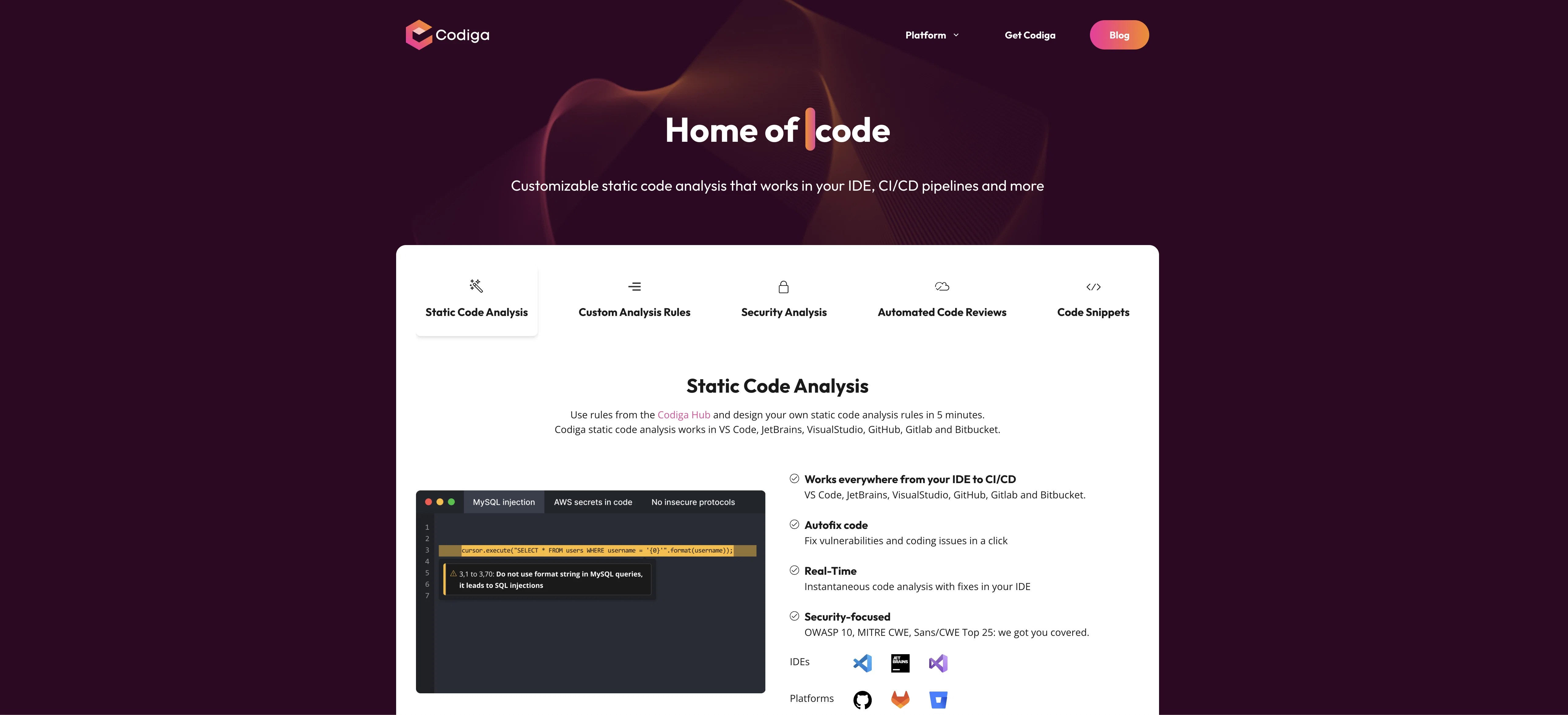
Codiga is an AI-powered static code analysis tool that can be used in any development environment, including VS Code, JetBrains, VisualStudio, GitHub, GitLab and Bitbucket.
It provides customizable static code analysis with secure code analysis, automated code reviews, and code snippets.The static code analysis feature allows users to create their own static code analysis rules in 5 minutes and works with rules from the Codiga Hub.
It also offers automated code fixes for vulnerabilities and coding issues in a single click. Additionally, it offers security-focused code analysis with support for OWASP 10, MITRE CWE and SANS/CWE Top 25.In addition, Codiga offers automated code reviews with support for more than 12 languages and 1800+ rules for 12+ languages.
It also provides multi-branches support and works with the most popular languages and libraries.Lastly, Codiga offers code snippets which can be used to create and share smart code snippets with the world or with your team.
It allows users to create code snippets in a click and share private code snippets with the team. It also provides access to a large collection of code snippets available in the IDE.
Best for
Short scenarios where Codiga tends to shine.
-
Customizable static code analysis for your favorite IDE.
Example outputs 1
Sample generations and before/after results for Codiga.
Access & connections
Where you can use Codiga, and what it plugs into.
Platforms
Capabilities
What this tool accepts, produces, and is strongest at.
Input
- API
- Code
Output
- Code
- API
Supported features
- Code Review
Pros & cons
Pros
- Exhaustive code analysis
- Compatible with various environments
- Customizable static code analysis
- Automated code fixes
- Security-focused code analysis
- Support OWASP 10, MITRE CWE, SANS/CWE Top 25
- Support for 12+ languages
- Multi-branches support
Show 22 more
- Automated code reviews
- Code snippets feature
- Private code snippets sharing
- Large code snippets collection
- Works in IDEs, CI/CD pipelines
- User-created analysis rules
- Automated security fixes
- Detects leaked secrets
- Infrastructure code analysis
- Fast code feedback
- Supports popular languages and libraries
- Compatible with GitHub, GitLab, Bitbucket
- IDE plugin support
- Git Hooks integration
- Detects issues in real-time
- Historical analysis of errors
- Automated code review
- Checks pull request for violations
- Detects long and complex functions
- Supports popular languages and libraries
- Shows overall code violations
- Displays duplicates, long and complex functions
Cons
- Limited language support
- Requires Node.js for setup
- 5-minute rule creation might be too quick
- Limited security analysis
- Doesn't offer dynamic analysis
- Limited custom rule creation
- Only supports certain IDEs and platforms
- Not explicitly SOC-2 Compliant
Show 1 more
- No real-time, continuous monitoring
Compare alternatives
Similar tools in the catalog — with a clear reason to open each one.

CodeRabbit ✓
Free TrialEnhanced code review for improved workflow and quality.
Free + from $12/mo
Full comparison
Kilo | Code Reviewer ✓
FreemiumAI-powered code reviews that catch bugs before merge.
Free + from $15/mo
Full comparison
Surmado Code Review ✓
Free TrialAutomated Code Reviews for Github Teams and Vibe Coders
Why look Offers a public API
Full comparison
Dromeas ✓
FreemiumAI-powered code quality, security and compliance platform.
Why look Higher community rating
Full comparison
Codespect ✓
Free TrialAI-powered code review for GitHub PRs.
Why look Typically cheaper
Full comparisonPeople also view
Tools that often show up alongside Codiga in collections and comparisons.
Dromeas ✓
FreemiumAI-powered code quality, security and compliance platform.
Codespect ✓
Free TrialAI-powered code review for GitHub PRs.

AgentDesk ✓
Free TrialAI agents that fix bugs while you sleep.
Surmado Code Review ✓
Free TrialAutomated Code Reviews for Github Teams and Vibe Coders
Kilo | Code Reviewer ✓
FreemiumAI-powered code reviews that catch bugs before merge.
CodeRabbit ✓
Free TrialEnhanced code review for improved workflow and quality.

TestDriver ✓
FreemiumAI code reviewer that actually runs your app.

PatchDesign.AI ✓
FreemiumDesign custom patches in seconds using AI.
Releases 1
FAQ 12
What is Codiga?
What features does Codiga offer for code analysis?
How can Codiga be used with VS Code?
Can I use Codiga for automated code reviews?
What is the static code analysis feature in Codiga?
How do I create my own static code analysis rules in Codiga?
Can Codiga automatically fix code vulnerabilities?
Does Codiga support OWASP 10, MITRE CW, and SANS CWE Top 25?
What languages are supported by Codiga for automated code reviews?
Can I use Codiga for multi-branch support?
What are the code snippets feature in Codiga?
How do I share private code snippets with my team using Codiga?
Related tools
Recommended

Programming Helper ✓
UnknownGenerate code from text descriptions instantly.

Codeium ✓
FreemiumAI-powered code completion for 20+ languages

Kodezi ✓
FreemiumAI auto-correction for programmers.

Code Snippets AI ✓
FreemiumCode Snippets AI is a next-gen AI-powered desktop app!

Codel ✓
PaidAI-powered code examples and debugging assistant.

Github Copilot ✓
FreemiumAI-powered coding assistant for faster development