

Image to video 2026 Rank: #1597
BYFlux | AI Image to Video Generator ✓
Turn prompts into polished images and videos, instantly.
Verdict
A quick read before you dig into the full page.
- Best if
- Turn prompts into polished images and videos, instantly
- Skip if
- Limited model selection
- Pick this when
- Images and videos from text
Considering MojoMake - AI Image to Video Generator instead? Compare side by side
Overview
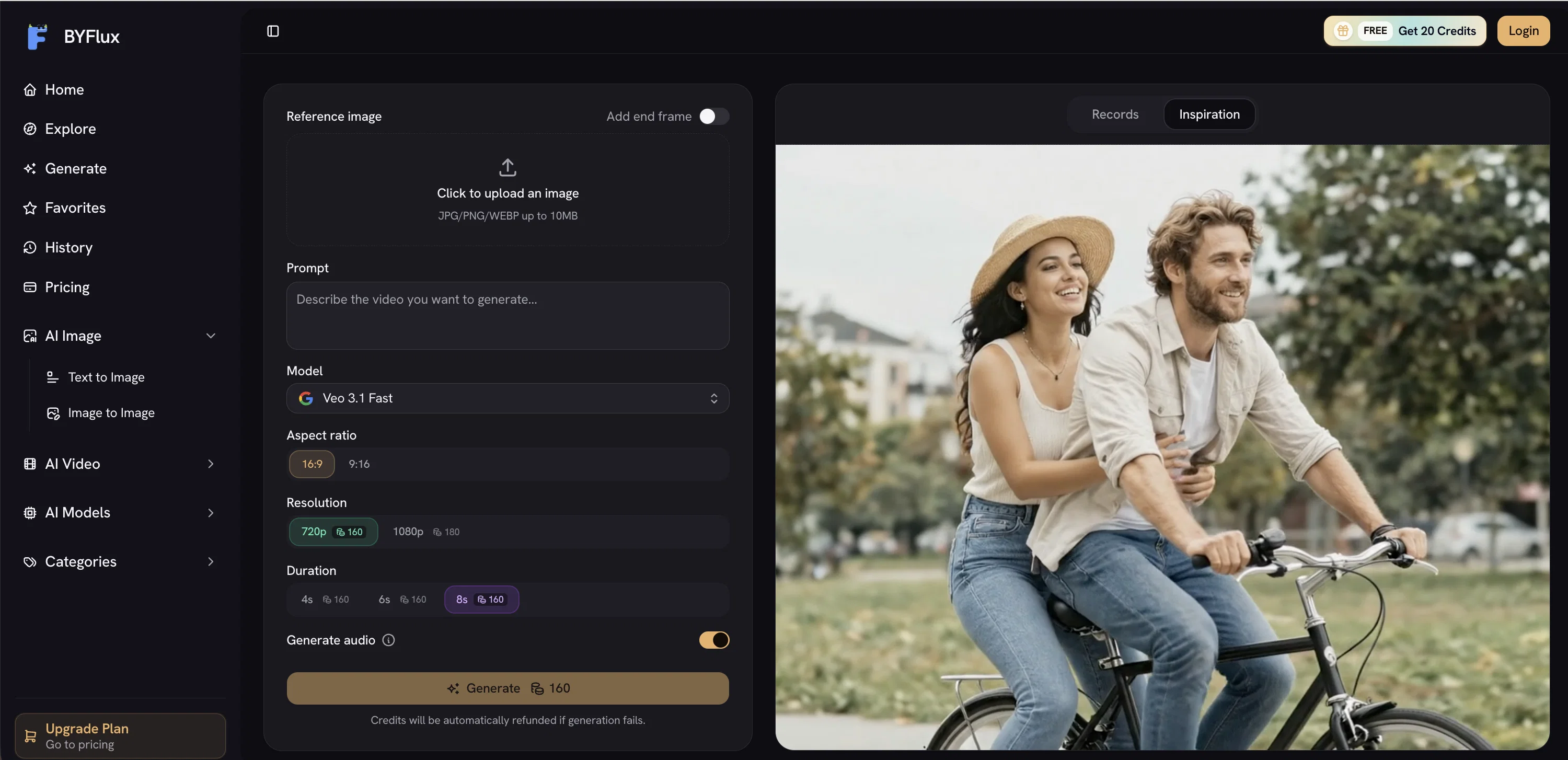
BYFlux is an integrated AI image and video generating tool developed by Flux AI studio. It allows users to turn prompts or reference photos into polished images, edits, and cinematic clips by using top-tier AI models.
BYFlux comes with a unique feature set that includes generating images from text prompts, modifying images, producing videos from text, and converting images to videos without transitioning between different applications.
It caters to multiple aesthetic preferences, budgets, and timelines by providing access to an array of leading image and video models. The platform's AI prompt workflow assists users in controlling the look, lighting, composition, and mood of their creations.
BYFlux also supports commercial use of its outputs, allowing users to retain the rights to their work on any plan, even the free tier. It prioritizes user privacy, ensuring that the user's prompts and uploads remain secure and private.
To facilitate user progression, BYFlux offers a scalable pricing model with monthly credits or one-time packs according to individual requirements.
Access & connections
Where you can use BYFlux | AI Image to Video Generator.
Platforms
Capabilities
What this tool accepts, produces, and is strongest at.
Input
- Image
- Text
Output
- Video
- Image
Highlights
- API
Supported features
- API
Pros & cons
Pros
- Images and videos from text
- Image to video conversion
- Supports commercial use
- Supports user privacy
- Multiple aesthetic preferences
- Scalable pricing model
- User-friendly interface
- Prioritizes data security
Show 33 more
- Workflow enhancement features
- Rights retention on all plans
- Image modification
- Facilitates user progression
- Supports multiple budgets and timelines
- Works without transitioning between apps
- Prompts assist with creative control
- Variety in image and video models
- Monthly credits or one-time packs
- Facilitates lighting control
- Facilitates mood setting
- Facilitates composition management
- Fast result generation
- One shared credit pool
- Commercial license on every plan
- Image and video in one workspace
- Allows switching between top models
- Priority support on selected plans
- Dedicated support on studio plan
- Priority processing queue on studio plan
- Images and videos side-by-side
- Free credits on signup
- Nothing to download or install
- Free to start
- Supports high-quality images up to 4K
- Simple credit system
- Simple plan changing process
- No long-term contracts
- Non-expiring pay-as-you-go credits
- Credits are usage-based
- Supports video editing
- Supports image editing
- Image and videos in one studio
Cons
- No collaborative features
- No mobile version
- No offline accessibility
- No specified API
- Charged by credit system
- Limited free tier
- Customer support via email
- Credits may expire
Show 2 more
- Limited model selection
- Requires internet connectivity
Compare alternatives
Similar tools in the catalog.

MojoMake - AI Image to Video Generator ✓
FreemiumUse every top AI model and 100+ effects in one account.
Free + from $9/mo
Full comparison
VidFlux - Photo to Video Generator ✓
PaidTransform photos into cinematic videos with AI.
from $6.75/mo
Full comparison
Grok Imagine ✓
FreemiumUnleash Your Creativity with Grok Imagine
Free + from $30/mo
Full comparison
VidFlux - Image to Video AI ✓
PaidTransform any image into stunning videos.
from $9/mo
Full comparison
MindVideo ✓
FreemiumCreate stunning videos from text or images.
Free + from $7.9/mo
Full comparison
Releases 1
FAQ 12
What is BYFlux's main function?
How does the image and video generation feature of BYFlux work?
Can BYFlux convert texts directly into images or videos?
What AI models does BYFlux use for content generation?
How can BYFlux help me control the mood and lighting in my designs?
Are there commercial use restrictions for BYFlux outputs?
Who retains the rights to the work created with BYFlux?
How does BYFlux prioritize user privacy?
How does BYFlux's pricing model work?
Does BYFlux allow image to video conversions?
Can BYFlux cater to different aesthetic preferences?
Can I use BYFlux for both image and video editing?
Related tools
Recommended

VideoThis ✓
PaidCreate stunning AI videos instantly, no skills required.

MagicSlides.app AI PPT Maker ✓
FreemiumCreate Stunning PPTs in Seconds with the AI PPT Maker

GetLogit ✓
FreemiumArtificial intelligence, available for everyone.

ChatGPT ✓
FreemiumAsk anything, create anything, and move from idea to action.

Automateed ✓
Free TrialCreate eBooks effortlessly with Automateed, the AI-powered writing tool.

Notis ✓
Free TrialThe first WhatsApp assistant that runs on your ChatGPT and Claude subscriptions