

Bulk Rename Utility ✓
Batch rename files with AI and rules, online and free.
Verdict
A quick read before you dig into the full page.
- Best if
- Batch rename files with AI and rules, online and free
- Skip if
- Limited OS support (Windows, Mac)
- Pick this when
- Online bulk file renaming
Considering AI Renamer App instead? Compare side by side
Overview
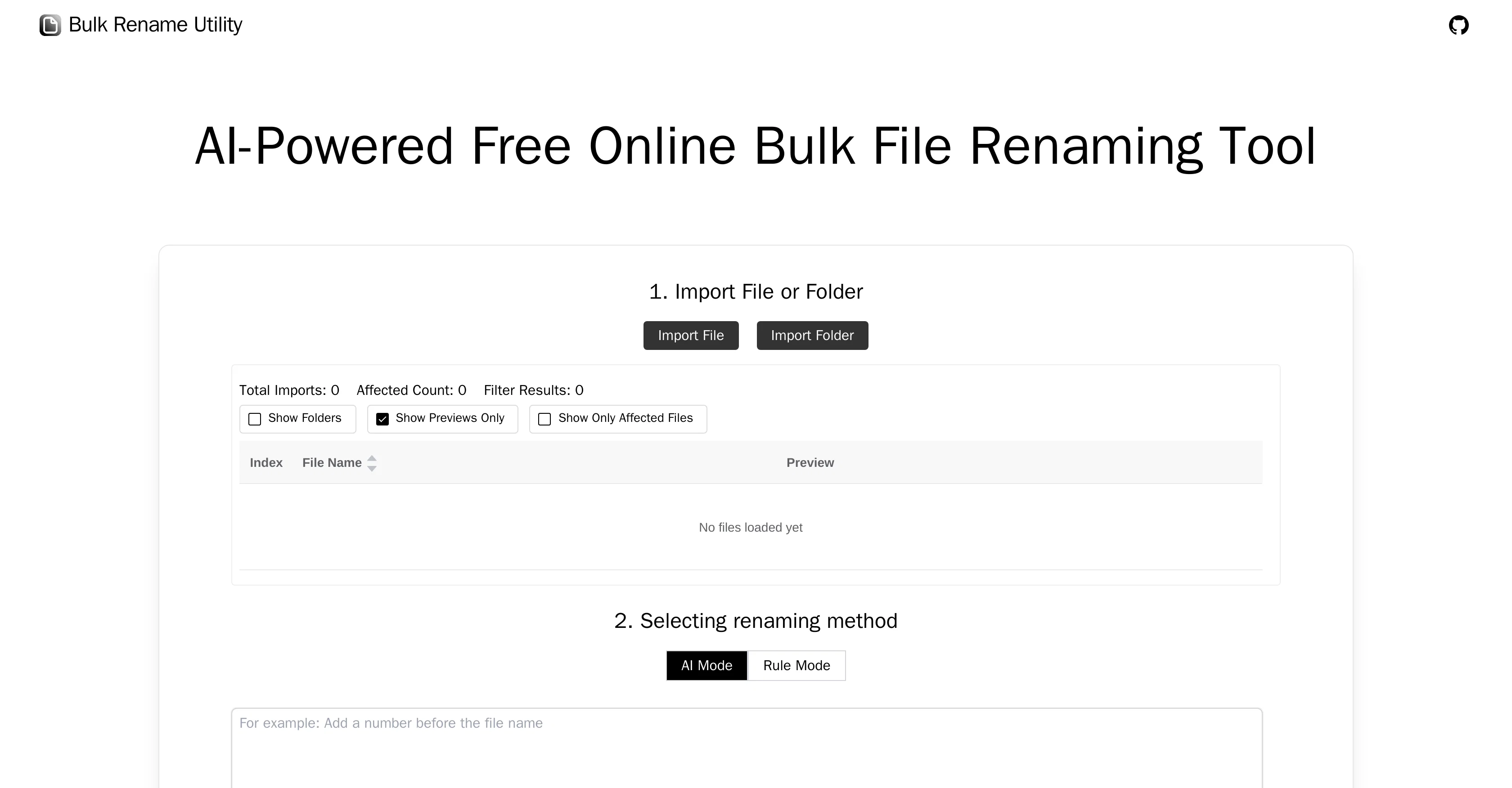
Bulk Rename Utility is a comprehensive online tool designed to streamline the process of renaming files in bulk. The utility operates on the web and is compatible with Windows and Mac systems through Chrome and Edge browsers.
It is especially favorable for users who seek to rename files without any need to upload them or install additional software.The utility provides two main modes of operation: AI Mode and Rule Mode.
In AI Mode, users describe their renaming requirements and the AI generates new file names accordingly. Conversely, the Rule Mode allows for a more custom approach, permitting users to employ a range of rules such as character deletion/replacement, sequence padding, new naming conventions, regular expression replacements, and even layout advanced renames using custom JavaScript functions.The tool includes features designed with user convenience in mind.
Without uploading files on the web, Bulk Rename Utility reads only the file's directory, name, and size information. This local operation supports user privacy.
Users can easily navigate the tool's features thanks to its intuitive interface. The interface stands out for allowing both AI and rule-based operations to be conducted smoothly and efficiently.
Moreover, Bulk Rename Utility is distinctive for integrating different types of renaming rules, ranging from simple character alterations to more complex JavaScript functions and regular expressions.
While the tool particularly favors Chrome and Edge browsers, it remains an efficient, user-friendly, and trustworthy option for renaming files on both Windows and Mac platforms.
Access & connections
Where you can use Bulk Rename Utility, and what it plugs into.
Platforms
Integrations
Capabilities
What this tool accepts, produces, and is strongest at.
Input
- Tabular
Output
- Text
Pros & cons
Pros
- Online bulk file renaming
- No software installation required
- Windows and Mac compatible
- Chrome and Edge compatible
- Does not upload files
- Maintains user privacy
- Customizable renaming with Rule Mode
- Supports character deletion/replacement
Show 18 more
- Supports sequence padding
- Supports new naming conventions
- Supports regular expression replacements
- Supports advanced renaming with JavaScript
- Intuitive user interface
- Free of cost
- Local file operations
- Diverse renaming rules integration
- Directly modifies filenames
- Renaming method flexibility
- Rule based adding/inserting characters
- Doesn't require uploading files
- Advanced regex and custom JavaScript support
- Compatible with secure browsers
- Supports various file operations
- Supports custom JavaScript functions for advanced renaming
- Ensures protection of user privacy
- Comfortable for different technical level users
Cons
- Limited to Chrome and Edge
- Exclusively web-based
- Possibly daunting Rule Mode
- Limited OS support (Windows, Mac)
- No native app version
- No file upload
- Doesn't support other browsers
- Depends on internet connection
Show 1 more
- No multi-language support
Compare alternatives
Similar tools in the catalog — with a clear reason to open each one.




Releases 1
FAQ 12
What is the Bulk Rename Utility?
How does AI Mode on Bulk Rename Utility work?
What kind of customization is possible with Rule Mode on Bulk Rename Utility?
How does Bulk Rename Utility ensure my privacy?
Can Bulk Rename Utility rename files without me having to upload them?
How is Bulk Rename Utility different from other file renaming tools?
Does Bulk Rename Utility support both Windows and Mac systems?
Why does Bulk Rename Utility specifically favor Chrome and Edge browsers?
What types of renaming rules does Bulk Rename Utility support?
Can I use JavaScript functions for renaming with Bulk Rename Utility?
Does Bulk Rename Utility require any installation?
How does Bulk Rename Utility read only the file's directory, name, and size?
Related tools
Recommended

Agentgpt ✓
FreemiumDeploy autonomous AI Agents effortlessly in your browser.

Stunning ✓
PaidBuild AI-powered websites in seconds

DataSquirrel ✓
FreemiumData cleaning & visualization for insights gained.

Revmo AI ✓
Free TrialConversational AI that remembers every customer and completes every workflow

Otio ✓
FreemiumFastest Way To Read & Write - Your Research Focused AI Workspace

CleeAI ✓
FreeCustom AI for Enterprise, built in seconds