

Bulk file renaming 2026 Rank: #2271
Zush AI File Renamer & Organizer ✓
Batch rename files by content — private AI for Mac & Windows
Verdict
A quick read before you dig into the full page.
- Best if
- Batch rename files by content — private AI for Mac & Windows
- Skip if
- Limited offline analysis capabilities
- Pick this when
- Compatible with Mac and Windows
Considering AI Renamer App instead? Compare side by side
Overview


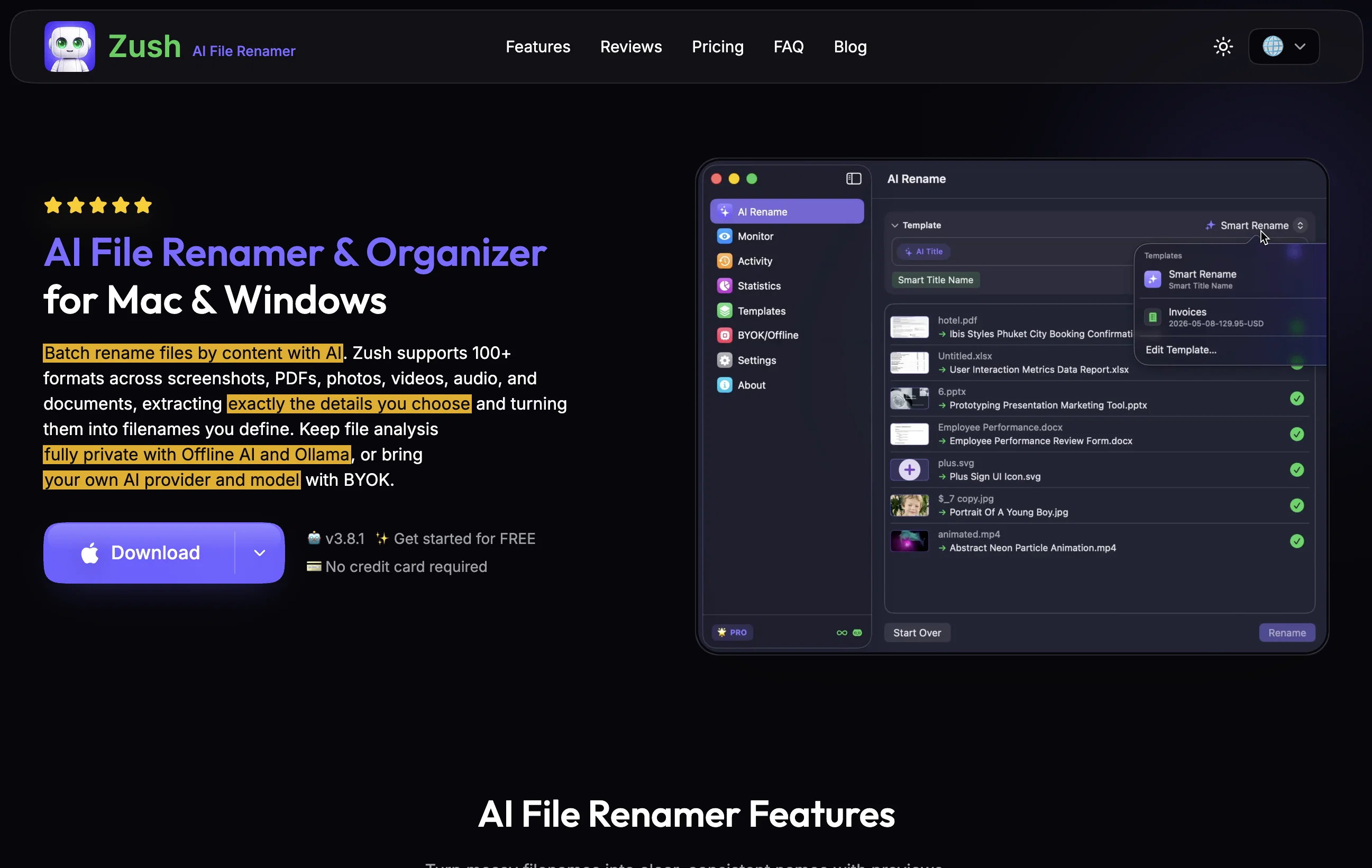
Custom AI Blocks set Zush apart. Describe any detail in a short prompt — brand name, client, invoice number, case ID — and Zush extracts it from the file straight into the filename. Mix custom blocks with 145+ built-in naming blocks (dates, camera metadata, finance, legal, travel) in reusable templates.
Privacy comes first: run Zush 100% offline with local Ollama models, so files never leave the device. Or bring your own API key (BYOK) and choose the provider you trust — Gemini, OpenAI, Claude, or Groq. No forced cloud, no lock-in. Offline AI and BYOK are available in PRO version.
Zush also watches folders and renames new files as they arrive, adds smart metadata and tags for instant search, and keeps a full rename history with one-click undo. Free to start, no signup, no credit card.
- Custom Ai Blocks: Extract Any Detail Into Filenames
- 100% Offline Mode With Local Ollama Models
- Byok: Use Your Own Gemini, Openai, Claude Or Groq Key
- Reads Content Of 100+ File Formats
- Folder Monitoring: Auto-renames New Files
- Rename History With One-click Undo
- 145+ Built-in Naming Blocks & Reusable Templates
- Smart Metadata & Tags For Instant Search
Access & connections
Where you can use Zush AI File Renamer & Organizer.
Platforms
Capabilities
What this tool accepts, produces, and is strongest at.
Input
- Image
- Text
- Video
- Audio
Output
- Text
Highlights
- SOTA
- No Signup
- Local
Supported features
- No Signup
- Runs Locally
Models
Text
Image
Audio
Video
Pros & cons
Pros
- Compatible with Mac and Windows
- Supports over 100 formats
- Batch rename by content
- Can create reusable naming blocks
- Folder monitoring functionality
- Undo feature for control
- Smart Metadata for discovery
- Supports offline analysis with Ollama
Show 29 more
- Custom API key integration
- Supports cloud renames
- Rename History for tracking
- Previews files before renaming
- Template use for consistency
- Filename structure customization
- Automatically processes new files
- User-oriented customization
- Can extract specific details
- Supports various API providers
- Versatile file organizer and manager
- Enhanced batch processing
- Watch folder feature
- Supports 60+ filename languages
- Retains files' original format
- Smart analysis across formats
- Option to rollback changes
- Facility for reusable rename setups
- Compatible with mixed files and folders
- Integration of secure local keys
- Private local models via Ollama
- One-click revert functionality
- Option to connect own API key
- Capability to handle raw photos
- Handles Office and iWork files
- Handles subtitles files
- Choice of monthly or lifetime access
- Notarized dmg for MacOS
- Money-back guarantee
Cons
- Cloud renaming requires API key
- Requires advanced knowledge for API Integration
- No support for Linux
- Offers only one-time or monthly subscriptions
- Needs constant folder monitoring
- Can't run multiple file renaming operations concurrently
- Might inadvertently alter crucial file names
- Limited offline analysis capabilities
Show 2 more
- No tiered pricing options
- Requires repeated template setups
Compare alternatives
Similar tools in the catalog — with a clear reason to open each one.



Bulk Rename Utility ✓
FreeBatch rename files with AI and rules, online and free.
Why look Fully free option
Full comparison
Releases 1
Imported reviews 1
Great experience, exceeded all expectations!
FAQ 12
What is Zush AI File Renamer & Organizer?
Which file formats does Zush support?
Can Zush extract details from files for renaming purposes?
What is the Custom AI Blocks feature in Zush?
Can I create my own naming block in Zush?
Does Zush have a folder monitoring function?
How does the undo function work in Zush?
What does the Rename History feature do in Zush?
What is Smart Metadata in Zush?
Does Zush support API integration?
What is Zush's compatibility with Mac and Windows?
Can Zush handle offline file analysis with Ollama?
Related tools
Recommended

MagicSlides.app AI PPT Maker ✓
FreemiumCreate Stunning PPTs in Seconds with the AI PPT Maker

GetLogit ✓
FreemiumArtificial intelligence, available for everyone.

ChatGPT ✓
FreemiumAsk anything, create anything, and move from idea to action.

Automateed ✓
Free TrialCreate eBooks effortlessly with Automateed, the AI-powered writing tool.

Kin - Personal AI Advisors ✓
FreePrivacy-first & designed your for mind, and life at work

Aiter.io | Paste a URL. Ship a Campaign That Sounds L... ✓
FreemiumAI marketing that sounds like you, not everyone else.