

Email management vv2.0
Breezemail ✓
Organize your inbox with AI categories
from $12/mo
Verdict
A quick read before you dig into the full page.
- Best if
- Organize your inbox with AI categories
- Skip if
- Limited advanced filtering options
- Pick this when
- Categorizes emails efficiently
Considering Ayari instead? Compare side by side
Overview
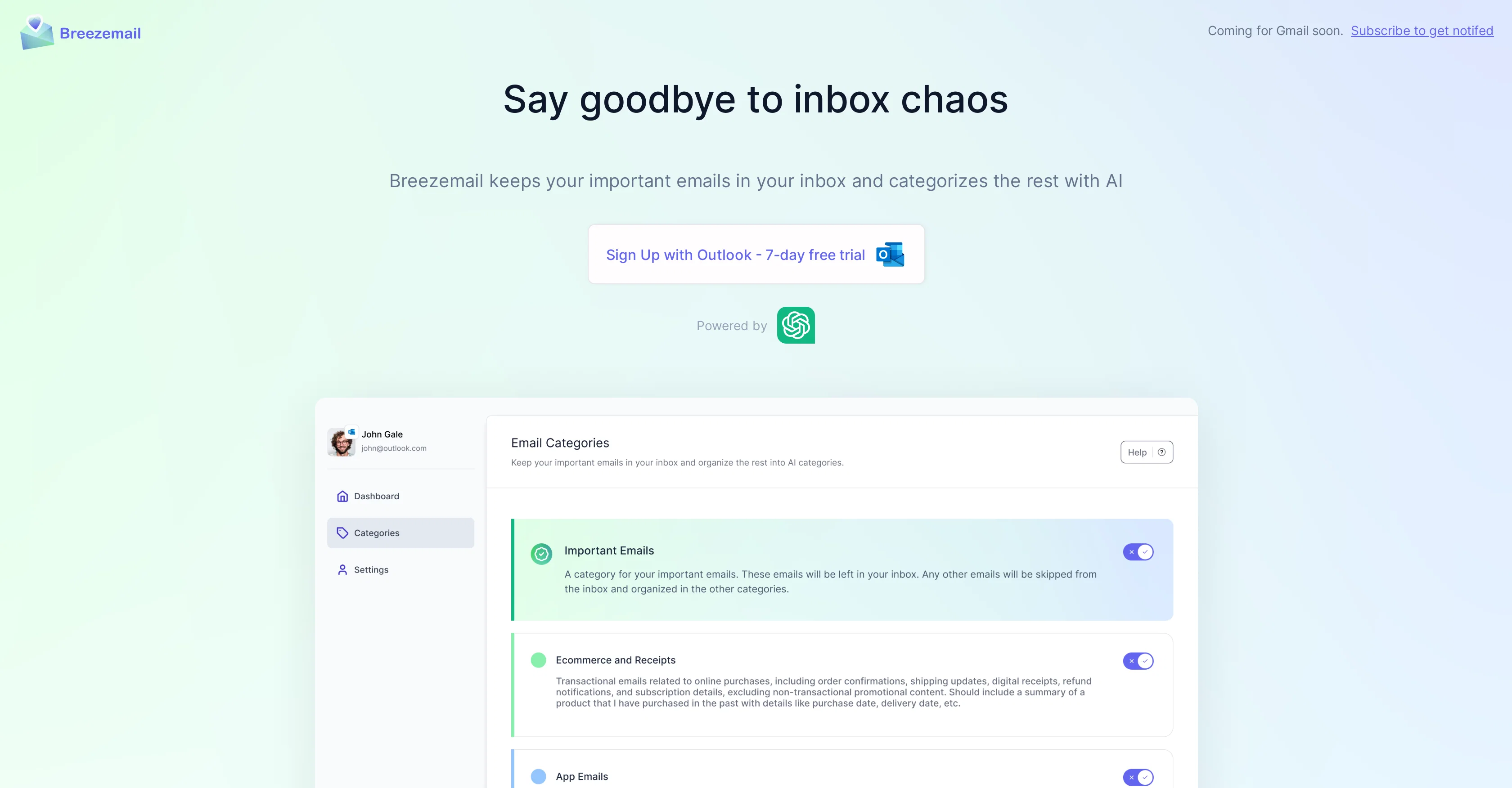
Breezemail is an AI-driven tool designed to organize your email inbox by categorizing your emails. The tool is especially created to cut down inbox chaos by efficiently separating important emails from those that can be categorized.
It utilizes AI to recognize which emails are crucial and ensures they stay in your inbox. As for the less important emails, Breezemail organizes them into smart categories.
The algorithm uses natural language processing to create these categories, making it easier for users to locate specific emails, such as those related to 'finance and investing.' In addition, it offers pre-defined categories like Newsletters, Purchases, Social, Promotion, and Travel for easy email organization.
Breezemail is built to function as an extension over your email inbox, currently supported by Outlook with a planned launch for Gmail. The tool places a high priority on security and privacy, only retaining data necessary for its functionalities, without involvement in selling or sharing user data.
The content of your email is processed by CHATGPT, which categorizes email contents. Breezemail does not store any content on its servers and encrypts all access tokens and user credentials, ensuring a secure user experience.
Access & connections
Where you can use Breezemail, and what it plugs into.
Platforms
Pros & cons
Pros
- Categorizes emails efficiently
- NLP-based categorization
- Separates crucial emails
- Custom smart categories
- Pre-defined categories
- Outlook extension
- Upcoming Gmail support
- Doesn't retain user data
Show 19 more
- Doesn't sell user data
- Email content processed by CHATGPT
- No content stored on servers
- Encrypts access tokens
- Encrypts user credentials
- High security and privacy
- Easy email organization
- Automated email filtering
- Inbox chaos management
- Notify for important emails
- Attachments are also categorized
- User-defined categories
- Subscription-based model
- No ads
- Revocable mailbox access
- Enables targeted search
- Helps reduce clutter
- Increases productivity
- Personalized email organization
Cons
- Only supports Outlook currently
- Gmail support unimplemented
- Requires extension installation
- Subscription based, not free
- Runs on CHATGPT only
- No support for other email providers
- Limited advanced filtering options
Compare alternatives
Similar tools in the catalog.




Releases 2
We've launched Breezemail for Gmail.
Imported reviews 1
Hey AI fans,
I am Kalo, co-founder of Breezemail.
If your inbox is anything like mine, you spend at least 20% of your life opening, answering, and unsubscribing from emails. Arguably, the only thing more tedious than this is fixing your grandma’s Windows XP (arguably).
Or you just gave up, and your inbox app has a cute red dot with a truncation ellipsis (…), also known as the symbol of inbox doom.
Either way, the whole inbox situation is an absolute disaster.
We wanted to solve this challenge using AI.
Breezemail will help you enter the holy land of Inbox Zero. It’s an email categorizer tool that keeps important emails in your inbox and categorizes the rest into folders using natural language prompts.
How does it work?
1. Breezemail has a default Important category which leaves all your real human emails in your inbox.
2. Everything else is organized into AI folders (or labels). Labels using natural language prompts, for example, “All emails from my family”.
3. We give you a bunch of pre-defined categories to start with, and you can create your own custom categories, the same way you would write a ChatGPT prompt (yes, our tool also uses ChatGPT).
We’ve been testing it in-house for both our personal and business emails, and it worked so well that I no longer hate link builders and outreach people because their requests are neatly organized into a couple of folders. For my personal inbox, I can finally see all my receipts in one place, and all stock newsletters are ready for daily review in a different folder.
Go try it out now for free. We’d love to hear your feedback, so please don’t be shy and drop me a line back.
Currently, the tool is only available for Outlook, but we are working on a Gmail app, too. If you’d like to try it for Gmail, please let us know.
Thank you,
Kalo
FAQ 12
What is Breezemail?
How does Breezemail utilize AI for organizing my emails?
How does Breezemail distinguish important emails from less important ones?
What are the 'smart categories' in Breezemail?
How does Breezemail use natural language processing to categorize my emails?
What are the pre-defined categories available in Breezemail?
How does Breezemail work with my existing Outlook inbox?
When is the Gmail support for Breezemail launching?
What type of data Breezemail retains from the user emails?
Does Breezemail sell or share my data with third parties?
How does Breezemail process my email contents using CHATGPT?
Will Breezemail store the content of my emails on their servers?
Related tools
Recommended

Thunderbit ✓
FreemiumScrape leads & other data in just 2-clicks.

Inboxly ✓
PaidA Shareable URL Mailbox with in-built AI Assistant

Hyperis ✓
FreemiumOrganized task prioritization.

AiApply ✓
Free TrialCustomized job applications for better results.

Beeyond AI ✓
Free TrialBeeyond AI: Unlock 50+ AI tools under one subscription

Venturekit ✓
PaidGenerate comprehensive AI business plans instantly