

Task management vv1.1.0 2026 Rank: #2426
Bracket ✓
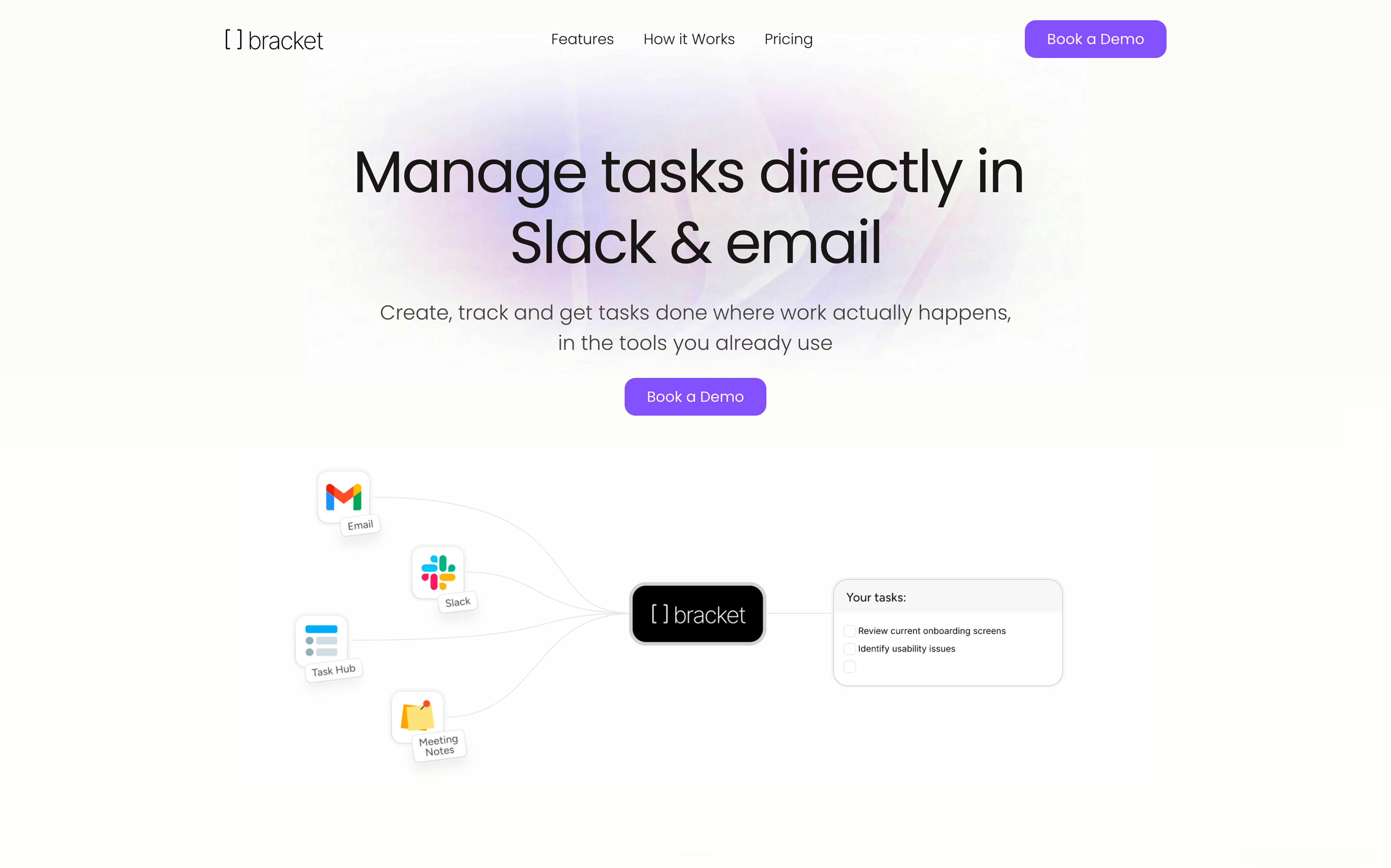
Manage tasks directly in Slack & email
Trial; then from $30/mo
Verdict
A quick read before you dig into the full page.
- Best if
- Manage tasks directly in Slack & email
- Skip if
- You are not ready to evaluate a time boxed trial
- Pick this when
- Free Trial · Trial; then from $30/mo
Considering Ping: AI-Powered To Do List instead? Compare side by side
Overview
When you invite Bracket to your meetings, it pulls the transcript, updates existing tasks with what was actually discussed, and creates new follow-up tasks based on what people committed to. Nothing falls through the cracks because you forgot to write it down.
Bracket can also do the work itself. Depending on which apps you've connected, it drafts docs, builds slides, plans projects, and analyzes what's happening across your team. Ask it "what slipped this week?" and it tells you, with specifics.
Your team doesn't have to change how they work. Bracket plugs into the tools they already use every day, so adoption is instant and your board stays accurate on its own.
Best for
Short scenarios where Bracket tends to shine.
-
Manage tasks directly in Slack & email
Example outputs 1
Sample generations and before/after results for Bracket.
Access & connections
Where you can use Bracket, and what it plugs into.
Platforms
Capabilities
What this tool accepts, produces, and is strongest at.
Input
- API
- Tabular
- Image
- Text
- Audio
Output
- API
- Text
Highlights
- Agents
- API
- MCP
Supported features
- Agents
- API
- MCP
Compare alternatives
Similar tools in the catalog — with a clear reason to open each one.

Ping: AI-Powered To Do List ✓
FreemiumAI-powered task list: Dictate tasks, integrate with Gmail, Slack, ChatGPT & Calendar.
Why look Typically cheaper
Full comparison
Todoist Ramble ✓
FreemiumCapture tasks at the speed of thought.
Why look Typically cheaper
Full comparison
OneTask ✓
FreemiumAI to-do app that prioritizes tasks for creatives
Why look Typically cheaper
Full comparison
Sidejot ✓
FreeAI-powered task planner for focused productivity.
Why look Fully free option
Full comparison
Claude Cowork ✓
PaidGive Claude access to your files for instant organization.
Why look Higher community rating
Full comparisonPeople also view
Tools that often show up alongside Bracket in collections and comparisons.
Ping: AI-Powered To Do List ✓
FreemiumAI-powered task list: Dictate tasks, integrate with Gmail, Slack, ChatGPT & Calendar.
OneTask ✓
FreemiumAI to-do app that prioritizes tasks for creatives
Todoist Ramble ✓
FreemiumCapture tasks at the speed of thought.
Sidejot ✓
FreeAI-powered task planner for focused productivity.

Hoop ✓
Free TrialAI captures tasks from meetings and chats
Claude Cowork ✓
PaidGive Claude access to your files for instant organization.

Tame My Inbox ✓
FreemiumAI email assistant that solves Gmail overload effortlessly.

Supernormal App ✓
FreemiumThe AI assistant app that turns meetings into completed work
Releases 2
- Brand new Task Hub
- Slack integration
- Daily digest your most critical updates
- Bracket now offers specific help to push your tasks forward
In the news
Launch coverage and community mentions for Bracket.
Imported reviews 5
I started using Bracket because I wanted to interact with my task management system in Slack. It is a relief to have one place where everything actually stays because I don't have to do any manual data entry to keep it that way.
The app helps me manage tasks, remind others of what I’ve assigned them, and most importantly, saves me time so I can focus on what really matters
I found this on TAAFT and it has replaced how I handle my daily to-do list. I like that I can draft a follow-up or outline a plan using the context from my existing Slack threads. It knows what's going on so I don't have to explain the situation every time I need help with a task. If you spend most of your day in chat or email, this is a lot better than trying to manage your work in a standalone app that feels like a chore to update.
Still invite only, so hard to judge depth yet. The idea is great!
Bracket makes your task list proactive. Instead of hunting tasks across tools, Bracket captures them straight from Slack and Email (for now :P). It automates follow-ups, takes accountability for your tasks, and eliminates the hours wasted maintaining task systems. Operate where your work happens —> no context switching, no dropped balls, just a team that actually follows through. Try Bracket free, sign up to the waitlist today.
FAQ 5
What exactly is Bracket?
🛠️ 1
tool
🙏 24
karma
wrote:
Bracket is a task manager that runs inside Slack and email. You mention @bracket in a Slack channel, DM, or email thread, and it can create tasks, check on someone's progress, assign work, or move a deadline. Everything stays in sync on a shared board, so nobody has to open a separate app to update anything.
How is Bracket different from tools like Asana, Monday, or Linear?
🛠️ 1
tool
🙏 24
karma
wrote:
Most project management tools assume your team will open a separate app every day, log their work, and keep statuses current. That lasts about two weeks before everything goes stale. Bracket sidesteps the whole problem because it runs where your team already works, in Slack and email. Tasks get created from real conversations, so your board stays accurate without anyone doing data entry. People don't have to change their habits, which is why adoption actually sticks.
Do my teammates need to install anything?
🛠️ 1
tool
🙏 24
karma
wrote:
No. They just mention @bracket in Slack or email it. There's nothing to download and no new login. If someone on your team can send a Slack message, they already know how to use Bracket.
How does the meeting notes integration work?
🛠️ 1
tool
🙏 24
karma
wrote:
You integrate Bracket with your meeting note-taker and invite it to your meetings. It pulls the transcript from every call, then does two things with it: it updates existing tasks with real context from what was actually discussed, and it creates new follow-up tasks based on what people committed to. So if someone said "I'll send the proposal by Friday," that becomes a task assigned to them, with the meeting context attached. You don't have to write anything down yourself.
What can Bracket actually do with tasks beyond tracking them?
🛠️ 1
tool
🙏 24
karma
wrote:
Depends on which apps you've connected. It can draft docs, build slides, plan projects, or write follow-ups. It can also analyze your team's work. A manager can ask "what slipped this week?" and get back that Sarah's been blocked for four days and the client deliverable nobody flagged hasn't been touched since Tuesday. That usually takes an hour of Slack digging. Bracket already has the context, so you just ask.
Related tools
Recommended

remio: Your Personal ChatGPT ✓
FreemiumGet Tailored Answer with Your Personal ChatGPT

Marketing Assistant (Elsa AI) ✓
FreemiumDefine your ideal customers and craft a winning marketing strategy with Elsa.

B12 AI Website Builder ✓
FreemiumAI-powered website builder

Thea ✓
FreemiumAI study tools to master material, not just memorize it.

Recall ✓
FreemiumSummarize Anything, Forget Nothing!

Notis ✓
Free TrialThe first WhatsApp assistant that runs on your ChatGPT and Claude subscriptions