

from $37
Verdict
A quick read before you dig into the full page.
- Best if
- You are developers and need: AI Coding Assistant within IDE
- Skip if
- One year update limit
- Pick this when
- Native macOS App
Considering FridayGPT instead? Compare side by side
Overview
It is designed to enhance productivity across a wide range of professions, from writing and development to management and entrepreneurship.
BoltAI provides access to OpenAI's GPT to offer AI suggestions as users work on tasks, be it emails, reports, coding, or idea generation.
BoltAI has a range of use cases, including developers, content creators and marketers, students, and everyone who wishes to use AI assistance.
BoltAI is highly customizable, allowing users to create their custom AI assistants, tailoring the AI's behavior to suit specific tasks or roles. Besides, it comes with a prompt library that users can leverage to make the most out of AI assistance.
BoltAI is also secure and privacy-focused as it stores the key securely in the Apple Keychain and features automatic redaction of sensitive data, ensuring user privacy and peace of mind.
BoltAI is a fast and powerful native macOS app, unlike many other bulky Electron-based apps, and also offers a full chat experience.
Finally, BoltAI offers a range of pricing plans, and users can purchase a one-time license that includes one year of free updates.
Related App: https://pdfpals.com — Instantly chat with PDF on Mac
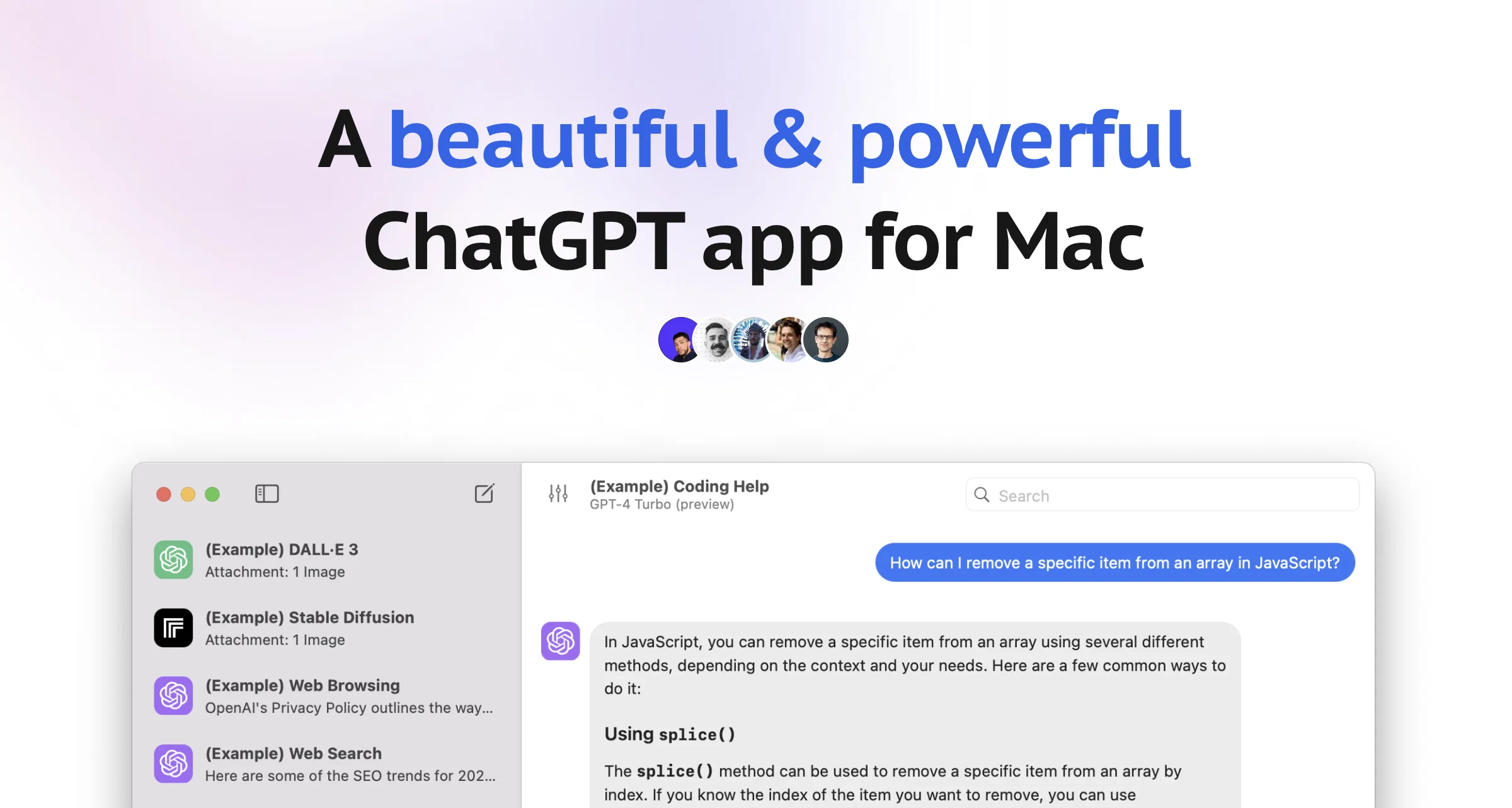
Best for
Short scenarios where BoltAI tends to shine.
-
AI Coding Assistant within IDE
Best for Developers
-
Content & Marketing Generation
Best for Content Creators
-
Learning for Students
Best for Marketing Professionals
-
Instant access to large language models and Stable Diffusion
Best for Students
-
Business operations management
Best for Entrepreneurs
-
Fixing grammar and syntax typos
Best for Managers
-
Brainstorming creative ideas
Best for Researchers
Example outputs 1
Sample generations and before/after results for BoltAI.
Access & connections
Where you can use BoltAI, and what it plugs into.
Platforms
Integrations
Capabilities
What this tool accepts, produces, and is strongest at.
Highlights
- Agents
Supported features
- App Builder
- Agents
- Team Collaboration
Pros & cons
Pros
- Native macOS App
- Enhances productivity
- Can automate tasks
- Prompt library feature
- Secure and privacy-focused
- Key storage in Apple Keychain
- Sensitive data redaction
- One-time license purchase
Show 33 more
- Variety of pricing plans
- Fast and powerful app
- Full chat experience
- Supports a range of professional needs
- Versatile with wide use cases
- Seamless workflow integration
- Direct integration in macOS apps
- Helps generate high-quality content
- Accelerates content writing
- Helps students learn faster
- Option to customize keyboard shortcuts
- No in-app analytics
- No context switching needed
- Features Stable Diffusion support
- Online guides and resources
- Potential for future platform expansion
- No account creation required
- API key setup for initialization
- Risk-free 14-day money-back guarantee
- Supports all macOS 12+ devices
- Perpetual license for software
- One-year free updates with license
- Teams plan available
- High user satisfaction
- Built-in data detection for privacy
- Tool for quick idea generation
- Enhances management efficiency
- Boosts creativity in content creation
- Flexible for professional and creative contexts
- Continuous performance with stable internet
- Integrates with favorite tools
- User input not stored
- Easy license unlinking for device change
Cons
- Exclusive to macOS
- Internet connection dependent
- One year update limit
- Limited to text-based tasks
- No free trial
- No in-app analytics
Compare alternatives
Similar tools in the catalog — with a clear reason to open each one.

FridayGPT ✓
PaidYour AI copilot for Mac, offering instant access to ChatGPT, voice-to-text, and quick AI actions.
Why look Typically cheaper
Full comparison
MindMac ✓
PaidFeature-rich & elegant ChatGPT macOS client, supports multiple AI providers
Why look Typically cheaper
Full comparison
PaletteBrain ✓
PaidPowerful and Customizable ChatGPT App for Mac
Why look Typically cheaper
Full comparison

PDF Pals — ChatPDF on Mac ✓
PaidPDF document analysis & extraction for professionals
from $34
Full comparison
Gpt-tab ✓
FreeChatGPT at your fingertips, right in your menu bar.
Why look Fully free option
Full comparisonPeople also view
Tools that often show up alongside BoltAI in collections and comparisons.
FridayGPT ✓
PaidYour AI copilot for Mac, offering instant access to ChatGPT, voice-to-text, and quick AI actions.

RewriteBar ✓
Free TrialRewrite. Refine. Accelerate. — AI productivity for every macOS app. 🚀

CMD-C.app ✓
FreemiumTriple CMD-C for instant text perfection on macOS.
PaletteBrain ✓
PaidPowerful and Customizable ChatGPT App for Mac

Monica ✓
Free TrialYour ChatGPT-powered AI assistant on all websites.

Mixus ✓
FreemiumAI Agents Built For You

Merlio ✓
Free TrialTalk, generate, and design with every top AI model in one app

Magai ✓
PaidAll-in-one AI Platform
Releases 1
Imported reviews 2
The best native3 mac OS AI system sincve the beginning. I trust Bolt AI. I am with Daniel all the way.
I use Bolt every day as my main GPT client. Easier to use than ChatGPT, Daniel has made a great app here 👏
He's also very receptive to feedback, and has taken some of my ideas and bug reports on board 👍
Keep up the good work! Recommended ⭐
FAQ 12
What is BoltAI?
How does BoltAI integrate with macOS?
Is BoltAI suitable for non-developers?
What tasks can BoltAI assist with?
How customizable is BoltAI?
How does BoltAI ensure user privacy and security?
What's different about BoltAI being a native macOS app?
How does BoltAI's pricing work?
Does BoltAI have a one-time purchase option?
Do I need my own API key to use BoltAI?
Can BoltAI be used in offline mode?
Can BoltAI be used for both writing and coding tasks?
Related tools
Recommended

VenturusAI ✓
FreemiumBusiness idea analysis and reporting.

Hyperis ✓
FreemiumOrganized task prioritization.

LearningStudioAI ✓
Free TrialAI-powered authoring tool for effortless online course creation.

Stratup.ai ✓
FreemiumInnovative idea generation for businesses.

TutorAI ✓
FreemiumInstant knowledge on any topic

GPTExcel ✓
FreemiumGenerate spreadsheet formulas with AI