

Gpt-tab ✓
ChatGPT at your fingertips, right in your menu bar.
Verdict
A quick read before you dig into the full page.
- Best if
- ChatGPT at your fingertips, right in your menu bar
- Skip if
- Only available on Mac
- Pick this when
- Quick access to ChatGPT
Considering FridayGPT instead? Compare side by side
Overview
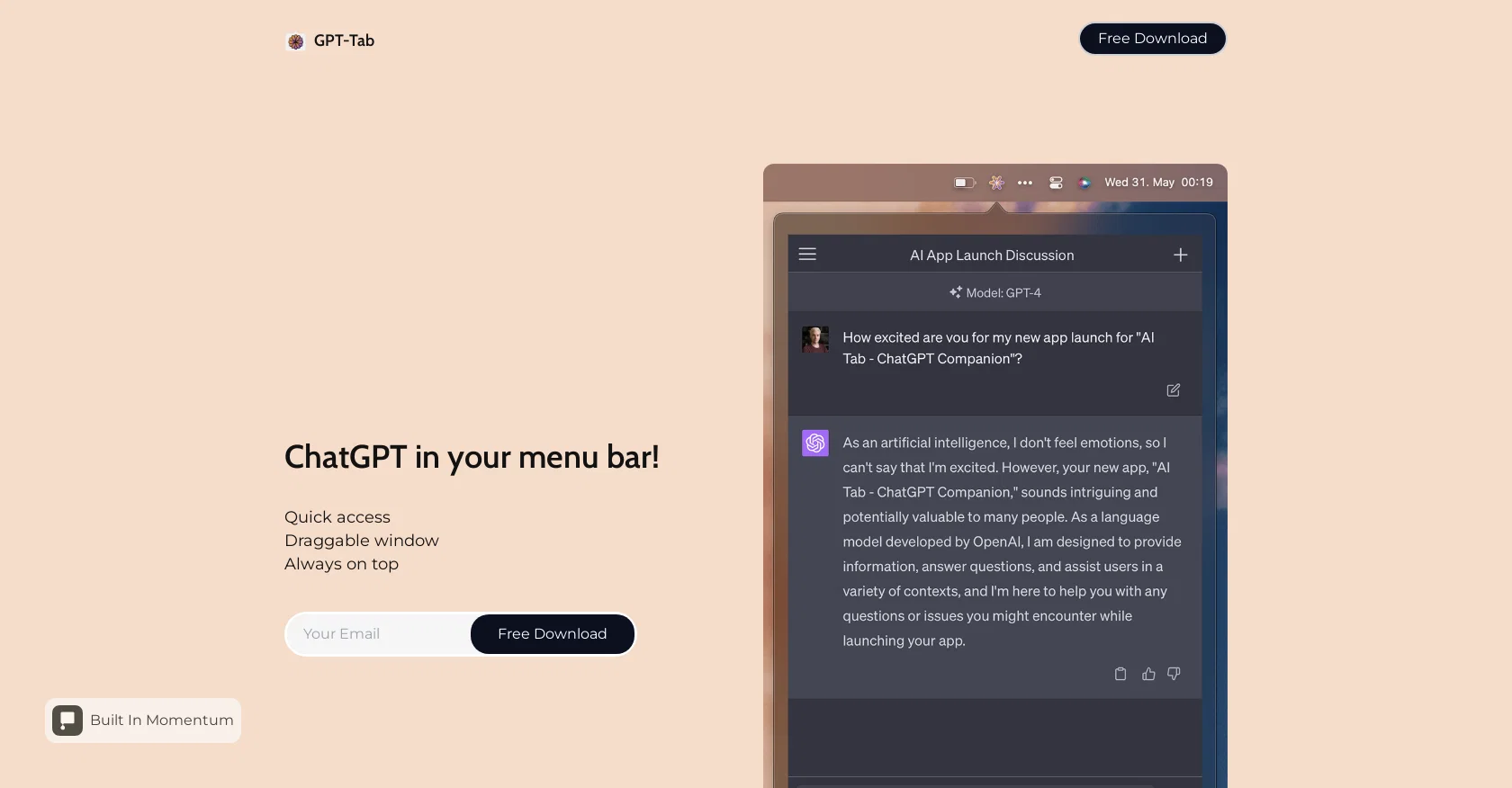
GPT-Tab is an AI tool that offers quick access to ChatGPT directly from your menu bar. With this tool, users can easily access the functionalities of ChatGPT without the need to navigate to a separate application or webpage.
One of the key features of GPT-Tab is its draggable window, which allows users to move the ChatGPT interface around their screen according to their convenience.
This feature enhances user experience by providing flexibility and adaptability to their workflow.Furthermore, GPT-Tab ensures that the ChatGPT interface remains always on top of other windows and applications.
This enables users to keep the ChatGPT tool within their line of sight while simultaneously interacting with other programs or applications. Accessing GPT-Tab is straightforward with a free download, making it accessible to a wide range of users.
The tool also highlights its presence on ProductHunt, allowing users to leave a review and provide feedback on their experience with GPT-Tab.In summary, GPT-Tab is a practical and convenient AI tool that enhances the accessibility and usability of ChatGPT.
With its quick access feature, draggable window, and 'always on top' functionality, users can seamlessly leverage ChatGPT directly from their menu bar for a more efficient and productive experience.
Access & connections
Where you can use Gpt-tab.
Platforms
Pros & cons
Pros
- Quick access to ChatGPT
- Accessible from Mac menu bar
- Draggable ChatGPT window
- Always on top functionality
- Free download
- Doesn't need separate application
- Enhances ChatGPT user experience
- Enhances productivity
Show 4 more
- Efficient workflow
- Presence on ProductHunt
- Easy user feedback
- Flexibility of window placement
Cons
- Only available on Mac
- Lacks standalone application
- No multi-window interface
- No API for integration
- Intrusive 'always on top' feature
- Potential workflow disruption
- No offline functionality
- No customization options
Show 1 more
- No help or tutorials
Compare alternatives
Similar tools in the catalog — with a clear reason to open each one.

FridayGPT ✓
PaidYour AI copilot for Mac, offering instant access to ChatGPT, voice-to-text, and quick AI actions.
Why look Offers a public API
Full comparison

MindMac ✓
PaidFeature-rich & elegant ChatGPT macOS client, supports multiple AI providers
from $29
Full comparison
PaletteBrain ✓
PaidPowerful and Customizable ChatGPT App for Mac
Why look Higher community rating
Full comparison

Releases 1
FAQ 12
What is GPT-Tab?
How can I get GPT-Tab on my Mac?
Which functionalities of ChatGPT can I access using GPT-Tab?
What does the draggable window feature in GPT-Tab do?
Why does GPT-Tab keep the ChatGPT interface always on top of other windows?
How can I move the GPT-Tab around my screen?
Where can I download GPT-Tab for free?
How does GPT-Tab enhance my ChatGPT experience?
How can GPT-Tab improve my workflow?
Why does the GPT-Tab reside in the menu bar?
Can I interact with other programs while using GPT-Tab?
Where can I leave a review for GPT-Tab?
Related tools
Recommended

Findsight ✓
FreeCompare non-fiction ideas from multiple sources.

ChatPDF ✓
FreemiumChat with any PDF instantly

Thinkbuddy ✓
FreemiumSimplify life with AI at your fingertips.

Macaify ✓
FreemiumUnlock AI smarts on any Mac app
Shortcircuit ✓
FreemiumChatGPT everywhere on iPhone, iPad, and Mac

VenturusAI ✓
FreemiumBusiness idea analysis and reporting.