
from $34
Verdict
A quick read before you dig into the full page.
- Best if
- PDF document analysis & extraction for professionals
- Skip if
- Can't use with ChatGPT Plus subscription
- Pick this when
- Native macOS application
Considering FridayGPT instead? Compare side by side
Overview
View all features at https://pdfpals.com
PDF Pals features
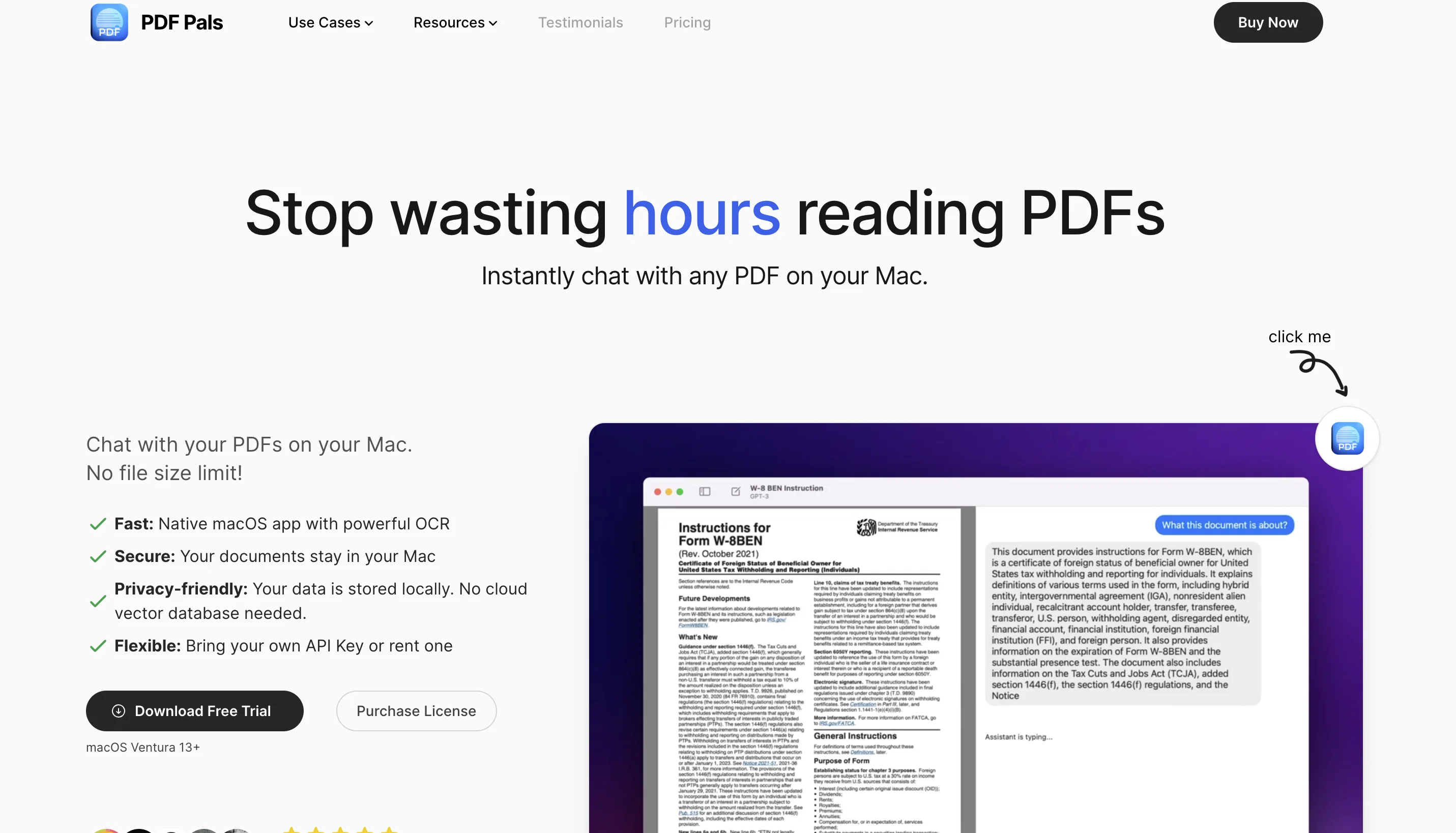
1. Interact with your PDFs
Get insights from your PDFs without uploading the files — the app’s OCR engine processes the text and AI analyzes it locally. Get answers quickly and save time!
2. Get answers with citations
Know exactly where the answers are coming from as PDF Pals provides you with not just the answers to your questions but also cites the sources for said answers from your documents.
3. Chat with multiple PDFs
Sometimes you need to research a broader topic and just one PDF is not enough. In PDF Pals, you can chat with multiple PDFs at once and get your answers quicker!
4. Chat with multiple documents.
Your PDFs stay on your Mac, no uploads are required. Additionally, the app automatically redacts the sensitive information it detects in your files. There is no in-app analytics either.
5. Customize your chat
You can customize your experience in PDF Pals — pick response temperature, AI chat model, change response language, use markdown, and more.
Related app: https://boltai.com — #1 ChatGPT for macOS
Best for
Short scenarios where PDF Pals — ChatPDF on Mac tends to shine.
-
PDF document analysis & extraction for professionals
Example outputs 1
Sample generations and before/after results for PDF Pals — ChatPDF on Mac.
Access & connections
Where you can use PDF Pals — ChatPDF on Mac.
Platforms
Pros & cons
Pros
- Native macOS application
- No upload or file size limit
- Powerful OCR engine
- Handles scanned PDFs
- Handles complex forms
- Documents stay local
- No cloud database
- Bring your own API key
Show 24 more
- Supports multiple API providers
- Simple pay-once pricing model
- No subscription required
- Data stored locally
- SQLite databases for training data
- No middle servers
- No in-app analytics
- Data backup being easy
- Single license can be used on multiple devices
- Provides research tools for academics
- Caters to legal associates for document review
- Aids consultants in document processing
- Helps financial analysts with data extraction
- Instantly usable after download
- Developers actively engage with users
- Positive user-feedback
- Flexible API options
- Multiple use-case catered
- UI is user friendly
- Data privacy is respected
- Financial insight extraction tools
- Supports multi-PDFs
- Fast and efficient
- Local indexing of data
Cons
- No Windows or Linux support
- Doesn't support languages apart from English
- Incompatibility with other document types
- One Time Purchase, only one-year updates
- No team plan license
- No GPT-4 usage
- Can't use with ChatGPT Plus subscription
- Not suitable for large files
Show 1 more
- Inability to extract tables
Compare alternatives
Similar tools in the catalog — with a clear reason to open each one.

FridayGPT ✓
PaidYour AI copilot for Mac, offering instant access to ChatGPT, voice-to-text, and quick AI actions.
Why look Offers a public API
Full comparison
MindMac ✓
PaidFeature-rich & elegant ChatGPT macOS client, supports multiple AI providers
from $29
Full comparison
PaletteBrain ✓
PaidPowerful and Customizable ChatGPT App for Mac
Why look Higher community rating
Full comparison
Gpt-tab ✓
FreeChatGPT at your fingertips, right in your menu bar.
Why look Fully free option
Full comparisonPeople also view
Tools that often show up alongside PDF Pals — ChatPDF on Mac in collections and comparisons.
PaletteBrain ✓
PaidPowerful and Customizable ChatGPT App for Mac

BoltAI ✓
PaidmacOS assistant for automated tasks.
MindMac ✓
PaidFeature-rich & elegant ChatGPT macOS client, supports multiple AI providers

MacGPT ✓
FreeChatGPT at your fingertips on Mac
Gpt-tab ✓
FreeChatGPT at your fingertips, right in your menu bar.
FridayGPT ✓
PaidYour AI copilot for Mac, offering instant access to ChatGPT, voice-to-text, and quick AI actions.

Pismo ✓
PaidNative AI writing assistant for Windows, MacOS and iOS

Parlo ✓
Free TrialVoice dictation, meetings, and Mac control, all on-device.
Releases 1
Imported reviews 2
Very useful for my work!
Looks awesome, nice work Daniel
FAQ 12
What is PDF Pals?
What are the key features of PDF Pals?
How secure is PDF Pals?
Does PDF Pals support multiple API providers like OpenAI, AzureOpenAI Service, and OpenRouter?
How does PDF Pals handle scanned PDFs and complex forms?
How do I back up my data in PDF Pals?
How can researchers use PDF Pals?
In what ways can legal associates benefit from PDF Pals?
Why is PDF Pals useful for consultants?
How can financial analysts use PDF Pals?
What sets PDF Pals apart from other PDF chatting applications?
Is there a file size limit when using PDF Pals?
Related tools
Recommended

Agentgpt ✓
FreemiumDeploy autonomous AI Agents effortlessly in your browser.

Eightify
UnknownAI-powered YouTube video summarizer extracting key ideas for quick content assessment.

Ask Your PDF ✓
FreemiumChat with your PDFs and extract valuable insights

Audioread.com ✓
PaidListen to any text in your podcast app or browser.

LearningStudioAI ✓
Free TrialAI-powered authoring tool for effortless online course creation.

TutorAI ✓
FreemiumInstant knowledge on any topic