PDF redaction 2026 Rank: #2771
BlurData ✓
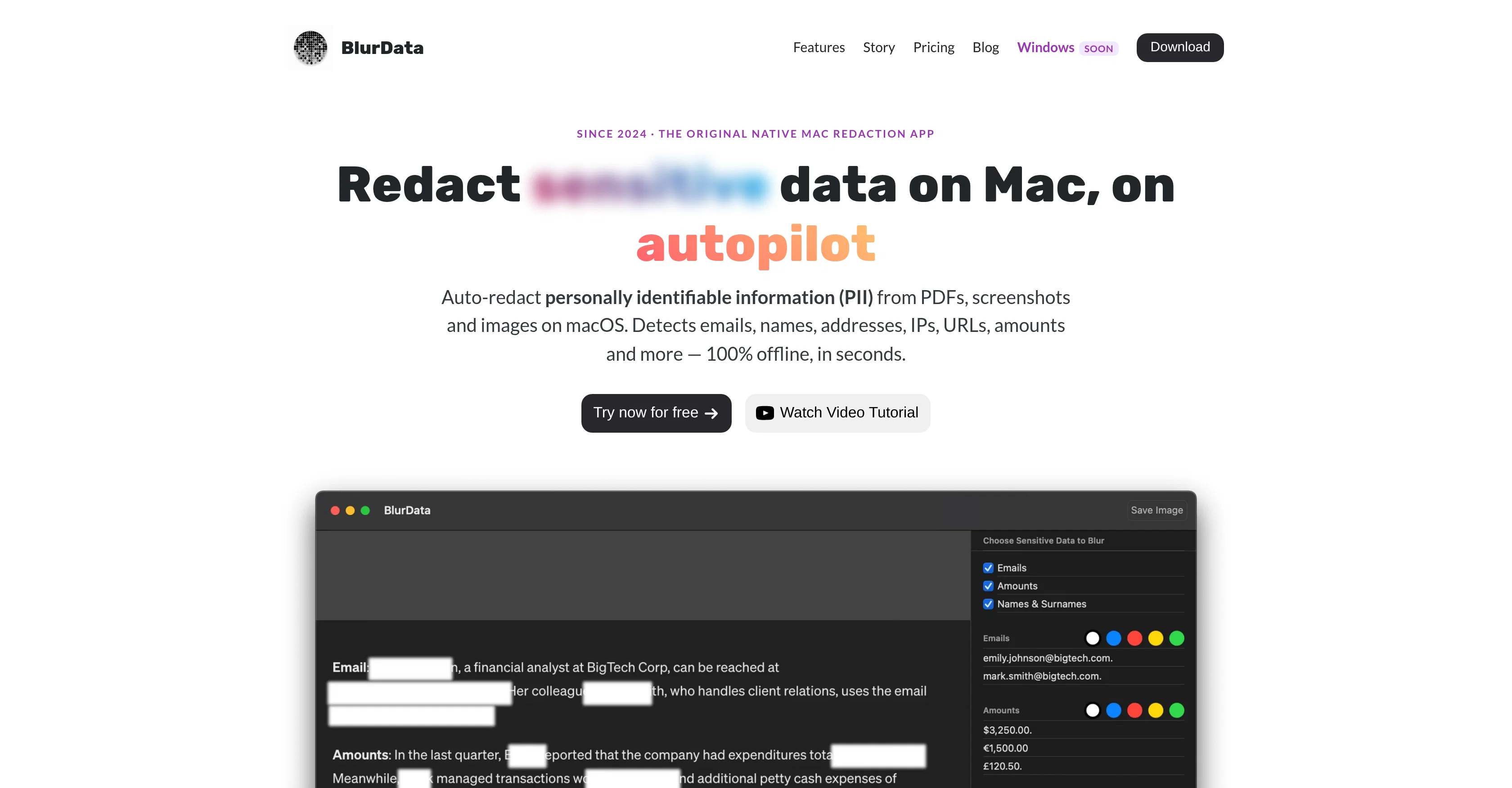
Redact sensitive data on Mac, on autopilot.
Verdict
A quick read before you dig into the full page.
- Best if
- Redact sensitive data on Mac, on autopilot
- Skip if
- Limited file format support
- Pick this when
- Redaction for Mac users
Considering AI PDF Redaction Tool instead? Compare side by side
Overview
BlurData is a macOS app that automatically finds and permanently removes sensitive information from PDFs, screenshots and images — driven by on-device AI, not manual selection.
A neural text-recognition model reads any screenshot or scanned page (even with no text layer), and a named-entity-recognition model identifies who and what is sensitive — names, people, organizations, places — in context, not from a static list.
Everything runs locally: documents never leave your Mac, which makes it a fit for legal, healthcare and finance work where files can't touch a cloud. It detects emails, names, addresses, phone numbers, dates, account numbers and more, with custom patterns (including Bates / reference-number series) and one-click community presets for common documents.
Review the detections, adjust anything, then export a permanently redacted file — sensitive content removed from the document itself, not hidden under a box.
Manual draw-a-box redaction covers anything a model can't read, like bank scanlines or signatures. 7-day free trial.
- On-device Neural Ocr (reads Screenshots & Scans)
- Machine-learning Entity Recognition (names, Orgs, Places)
- Automatic Pii Detection
- Custom Patterns + Bates / Reference-number Series
- Manual Draw-a-box Redaction
- Community Presets (built On Request In 24h)
- Batch Folder Processing
- Permanent Removal On Export
Access & connections
Where you can use BlurData.
Platforms
Capabilities
What this tool accepts, produces, and is strongest at.
Input
- Tabular
- Image
Output
- Tabular
- Image
Highlights
- Local
Supported features
- Runs Locally
Pros & cons
Pros
- Redaction for Mac users
- Detects various PII types
- Supports custom regex
- On-device redaction process
- No internet connection required
- Compliant with GDPR, HIPAA
- Exports redacted images/PDFs
- Batch processing feature
Show 38 more
- Sensitive data permanently removed
- Yearly and lifetime pricing
- Free trial available
- Multi-language support via OCR
- Automatic language detection
- Free custom preset service
- Custom detection preset in 24 hours
- Privacy focused, data doesn't leave user's device
- Detects and redacts account numbers
- Detects and redacts license plates
- Detects and redacts monetary amounts
- Detects and redacts addresses
- Detects and redacts names
- Detects and redacts emails
- Detects and redacts URLs
- Detects and redacts IP addresses
- Batch redact entire folders
- Community presets for PII
- Unlimited custom regex
- Weekly updates
- Email support
- Designed specifically for Mac
- Supports JPG, PNG, PDF formats
- 100% offline processing
- Auto-detection of PII types
- Documents redaction
- Top-rated redaction app
- Automatic detection no manual selection
- Redacts both screenshots and PDFs
- MacOS 13 and later compatible
- Auto-detection of PII in screenshots
- Auto-detection of PII in PDFs
- Optimized for Intel and Apple Silicon Macs
- Entire folders batch redaction
- Drag and drop file redaction
- Hassle-free Adobe Acrobat alternative
- Detects and redacts Bates numbering
- M1, M2, M3, M4 Mac compatibility
Cons
- MacOS only
- Not open source
- Yearly subscription required
- No Windows version
- Offline only, no cloud
- Data must be images/PDFs
- No plugin or extension
- Limited file format support
Show 2 more
- Doesn't redact other document types
- OCR may not support all languages
Compare alternatives
Similar tools in the catalog — with a clear reason to open each one.


PDFgen ✓
FreemiumGenerate PDFs from a prompt, template, HTML, or Markdown via API
Why look Typically cheaper
Full comparison
PDF to Markdown - Markitdown ✓
FreemiumConvert any document to AI-ready Markdown instantly.
Why look Typically cheaper
Full comparison
PDFtoMD Converter ✓
FreemiumTurn any PDF into clean Markdown instantly.
Why look Typically cheaper
Full comparisonReleases 1
FAQ 12
What is BlurData's function and what data types can it detect and redact?
What platforms is BlurData compatible with?
Does BlurData require an internet connection?
How does BlurData ensure GDPR and HIPAA compliance?
What are BlurData's additional features?
What are BlurData's pricing models?
What languages does BlurData support?
What is BlurData's automatic language detection system?
What is the free custom preset service of BlurData?
How can I redact sensitive data from PDFs using BlurData?
What is the process for email redaction in BlurData?
Most redacted PDFs still contain text under the black bars, does this happen with BlurData as well?
Related tools
Recommended

GetLogit ✓
FreemiumArtificial intelligence, available for everyone.

ChatGPT ✓
FreemiumAsk anything, create anything, and move from idea to action.

Notis ✓
Free TrialThe first WhatsApp assistant that runs on your ChatGPT and Claude subscriptions

freebeat AI ✓
FreemiumTurn Music & Ideas into Viral Videos In One Click

Jason AI ✓
PaidAI-powered assistant for B2B sales outreach

DeepSeek ✓
FreeUnravel the mystery of AGI with curiosity