

Blocks ✓
AI-powered no-code email builder for everyone
Free + from $20/mo
Verdict
A quick read before you dig into the full page.
- Best if
- AI-powered no-code email builder for everyone
- Skip if
- Potentially complex collaboration tools
- Pick this when
- No-code email builder
Considering Ellie - Your AI Email Assistant instead? Compare side by side
Overview
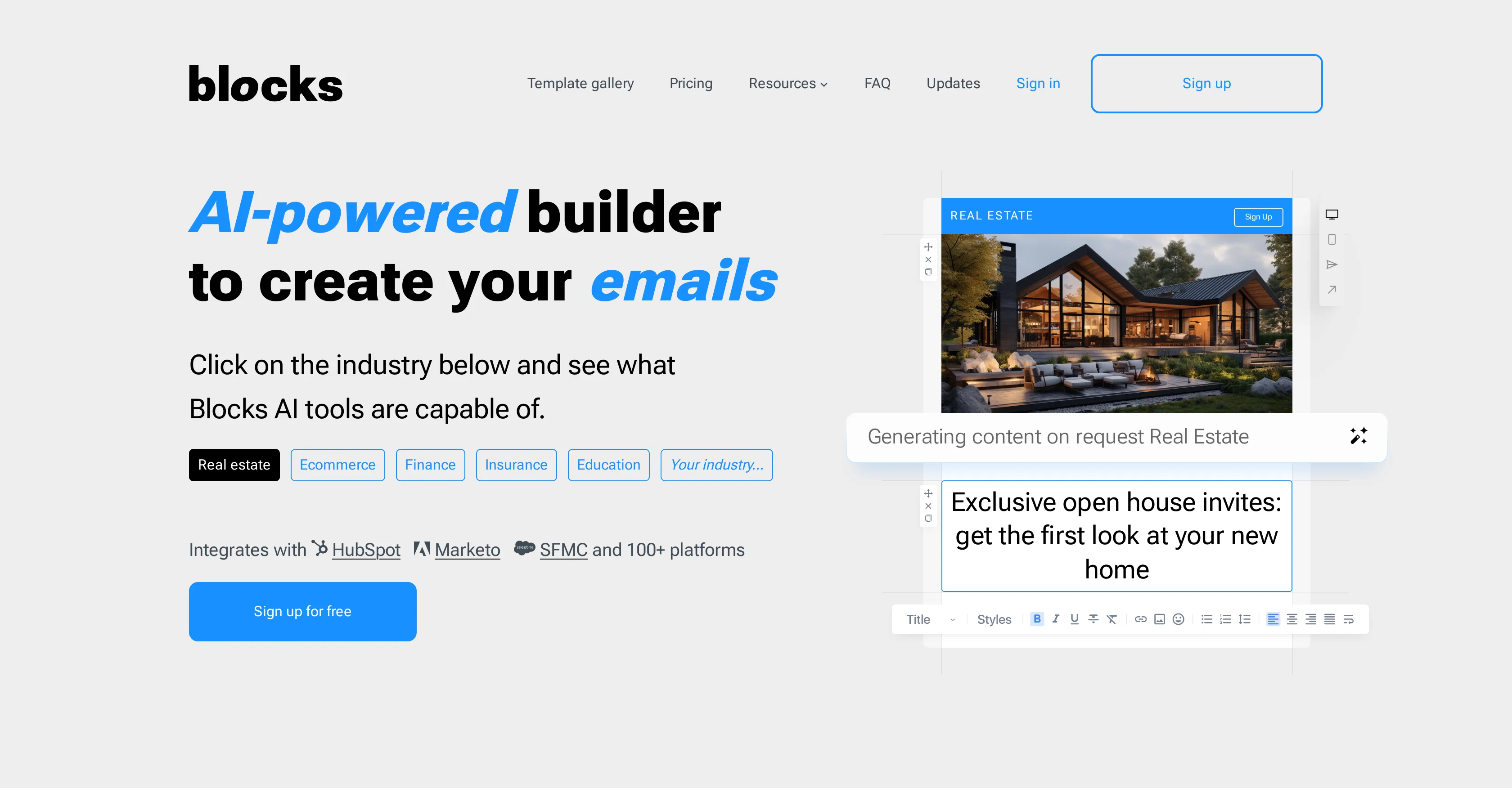
Blocks is an AI-powered, no-code tool designed to facilitate the creation of visually appealing emails. The tool is designed to be user-friendly, and no previous coding skills are needed to utilize its functionalities.
Users simply input their specifications, and Blocks creates the corresponding code. It provides robust features like an integrated image center to preview and edit images, support for cross-functional team collaboration, and multiple template customization options.
Furthermore, it offers functionalities like real-time project discussion and idea brainstorming with AI assistance. Blocks also allows users to create responsive emails, ensuring the emails function and display correctly across different devices.
Additionally, it is compatible with numerous platforms and can integrate with services like HubSpot, Marketo, and Salesforce Marketing Cloud among others.
Its objective is to simplify, optimize, and enhance email development, reducing stress and chaos in the process.
Access & connections
Where you can use Blocks, and what it plugs into.
Platforms
Integrations
Capabilities
What this tool accepts, produces, and is strongest at.
Input
- Image
- Text
Output
- Code
Pros & cons
Pros
- No-code email builder
- User-friendly interface
- No previous coding skills needed
- Creative visually appealing emails
- Integrated image center
- Supports cross-functional team collaboration
- Multiple template customization options
- Real-time project discussion function
Show 18 more
- Creates responsive emails
- Compatible with numerous platforms
- Integrated with HubSpot, Marketo, Salesforce
- Optimizes email development process
- Reduces chaos in email development
- Ensures email functionality across devices
- Offers industry-specific email creation
- Provides a template gallery
- Preview and edit images
- ChatGPT functionality for discussions
- Facilitates high-quality email templates
- Allows team collaboration on projects
- Built-in image center
- Tests emails across multiple devices
- Offers 65+ customizable templates
- Templates downloadable in various formats
- Compatible with various ESPs
- Live chat support function
Cons
- Reliant on third-party integrations
- Constrained customization options
- Restricted image editing capabilities
- Requires insights for optimization
- Compatibility limitation with ESPs
- No direct code editing
- Limited template range
- Potentially complex collaboration tools
Show 1 more
- Unique platform learning curve
Compare alternatives
Similar tools in the catalog — with a clear reason to open each one.

Ellie - Your AI Email Assistant ✓
FreemiumEllie, your AI for crafting personalized email replies.
Why look Higher community rating
Full comparison
Jetwriter AI ✓
FreemiumWrite better and faster on any site with your personal AI.
Why look Typically cheaper
Full comparison
AImReply ✓
FreemiumImproved email productivity, streamlined communication.
Why look Typically cheaper
Full comparison
WriteMail.ai ✓
FreemiumWriteMail.ai: Generate Perfect Emails in Seconds with AI Email Writer
Why look Typically cheaper
Full comparison
InboxPro ✓
FreemiumStreamline client acquisition with AI-powered email tools.
Why look Typically cheaper
Full comparison
Releases 1
FAQ 12
What is Blocks?
How does Blocks create emails without code?
Can I visualize images before finalizing emails on Blocks?
Does Blocks support team collaboration for email creation?
What platforms can Blocks integrate with?
Does Blocks assist in real-time project discussion and brainstorming?
Can I customize email templates on Blocks?
How can Blocks emails be made to work across multiple devices?
How user-friendly is Blocks?
Do I need prior coding skills to use Blocks?
How does Blocks help reduce chaos in email development?
Does Blocks offer a template gallery?
Related tools
Recommended

Kilo | Code Reviewer ✓
FreemiumAI-powered code reviews that catch bugs before merge.

WitSpeak ✓
FreemiumYour AI English speaking coach.

Froging AI ✓
FreemiumCreate images and videos with leading AI models in one workspace.

Trify3D ✓
Free TrialTurn images and text into 3D models instantly.

Similarweb ✓
UnknownReal-time intelligence to outsmart your competition.

AWeber ✓
FreemiumBoost email creativity with AI-powered writing