

BeautyPlus AI Video Enhancer ✓
Turn blurry videos into 4K masterpieces instantly.
Trial; then from $6.99/mo
Verdict
A quick read before you dig into the full page.
- Best if
- Turn blurry videos into 4K masterpieces instantly
- Skip if
- Limited to 10 minutes videos
- Pick this when
- Upscales to 4K
Considering Vmake Video Enhancer instead? Compare side by side
Overview
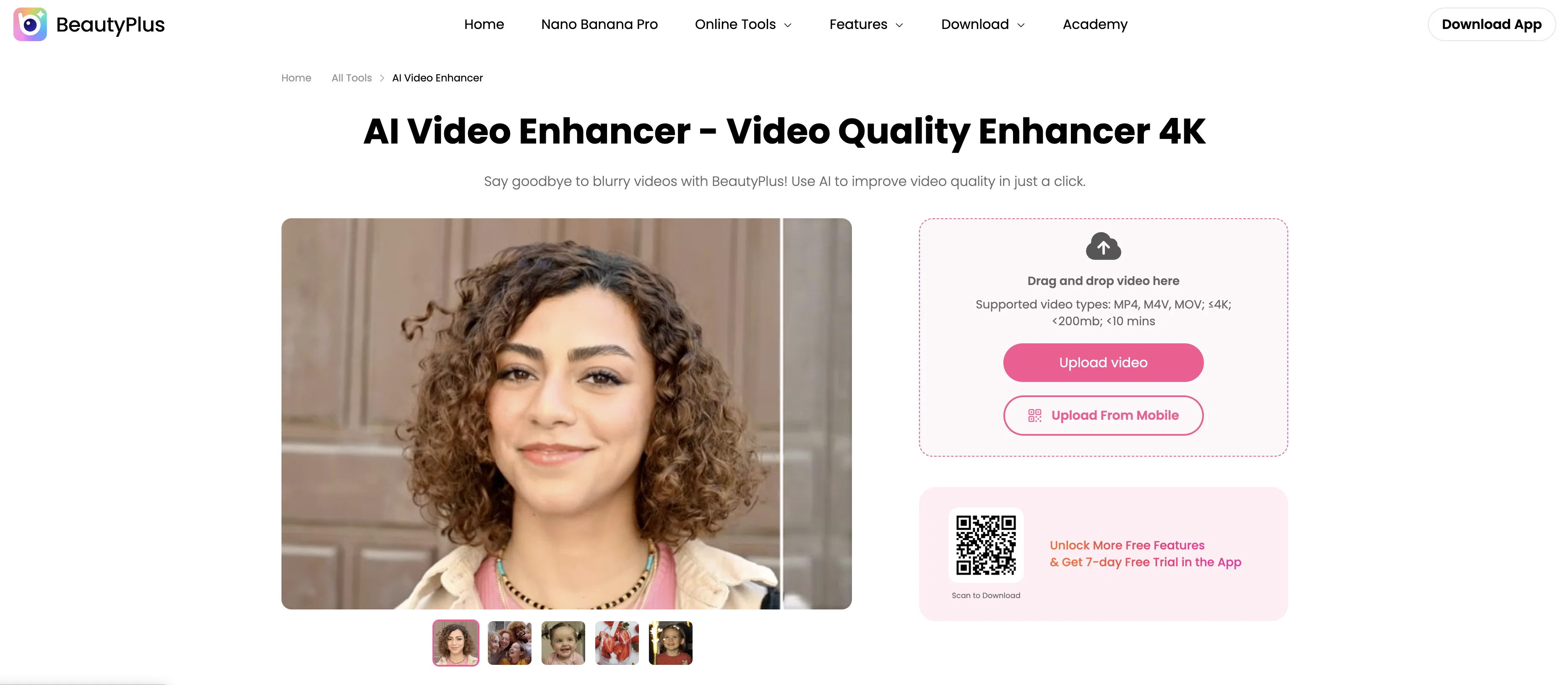
BeautyPlus' AI Video Enhancer is a tool designed to improve the quality of videos by using artificial intelligence technology. This tool allows you to convert low-resolution footage to HD or even 4K, making it appear clearer and more detailed.
The AI system analyzes the video content and enhances visuals by sharpening details in each frame, revealing hidden aspects and improving the overall user experience.
Apart from increasing the resolution, the tool also automatically adjusts aspects like brightness, contrast, and color saturation in order to improve the overall visual quality of your videos.
This tool additionally ensures a smoother viewer experience by optimizing frame rates, hence improving videos that might appear choppy due to a low frame rate.
Users can upload videos from various formats such as .mp4, .m4v, and .3gp. Once the enhancement process is completed, users can preview their videos before finally downloading the improved version.
An intuitive interface makes the tool handy for novices as well as professionals, as they can leverage its features to create high-definition videos with just a few clicks.
Access & connections
Where you can use BeautyPlus AI Video Enhancer.
Platforms
Capabilities
What this tool accepts, produces, and is strongest at.
Input
- Video
Output
- Video
Highlights
- No Signup
Supported features
- Video Edit
- No Signup
- Denoise
- Inpainting
- Viral baseball trend
Pros & cons
Pros
- Upscales to 4K
- HD conversion
- Sharpening details feature
- Reveals hidden visual elements
- Auto-optimizes brightness and contrast
- Automatically adjusts color saturation
- Improves frame rate
- User-friendly interface
Show 16 more
- Novices can create HD videos
- Allows video preview post-enhancement
- Easy download of enhanced video
- Supports .mp4, .m4v, .3gp
- Contrast adjustment functionality
- Brightness adjustment functionality
- Color saturation adjustment functionality
- Enhancement of mobile device videos
- Enhancement of action camera videos
- Visually compelling video creation
- Scalable from low-res to HD
- Secured original video file
- Supports Mac and Windows
- Corrects blurriness and shakiness
- Improves poor lighting
- Corrects incorrect color balance
Cons
- Limited to 200mb videos
- Limited to 10 minutes videos
- Only supports .mp4, .m4v, .3gp
- Cannot repair corrupted files
- No batch processing
- Risk of over-enhancement
- No choice in enhancement settings
Compare alternatives
Similar tools in the catalog — with a clear reason to open each one.

Vmake Video Enhancer ✓
FreemiumTransform low-res videos into high-quality masterpieces.
Why look Typically cheaper
Full comparison
TensorPix ✓
FreemiumOnline Video & Image Quality Enhancer
Why look Typically cheaper
Full comparison
UniFab Video Enhancer ✓
Free TrialAI Video Enhancer software; AI Video upscaling; Audio Upscaling; Video Conversion
Free + from $69.99
Full comparison
UniFab Studio ✓
PaidSharper Details, Smoother Motion, Enhanced in Every Frame
from $49.99/mo
Full comparison
HitPaw VikPea ✓
FreemiumAI-powered video quality enhancer for stunning clarity
Free + from $69.99
Full comparison
AVCLabs Video Enhancer AI ✓
PaidUpscale, Enhance, Restore, Colorize, Stabilize & Blur Videos with AI
Why look Higher community rating
Full comparisonReleases 1
FAQ 12
What are the main features of the BeautyPlus AI Video Enhancer?
How does BeautyPlus AI Video Enhancer enhance low-quality videos?
Can I adjust brightness, contrast, and color saturation with BeautyPlus AI Video Enhancer?
How does BeautyPlus AI Video Enhancer improve the frame rate?
Does BeautyPlus AI Video Enhancer require any prior editing experience?
What video formats does BeautyPlus AI Video Enhancer support?
Can I preview the video before downloading it?
How does BeautyPlus AI Video Enhancer transform videos into 4K quality?
Can BeautyPlus AI Video Enhancer be used for mobile video enhancement?
Does BeautyPlus AI Video Enhancer support 4K video enhancement?
How does BeautyPlus AI Video Enhancer optimize video details?
What is the interface like in BeautyPlus AI Video Enhancer?
Related tools
Recommended

Animate Image AI ✓
PaidTransform static photos into stunning 4K video animations.

Watermark removal - MarkGone ✓
FreemiumInstantly remove watermarks from images and videos.

ZestyGen ✓
Free TrialTransform any photo with AI style transfer instantly.

Vadu AI ✓
Free TrialTransform text into stunning AI videos instantly.

Hocha AI ✓
Free TrialGenerate professional-quality images instantly with preset prompts.

ReadyData - AI Data Extraction ✓
FreemiumTransform unstructured documents into actionable data instantly.
More from this creator

Airbrush ✓
FreemiumGenerate AI-powered images in one click.
Vmake Video Enhancer ✓
FreemiumTransform low-res videos into high-quality masterpieces.

Vmake ✓
FreemiumAI-powered photo and video editing made easy

BeautyPlus AI Image Enhancer ✓
FreemiumEnhance images with AI for superior quality instantly.

AI Background Remover - Picsman ✓
Free TrialInstantly remove image backgrounds with AI

Airbrush AI Background Remover ✓
FreemiumRemove backgrounds from images with AI in seconds.