

Beautiful.ai DesignerBot ✓
Create stunning presentations with AI-powered design
Trial; then from $12/mo
Verdict
A quick read before you dig into the full page.
- Best if
- You are marketing teams and need: Creating marketing reports and campaigns
- Skip if
- Limited integrations
- Pick this when
- Customizable templates
Considering MagicSlides.app AI PPT Maker instead? Compare side by side
Overview
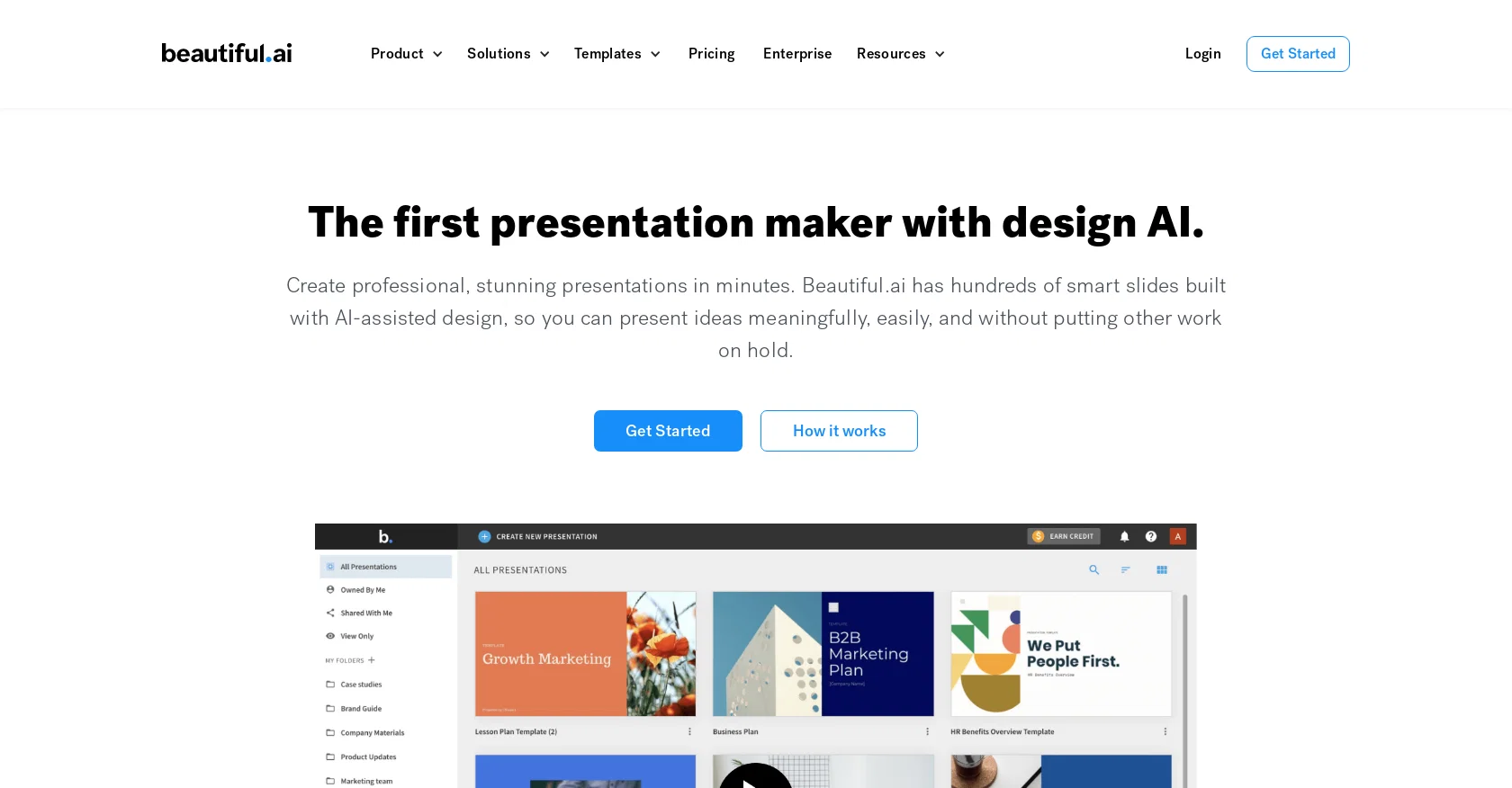
Beautiful.ai is an online presentation maker that makes it easy to create stunning presentations in minutes. It has hundreds of smart slides built with AI-assisted design, so users can present ideas in an impactful yet efficient way.
The platform features customizable templates, millions of free stock photos and videos, and animation capabilities. It also has advanced analytics, secure sharing and collaboration tools, and voice narration to help users create the best presentations possible.
Additionally, Beautiful.ai offers a Team Plan that not only allows teams to collaborate easily, but also provides shared team slides and themes, so they can make sure their presentations are consistently creative and on-brand.
Best for
Short scenarios where Beautiful.ai DesignerBot tends to shine.
-
Creating marketing reports and campaigns
Best for Marketing teams
-
Developing impactful pitch decks for startups
Best for Sales teams
-
Crafting branded sales proposals
Best for Startups
-
Designing educational presentations
Best for Educators
Example outputs 1
Sample generations and before/after results for Beautiful.ai DesignerBot.
Access & connections
Where you can use Beautiful.ai DesignerBot, and what it plugs into.
Platforms
Capabilities
What this tool accepts, produces, and is strongest at.
Input
- Tabular
- Image
- Text
- Audio
Output
- Video
- API
- Text
- Image
Supported features
- Slides
Pros & cons
Pros
- Customizable templates
- Free stock photos and videos
- Animation capabilities
- Advanced analytics
- Secure sharing and collaboration tools
- Voice narration
- Team collaboration features
- Shared team slides and themes
Show 35 more
- Browser-based tool
- Integration with Slack, Dropbox, PowerPoint, monday.com
- DesignerBot for quick design
- Efficient editing controls
- Customizable brand themes
- Searchable slide library
- Ability to add audio
- Curated, pre-designed templates
- Export to PowerPoint
- Enables remote collaboration
- Shared team content libraries
- Centralized billing
- Single sign-in
- Built-in design rules
- Downloadable for offline presentations
- Diverse use cases covered
- Automatic slide animations
- Detailed help articles
- Free plans for students
- Offers for individual power users
- Offers for small/medium businesses
- Offers for large organizations
- Curated presentation templates
- Past presentation search
- Automatic content adaptation
- Offline player for presentations
- Professional layout design
- Audience engagement features
- Over 1 million users
- Computer-based desktop player
- Automatic design adaptation
- Online colors and fonts
- Compatible with Unsplash, Pexels, Pixabay
- Drag handle for image resizing
- Automatic branding consistency
Cons
- Limited sharing options
- Dependent on internet connection
- Limited customazation options
- Features may overwhelm beginners
- No offline usage
- Limited integrations
- Animations might be too automatic
- Reliance on templates
Show 1 more
- Voice narration might not support multiple languages
Compare alternatives
Similar tools in the catalog — with a clear reason to open each one.

MagicSlides.app AI PPT Maker ✓
FreemiumCreate Stunning PPTs in Seconds with the AI PPT Maker
Why look Typically cheaper
Full comparison
NextDocs.io ✓
FreemiumThe AI-native editor for docs, slides, and more
Why look Offers a public API
Full comparison
Gamma ✓
FreemiumAI-powered content creation, minus the hassle.
Why look Typically cheaper
Full comparison
AI Slide Generator ✓
Free TrialCreate stunning presentations from any text in seconds
Why look Typically cheaper
Full comparisonPeople also view
Tools that often show up alongside Beautiful.ai DesignerBot in collections and comparisons.

okkslides ✓
FreemiumTransform ideas into professional PowerPoint slides in minutes.
NextDocs.io ✓
FreemiumThe AI-native editor for docs, slides, and more
MagicSlides.app AI PPT Maker ✓
FreemiumCreate Stunning PPTs in Seconds with the AI PPT Maker
AI Slide Generator ✓
Free TrialCreate stunning presentations from any text in seconds

GenPPT ✓
PaidThe AI Presentation Tool for Deep, Research-Backed Slides
Gamma ✓
FreemiumAI-powered content creation, minus the hassle.

Skywork ✓
Free Trial10 tasks in 1 hour, not 10 hours

OpenDeck ✓
FreeSlide decks that speak for themselves.
Releases 1
FAQ 12
What is Beautiful.ai?
How does Beautiful.ai use AI in designing presentations?
What is DesignerBot and how can it assist in creating presentations?
What customization options does Beautiful.ai provide for presentations?
What kind of slide templates can I find on Beautiful.ai?
What is the Team Plan on Beautiful.ai and what extra features does it offer?
What are the specific applications of Beautiful.ai for marketing, sales, and startups?
Does Beautiful.ai offer any plans suitable for students or educational purposes?
What integrations does Beautiful.ai support?
Does Beautiful.ai offer any analytics for the presentations?
What type of media can I use in my Beautiful.ai presentations?
Can I narrate my slides on Beautiful.ai?
Related tools
Recommended
SlidesAI ✓
FreemiumCreate presentation slides with AI in seconds.

PresentationsAI ✓
FreemiumGenerate stunning presentations in minutes with AI

LearningStudioAI ✓
Free TrialAI-powered authoring tool for effortless online course creation.

Hyperis ✓
FreemiumOrganized task prioritization.

Scisummary ✓
Free TrialCutting-edge scientific articles summarization.

PresentationGPT ✓
FreemiumCustomizable presentations generated efficiently.