Beam ✓
Instant ChatGPT access anywhere on your Mac
Free + from $5
Verdict
A quick read before you dig into the full page.
- Best if
- Instant ChatGPT access anywhere on your Mac
- Skip if
- One-time purchase, no subscription
- Pick this when
- Instant access to ChatGPT
Considering FridayGPT instead? Compare side by side
Overview
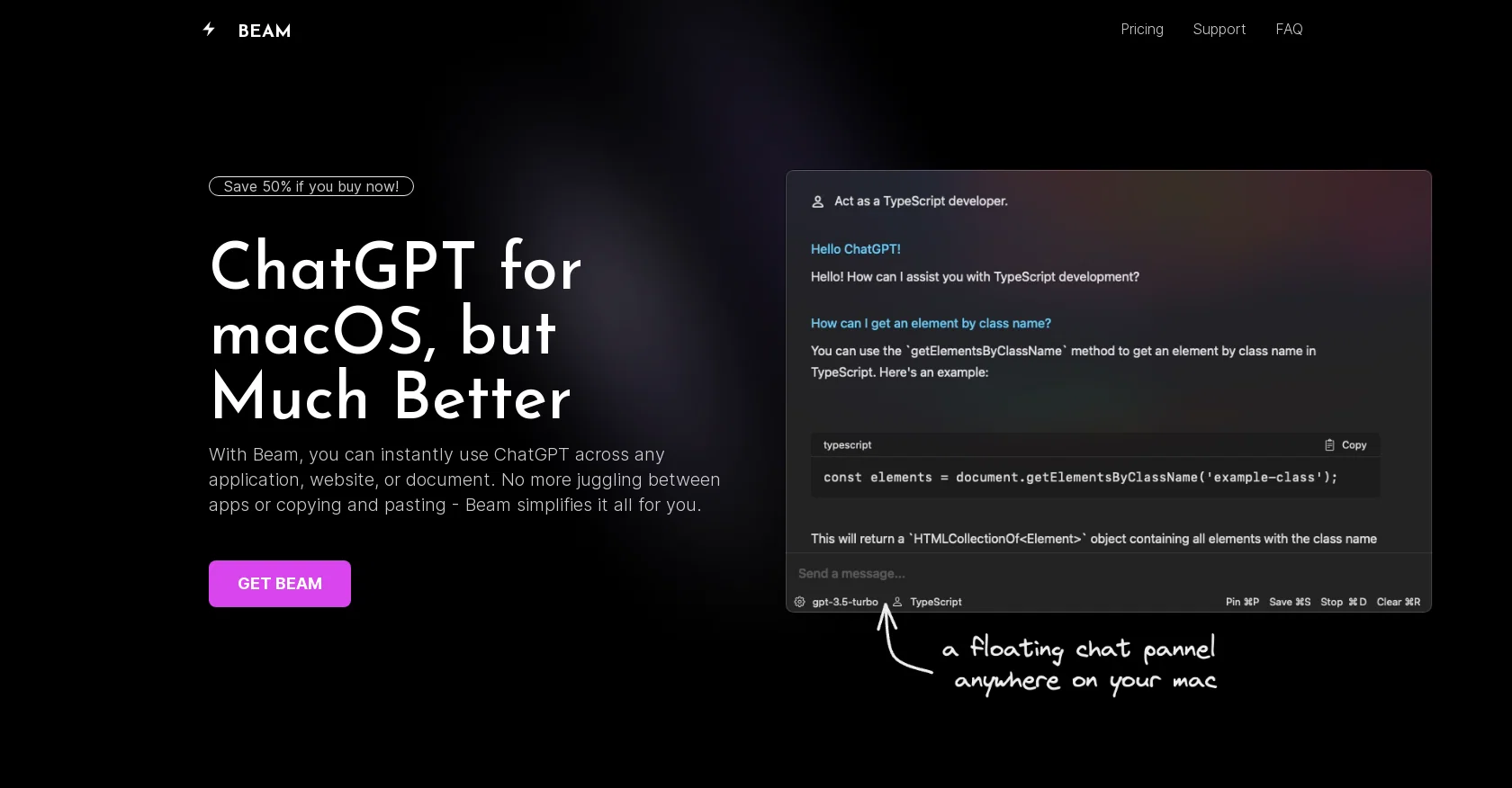
Beam is an efficient user interface (UI) tool designed for macOS users to enhance their experience with ChatGPT, an AI-powered chat application. It allows users to access ChatGPT instantly from any application, website, or document without the need for switching between different apps or copying and pasting content.
With Beam, users can open a floating chat window on their Mac by pressing a key combination, enabling them to chat while staying within their current window.Beam offers several features to enhance productivity.
Users can create AI profiles to train the GPT models to respond according to their specific needs, ensuring precise and contextually relevant answers.
The tool also supports the use of macros, allowing users to assign shortcuts to frequently used texts or phrases, reducing the need for typing repetitively.Furthermore, Beam enables users to interact with PDF documents by leveraging the power of ChatGPT.
Users can extract summaries, ask questions, find answers, and make PDF documents more dynamic.One notable advantage of Beam is its native and intuitive UI, specifically designed for macOS.
It provides a user-friendly experience, making it easy to use and navigate. Additionally, Beam is available as a one-time purchase with lifetime access, eliminating any subscription fees.
Users also benefit from free updates and receive a license for usage on another device.Beam guarantees the security of user data and offers a 7-day money-back guarantee for unsatisfied customers.
The tool does not require any special system permissions and ensures user privacy.
Access & connections
Where you can use Beam, and what it plugs into.
Platforms
Integrations
Capabilities
What this tool accepts, produces, and is strongest at.
Input
- API
- Text
Output
- API
- Text
Pros & cons
Pros
- Instant access to ChatGPT
- Works within existing apps
- Floating chat window feature
- Enhances productivity by reducing switching
- Supports use of macros
- Text and phrase shortcuts
- Interacts with PDF documents
- Extract summaries from PDFs
Show 27 more
- Ask questions from PDFs
- Intuitive, macOS-specific UI
- One-time purchase, lifetime access
- Free updates included
- Additional license included
- Money-back guarantee
- Doesn't require system permissions
- Strong data security
- No login requirements
- Can chat anywhere on Mac
- Training GPT models option
- Simplifies multiple tasks
- Helps stay focused
- Insert typed text feature
- No subscription fees
- Unique templates feature
- Fills in the blanks
- Supports direct purchase
- Ease of API key usage
- New versions compatibility
- Positive user reviews
- Hotkey support for instant chat
- Native Mac operations
- Maximizes document dynamism
- User’s needs based response precision
- Frequently used texts compression
- Use of characters for full text
Cons
- MacOS only
- Lacks multi-device support
- One-time purchase, no subscription
- No login system
- Offers no additional system permissions
- No direct customer support
- Significant privacy concerns
- UI only optimized for MacOS
Show 2 more
- No free trial
- No support for GPT-4
Compare alternatives
Similar tools in the catalog — with a clear reason to open each one.

FridayGPT ✓
PaidYour AI copilot for Mac, offering instant access to ChatGPT, voice-to-text, and quick AI actions.
Why look Higher community rating
Full comparison

MindMac ✓
PaidFeature-rich & elegant ChatGPT macOS client, supports multiple AI providers
from $29
Full comparison
PaletteBrain ✓
PaidPowerful and Customizable ChatGPT App for Mac
Why look Higher community rating
Full comparison

Releases 1
FAQ 12
What is Beam for macOS?
What is the main use of Beam?
How do you access Beam on Mac?
What key features does Beam offer to enhance productivity?
What are AI profiles in Beam?
How does Beam make use of macros?
Does Beam work with PDF documents?
What makes the UI of Beam intuitive and user-friendly?
How much does Beam cost and what is included in the price?
Does Beam offer lifetime access?
Does Beam provide updates free of charge?
How does Beam protect user data?
Related tools
Recommended

Agentgpt ✓
FreemiumDeploy autonomous AI Agents effortlessly in your browser.

AnythingLLM ✓
FreemiumAn AI Agent that lives at your mouse cursor. Fully local.

Atua ✓
PaidInstant ChatGPT access with a single shortcut key.

Thea ✓
FreemiumAI study tools to master material, not just memorize it.

AcademicGPT ✓
FreemiumAI-powered academic writing assistant.

Recall ✓
FreemiumSummarize Anything, Forget Nothing!