

Character animation 2026 Rank: #1981
AnimGen ✓
Turn static images into animated game sprites.
Verdict
A quick read before you dig into the full page.
- Best if
- Turn static images into animated game sprites
- Skip if
- Limited export FPS options
- Pick this when
- Converts static images into sprites
Considering Uthana instead? Compare side by side
Overview
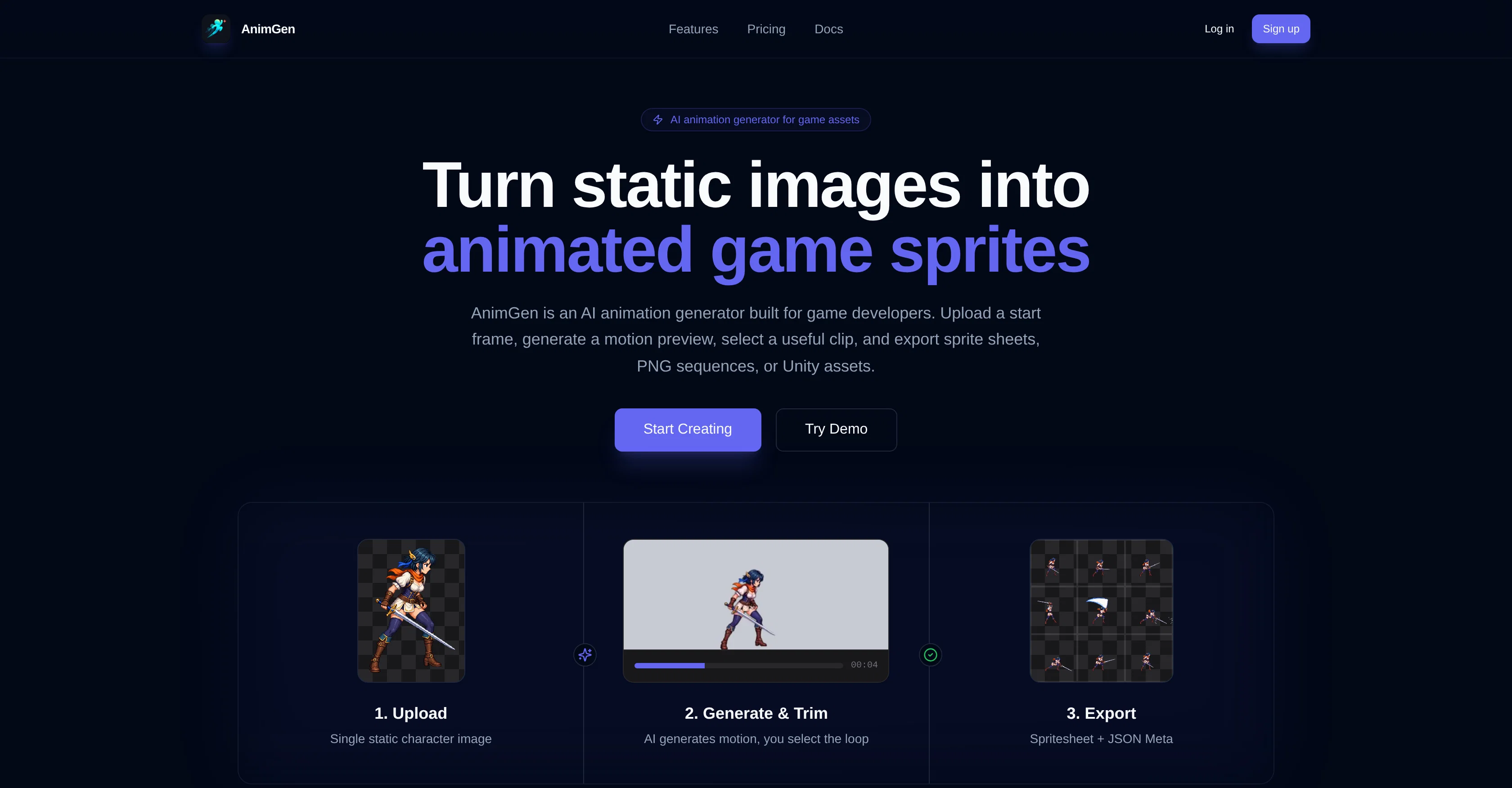
AnimGen is an AI-driven animation generator primarily targeting game developers. Its primary function is to take static images and convert them into animated game sprites.
Developers can upload a starting frame image, generate a motion preview, select a useable segment, and subsequently export that as sprite sheets, PNG sequences, or Unity assets, streamlining the sprite creation process.
The animation generation process is made adaptable through the provision for users to describe the desired action, choose options based on the specificity of the selected model, and generate a video preview from their character art.
Users also can review character consistency and control model-specific generation aspects before exporting their final output. AnimGen also provides flexibility in editing with its integrated timeline feature, letting users fine-tune their animations frame by frame, and assess how the selected segment repeats before they export the final product.
In addition, it includes a sprite sheet maker, transparent animation guide, and video to sprite sheet converter, enhancing reusability in game asset production.
- Sprite Sheet Export
- Frame-level Editing
- Mcp
- Video Import
- Api
Access & connections
Where you can use AnimGen, and what it plugs into.
Platforms
Integrations
Capabilities
What this tool accepts, produces, and is strongest at.
Input
- Text
- Image
- API
Output
- Image
- Video
- API
Highlights
- SOTA
- API
- MCP
Supported features
- API
- MCP
Pros & cons
Pros
- Converts static images into sprites
- Integrated motion preview
- Export options: sprite sheets, PNG, Unity assets
- Adaptable animation generation process
- Model specificity selectable
- Structured character consistency review
- Fine-tune animations frame by frame
- Timeline feature for editing
Show 20 more
- In-tool sprite sheet maker
- Transparent animation guide
- Video to sprite sheet conversion
- Enhances reusability in game asset production
- Generates animations from user description
- Exportable video previews from character art
- Real-time loop preview
- Adjustable export FPS
- Non-destructive editing
- Start frame upload capability
- Compatible with major game engines
- Generates sprite sheet with JSON metadata
- Optional transparency processing during export
- Can animate transparent PNG
- MP4 animated motion generation
- Linkable with developer API
- User-friendly interface
- Pose to pose animation
- Integrated with motiongen
- Overlap & follow action generation
Cons
- Limited to game sprites
- No 3D animation support
- Lacks collaborative features
- Limited frame export
- No explicit multi-language support
- No API mentioned
- Dependent on input quality
- Unclear output formats
Show 2 more
- Limited export FPS options
- No character rigging mentioned
Compare alternatives
Similar tools in the catalog — with a clear reason to open each one.





Releases 1
FAQ 12
What is AnimGen exactly?
What purpose does AnimGen serve for game developers?
How does AnimGen turn static images into animated game sprites?
What are the steps involved in creating animations with AnimGen?
Can I edit my animations on AnimGen before final export?
What type of files can I export my animations as?
Does AnimGen offer any model-specific generation controls?
What are the unique features offered by AnimGen?
How does the timeline feature on AnimGen work?
What is the sprite sheet maker tool on AnimGen?
Can I preview my animations on AnimGen before finalizing?
What is the use of the transparent animation guide on AnimGen?
Related tools
Recommended

Automateed ✓
Free TrialCreate eBooks effortlessly with Automateed, the AI-powered writing tool.

MySpec ✓
UnknownTurn vague ideas into robust technical specifications.

Vidnix | AI Image to Video Generator ✓
Free TrialTurn text into stunning AI videos.

Lyria ✓
FreeGenerate high fidelity music and audio

ComicInk ✓
Free TrialTurn Your Words into Stunning Comic Books
Photo2Video ✓
Free TrialThe AI photo to video generator with every top model