

Analytify - A GenBI Platform ✓
AI-powered analytics that unlock smarter business insights.
Verdict
A quick read before you dig into the full page.
- Best if
- AI-powered analytics that unlock smarter business insights
- Skip if
- Limited customization options
- Pick this when
- Generates dashboards automatically
Considering Columns instead? Compare side by side
Overview






The platform’s key AI feature, Genie Dashboard, includes two intelligent modules:
Prompt Dashboard, which creates complete dashboards from natural language prompts.
Generate Insights, which automatically builds insightful sheets and charts using AI to uncover trends and key metrics.
To enhance analysis, Genie AIQ provides AI-driven chart recommendations and analytical suggestions based on user queries, while the Dashboard Analyzer delivers AI-generated summaries of dashboards, highlighting important patterns, performance indicators, and takeaways.
Analytify also supports enterprise BI capabilities such as cross-database integration, multi-dataset dashboards, role-based access control, dashboard sharing, email alerts, and SDK-based embedding. With its AI-first approach, ease of use, and lower cost of ownership, Analytify AI helps teams move from questions to insights in minutes—using the power of Generative AI.
- Generates Smart Dashboards
- Gives Chart Suggestions As Per The Data
- Provides Insights Based On The Given Data
- Creates Dashboards From A Single Prompt
- Has More Protected Security
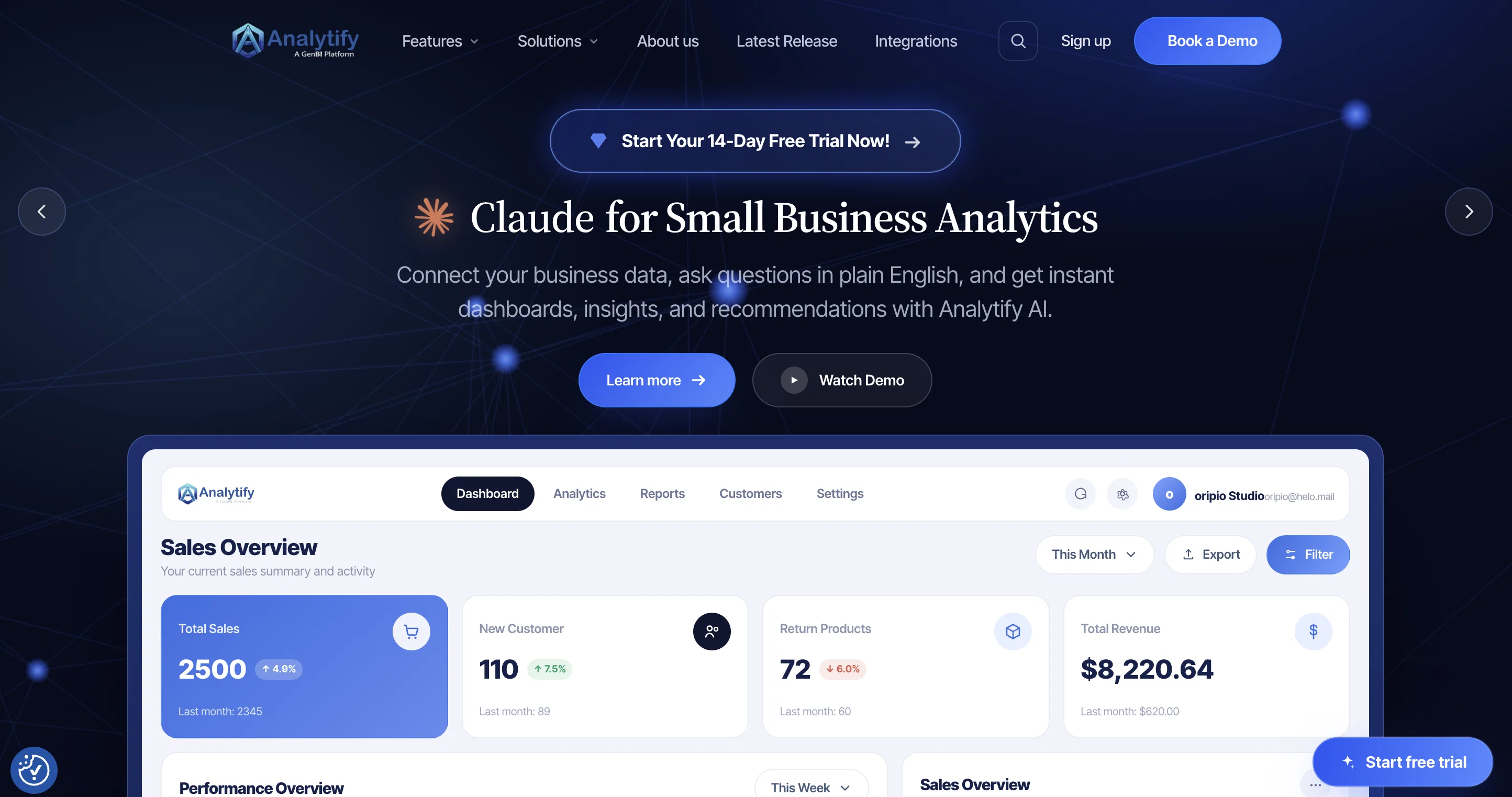
Best for
Short scenarios where Analytify - A GenBI Platform tends to shine.
-
AI-powered analytics that unlock smarter business insights.
Example outputs 1
Sample generations and before/after results for Analytify - A GenBI Platform.
Access & connections
Where you can use Analytify - A GenBI Platform.
Platforms
Capabilities
What this tool accepts, produces, and is strongest at.
Input
- Tabular
- Geo
Output
- Geo
- Text
Highlights
- API
Supported features
- API
Pros & cons
Pros
- Generates dashboards automatically
- Analyzes data using natural language
- Insightful sheets and charts generation
- Uncover trends and key metrics
- Analytical suggestions based on user queries
- Highlights important patterns
- Highlights performance indicators
- Cross-database integration
Show 27 more
- Multi-dataset dashboards
- Role-based access control
- Dashboard sharing
- Email alerts
- SDK-based embedding
- Lower cost of ownership
- Open-source platform
- Cloud-hosted and Self-hosted options
- Custom dashboards
- Scalable data processing
- Self-service BI
- Embeddable solution
- Granular security model
- World-class query builder
- Database connection
- Customer behaviour analysis
- Patient care improvement tool
- Suitable for various sectors
- Transforms raw data into insights
- Aids strategic decision-making
- Optional cloud-hosted or self-hosted
- Streamlines data analysis and visualization
- Flexible to different business needs
- Turns queries into share-ready insights
- Eliminates business intelligence bloat
- Aids in improving patient care
- Tool for gaining financial insights
Cons
- No real-time analytics
- Reliant on user queries
- No mobile application
- Must connect to database
- No direct API capabilities
- No voice command feature
- Predominantly self-service tool
- No adequate training resources
Show 2 more
- Unclear update policy
- Limited customization options
Compare alternatives
Similar tools in the catalog — with a clear reason to open each one.

Vizologi ✓
Free TrialAI to boost your business strategy.
Why look Typically cheaper
Full comparison
Springboard ✓
FreeKickstart workshops with instant market insights.
Why look Fully free option
Full comparison
Jeda AI ✓
FreemiumAI workspace canvas for instant productivity.
Why look Typically cheaper
Full comparisonPeople also view
Tools that often show up alongside Analytify - A GenBI Platform in collections and comparisons.

Columns ✓
FreemiumAutomate clear insights from any data
Vizologi ✓
Free TrialAI to boost your business strategy.
Springboard ✓
FreeKickstart workshops with instant market insights.

NeuroForge ✓
UnknownAI and BigData solutions for your competitive edge
Jeda AI ✓
FreemiumAI workspace canvas for instant productivity.

KnowInsideIQ ✓
FreemiumKnow every market signal. Decide better.

DealNavigator.Ai ✓
FreemiumAI-powered deal intelligence for smarter negotiations.

Cube ✓
FreemiumAI analytics your team and customers can trust.
Releases 1
Imported reviews 12
I’ve been using Analytify for a while now, and the product has improved a lot over recent releases. Features like Genie AIQ dashboard, natural language chart suggestions, and AI summaries actually save time.
I also like the flexibility with custom charts (Handlebars, D3), better filters, and improved dashboard sharing. Overall, it feels like a practical analytics tool that’s evolving in the right direction.
AI features in Analytify feel practical. Genie AI dashboards, summaries, and chart suggestions actually save time.
The AI-assisted dashboard creation and dependent filters work really well. Recent updates feel polished and practical.
Analytify AI makes analytics ridiculously easy. Clean interface, fast insights, and zero confusion. Love it.
Analytify AI simplifies data analytics by presenting clear dashboards and actionable insights, enabling effective data monitoring without the need for technical expertise.
We’ve used several traditional BI platforms in the past, and most of them required heavy setup and ongoing maintenance. Analytify feels refreshingly different.
The AI layer actually adds value instead of being just a buzzword. It simplifies analytics for business users while still giving enough flexibility for advanced use cases.
The AI dashboards are good starting points. I don’t have to rebuild everything from scratch, which saves time.
Coming from a data engineering background, I was cautious about the AI layer, but Analytify handles it sensibly. It reduces ad-hoc BI requests, keeps dashboards structured, and performs well on real datasets. A good self-serve analytics layer rather than a flashy BI toy.
Where most platforms give you charts or raw numbers, Analytify AI provides interpretation with context. It doesn’t just tell me that revenue dropped, it helps me understand why that might be happening based on the data relationships. I recommend this and the what i loved the most is the smart dashboard feature it makes work more easy and quick.
Analytify AI makes analytics easy to understand with clean dashboards and useful insights.
Very helpful for monitoring data without technical complexity.
Analytify AI redefines analytics by letting anyone build dashboards through simple prompt based instructions. It eliminates complexity, speeds up reporting, and delivers insights in a clean, visual way. Teams can focus more on decisions and less on setup, enabling businesses to move forward with confidence powered by data.
I’ve been using Analytify for the past 8–10 months it delivers a streamlined, AI-driven analytics experience. Its natural-language, prompt-based dashboard creation (Analytify Genie) makes building dashboards effortless.
The platform offers a clean, modern UI, responsive performance, and an intelligent dashboard experience that helps interpret trends quickly and supports faster decision-making.
It significantly reduces dependency on complex configurations and manual setup. The support team is also responsive and helpful, which adds to the overall experience.
FAQ 12
What is Analytify?
What type of platform is Analytify?
How does Analytify utilise AI for data analytics?
What business decisions can be made using Analytify?
Does Analytify provide data visualization capabilities?
Does Analytify host on cloud or self-hosted server?
Can Analytify connect with any database?
Does Analytify allow for creating shareable insights?
Can Analytify's dashboards be deployed quickly?
Can Analytify help in eliminating vendor lock-in?
Is Analytify beneficial for business growth?
Is Analytify an open-source platform?
Related tools
Recommended

Thea ✓
FreemiumAI study tools to master material, not just memorize it.

Mindsmith ✓
FreemiumPlatform for building and sharing eLearning content

Notis ✓
Free TrialThe first WhatsApp assistant that runs on your ChatGPT and Claude subscriptions

CodeRabbit ✓
Free TrialEnhanced code review for improved workflow and quality.

Jason AI ✓
PaidAI-powered assistant for B2B sales outreach

remio: Your Personal ChatGPT ✓
FreemiumGet Tailored Answer with Your Personal ChatGPT