
Videos 2026 Rank: #511

AI Video Generator.best ✓

Turn text and images into professional videos instantly.

Source rating 3.9 (10) 4.3k views 20 saves 2 comments Paid
More categories (4)

Verdict

A quick read before you dig into the full page.

Best if
Turn text and images into professional videos instantly
Skip if
Limited aspect ratio options
Pick this when
Transform text to video

Considering freebeat AI instead? Compare side by side

Overview

AI Video Generator is an online tool that utilizes artificial intelligence to transform user-provided text descriptions and images into high-quality videos.

The tool is built with advanced models, including Sora 2 technology, which assists in generating professional videos within minutes, eliminating the requirement for prior video editing experience.

Key features include Text-to-Video and Image-to-Video, which give users the capacity to describe their vision or use static images and have those translated into dynamic videos.

The tool also offers high-quality output, with potential to generate videos up to 1080p resolution in various formats, and gives users the ability to fine-tune camera movements, styles, and effects.

A 3-step process - describing the video vision, selecting preferred settings, and the generation and download of the video - simplifies the creation of professional videos.

This straightforward and user-friendly operation, coupled with its fast delivery and cost-effectiveness, positions AI Video Generator as a suitable alternative to traditional video editing software for a variety of users including content creators, marketers, educators, and business owners.
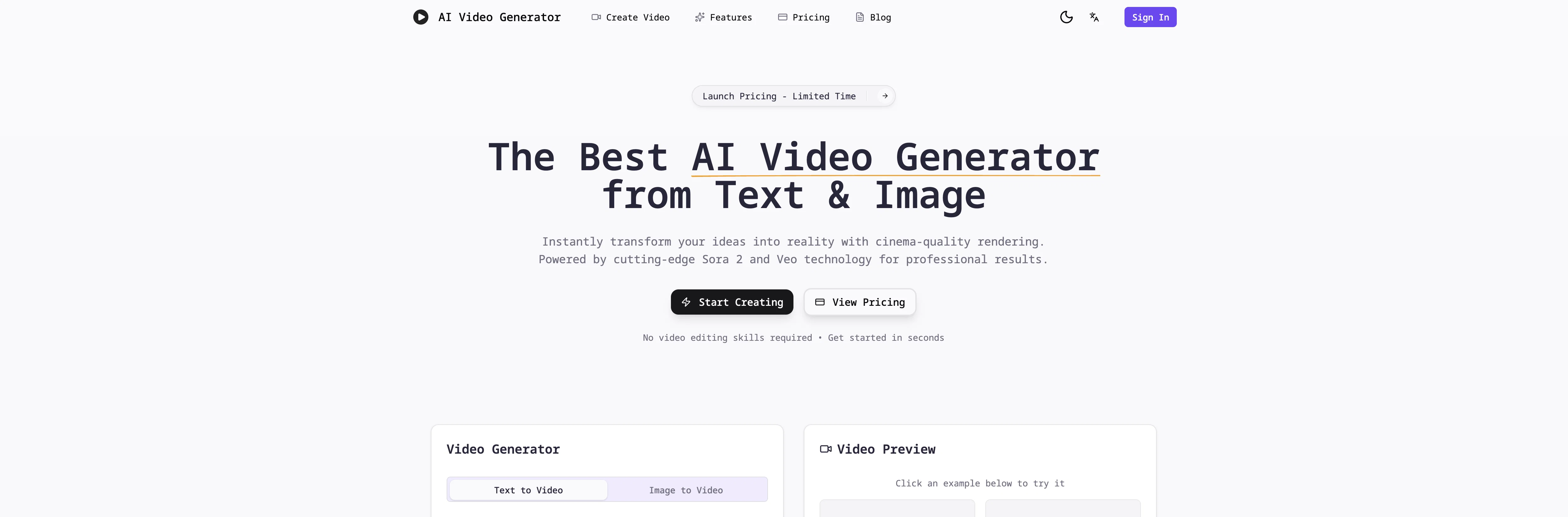
AI Video Generator.best website

Access & connections

Where you can use AI Video Generator.best.

Platforms

Web

Capabilities

What this tool accepts, produces, and is strongest at.

Input

  • Image
  • Text

Output

  • Video

Highlights

  • SOTA
  • Use code TAAFT
  • 30% OFF

Supported features

  • Video Generation
  • Realism
  • Styling

Models

Video

Pros & cons

Pros

  • Transform text to video
  • Transform images to video
  • Sora 2 technology implemented
  • Provides high-quality output
  • Supports 1080p resolution
  • Adaptable video styles
  • Multiple video formats
  • Optimized video effects
Show 37 more
  • No video editing experience needed
  • User-friendly interface
  • Professional and engaging results
  • Excellent for various users
  • Cost-effective production
  • Allows unlimited video generation
  • Fast delivery
  • Multiple aspect ratios
  • Realistic physics in video
  • Natural motion in video
  • Cinematic composition
  • Flexible video generation settings
  • Detailed description of vision
  • Text narrated scene creation
  • User defined characters and actions
  • User defined visual style
  • Downloadable video content
  • Content sharable across all platforms
  • Online platform with a 3-step process
  • Competes with professional productions
  • Advantage for content creators, marketers, educators, business owners
  • Creates instant professional videos
  • Quick video generation within minutes
  • No requirement for prior video editing experience
  • User capacity for creative control
  • Choices in camera movements
  • Simplified creation of professional videos
  • Fast generation and download
  • Tool is positioned as video editing alternative
  • Page description is fast, high quality videos
  • Cheap and beginner-friendly
  • Best for social content, product videos, ad creatives, tutorials
  • Multiple video generation aspect ratios supported
  • Fast and reliable rendering
  • Professional studio-quality results
  • Flexible credit packages offered
  • Creates unlimited professional videos

Cons

  • Limited video duration
  • Requires credits for operation
  • No option for 4K resolution
  • Lacks voiceover feature
  • Requires detailed descriptions for accuracy
  • Limited aspect ratio options
  • Restricted style options
  • Depends on online connectivity
Show 2 more
  • No offline operation
  • No free version available

Compare alternatives

Similar tools in the catalog — with a clear reason to open each one.

Releases 1

Initial release January 21, 2026 Current
Initial release of AI Video Generator.best.

Imported reviews 2

5★
6
4★
1
3★
1
2★
0
1★
2
ZenLee Jan 22, 2026 v@ initial release

The workflow is straightforward, the output quality is clean, and it’s especially useful for marketing videos, product demos, and social media content.

Overall, it’s a solid AI video generator that saves a lot of time. Highly recommended.

Little devil Jan 21, 2026 v@ initial release

This "sora" video generation works very well. I have generated it over 10 times and it has remained stable each time.


FAQ 12

What is AI Video Generator?
AI Video Generator is an online platform that leverages artificial intelligence for video creation. It transforms detailed text descriptions and static images into high-quality videos. It caters to a wide range of user groups, including content creators, marketers, educators, and business owners, providing a user-friendly process of creation. This technology enables the generation of professional and engaging video content without the requirement of advanced video editing skills.
What kind of technology does the AI Video Generator use?
The AI Video Generator employs advanced AI models, including technology powered by Sora 2. It utilizes these models to generate videos based on user-provided descriptions and images. The technology automatically processes the settings provided by users, such as aspect ratios, video quality, and AI generation model to create vibrant, shareable videos.
How long does it take to generate a video with the AI Video Generator?
The time taken by the AI Video Generator to turn input into a video could vary depending on several factors including but not limited to the complexity and length of the input. However, its infrastructure is designed for efficient and high-speed rendering, delivering video content in minutes rather than hours.
Do I need prior video editing experience to use the AI Video Generator?
No, prior video editing experience is not necessary to use AI Video Generator. It is designed to be user-friendly and intuitive. Users need only provide a detailed description of the video they aim to create, choose their preferred settings, and the AI handles the rest, making it an extremely accessible tool for all users.
What are the capabilities of the AI Video Generator?
The AI Video Generator can transform both text descriptions and static images into professional quality videos. It supports different aspect ratios and video quality settings, and uses Sora 2 technology to deliver realistic physics, natural motion, and cinematic composition in the videos. It offers various visual styles and can deliver high-quality outputs up to 1080p resolution.
Can I set the aspect ratio and video quality in AI Video Generator?
Yes, the AI Video Generator allows users to select their preferred aspect ratio and video quality. The platform supports different aspect ratios including 16:9, 9:16, and 1:1, catering to different digital platforms. Additionally, the video quality can be set to a user's preference before generation.
How does the AI Video Generator use my detailed descriptions?
AI Video Generator uses the detailed descriptions provided by users to generate high-quality videos. Users can provide a detailed description of the vision they want in the video, including scenes, characters, actions, and visual style. It leverages AI to read and understand these descriptions and translate them into visually dynamic and engaging video content.
How realistic is the output of the AI Video Generator?
The output of the AI Video Generator is highly realistic. Powered by Sora 2 technology, the AI Video Generator manages to produce videos that feature realistic physics, natural motion, and cinematic composition. The generated videos are professional-grade, capable of rivaling conventionally produced content.
What are the cost benefits of using the AI Video Generator?
The AI Video Generator is a cost-effective solution for video generation. It allows users to create unlimited professional-grade videos at a fraction of the cost of traditional video production. This allows for significant cost-savings, especially for businesses and professionals creating higher volumes of video content.
How user-friendly is the AI Video Generator?
AI Video Generator is designed to be user-friendly. The process of content creation is straightforward and intuitive. Users simply have to input a detailed description of the desired video, including scenes, characters, actions, and visual style, and select the desired settings such as aspect ratios, video quality, and AI generation model. The AI then processes these inputs and generates the video.
Can AI Video Generator be used for professional video content creation?
Yes, the AI Video Generator is well-suited for professional video content creation. It delivers high-quality outputs of up to 1080p resolution, and produces videos that rival professional-grade productions in regards to realistic physics, natural motion, and cinematic composition. Its advanced features like diverse style options and fine-tuned controls provide a degree of creativity and customization that professionals may require.
Can AI Video Generator transform both text and images into videos?
Yes, AI Video Generator is equipped to transform both text and images into videos. Users can provide text descriptions and static images as input and the AI will process these to create dynamic, high-quality videos. It seamlessly blends both input types to create a cohesive and engaging visual narrative.
AI Video Generator.best from $5.9