

Image upscaling 2026 Rank: #2786
AI Upscaler.org ✓
Turn blurry photos into crisp, high-res images instantly.
Verdict
A quick read before you dig into the full page.
- Best if
- Turn blurry photos into crisp, high-res images instantly
- Skip if
- Limited use cases presented
- Pick this when
- Supports PNG, JPG, WebP
Considering Deep Image instead? Compare side by side
Overview
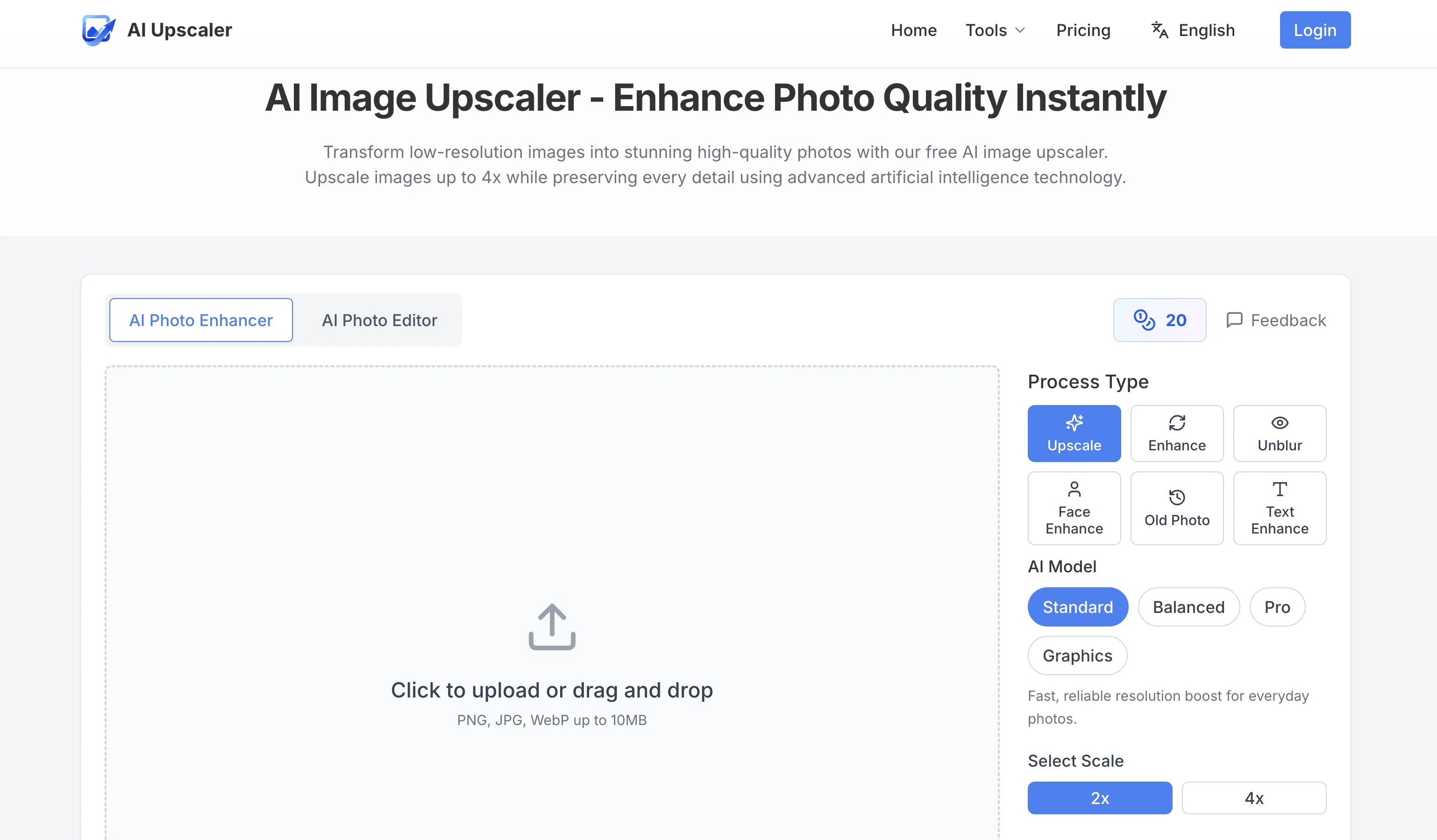
AI Image Upscaler is an online tool designed to upscale low-resolution images and improve photo quality using advanced artificial intelligence technology.
An important application is the capability to transform original photos into high-resolution images while preserving each detail. The tool supports PNG, JPG, and WebP formats and allows users to choose their preferred upscaling factor before processing the photos.
The utility serves a broad range of use cases, including e-commerce product photos, social media content, print material preparation, photo restoration, real estate photography, and digital art and design.
It offers special features like a magic eraser to remove unwanted objects or backgrounds from photos, a logo remover to strip brand marks from images, and an image text editor to add captions and text overlays.
In addition to upscaling photos, the tool can also enhance color and sharpness, unblur images, and restore details in faded or old photographs. It's designed to be user-friendly-- all that's needed is to upload an image, select scales and upscale, then download the enhanced image.
For data security and privacy, the platform uses end-to-end encryption, and all uploaded images are automatically deleted after 60 minutes. This tool offers a secure, quick solution for those who need to improve image quality and resolution.
Access & connections
Where you can use AI Upscaler.org.
Platforms
Capabilities
What this tool accepts, produces, and is strongest at.
Input
- Image
Output
- Image
Supported features
- Upscaling
Pros & cons
Pros
- Supports PNG, JPG, WebP
- User-selected upscaling factor
- Enhances e-commerce product photos
- Aids social media content
- Assists print material preparation
- Useful in photo restoration
- Ideal for real estate photography
- Supports digital art and design
Show 32 more
- Offers magic eraser feature
- Logo remover feature
- Image text editor available
- Enhances color and sharpness
- Unblur images feature
- Restores details in old photographs
- User-friendly interface
- End-to-end encryption
- Data security measures
- Automatically deletes images after 60mins
- Fast processing
- Can upload multiple photos
- Photo enhancement capability
- Image quality improvement
- Image sharpening
- Image resizing
- Allows image format conversion
- Old photo text enhancing
- Supports images up to 10MB
- Supports upscaling to 2x, 4x
- Generates history
- Easy download option
- Free to try
- Multiple scale options
- Compliant with EU data protection
- GDPR Compliant
- Lightning fast processing
- Secure and private processing
- High-quality result download
- No registration required
- No hidden costs
- Neural networks for detail preservation
Cons
- Limited format support
- Possibility of privacy breaches
- Automatic image deletion after 1 hour
- Time-consuming for multiple images
- Not for offline use
- Sample sizes limited to 10MB
- No mobile app
- Upscale options may be limited
Show 2 more
- No account creation feature
- Limited use cases presented
Compare alternatives
Similar tools in the catalog — with a clear reason to open each one.

Deep Image ✓
Free TrialEnhance photos with advanced editing features.
Free + from $9/mo
Full comparison
Upscayl ✓
Free TrialEnhance images with free, open-source AI upscaling.
Why look More privacy-focused
Full comparison
AI Upscaler ✓
FreemiumSmarter AI 4K Upscaler for Images & Videos
Why look Typically cheaper
Full comparison
SciFig ✓
FreemiumTurn text into publication-ready scientific figures.
Free + from $12/mo
Full comparison

Neurohelper AI ✓
PaidEvery leading AI model. One workspace.
Why look Better for writing
Full comparisonReleases 1
FAQ 12
What is the AI Image Upscaler?
What type of image formats does AI Image Upscaler support?
Does AI Image Upscaler also improve image color and sharpness?
Can AI Image Upscaler help restore old or faded photos?
How is the magic eraser feature in AI Image Upscaler used?
What is the purpose of the logo remover feature in AI Image Upscaler?
How can I add text to my photos using AI Image Upscaler?
What steps are needed to upscale an image using AI Image Upscaler?
How does AI Image Upscaler ensure data privacy and security?
How fast can AI Image Upscaler enhance my images?
Can AI Image Upscaler unblur my photos?
How does the upscaling factor impact the image processing in AI Image Upscaler?
Related tools
Recommended

MagicSlides.app AI PPT Maker ✓
FreemiumCreate Stunning PPTs in Seconds with the AI PPT Maker

GetLogit ✓
FreemiumArtificial intelligence, available for everyone.

ChatGPT ✓
FreemiumAsk anything, create anything, and move from idea to action.

Automateed ✓
Free TrialCreate eBooks effortlessly with Automateed, the AI-powered writing tool.

Kin - Personal AI Advisors ✓
FreePrivacy-first & designed your for mind, and life at work

Aiter.io | Paste a URL. Ship a Campaign That Sounds L... ✓
FreemiumAI marketing that sounds like you, not everyone else.