

AI inference 2026 Rank: #1114
AI Playground MCP & CLI by Picsart ✓
Generate images, video, and audio with 150+ AI models.
Verdict
A quick read before you dig into the full page.
- Best if
- Generate images, video, and audio with 150+ AI models
- Skip if
- Requires MCP-compatible hosts
- Pick this when
- Media creation
Considering Nebius Token Factory instead? Compare side by side
Overview





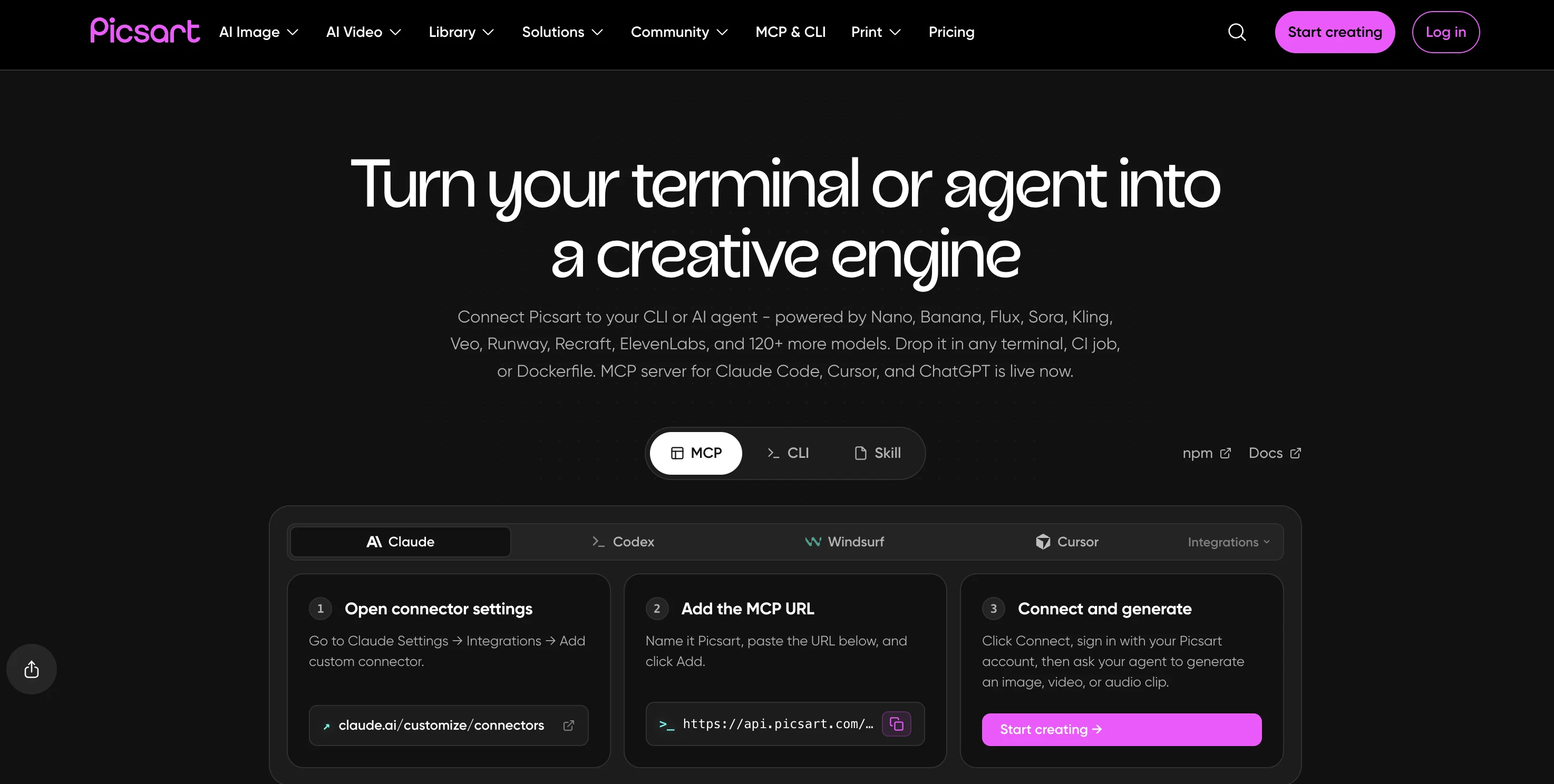
Models include Flux, GPT Image, and Ideogram for images; Sora, Kling, Veo, Runway, and Pika for video; ElevenLabs for voice and audio. Instead of managing separate API keys and billing accounts for each provider, you get the full model library through one connection, billed per generation — not per subscription.
Works out of the box with Claude Desktop, Claude Code, Cursor, ChatGPT, Windsurf, and any MCP-compatible agent.
Install via npx -y @picsart/mcp-server and the full model library is available immediately.
Supports Streamable HTTP and stdio transports.
The server is built for agentic pipelines — a single workflow can generate a hero image with Flux, produce a video clip with Kling, and synthesize a voiceover with ElevenLabs, all through one MCP server from one API key.
- Ai Image Generation
- Ai Video Generator
- Image To Video
- Ai Text-to-video
- Ai Text To Speech
- Text To Music
- Video To Video (style Transfer)
- Text And Image To Image
- Text And Image To Video With Faces
Access & connections
Where you can use AI Playground MCP & CLI by Picsart, and what it plugs into.
Platforms
Integrations
Capabilities
What this tool accepts, produces, and is strongest at.
Input
- API
- Image
- Text
- Video
- Audio
Output
- Code
- Audio
- Video
- API
- Text
- Image
Highlights
- SOTA
- API
- MCP
- Agents
Supported features
- API
- MCP
- Agents
- Image Generation
- Video Generation
- Sound Creation
- TTS
- Automation
- Integrations
- CLI
Models
Text
Image
Audio
Video
Coding
Pros & cons
Pros
- Media creation
- New models added without config changes
- All generations saved to Picsart Drive
- 157+ models across images, video, and audio
- Works with Claude, Cursor, ChatGPT, Windsurf, and any MCP client
- Enterprise API with commercial-use models
- Built for agentic pipelines and developer workflows
- Industry-specific solutions
Show 9 more
- One-minute setup via npx — single config block
- Runs anywhere MCP is supported
- Various pricing plans
- Models from 31 providers including Flux, Sora, Kling, Veo, and ElevenLabs
- Interactive exploration
- Templates for productivity
- Supports multi-step agentic workflows
- Designed for creativity
- Subscription + Pay-per-generation
Cons
- Requires MCP-compatible hosts
- CLI knowledge may be required
Compare alternatives
Similar tools in the catalog — with a clear reason to open each one.

Nebius Token Factory ✓
Free TrialEnterprise-grade open-source AI inference at unlimited scale.
Why look Typically cheaper
Full comparison
JustSimpleChat ✓
Free TrialEvery AI model, one platform.
Why look Typically cheaper
Full comparison
SiliconFlow ✓
FreemiumOne platform for all AI inference needs.
Why look Typically cheaper
Full comparison
General Compute ✓
Free TrialWorld's fastest AI inference with purpose-built hardware.
Why look Typically cheaper
Full comparison
Run BiOS ✓
Free TrialOne API for the best AI models. Zero logs, upto 70% less
Why look Typically cheaper
Full comparison
Releases 1
FAQ 12
What is the Picsart MCP Server?
What components make up the Picsart MCP Server?
How does Picsart MCP Server integrate with MCP-compatible hosts?
What kind of content can Picsart MCP produce?
How many models does the Picsart MCP Server synthesize?
What specific tools does Picsart MCP Server offer?
What are the uses of AI Playground on Picsart MCP Server?
How can Picsart MCP Server improve my productivity?
Can Picsart MCP Server be integrated into my existing software environment?
What are the pricing plans for Picsart MCP Server?
Is there a free version of Picsart MCP Server?
On what platforms is Picsart MCP Server available for download?
Related tools
Recommended

Singify ✓
PaidSingify Your World – Create, Cover, Inspire

Picsart ✓
FreemiumGenerate images, video, and audio across 150+ AI models from one account.

GoFaceless ✓
Free TrialTurn any idea into a finished faceless video.

Ai Melodia ✓
FreemiumSongs at the speed of imagination.

D-ID ✓
FreemiumCreate AI-generated videos with ease

Thea ✓
FreemiumAI study tools to master material, not just memorize it.
More from this creator

AI Writer by Picsart ✓
FreemiumGenerate premium copy with AI in seconds.
Picsart ✓
FreemiumGenerate images, video, and audio across 150+ AI models from one account.

Adpilot ✓
FreemiumCraft captivating AI-powered ads in one seamless package.

Admaker by Picsart ✓
FreemiumAI-powered ad creation for social media

Creative APIs by Picsart ✓
FreemiumTransforming creativity and automation with AI-powered image, video, and content editing tools

Remove Background by Picsart ✓
FreemiumInstantly remove backgrounds for clean, transparent images—perfect for products, designs, and creative