

Dictation 2026 Rank: #2281
Acousmos ✓
Talk instead of type. Keep every word.
Verdict
A quick read before you dig into the full page.
- Best if
- Talk instead of type. Keep every word
- Skip if
- Single device limit for plans
- Pick this when
- Designed for Mac
Considering Wispr Flow instead? Compare side by side
Overview
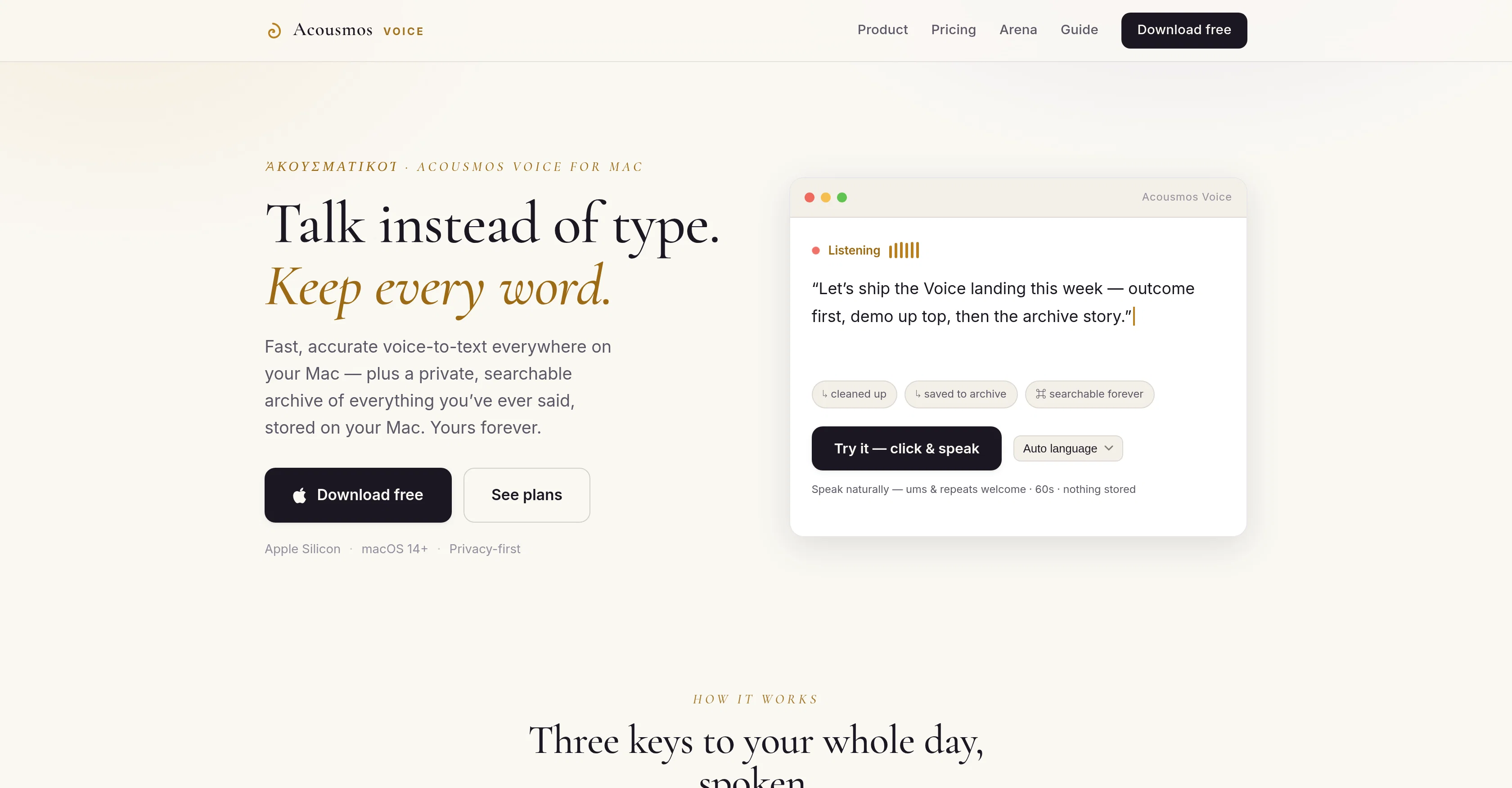
Acousmos is an AI-powered dictation and voice-to-text application specifically designed for Mac. This tool allows users to talk instead of typing, offering fast and accurate voice-to-text conversion in different apps on your Mac.
On pushing an allocated hotkey, Acousmos transcribes any spoken words into text in real-time, placing it where the cursor is positioned, regardless of whether it is your browser, editor or any other app.
An outstanding feature is the private, searchable archive of all the transcriptions that can be stored directly on the user's Mac. This feature aims to preserve every word the user speaks, enabling them to revisit their spoken words at any future time.
Beyond dictation, Acousmos strives to create a valuable archive of each individual's unique voice and accompanying ideas, capturing the thinking behind the words.
Additional features consist of AI clean-up, versatility across apps, custom dictionary, and privacy due to local archives. Ensuring privacy, the user's archive never leaves their Mac, and no training is performed on the user's voice.
Acousmos also supports various languages and users can try it with a free one-month trial.
Access & connections
Where you can use Acousmos.
Platforms
Capabilities
What this tool accepts, produces, and is strongest at.
Input
- Audio
Output
- Text
Highlights
- Local
Supported features
- STT
- Transcription
- Runs Locally
Pros & cons
Pros
- Designed for Mac
- Real-time voice-to-text conversion
- Versatility across apps
- Private, searchable transcriptions archive
- Transcriptions stored on user's Mac
- No training on user's voice
- Supports various languages
- Free one-month trial
Show 17 more
- Custom dictionary availability
- Preserves speech nuances
- Captures accompanying ideas
- Hotkey activation
- Privacy-focused
- Local data archive
- Fast and accurate conversion
- Multi-app functionality
- Transcriptions placed where cursor is
- No switching between apps
- Transcriptions can be revisited anytime
- Supports in-app voice-to-text
- Eliminates need for typing
- Facilitates multi-tasking
- Helpful for language learners
- Useful for hard-of-hearing individuals
- Users retain full data control
Cons
- Mac only
- No mobile version
- Requires hotkey use
- No voice training features
- No cloud storage option
- Clean-up may alter intent
- Subscription required after trial
- Archive 'search' feature ambiguity
Show 2 more
- No dedicated application window
- Single device limit for plans
Compare alternatives
Similar tools in the catalog — with a clear reason to open each one.

Wispr Flow ✓
FreemiumSpeak naturally, write perfectly, 4x faster.
Why look Better for writing
Full comparison
Voibe ✓
Free TrialType 3x faster with private offline dictation.
Why look More privacy-focused
Full comparison
Spokenly ✓
FreemiumSeamless speech-to-text in every app.
Why look Offers a public API
Full comparison
Aqua Voice ✓
FreemiumVoice-driven text editing for effortless document creation.
Free + from $10/mo
Full comparison
EchoWrite ✓
FreemiumDon't type text anymore, just speak
Why look Higher community rating
Full comparison
Releases 1
FAQ 12
What is Acousmos?
How does Acousmos work?
What are the key features of Acousmos?
Does Acousmos support various languages?
Does Acousmos offer a free trial?
What is Acousmos's AI clean-up feature?
Is Acousmos versatile across different apps?
What is the custom dictionary feature in Acousmos?
How does Acousmos ensure data privacy?
Does Acousmos require any training on the user's voice?
Can Acousmos archive transcriptions?
How do I access the private archive of transcriptions in Acousmos?
Related tools
Recommended

GetLogit ✓
FreemiumArtificial intelligence, available for everyone.

Whacka ✓
Free TrialTurn ideas into real apps from your phone.

Intuo – Your AI geospatial analyst ✓
FreeAsk a question about anywhere. Get analyst-grade maps and answers.

ComicInk ✓
Free TrialTurn Your Words into Stunning Comic Books

mvnt STUDIO ✓
FreemiumCreate 3D dance animations from any music in seconds.

Are you found by AI? ✓
FreemiumFree scan: Make AI recommend your business