

Dictation 2026 Rank: #72
EchoWrite ✓
Don't type text anymore, just speak
Verdict
A quick read before you dig into the full page.
- Best if
- Don't type text anymore, just speak
- Skip if
- You need enterprise SLAs or a fully managed team plan right away
- Pick this when
- Freemium · Free + from $37
Considering Wispr Flow instead? Compare side by side
Overview
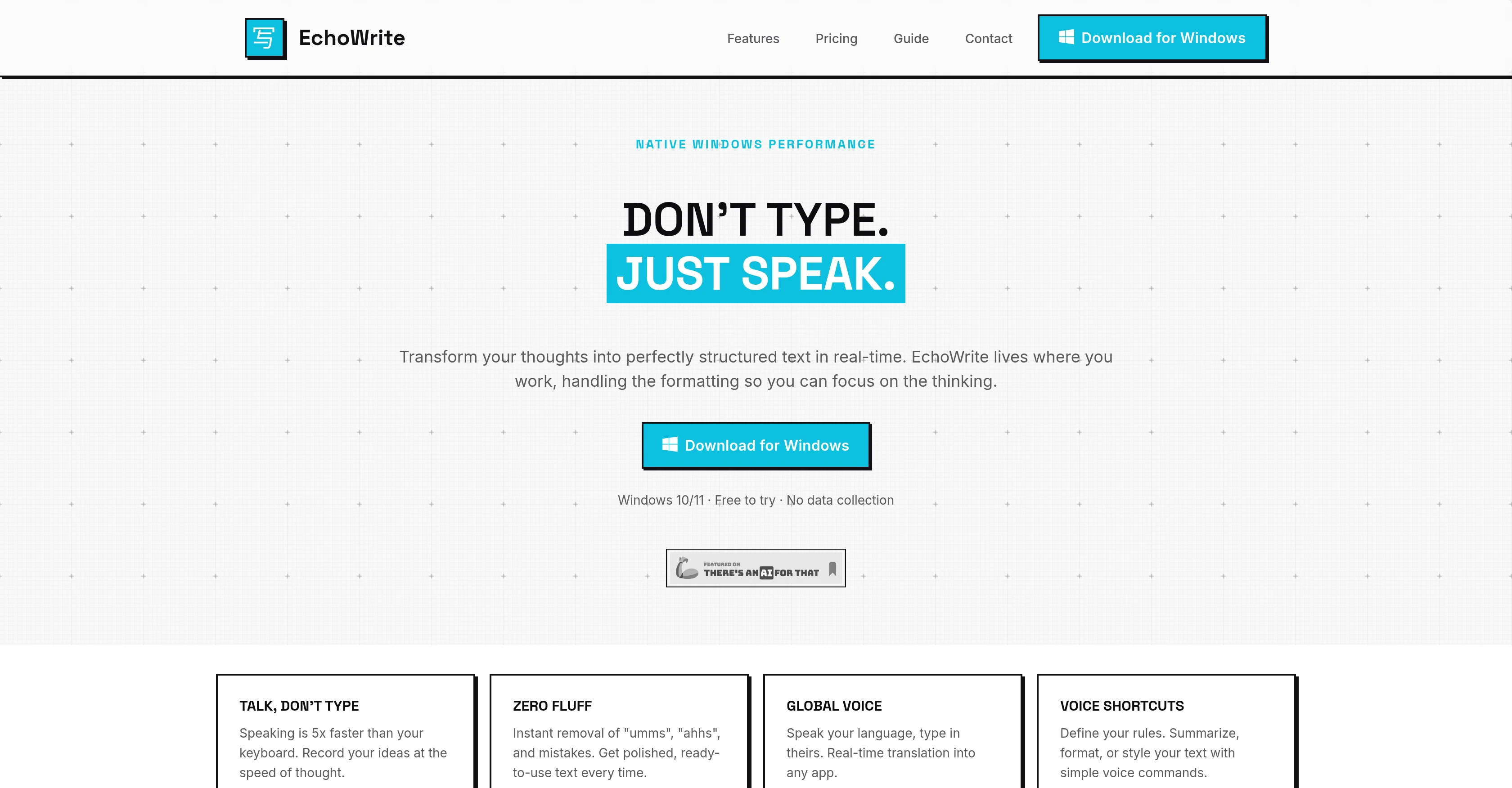
EchoWrite is an AI-powered voice dictation software designed for Windows platforms, turning spoken words into structured text within any Windows application.
This tool uses Whisper, OpenAI's automatic speech recognition system, providing users with real-time transcription that captures thoughts swiftly and accurately.
EchoWrite features native Windows integration, providing seamless operation where the user works, and handles text formatting, freeing users to focus on their tasks.
The tool offers unique features such as instant removal of speech fillers and mistakes, yielding polished and ready-to-use text. EchoWrite also supports real-time translation, allowing users to speak in their language and type in another.
Users also have the capability to define voice shortcuts for text summarization, formatting, or styling.Another interesting feature of EchoWrite is its 'custom prompts function' that helps reshape raw speech into professional outputs almost instantly.
It's intelligent enough to help turn a mind dump into a structured document, automatically strip filler words, or dictate logic in plain English and convert the same into clean formatted code.EchoWrite values user's privacy and offers sovereignty over data, either by sending voice data directly to OpenAI using a personal key or running high-performance Whisper models 100% locally.
Lastly, EchoWrite offers an option for a lifetime license, providing unlimited use without monthly AI markups.
Access & connections
Where you can use EchoWrite.
Platforms
Capabilities
What this tool accepts, produces, and is strongest at.
Input
- Audio
Output
- Text
Highlights
- Local
Supported features
- STT
- Translation
- Runs Locally
- Autocomplete
Compare alternatives
Similar tools in the catalog — with a clear reason to open each one.

Wispr Flow ✓
FreemiumSpeak naturally, write perfectly, 4x faster.
Why look Typically cheaper
Full comparison
Voibe ✓
Free TrialType 3x faster with private offline dictation.
Why look Typically cheaper
Full comparison
Spokenly ✓
FreemiumSeamless speech-to-text in every app.
Why look Typically cheaper
Full comparison
Aqua Voice ✓
FreemiumVoice-driven text editing for effortless document creation.
Why look Typically cheaper
Full comparison

Releases 1
Imported reviews 3
Really solid on Windows. I’ve tried several similar transcription tools before, but this one feels much better integrated into the system. The customizable global shortcuts are a game changer, you can either just do plain transcription or trigger your own custom prompts/actions with Adifferent hotkeys. A lot of competitors do Aroughly the same thing, but EchoWrite stands out because the basic transcription is essentially free (you just need your own OpenAI API key, which costs next to nothing).
If you want the custom prompts and translations, it’s a one-time payment instead of yet another subscription. In 2026 that’s actually pretty fair compared to everything else out there. Big thumbs up.
Am I biased in giving my own tool 5 stars? Frankly, maybe, but I'll tell you why I do it. It's because I originally developed this tool for myself, and I've been using it every day since. It was when I found the tool interesting enough and with enough features that I decided to polish it and share it with everyone. But by being a user of my own tool, I can spot bugs quite quickly, iterate on it, and develop relevant features.
I’m using the free version just for plain transcription and it does the job very well. I don’t really need the extra prompt stuff right now, but the fact that it’s a one-time payment if I ever want to upgrade makes me think I probably will at some point.
So far it’s been reliable. Sure, there are occasional little hiccups with Whisper itself (accents, background noise, etc.), but that’s the model, not the app. Every single tool like this is built on Whisper anyway, whether it’s OpenAI’s cloud version or local. Since this one lets you do unlimited free transcription (modulo API costs if you go cloud), it’s hard to complain. For free? Massive yes from me.
FAQ 12
What is EchoWrite?
How does EchoWrite work?
What systems are EchoWrite compatible with?
How does EchoWrite use OpenAI Whisper?
What features does EchoWrite offer for document editing?
Can EchoWrite translate spoken language into different languages?
What types of applications can EchoWrite integrate with?
How does EchoWrite handle language changes within single sentences?
What kind of documents can EchoWrite generate?
How does EchoWrite ensure user data privacy?
Does EchoWrite operate offline?
What is the cost structure for EchoWrite?
Related tools
Recommended

Lightfield ✓
Free TrialAI CRM that remembers everything and does the work for you.

TheLibrarian.io ✓
Free TrialYour WhatsApp AI assistant for instant productivity.

Chatbit ✓
FreemiumTrain custom AI Chatbot from your data, add to website.

AirMusic ✓
Free TrialAI music generator and music video creator in one platform.

ChatGPT ✓
FreemiumAsk anything, create anything, and move from idea to action.

Transcript LOL ✓
FreemiumUnlimited transcripts, summaries, 99.8% accuracy, speaker recognition, superfast