

Dance videos 2026 Rank: #172
mvnt STUDIO ✓
Create 3D dance animations from any music in seconds.
Free + from $9.6/mo
Verdict
A quick read before you dig into the full page.
- Best if
- Create 3D dance animations from any music in seconds
- Skip if
- Potential oversimplification of complex dances
- Pick this when
- Web-based tool
Considering Viyou AI Dance Generator instead? Compare side by side
Overview
mvnt STUDIO is a free, web-based AI dance generation tool. It leverages advanced dance AI and motion synthesis technology to produce lifelike 3D dance animations that are synchronized to any music track.
Also noteworthy is that it does not require any download. Dance AI in context of mvnt STUDIO refers to sophisticated deep learning models, trained on motion capture data, that generate human dance choreography automatically from music audio.
The AI analyzes the rhythm, tempo, and energy of the music and synthesizes a full-body motion sequence aligned to the musical structure. The result is a 3D character avatar performing a dance routine in real-time, directly within your browser.
Key features of mvnt STUDIO include AI dance generation from any music file or genre, real-time 3D dance animation in the browser, and music-to-motion synchronization via AI choreography.
These animations can be exported in 2K video format. Additional features include a community gallery for sharing and discovering dance scenes, and customizable elements such as 3D characters, lighting, and backgrounds.
To generate a dance sequence, one must visit the mvnt STUDIO website, upload or select a music track, and click 'Generate' for the AI to create choreography.
The resulting animations can then be customized and exported as a video or shared to the community. mvnt STUDIO offers a simplistic and seamless procedure for creating dance sequences from music through AI technology.
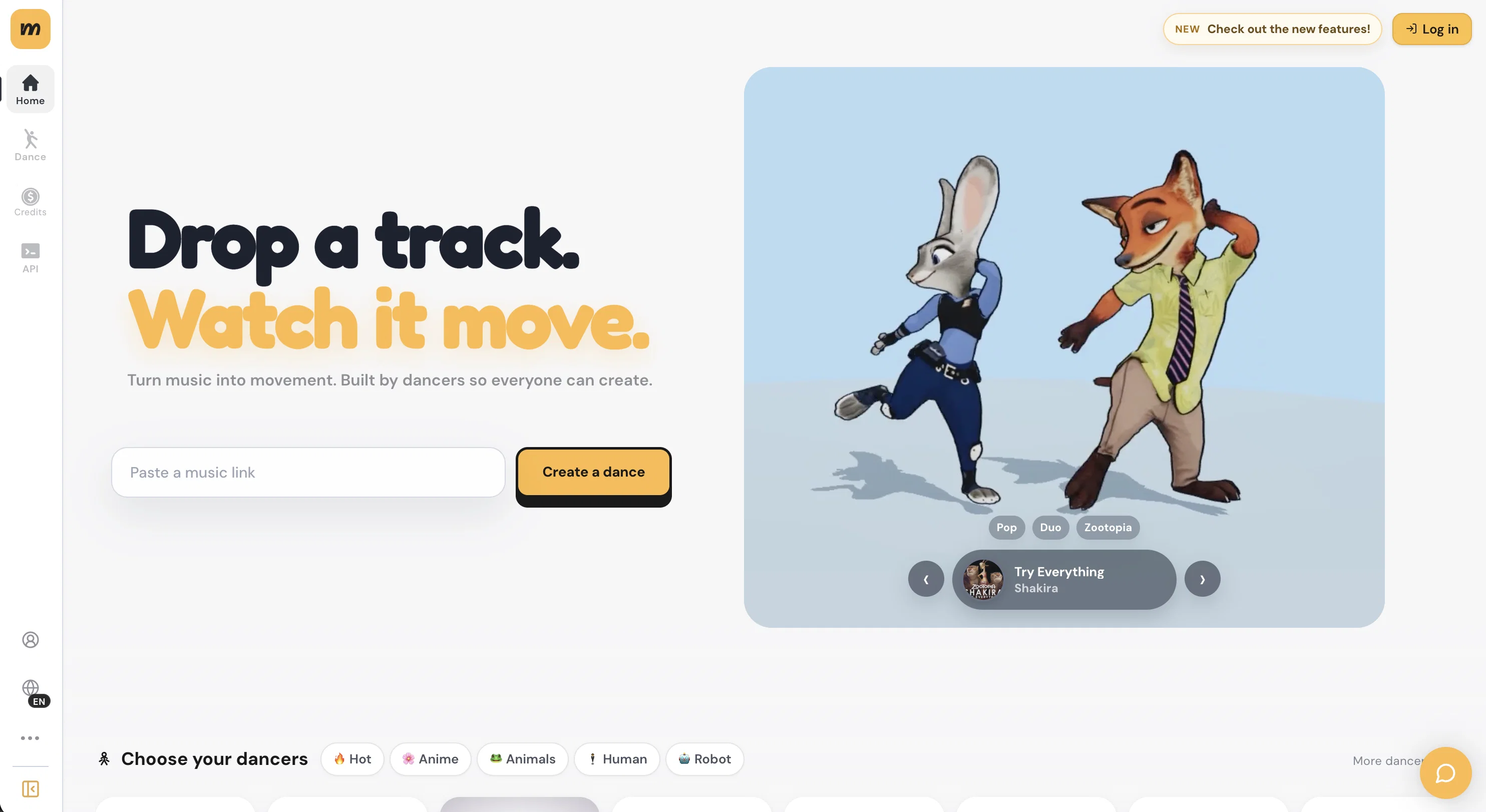
Best for
Short scenarios where mvnt STUDIO tends to shine.
-
Create 3D dance animations from any music in seconds.
Example outputs 1
Sample generations and before/after results for mvnt STUDIO.
Access & connections
Where you can use mvnt STUDIO.
Platforms
Capabilities
What this tool accepts, produces, and is strongest at.
Input
- Audio
Output
- Video
- 3D
Supported features
- 3D Generation
- Video Generation
- Video Edit
- Styling
- Realism
Pros & cons
Pros
- Free tool
- Web-based tool
- Generates lifelike 3D animations
- Synchronizes dance to music
- No downloads required
- Works with any music file
- Real-time 3D animation
- Music-to-motion synchronization
Show 10 more
- Exportable 2K video format
- Community sharing features
- Customizable characters/lighting/backgrounds
- User-friendly
- Uses deep learning models
- Trained on motion capture data
- Generates choreography from music
- Real-time choreography creation
- Browser based real-time animation
- Music analysis capabilities
Cons
- Web-based only
- Requires internet connection
- Real-time choreography limitations
- Limited to 2K video export
- Dependent on music track quality
- No offline availability
- Potential oversimplification of complex dances
- No manual choreography input
Show 2 more
- Limited customization options
- Share features may lack privacy
Compare alternatives
Similar tools in the catalog — with a clear reason to open each one.

Viyou AI Dance Generator ✓
PaidTurn images or text into AI dance videos.
from $12.99
Full comparison
AI Dance Generator ✓
PaidBring Your Dance Visions to Life with AI Video Creation
from $9.99/mo
Full comparison
AI Dance Generator.ai ✓
FreemiumMake any photo or character dance with AI.
Why look Stronger for image work
Full comparison
Vdoo AI | Video Generator ✓
Free TrialTurn any image into AI video. No watermark, 10+ models, free.
Why look Typically cheaper
Full comparison
Froging AI ✓
FreemiumCreate images and videos with leading AI models in one workspace.
Free + from $29.90/mo
Full comparison
Vireel AI French Kiss Generator ✓
PaidCreate personalized AI kiss scenes in seconds.
Why look Typically cheaper
Full comparisonPeople also view
Tools that often show up alongside mvnt STUDIO in collections and comparisons.

Automateed ✓
Free TrialCreate eBooks effortlessly with Automateed, the AI-powered writing tool.
Viyou AI Dance Generator ✓
PaidTurn images or text into AI dance videos.

Ziddny World ✓
Free TrialEvery child deserves a world of their own.

NotebookLM ✓
FreemiumAI-powered note-taking and research assistant

MyColoring.AI ✓
FreemiumTransform photos into printable coloring pages instantly.

Modelfy 3D ✓
FreemiumTransform any image to 3D models instantly.

Freesong ✓
Free TrialTurn any idea into a song instantly.

Donotpay ✓
PaidAI consumer champion fighting for you.
Releases 1
Imported reviews 3
This is so cool! Can you make an easy to use export model ?
Such a cool tool! I loved playing with it and it does a fantastic job :)
This is so cool! Look loved, i made my GF t-pose haha. Keep it going man, really fun!
FAQ 12
What is the mvnt STUDIO AI Dance Generator?
How does the mvnt STUDIO generate the 3D dance animations?
What technology does mvnt STUDIO use to produce the dance animations?
Is there any need to download an application to use mvnt STUDIO?
Can I upload any genre of music to mvnt STUDIO?
How does the AI in mvnt STUDIO analyze the music audio?
What is the format in which the animations can be exported?
Does mvnt STUDIO provide features for customization of 3D characters, lighting, and backgrounds?
What are the steps required to generate a dance sequence with mvnt STUDIO?
How can I share the animations created with mvnt STUDIO?
Can I select a music track of my choice in mvnt STUDIO?
How is the music-to-motion synchronization achieved?
Related tools
Recommended

PDF to Video AI ✓
FreeTurn PDFs into professional explainer videos in minutes.

X-Pilot AI ✓
FreemiumTurn Documents into Accurate Video Course Series

The Prompt Challenge ✓
FreeMaster AI prompting through practice challenges.

PAI | Utopai Studios ✓
UnknownMastery is rare. Utopai is built for it.

Clico ✓
FreemiumAI that lives where you type.

GetLogit ✓
FreemiumArtificial intelligence, available for everyone.