

Email follow-ups 2026 Rank: #2323
Zinkforge | Mail2Follow ✓
A tiny CRM for your Gmail inbox.
Verdict
A quick read before you dig into the full page.
- Best if
- A tiny CRM for your Gmail inbox
- Skip if
- Limited free tracking
- Pick this when
- Gmail integration
Considering Workmate instead? Compare side by side
Overview



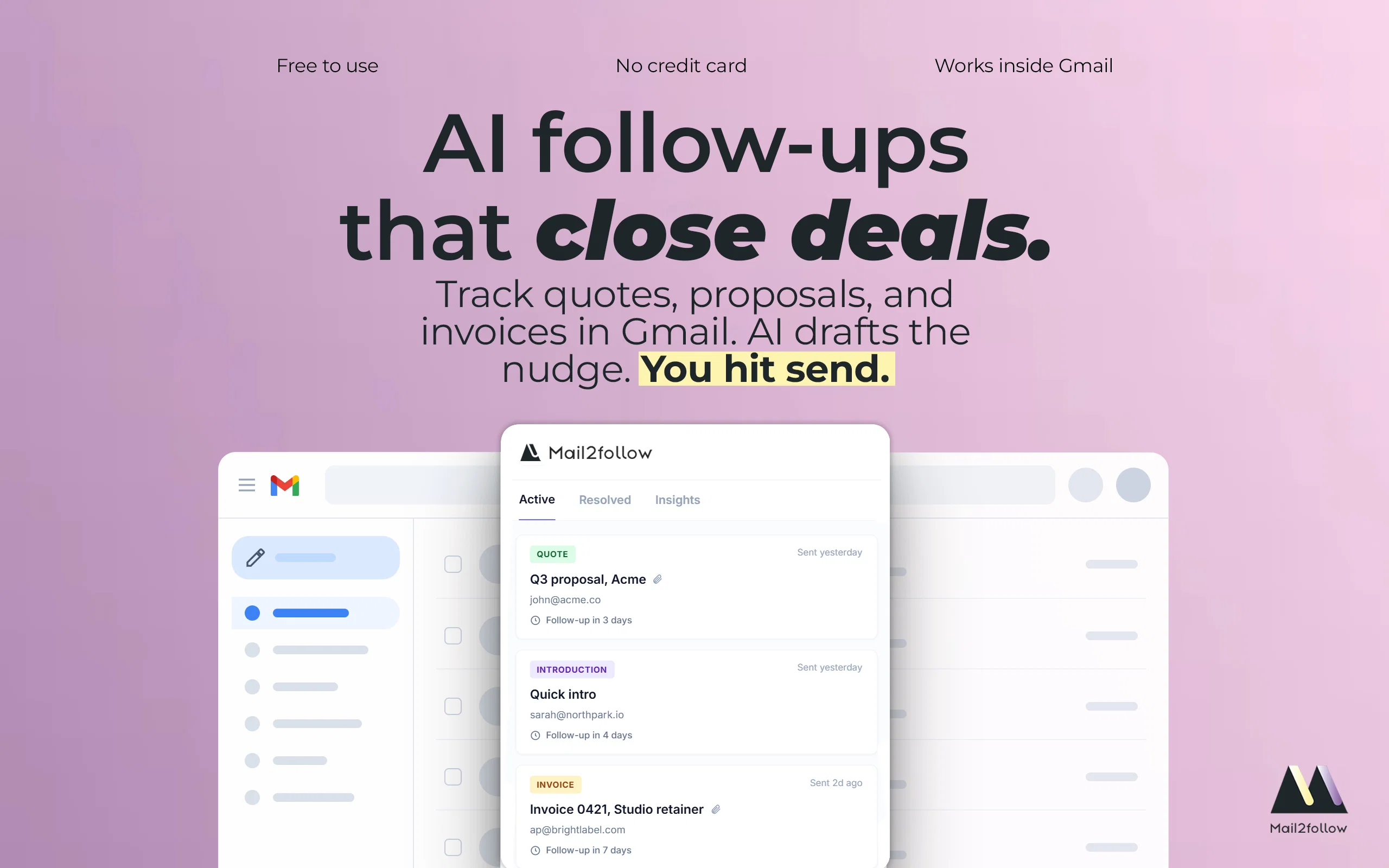
Mail2Follow is the email follow up reminder that lives inside Gmail. Track any sent email in one click. It watches for a reply, nudges you only when nobody replies, and drafts your follow up in your tone and in the language of the original email, ready for you to review and send. You decide what gets sent. Nothing goes out automatically. All without leaving Gmail.
More help than a tracker. Less work than a CRM.
Freelancers, consultants, agencies, and small businesses lose revenue every month for one reason: they forget to follow up on proposals, quotes, and invoices. The difference between a yes and getting ghosted is rarely the quality of your email. It is whether you followed up, and whether you did it at the right time.
The opportunities slipping away:
➤ The invoice that gets paid 45 days late, or never
➤ The proposal that loses to a competitor who followed up first
➤ The job application buried under 200 others
➤ The meeting request you were "going to reply to later" and never did
⚙️ HOW IT WORKS
1. Send your email as you normally do
2. Click "Track". One button, right inside Gmail
3. AI reads your email and figures out what kind of message it is (invoice? pitch? proposal? job application?) and sets the right follow up window automatically
4. If no reply comes in time, you get a reminder with a follow up drafted by AI in your tone and the language of the original email. Edit what you want, then send in one click. Nothing is sent without your approval
5. When they reply, the item resolves automatically. No noise, no clutter
▶️See how it works on YouTube: https://www.youtube.com/watch?v=pcqBfjQltlc
Need to revisit a thread weeks later? Track it again in one click and the timing resets. Want to add private context (deal size, last call notes, the prospect's objection)? Attach a Note to any tracked thread, visible only to you.
💸 THE REAL COST OF NOT FOLLOWING UP
Studies show 80% of deals require at least one follow up, but 44% of people give up after the first email. That is not a productivity problem. It is lost revenue.
🔵 Every invoice you do not chase is money sitting in someone else's account.
🔵 Every proposal without a follow up is a client choosing your competitor.
🔵 Every application left hanging is a job that went to someone who showed up twice.
Mail2Follow helps you follow up at the right time, every time, so more sent emails turn into replies.
👥 WHO IT IS FOR
→ Freelancers and agencies: stop chasing invoices 60 days late. Send your follow up emails at day 5 with AI help, and get paid on time.
→ Sales reps and teams: close more deals with timely sales follow up while competitors forget. AI drafts each message so you reply faster.
→ Founders: every partnership email, every investor update, every vendor negotiation. None slip through.
→ Job seekers: stand out from 200 applicants by following up at exactly the right moment with the right message.
→ Consultants: proposals, SOWs, meeting requests. Know the second something needs attention.
→ Anyone who sends email that needs a reply and cannot afford silence.
🎁 WHAT YOU GET
✔️ One click tracking right inside Gmail. No new tabs, no separate app.
✔️ AI timing that adapts to what you sent.
✔️ Follow up emails drafted by AI in your tone and in the language of the original email, ready to send in one click from the extension.
✔️ You stay in control. You review every follow up and decide what gets sent. Nothing goes out automatically.
✔️ Automatic reply detection. The item resolves the moment they respond, with a toast inside Gmail.
✔️ Notes on any thread. Keep deal context, objections, or reminders attached to the email.
✔️ Track resolved threads again in one click when the conversation reopens.
✔️ Snooze for later when the timing is not right yet.
✔️ Clean dashboard to see every pending item at a glance.
✔️ Insights (Pro): your reply rates, response times, and what is working.
✔️ Multiple Gmail accounts (Pro): track every Gmail account you are signed into, all in one place.
✔️ Open tracking pixel (Pro): see when recipients actually read your email. Country only, recipient IPs are never stored.
✔️ Available in English, Spanish, and Catalan.
📌 BUILT FOR GMAIL, STAYS IN GMAIL
Mail2Follow is the email tracker for Gmail that integrates directly into your inbox. The Track button appears next to the subject line. The dashboard lives in the extension popup. You never leave Gmail.
Track emails in Gmail and never miss a follow up. Install Mail2Follow today.
- Smart Follow-up Sequences Included
- Reminders And Scheduled Tasks
- Reminders
- Crm & Client Management
- Lead Collection And Management
- Task Management
Best for
Short scenarios where Zinkforge | Mail2Follow tends to shine.
-
A tiny CRM for your Gmail inbox.
Example outputs 1
Sample generations and before/after results for Zinkforge | Mail2Follow.
Access & connections
Where you can use Zinkforge | Mail2Follow, and what it plugs into.
Platforms
Integrations
Capabilities
What this tool accepts, produces, and is strongest at.
Input
- Text
Output
- Text
Supported features
- Assistant
Pros & cons
Pros
- Gmail integration
- Mini-CRM features
- Freelancer and consultant focus
- Email tracking
- Follow-ups in user's tone
- Timely reminders
- Real-time open alerts
- Email body privacy
Show 31 more
- GDPR compliant
- Data encryption
- Free plan available
- Invoice management
- Proposal management
- Limited access permissions
- Internal email classification
- Proposals and invoices tracking
- Automatic follow-up planning
- Real-time statistics on email
- Inbox minimization features
- Privacy and security focus
- Multi-account support in Pro
- Customizable follow-up drafts
- Lightweight compared to full CRM
- Critical conversations tracking
- Automated action on non-replies
- Productivity focused
- Minimalistic user interface
- Personal brand preservation
- Priority support in Pro
- Transparent pricing
- Unlimited email tracking in Pro
- Automatic reply detection
- User-friendly installation
- Broad language support
- Simple cancellation process
- Third-party integration
- 14-day free Pro trial
- Tracks email open frequency
- Auto-reminders on unchased invoices
Cons
- Gmail dependency
- Doesn't support all languages
- Limited free tracking
- Pro version required for unlimited tracking
- Pro version for multi-account support
Compare alternatives
Similar tools in the catalog.

Workmate ✓
FreemiumAI Scheduling Assistant That Saves You Hours Per Week
Free + from $45/mo
Full comparison
Everest | AI Scheduling Assistant ✓
UnknownAI assistant that schedules your meetings and sync your calendars.
Meeting scheduling
Full comparisonPeople also view
Tools that often show up alongside Zinkforge | Mail2Follow in collections and comparisons.
Workmate ✓
FreemiumAI Scheduling Assistant That Saves You Hours Per Week

Workforce AI ✓
FreemiumAI employees that handle your work while you go home.

WorkClaw ✓
Free TrialThe AI team for your team

QuoteCraft AI ✓
FreemiumAI-Powered Proposals That Win Deals

MentionAgent ✓
PaidGet mentioned on blogs while you sleep

HeyHelp ✓
Free TrialAI Email Assistant in Gmail that saves you 1 hour each day.
Everest | AI Scheduling Assistant ✓
UnknownAI assistant that schedules your meetings and sync your calendars.

Carly AI ✓
PaidAI agents that handle business workflows through email.
Releases 1
FAQ 12
What is Mail2Follow?
How does Mail2Follow work within Gmail?
How does Mail2Follow track emails?
In what way does Mail2Follow auto-generate follow-ups?
What unique features does Mail2Follow offer compared to a standard email tracker?
How does Mail2Follow ensure email privacy and security?
What are the main differences between the free and Pro versions of Mail2Follow?
Who is the intended user base for Mail2Follow?
How effective is Mail2Follow in tracking proposals and invoices?
How does Mail2Follow assist in the drafting of replies?
What real-time alerts does Mail2Follow provide?
How does Mail2Follow balance being heavier than a tracker but lighter than a full CRM?
Related tools
Recommended

SonicAlpha ✓
FreeDiscover investment ideas from expert podcasts.

MagicSlides.app AI PPT Maker ✓
FreemiumCreate Stunning PPTs in Seconds with the AI PPT Maker

B12 AI Website Builder ✓
FreemiumAI-powered website builder

GetLogit ✓
FreemiumArtificial intelligence, available for everyone.

Thea ✓
FreemiumAI study tools to master material, not just memorize it.

ChatGPT ✓
FreemiumAsk anything, create anything, and move from idea to action.