
Trial; then from $6.98/mo
Verdict
A quick read before you dig into the full page.
- Best if
- Multilingual videos with lip-sync & live dubbing
- Skip if
- Potential for machine learning bias
- Pick this when
- Multilingual videos
Considering freebeat AI instead? Compare side by side
Overview
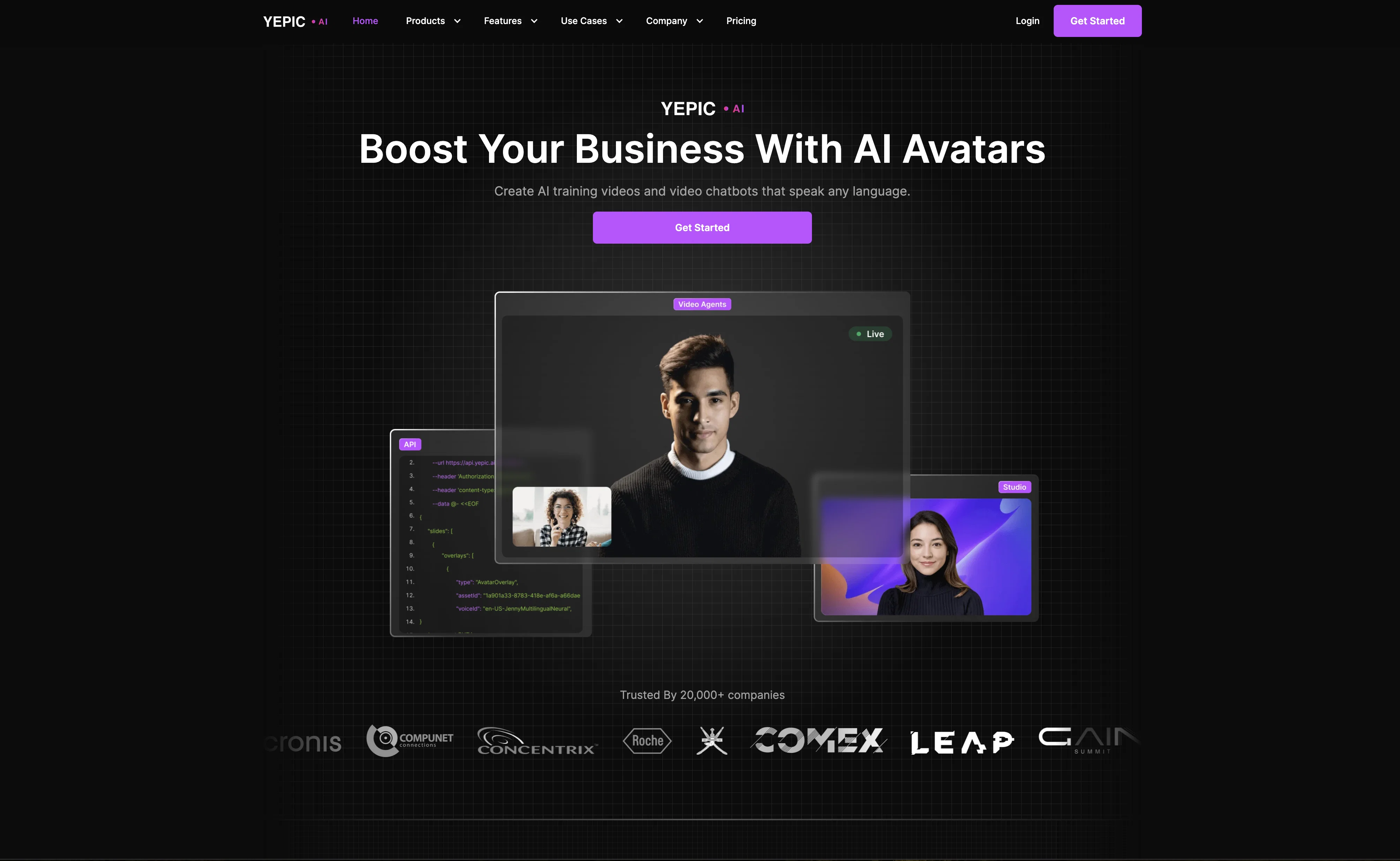
Yepic Studio is an AI video creation tool that enables users to create and translate talking head style videos in minutes without the need for expensive cameras, actors or studios.
The VidVoice feature provides flawless lip-sync translations into 8 languages, with real-time live dubbing in 5 languages. The Yepic API allows for scaleable, real-time video creation, making video workflow automation more efficient.
Yepic Studio can personalize videos with dynamic content in 68 languages using its selection of avatars, with a talking photo feature that turns images into avatars.
VidVoice allows for dynamic dubbing of video content in real-time, allowing users to effortlessly navigate linguistic barriers. Use cases for Yepic and VidVoice include e-commerce, education, and real estate.
The video creation tool has been rated highly by customers on review platforms such as G2 and Trustpilot, with users praising its ease of use, variety of features, and efficacy in generating quality videos.
The Yepic research team partners with the CVSSP at the University of Surrey, a reputable institution in audio-visual machine perception research. Yepic is actively hiring individuals who are intentional, empathetic and curious, looking to join their team and change the face of communication.
Best for
Short scenarios where Yepic AI tends to shine.
-
Multilingual videos with lip-sync & live dubbing.
Example outputs 1
Sample generations and before/after results for Yepic AI.
Access & connections
Where you can use Yepic AI.
Platforms
Capabilities
What this tool accepts, produces, and is strongest at.
Supported features
- Dubbing
Pros & cons
Pros
- Multilingual videos
- Fast video creation
- No need for actors/studios
- Flawless lip-sync
- Real-time live dubbing
- Scaleable video creation
- Workflow automation
- Dynamic content personalization
Show 43 more
- Talking photo feature
- Suitable for e-commerce use
- Suitable for education use
- Suitable for real estate use
- High user ratings
- CVSSP partnership
- API for scalable creation
- 68 languages supported
- Dynamic dubbing feature
- Developer-friendly documentation
- User-friendly API
- Selection of avatars
- Royalty-free video creation
- Supports multiple user languages
- Offers Talking Photo feature
- Allows real-time video editing
- Offers lip-sync in translations
- Regularly updated API
- Highly rated on G2
- Highly rated on Trustpilot
- Supports commercial distribution
- Improves video marketing flexibility
- Real-time language translation
- Application in telehealth
- Application in global collaboration
- High-quality avatar selection
- Custom video presenter feature
- Continual product improvement
- Associated with reputable research
- Partnered with an established institution
- Generates videos with minimal editing
- Allows personalizing marketing videos
- Effortless language navigation
- Supports live dubbing
- Use case-oriented solutions
- Supports creation of TTS videos
- Great value for all features
- Immediate video creation
- Supports changing marketing copy
- User-friendly UI/UX
- Multiple voices available
- Efficient engineering experience
- Can build video creation into apps
Cons
- Limited lip-sync translations
- Real-time dubbing in 5 languages only
- Dynamic dubbing can be limiting
- Reliance on avatars for personalization
- Limited use cases
- No mention of data security
- Complexity for non-technical users
- Potential for machine learning bias
Show 2 more
- Dependent on partnerships for research
- High potential for language errors
Compare alternatives
Similar tools in the catalog — with a clear reason to open each one.

freebeat AI ✓
FreemiumTurn Music & Ideas into Viral Videos In One Click
Why look Typically cheaper
Full comparison
MagicLight ✓
FreemiumTransform text into captivating videos instantly.
Free + from $8.4/mo
Full comparison
Seedance ✓
FreemiumMulti-shot video generation from text and image.
Why look Stronger for image work
Full comparisonPeople also view
Tools that often show up alongside Yepic AI in collections and comparisons.
Seedance ✓
FreemiumMulti-shot video generation from text and image.
MagicLight ✓
FreemiumTransform text into captivating videos instantly.

Kaiber Superstudio ✓
Free TrialAI Video Generation

HeyGen ✓
FreemiumCreate AI spokesperson videos from text
freebeat AI ✓
FreemiumTurn Music & Ideas into Viral Videos In One Click

D-ID ✓
FreemiumCreate AI-generated videos with ease

ResearchMonkey AI | YouTube Summarizer ✓
Free TrialSave Hours of Research in Seconds with 40+ AI Tools

OutlierKit ✓
PaidEnter one channel, see the entire niche.
Releases 1
Imported reviews 1
brilliant app thats evolving fast
FAQ 12
What is Yepic Studio?
What exactly does the VidVoice feature offer?
In which languages does VidVoice provide translations?
What do I need to use the Yepic API?
Can I personalize my videos, and if so, how?
What is the talking photo feature in Yepic?
How can I use Yepic for e-commerce purposes?
Is Yepic suitable for educational content?
What is the typical process of AI video creation with Yepic?
How do I use the Yepic Studio to create videos?
Where can I see reviews of Yepic?
What types of avatars can I use in Yepic Studio?
Related tools
Recommended

VideoGen ✓
Free TrialCreate videos in seconds with one click.

Eightify
UnknownAI-powered YouTube video summarizer extracting key ideas for quick content assessment.

VenturusAI ✓
FreemiumBusiness idea analysis and reporting.

Stratup.ai ✓
FreemiumInnovative idea generation for businesses.

AI Studios ✓
PaidCreate AI avatar videos from text in minutes

Exemplary AI ✓
FreemiumTranscribes 120+ languages' audio/video.