
Transcription 2026 Rank: #1719
Voice to Text: Speech to Text Transcription ✓
Turn speech into text in 110+ languages.
Verdict
A quick read before you dig into the full page.
- Best if
- Turn speech into text in 110+ languages
- Skip if
- Limited editing tools
- Pick this when
- Supports 110+ languages
Considering Voicetype AI instead? Compare side by side
Overview
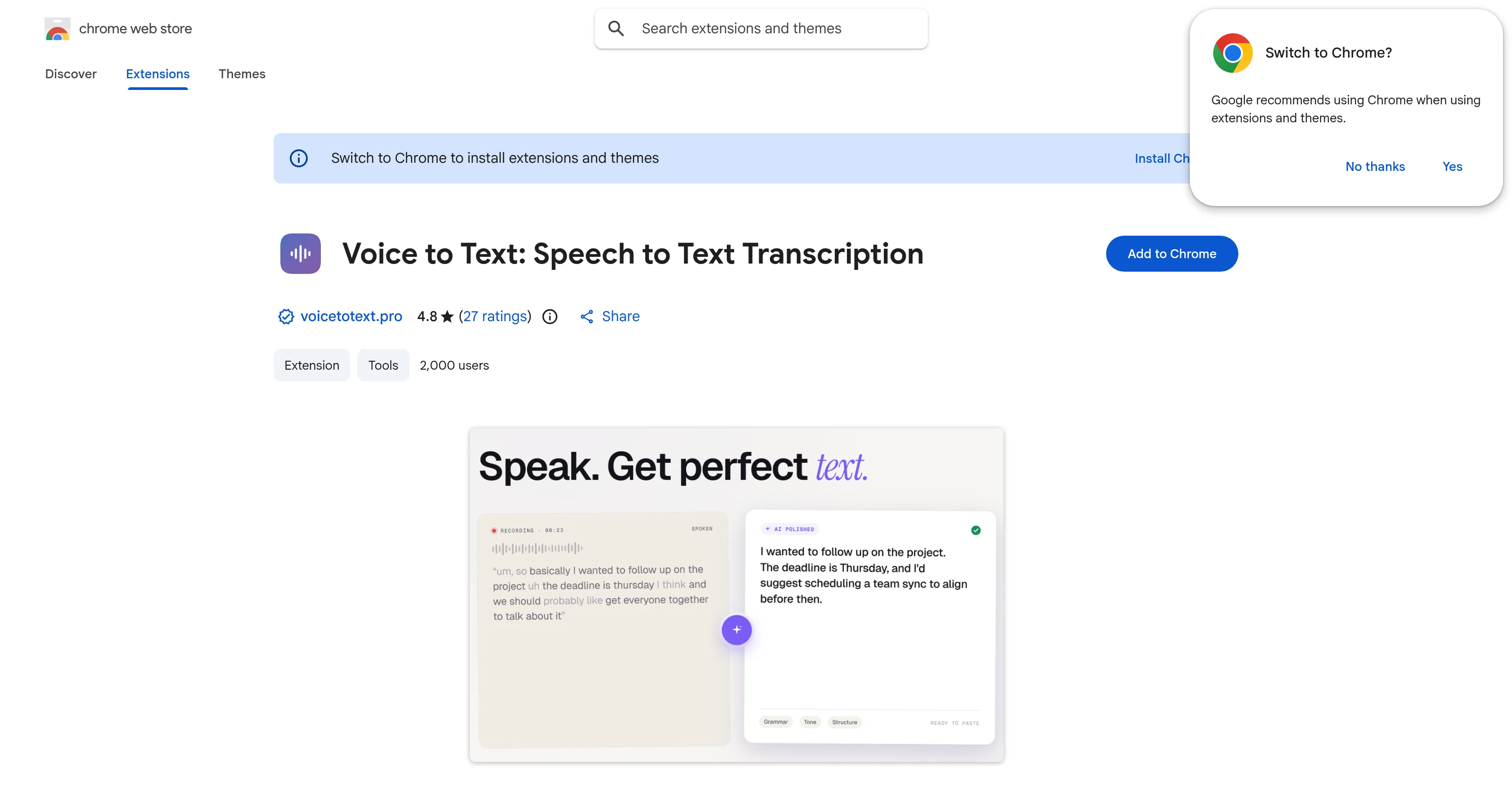
Voice to Text: Speech to Text Transcription, a handy tool developed for the Chrome platform, leverages sophisticated AI technology to convert spoken words or audio files into text.
Whisper AI, the underlying technology, supports transcription in over 100 languages and additionally offers functionality for translation. The application stands out for ensuring user privacy and committing to zero data retention.
There are two operational modes for transcription a raw transcription mode that captures speech as spoken and an AI-enhanced mode that polishes speech for grammar and structure during transcription.
Moreover, its real-time recording transition capability facilitates immediate speech to text results. The tool also proffers options to directly edit transcriptions within the extension or download and edit locally for offline use.
With no requirement for account creation, it enables instant use post-installation primarily focusing on user privacy with no storage of audio or transcripts.
The tool proves to be beneficial for multiple user categories including, but not bounded to, professionals, students, writers, providing convenience in drafting emails, taking notes, creating blog articles, etc.
It also addresses the queries of user's data privacy, output editing possibility, and tool's accuracy effectively. However, the accuracy might vary depending on variables like audio quality and speaker's clarity.
It formats the information transformation process, making it simple and easy for the users to change voice memos to text.
Access & connections
Where you can use Voice to Text: Speech to Text Transcription, and what it plugs into.
Platforms
Capabilities
What this tool accepts, produces, and is strongest at.
Input
- Audio
Output
- Text
Pros & cons
Pros
- Supports 110+ languages
- Transcription and translation capabilities
- Zero data retention
- Raw transcription mode
- Polishes grammar and structure
- Real-time recording transition
- Edit transcriptions within extension
- Download transcriptions for offline use
Show 10 more
- No account creation required
- Suitable for professionals, students, writers
- Use for emails, notes, blogs
- Customizable output editing
- Variable tool accuracy
- Formats information transformation
- Built for Chrome platform
- Facilitates voice memos conversion
- Privacy-focused tool
- Ease of installation and use
Cons
- Only for Chrome platform
- Inconsistent transcription accuracy
- No account for saving settings/preferences
- Dependent on audio quality
- Dependent on speaker's clarity
- No data storage service
- Varied results between transcription modes
- No offline use capability
Show 2 more
- Limited editing tools
- No live support
Compare alternatives
Similar tools in the catalog — with a clear reason to open each one.

Voicetype AI ✓
Free TrialWrite 9x Faster with AI Speech to Text on all Apps
Why look Better for writing
Full comparison
Transcript LOL ✓
FreemiumUnlimited transcripts, summaries, 99.8% accuracy, speaker recognition, superfast
Why look Offers a public API
Full comparison
TurboScribe ✓
Freemium🎯 3 free transcripts every day. 🔥 Unlimited transcription starting at $10/mo.
Free + from $10/mo
Full comparison
RambleFix ✓
Paid⚡ Write by thinking aloud - emails, notes, articles, in your style.
Why look Better for writing
Full comparison
Paraspeech ✓
Free TrialPrivate dictation, cloud optional
Why look More privacy-focused
Full comparisonReleases 1
FAQ 12
What is the Whisper AI technology used in Voice to Text: Speech to Text Transcription?
What are the two operational modes for transcription in Voice to Text: Speech to Text Transcription?
How many languages does Voice to Text: Speech to Text Transcription support?
Is the user's data safe with Voice to Text: Speech to Text Transcription?
Which platforms can I use Voice to Text: Speech to Text Transcription on?
How does the real-time recording transition feature work in Voice to Text: Speech to Text Transcription?
Can I edit transcriptions directly within the Voice to Text: Speech to Text Transcription extension?
Is it possible to download and edit the transcripts locally for offline use?
Do I need to create an account to use Voice to Text: Speech to Text Transcription?
What types of user can benefit from using Voice to Text: Speech to Text Transcription?
How accurate is the transcription by Voice to Text: Speech to Text Transcription?
Can the accuracy of Voice to Text: Speech to Text Transcription vary?
Related tools
Recommended

HappySeeds ✓
FreemiumTurn ideas into AI-powered apps instantly.

Kick ✓
FreemiumAccounting software that does the work for you

Macky ✓
FreemiumAI-executed, consultant-certified engagements for SMEs.

SimplePath ✓
Free TrialDescribe your business, get a website instantly.

plori ✓
FreemiumAn AI agent with its own computer.

Video to Frames | AI Video Upscaler ✓
FreeUpscale your videos locally with AI free, private, no sign-up.