

Transcription vv1.7.0 2026 Rank: #361
Paraspeech ✓
Private dictation, cloud optional
Verdict
A quick read before you dig into the full page.
- Best if
- Private dictation, cloud optional
- Skip if
- Limited user support options
- Pick this when
- Per App Rules
Considering Voicetype AI instead? Compare side by side
Overview


It learns your vocabulary automatically over time and just get's things right.
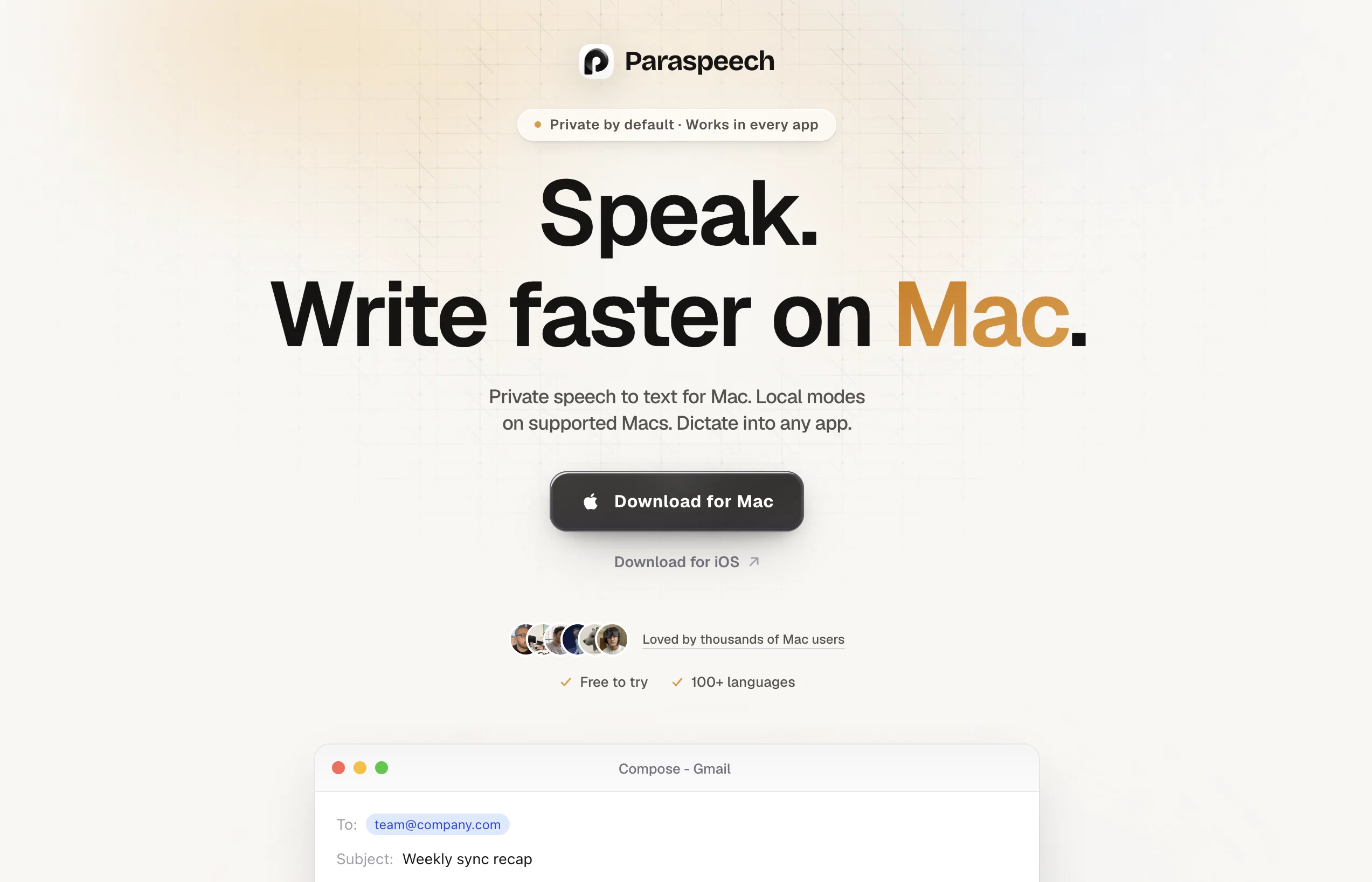
Use a keyboard shortcut to speak naturally, then insert polished text up to 5x faster than typing. Paraspeech also supports file transcription, VTT export, and lifetime licenses.
- Speech-to-text
- Offline Speech-to-text
- Unlimited Transcripts
- Speech Translation → Translated Txt
- Audio File Transcription
- File Transcription
- Supports Transcription In 99 Languages, Including English, French, Spanish, Italian, German, Japanese, Chinese, And Russian. Also Supports English Translation.
- Audio + Video → Txt Transcript
- Ai-powered Transcription
- Searchable Transcript Library
- Call Transcripts
- ●unlimited Free Meeting Transcription: No More Replaying, Capture Every Detail Without Taking A Note.
- Call Transcription & Recording
- Access To Llm Models
- Always Powered By State-of-the-art Llms And Tools
- Llm
Best for
Short scenarios where Paraspeech tends to shine.
-
Private dictation, cloud optional
Example outputs 1
Sample generations and before/after results for Paraspeech.
Access & connections
Where you can use Paraspeech.
Capabilities
What this tool accepts, produces, and is strongest at.
Input
- Video
- Audio
Output
- Text
Highlights
- Local
- Use code TAAFT
- 20% OFF
Supported features
- Runs Locally
- Transcription
- STT
- Translation
- Mobile Companion
- Rewrite
- Meeting Intelligence
Pros & cons
Pros
- Per App Rules
- AI Rewriting/LLM functionality
- Fastest Transcription in the Industry
- Fully Private and On-Device
- Offline transcription
- Lifetime License available
- Designed for macOS
- Minimal system impact
Show 5 more
- Integrated with all macOS apps
- Made in Germany
- 5x faster than typing
- Video/Audio File Transcriptions
- Individual and business solution
Cons
- Only for macOS/iOS
- Limited user support options
- Local Models require M-Series Mac
- iOS Rewriting requires Cloud Models
Compare alternatives
Similar tools in the catalog — with a clear reason to open each one.

Voicetype AI ✓
Free TrialWrite 9x Faster with AI Speech to Text on all Apps
Why look Better for writing
Full comparison
Transcript LOL ✓
FreemiumUnlimited transcripts, summaries, 99.8% accuracy, speaker recognition, superfast
Why look Offers a public API
Full comparison
TurboScribe ✓
Freemium🎯 3 free transcripts every day. 🔥 Unlimited transcription starting at $10/mo.
Free + from $10/mo
Full comparison
RambleFix ✓
Paid⚡ Write by thinking aloud - emails, notes, articles, in your style.
Why look Typically cheaper
Full comparison
Voicy Speech to Text ✓
Free TrialSpeech-to-text everywhere, 3x faster than typing.
Why look Typically cheaper
Full comparisonPeople also view
Tools that often show up alongside Paraspeech in collections and comparisons.
Voicy Speech to Text ✓
Free TrialSpeech-to-text everywhere, 3x faster than typing.
Voicetype AI ✓
Free TrialWrite 9x Faster with AI Speech to Text on all Apps
TurboScribe ✓
Freemium🎯 3 free transcripts every day. 🔥 Unlimited transcription starting at $10/mo.
Transcript LOL ✓
FreemiumUnlimited transcripts, summaries, 99.8% accuracy, speaker recognition, superfast
RambleFix ✓
Paid⚡ Write by thinking aloud - emails, notes, articles, in your style.
Recap Raven ✓
Free TrialTTRPG Discord bot that recaps, transcribes, GM prep notes and campaign memory

Realms of Shod ✓
Free TrialMultiplayer tools, AI notes, and knowledge-graph surfaces for TTRPG worlds and stories

Pulse by smallest.ai ✓
FreemiumWorld's fastest and most accurate speech-to-text.
Releases 4
- Automatic dictionary correction learning: Paraspeech can now learn from words you fix after dictation
- More reliable recording start, stop, finalization, clipboard insertion, and saved recordings
- Clearer local-vs-cloud routing for transcription and rewrites, including privacy-mode handling
- Better local model state while models are downloading, activating, or unavailable
- Improved file-drop transcription behavior with clearer local/cloud availability
- More predictable cleanup and rewrite finalization for emails, selected text, and general dictated text
- Reworked onboarding for account setup, privacy, model setup, permissions, shortcut testing, and first dictation
- More reliable checkout, purchase, trial, subscription, lifetime, and account-link recovery
- Cleaner status overlay states for recording, loading, completion, and setup recovery
- Stronger diagnostics privacy scrubbing and quieter crash/hang reporting
- Release reliability improvements across Mac testing, DMG validation, Sparkle automation, and update tracing
- iOS app beta included with your subscription
- Intel Mac support via cloud models + macOS 14 support
- Pause/resume recordings from the recording pill
- Major rewrite upgrades for emails, cleanup, follow-ups, tone, recipients, and long dictated drafts
- Faster cloud transcription and rewrite after recording
- Faster Japanese and Mandarin dictation with dedicated local models
- Context-aware rewrite rules for email, chat, selected text, and cleanup
- Referral program: get 1 month free for every successful referral
- Reliability fixes across recording, updates, downloads, diagnostics, keyboard flow and startup
- AI Rewriting in less than two seconds
- Faster & more accurate transcription models (including new high-precision options)
- 100+ supported languages
- One-step automatic translation to English
- App-specific rules (email formatting, code-friendly output, auto-send, etc.)
- Revamped UI (faster mic access, improved history view)
- New stats view with shareable usage card
- Completely new audio engine for reliability
Imported reviews 2
been using this for the past month, highly recommend!
the founder is cool, definitely a recommendation if you have personal requests and grow the app along with you.
FAQ 12
What is Paraspeech?
🛠️ 1
tool
🙏 1
karma
wrote:
Paraspeech is private speech-to-text for Mac, iPhone, and iPad. Speak naturally, and turn your voice into text faster than typing.
How does I use Paraspeech?
🛠️ 1
tool
🙏 1
karma
wrote:
On Mac, hold your shortcut, speak, and release. Your words appear wherever your cursor is. On iOS, use Paraspeech on iPhone or iPad for fast mobile dictation.
Does Paraspeech work offline?
🛠️ 1
tool
🙏 1
karma
wrote:
Yes for local features after setup. The initial model download needs internet, and cloud-backed features need internet, but local transcription and local rewriting can run offline.
Is my voice data private?
🛠️ 1
tool
🙏 1
karma
wrote:
Yes. Paraspeech is local-first. Local transcription and rewriting stay on your device, and Paraspeech does not silently upload your audio or text.
Does Paraspeech work on iOS?
🛠️ 1
tool
🙏 1
karma
wrote:
Yes. Paraspeech is now available for iPhone and iPad, with private on-device speech-to-text for mobile writing.
Which apps does Paraspeech work with?
🛠️ 1
tool
🙏 1
karma
wrote:
On Mac, Paraspeech works system-wide in email, browsers, docs, chat apps, editors, and more. No plugins needed.
What is AI Rewriting?
🛠️ 1
tool
🙏 1
karma
wrote:
AI Rewriting cleans up dictated text and can turn rough speech into clearer emails, notes, messages, or polished writing.
Can I try Paraspeech for free?
🛠️ 1
tool
🙏 1
karma
wrote:
Yes. Paraspeech includes free transcriptions so you can try it before choosing a plan.
Is Paraspeech a subscription?
🛠️ 1
tool
🙏 1
karma
wrote:
You can choose. Paraspeech has monthly and yearly plans, plus lifetime licenses if you prefer a one-time purchase.
Can I use Paraspeech on multiple devices?
🛠️ 1
tool
🙏 1
karma
wrote:
Yes. Subscriptions work across your Macs, iPhones, and iPads. Lifetime licenses are device-based.
What languages does Paraspeech support?
🛠️ 1
tool
🙏 1
karma
wrote:
Paraspeech supports fast local dictation for major languages and a broader multilingual model for 100+ languages.
Will Paraspeech slow down my device?
🛠️ 1
tool
🙏 1
karma
wrote:
No in normal use. Paraspeech only does heavy work while transcribing or rewriting, and it is optimized for modern Apple devices.
Related tools
Recommended

Notis ✓
Free TrialThe first WhatsApp assistant that runs on your ChatGPT and Claude subscriptions

remio: Your Personal ChatGPT ✓
FreemiumGet Tailored Answer with Your Personal ChatGPT

ChatGPT ✓
FreemiumAsk anything, create anything, and move from idea to action.

Recall ✓
FreemiumSummarize Anything, Forget Nothing!

FlowPost ✓
Free TrialAI autopilot for social media posting

Verdent ✓
Free TrialYour AI Technical Cofounder for Turning Ideas into Real Products