
Presentations to videos vv2.0.0 2026 Rank: #2677
Presentation to Video ✓
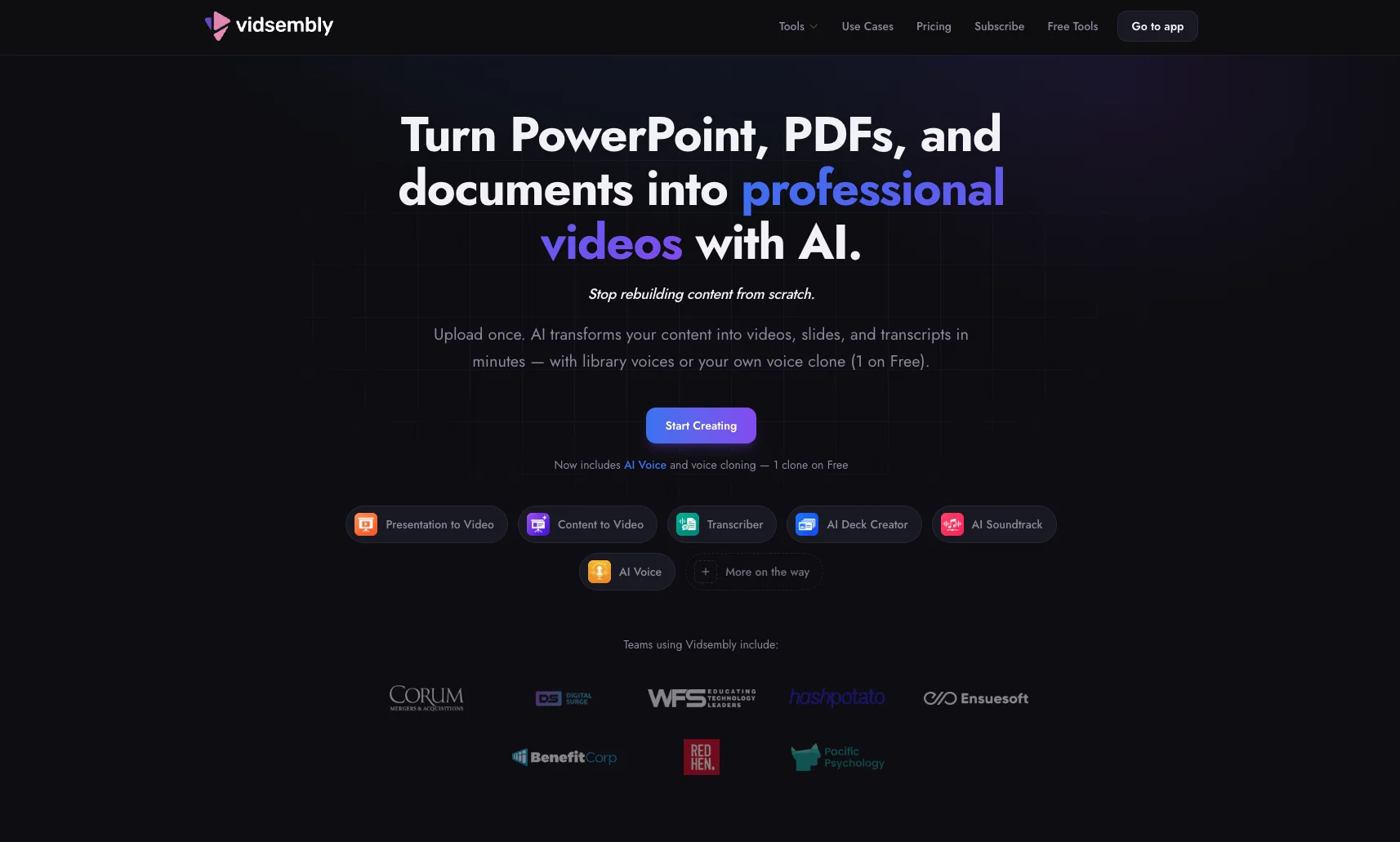
Turn your slides into narrated videos with AI voiceover
Verdict
A quick read before you dig into the full page.
- Best if
- Turn your slides into narrated videos with AI voiceover
- Skip if
- Potentially expensive for frequent users
- Pick this when
- Transforms presentations into videos
Considering AI Slides to Videos instead? Compare side by side
Overview
Key Features: • Convert PowerPoint (.pptx) and PDF presentations into narrated videos • Add your own script or generate one with AI • Choose from natural-sounding AI voices, or clone your own voice for narration • Automatically sync narration with your slides • Preserve your presentation's layout and formatting • Export high-quality MP4 videos ready for sharing • Make quick edits through a simple guided workflow • Works for training, education, sales, marketing, and business presentations
Best For: Corporate training, Employee onboarding, Sales presentations, Product demos, Online courses, Educational lectures, Internal communications, Conference presentations, Client proposals
How It Works:
Upload your PowerPoint or PDF presentation
Add or generate narration for each slide
Select a library AI voice or your cloned voice
Preview your presentation
Export a finished MP4 video
Supported Formats: Input: PPTX, PDF Output: MP4
Why Use Presentation to Video? Unlike traditional video editors, Presentation to Video starts with the slides you already have. You can narrate with a library AI voice or a clone of your own voice, then keep your existing layout and formatting. It's a faster, simpler way to create professional video content without recording yourself live or learning complex editing software.
Best for
Short scenarios where Presentation to Video tends to shine.
-
Turn your slides into narrated videos with AI voiceover
Example outputs 1
Sample generations and before/after results for Presentation to Video.
Access & connections
Where you can use Presentation to Video, and what it plugs into.
Platforms
Integrations
Capabilities
What this tool accepts, produces, and is strongest at.
Input
- Tabular
- Image
- Text
Output
- Video
Supported features
- Slides
Pros & cons
Pros
- Transforms presentations into videos
- Interactive voice commands
- Allows personal content modifications
- Simple conversational prompts
- Optimized for various sectors
- Boosts information comprehension
- Improves asynchronous communication
- Credit system for processing
Show 21 more
- Credits applicable across tools
- Credits without expiration date
- Aids remote learning
- Useful for hybrid workplaces
- Converts PPTX to video
- Converts PDF to video
- Efficient content creation
- Organized project handling
- Supports video sans audio
- Natural language for edits
- Early access discounts
- No card required start
- Blog resources for usage
- Boosts engagement
- Promotes clarity in communication
- Supports sales follow-ups
- Enhances pitch deck performance
- Caters to educators
- Promotes message retention
- Improves internal communications
- Supports content after presentations
Cons
- Limited to PPT/PDF formats
- Overly simplistic functionality
- Requires purchase of credits
- Voiceover may sound unnatural
- Dependent on internet connection
- No option for human narration
- Lack of advanced editing tools
- Potentially expensive for frequent users
Show 1 more
- Cannot edit video post-creation
Compare alternatives
Similar tools in the catalog.
People also view
Tools that often show up alongside Presentation to Video in collections and comparisons.

AI Slides to Videos ✓
PaidTurn Google Slides into AI videos in minutes

VibeChart ✓
Free TrialTurn Data into Stunning Charts in Seconds

Unwatermark AI ✓
FreemiumRemove watermarks from photos and videos instantly.

TheySaid ✓
FreemiumConversational AI surveys, interviews, user tests, polls

TheLibrarian.io ✓
Free TrialYour WhatsApp AI assistant for instant productivity.

SMMAI: Social Media Templates ✓
FreeCreate posts & stories by AI

remio: Your Personal ChatGPT ✓
FreemiumGet Tailored Answer with Your Personal ChatGPT

Lovart ✓
Free TrialTransform prompts into design masterpieces.
Releases 2
-
Complete rebuild with a redesigned interface and faster workflow.
-
Added AI script generation to automatically create presentation narration.
-
Expanded language support for creating videos in more languages.
-
Added new natural-sounding AI voices across supported languages.
-
Improved presentation rendering speed and overall reliability.
-
Enhanced export experience with downloadable MP4, PDF, and script files.
-
Refined project management and editing workflow.
-
Numerous bug fixes and performance improvements.
Imported reviews 1
This has been a huge update for us. New AI script generation, more languages, better voices, a redesigned workflow, and much faster rendering. If you create presentations regularly, I'd love to hear what you think.
FAQ 12
What is Presentation to Video?
🛠️ 4
tools
🙏 27
karma
wrote:
Presentation to Video converts PowerPoint and PDF presentations into narrated videos using AI. Upload your presentation, generate or edit your script, choose a voice, and export a professional MP4 in minutes.
Which presentation formats are supported?
🛠️ 4
tools
🙏 27
karma
wrote:
Presentation to Video supports both PowerPoint (.PPTX) and PDF presentations, preserving your slide order while turning them into narrated videos.
Can AI write my presentation script?
🛠️ 4
tools
🙏 27
karma
wrote:
Yes. The built-in AI script generator can create narration for your slides automatically, or you can write and edit the script yourself before rendering.
What voice options does Vidsembly offer for narrating my slides?
Which languages are supported?
🛠️ 4
tools
🙏 27
karma
wrote:
Presentation to Video supports multiple languages for AI narration, making it easy to create presentation videos for international audiences.
What purpose does the credit system in Vidsembly serve?
Can I choose different AI voices?
🛠️ 4
tools
🙏 27
karma
wrote:
Yes. Choose from a growing library of natural-sounding AI voices across multiple languages and accents to match your presentation.
Can I edit the generated script?
🛠️ 4
tools
🙏 27
karma
wrote:
Absolutely. Every AI-generated script can be reviewed and edited before your video is rendered, giving you complete control over the final narration.
What can I export?
🛠️ 4
tools
🙏 27
karma
wrote:
You can export a high-quality MP4 presentation video along with your presentation, PDF, and narration script for future editing or sharing.
How long does rendering take?
🛠️ 4
tools
🙏 27
karma
wrote:
Most presentation videos are generated within a few minutes, depending on the number of slides and the selected voice.
Do I need video editing experience?
🛠️ 4
tools
🙏 27
karma
wrote:
No. Presentation to Video is designed for anyone. Upload your presentation, customize your narration, and let AI create the finished video.
Is a credit card required?
🛠️ 4
tools
🙏 27
karma
wrote:
No. You can create an account and try Presentation to Video using free credits without entering a credit card.
Related tools
Recommended
TheySaid ✓
FreemiumConversational AI surveys, interviews, user tests, polls
Lovart ✓
Free TrialTransform prompts into design masterpieces.
SMMAI: Social Media Templates ✓
FreeCreate posts & stories by AI
Unwatermark AI ✓
FreemiumRemove watermarks from photos and videos instantly.
remio: Your Personal ChatGPT ✓
FreemiumGet Tailored Answer with Your Personal ChatGPT

Younet ✓
Free TrialAI Agent Orchestration and Automation. Build your agentic business.