

Presentations 2026 Rank: #1575
AI Deck Creator ✓
Turn content into a polished slide deck.
Verdict
A quick read before you dig into the full page.
- Best if
- Turn content into a polished slide deck
- Skip if
- Limited file format inputs
- Pick this when
- Professional slide decks
Considering MagicSlides.app AI PPT Maker instead? Compare side by side
Overview
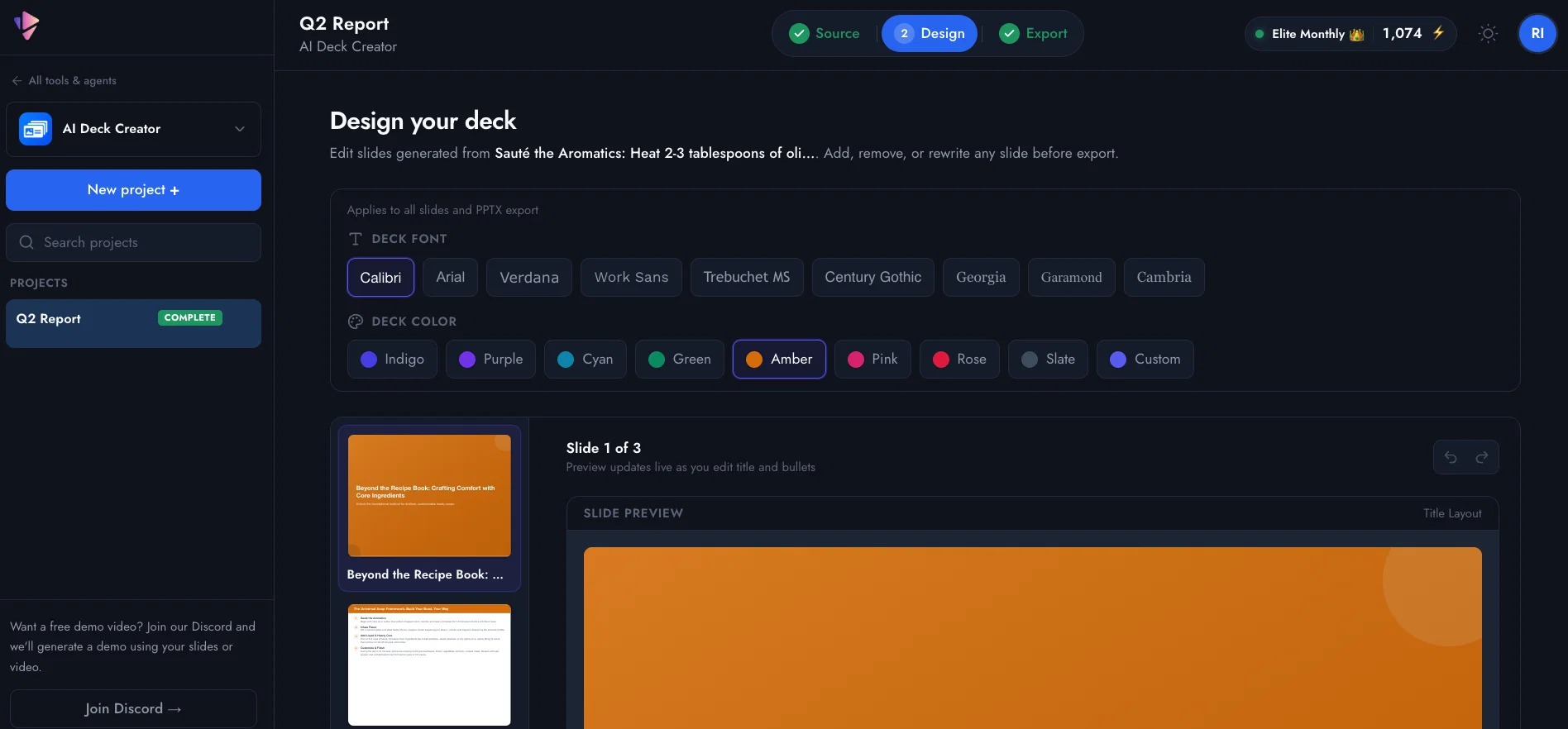
Paste notes, upload a document, or start blank. Vidsembly structures your material into editable slides you can export as PPTX or PDF, or send to Presentation to Video.
Multilingual support: English, Spanish, Chinese, Hindi, German, Italian, Arabic, French, Dutch, Japanese, Korean, and Portuguese.
Access & connections
Where you can use AI Deck Creator.
Platforms
Capabilities
What this tool accepts, produces, and is strongest at.
Input
- Tabular
- Text
Output
- Text
Pros & cons
Pros
- Professional slide decks
- Editable slides
- Slide outlines
- PPTX export
- PDF export
- Presentation to video
- Multilingual support
- Document conversion
Show 7 more
- Content structuring
- Layout customization
- Output in 12 languages
- Transform notes to slides
- Start from blank prompt
- Send decks to video
- Turns content to slides
Cons
- Limited to PPTX, PDF export
- Only 12 languages supported
- Lacks real-time collaboration feature
- No mentioned templates available
- No integrated design tools
- Manual layout customization required
- No native app mentioned
- Limited file format inputs
Show 2 more
- No API mentioned
- Does not support animations
Compare alternatives
Similar tools in the catalog — with a clear reason to open each one.

MagicSlides.app AI PPT Maker ✓
FreemiumCreate Stunning PPTs in Seconds with the AI PPT Maker
Why look Offers a public API
Full comparison
NextDocs.io ✓
FreemiumThe AI-native editor for docs, slides, and more
Why look Offers a public API
Full comparison
Gamma ✓
FreemiumAI-powered content creation, minus the hassle.
Why look Better for writing
Full comparison
AI Slide Generator ✓
Free TrialCreate stunning presentations from any text in seconds
Why look Offers a public API
Full comparison

Releases 1
Imported reviews 1
Started building this to make presentation creation less repetitive. It's become one of the tools I use the most myself.
FAQ 12
What is Vidsembly’s AI Deck Creator?
What types of content can I use in Vidsembly’s AI Deck Creator?
How does the AI structure the input content into slides?
Can I edit my slides after the AI has created them?
What components of the slide can I edit in Vidsembly's AI Deck Creator?
In what formats can I export my slide decks?
What languages does Vidsembly’s AI Deck Creator support?
Can I choose the output language for my slide deck and slide copy?
How does the 'Presentation to Video' feature work?
Can I send my completed slide decks to the 'Presentation to Video' feature?
What are some key features of Vidsembly's AI Deck Creator?
How can Vidsembly's AI Deck Creator help in creating a pitch deck?
Related tools
Recommended

Presentation Agent ✓
Free TrialTurn documents into narrated video presentations instantly.

Notis ✓
Free TrialThe first WhatsApp assistant that runs on your ChatGPT and Claude subscriptions

AI Soundtrack ✓
FreemiumGenerate custom copyright-free music that fits to your video automatically

Presentation to Video ✓
FreemiumTurn your slides into narrated videos with AI voiceover

Script.it ✓
FreemiumDescribe it in English, automate it instantly.

AI Agent Builder by Latenode ✓
FreemiumTurn workflow descriptions into working AI agents.