

Videos vv1.2.0 2026 Rank: #336
VidFlux AI ✓
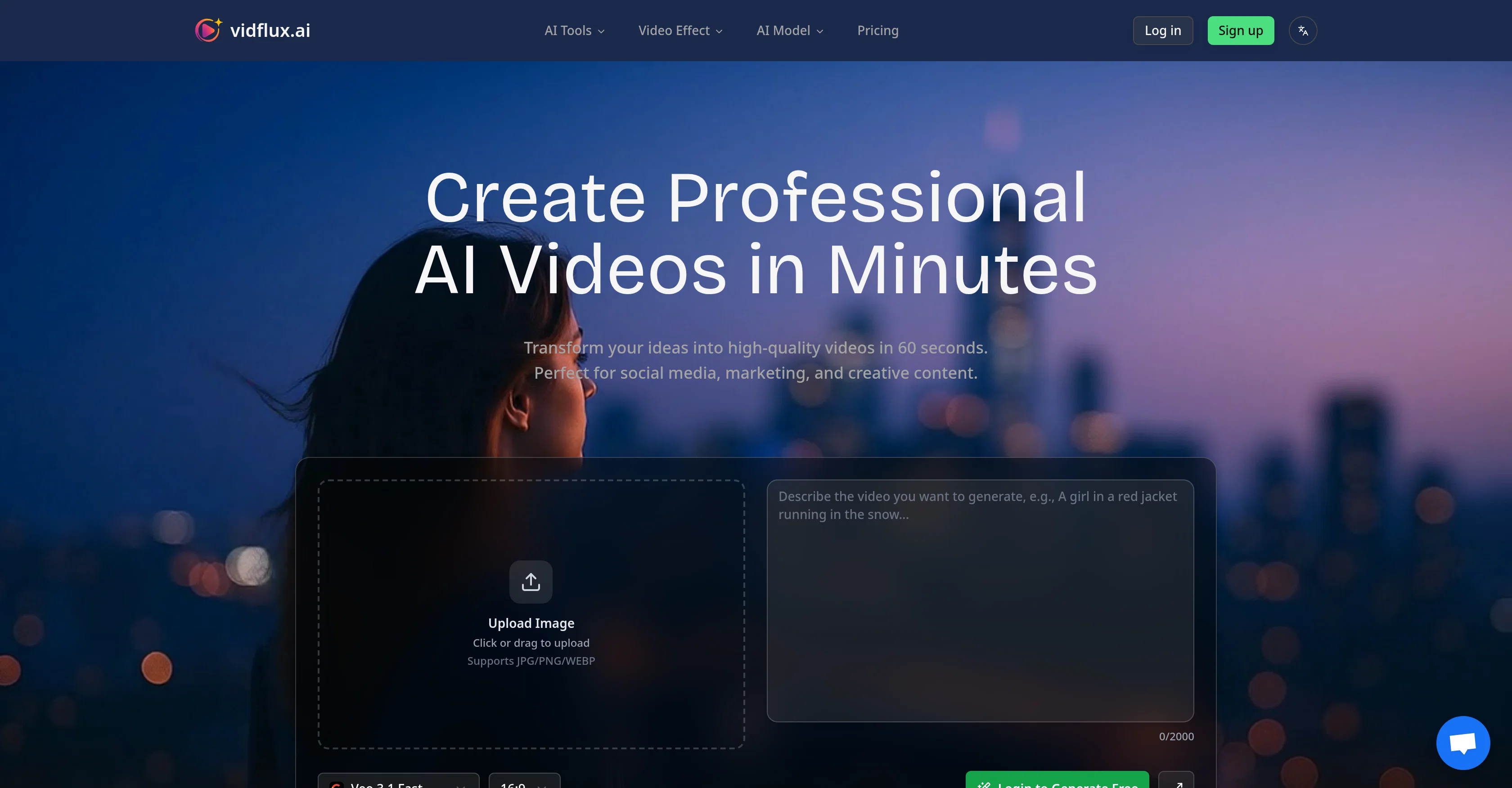
Create professional AI videos in minutes.
Verdict
A quick read before you dig into the full page.
- Best if
- You are content creators and need: Animate still images into vivid stories
- Skip if
- Limited styles for customization
- Pick this when
- Effortless video creation
Considering freebeat AI instead? Compare side by side
Overview
VidFlux.ai is an AI-powered solution designed to create professional videos from text or images in considerably reduced time compared to conventional methods.
It has a wide array of effective features; starting from a text-to-video generator capable of transforming text prompts into high-quality, cinematic videos based on the user's description, to an AI image to video generator that can animate images and transform them into dynamic, creative videos.
The platform employs several AI models from top providers, including Google's Veo3, Kling AI, Runway Gen-3, Sora2, and WAN, intelligently selecting the best one to deliver optimal results for every use case.
VidFlux.ai supports multiple visual styles ranging from realistic to animated or artistic renderings. It also allows multi-language use and offers custom style transfer and advanced editing capabilities.
Further capabilities include high-definition and 4K resolution output, batch processing for scalability, custom watermarking, branding, and commercial usage rights.
The AI's application extends across industries such as marketing, education, real estate, entertainment, gaming, and corporate communications. It provides the option to choose between one-time credit packages or monthly subscriptions.
Best for
Short scenarios where VidFlux AI tends to shine.
-
Animate still images into vivid stories
Best for Content creators
-
Create professional video content from photos
Best for Video producers
-
Generate realistic scenes or animations from uploaded images
Best for Marketing professionals
-
Produce creative videos for various purposes (e.g., social media, marketing)
Best for Social media managers
Example outputs 1
Sample generations and before/after results for VidFlux AI.
Access & connections
Where you can use VidFlux AI.
Platforms
Capabilities
What this tool accepts, produces, and is strongest at.
Input
- Image
- Text
Output
- Video
Supported features
- Video Generation
- Video Edit
- Image Generation
- Visual Creation
- Styling
- Realism
- Social Media
Pros & cons
Pros
- Effortless video creation
- Transforms text to video
- Transforms images to video
- Multi-Model Selection feature
- Supports multiple video styles
- HD and 4K output
- Batch processing
- Custom watermark and branding
Show 41 more
- Applicable across various domains
- Optimizes videos for platforms
- Supports multi-language use
- Provides advanced editing capabilities
- Includes commercial usage rights
- Options for credits or subscriptions
- Fast video generation
- Cinematic-quality output
- Animated video generation
- Supports realistic video styles
- Supports abstract video styles
- Artistic style transfer
- Multiple visual styles
- Generates custom video effects
- Professional quality videos
- Free video templates
- Google's Veo3 model
- Runway Gen-3 model
- WAN model
- Supports JPG/PNG/WEBP
- Customize video prompts
- Animate static images
- Include audio in videos
- Built for scalability
- Marketing video creation
- Educational video creation
- Real estate video creation
- Entertainment video content
- Gaming video creation
- Corporate communication videos
- Optimized for social media content
- Advanced scene understanding
- Motion consistency
- Superior temporal coherence
- Photorealistic results
- Synchronized audio and scene control
- Optimized landscape and portrait formats
- A/B test video variations
- Virtual property tours
- Cinematic trailers and game cutscenes
- Consistent branding in videos
Cons
- Lacks offline functionality
- No mobile app available
- Limited styles for customization
- No video touch-up features
- Lacks built-in analytics tools
- No free-tier plan available
- Does not support video-to-text
- No real-time collaboration features
Show 1 more
- No support for voiceovers
Compare alternatives
Similar tools in the catalog — with a clear reason to open each one.

freebeat AI ✓
FreemiumTurn Music & Ideas into Viral Videos In One Click
Why look Freemium alternative
Full comparison
MagicLight ✓
FreemiumTransform text into captivating videos instantly.
Why look Freemium alternative
Full comparison
HeyGen ✓
FreemiumCreate AI spokesperson videos from text
Why look Freemium alternative
Full comparison
Seedance ✓
FreemiumMulti-shot video generation from text and image.
Why look Stronger for image work
Full comparisonPeople also view
Tools that often show up alongside VidFlux AI in collections and comparisons.
Seedance ✓
FreemiumMulti-shot video generation from text and image.
MagicLight ✓
FreemiumTransform text into captivating videos instantly.

Kaiber Superstudio ✓
Free TrialAI Video Generation
HeyGen ✓
FreemiumCreate AI spokesperson videos from text
freebeat AI ✓
FreemiumTurn Music & Ideas into Viral Videos In One Click

D-ID ✓
FreemiumCreate AI-generated videos with ease

ResearchMonkey AI | YouTube Summarizer ✓
Free TrialSave Hours of Research in Seconds with 40+ AI Tools

OutlierKit ✓
PaidEnter one channel, see the entire niche.
Releases 3
✨ Seedance 2 Support
Higher quality motion, improved consistency & better facial preservation
🎨 GPT Image 2 Support
Generate richer AI images with stronger prompt understanding and visual quality
✨ AI Prompt Optimization
Better results across Veo, Kling, Wan & Seedance
⚡ Concurrent Video Generation
Generate multiple videos at once to boost efficiency
Imported reviews 3
nice 👍👍👍✨ Seedance 2 Support
Higher quality motion, improved consistency & better facial preservation
🎨 GPT Image 2 Support
Generate richer AI images with stronger prompt understanding and visual quality
Vidflux seems pretty useful for speeding up video workflows without making the process feel overly technical. I like tools that help creators move from idea to publish faster, especially for short-form content.
Clean UI, multiple video models in one place, and fair credit refunds when generations fail. Nice that you can try it for free before committing.
FAQ 12
What is VidFlux AI?
How does the Multi-Model Selection feature work in VidFlux?
What are the key capabilities of VidFlux's AI Text to Video Generator?
How does VidFlux's AI Image to Video Generator operate?
What types of rendering styles are supported by VidFlux?
Does VidFlux support HD and 4K output?
Can I apply custom branding to my videos in VidFlux?
Who is VidFlux AI made for?
What platforms can VidFlux optimize videos for?
How do I use VidFlux for creating product demos or educational tutorials?
What AI video models are integrated in VidFlux?
What is a batch processing feature in VidFlux?
Related tools
Recommended

ChatGPT ✓
FreemiumAsk anything, create anything, and move from idea to action.

VidFlux - Image to Video AI ✓
PaidTransform any image into stunning videos.

Automateed ✓
Free TrialCreate eBooks effortlessly with Automateed, the AI-powered writing tool.

remio: Your Personal ChatGPT ✓
FreemiumGet Tailored Answer with Your Personal ChatGPT

VidFlux - Photo to Video Generator ✓
PaidTransform photos into cinematic videos with AI.

Contents Pilot ✓
FreemiumYour expertise becomes a post — with a content copilot