

Images 2026 Rank: #1525
Vdoo AI | Picture Generator ✓
Turn text into stunning images instantly, free, fast, no watermark.
Verdict
A quick read before you dig into the full page.
- Best if
- Turn text into stunning images instantly, free, fast, no watermark
- Skip if
- Limited daily free credits
- Pick this when
- Converts text to pictures
Considering Photo AI instead? Compare side by side
Overview
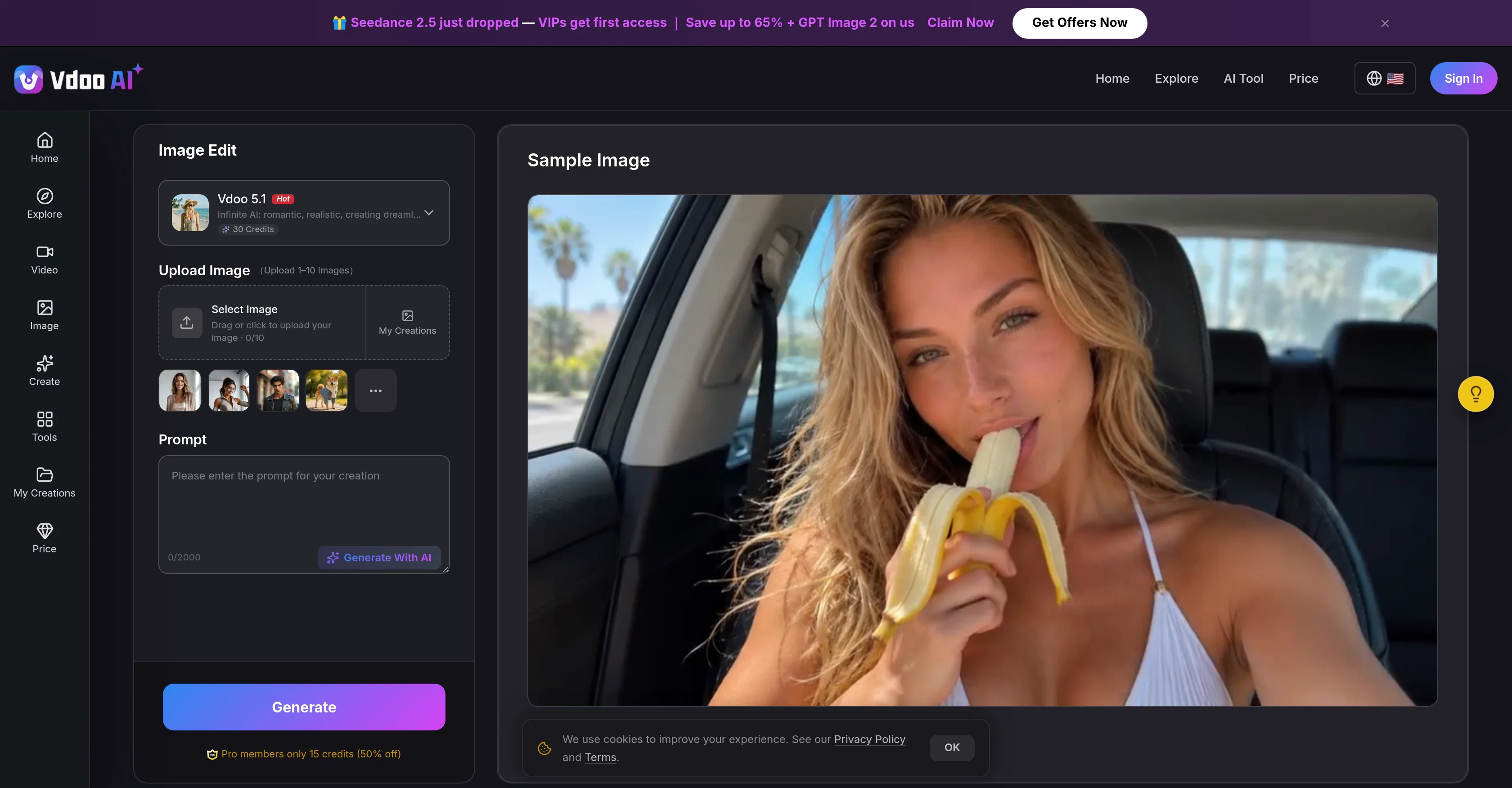
Vdoo AI Picture Generator is an AI-driven tool that enables users to convert text into pictures. The tool is designed to provide convenience for art creation, eliminating the need for external software, special design skills, or even an account set-up.
Vdoo allows users to type a prompt and receive a high-quality, generated photo in a brief amount of time directly in their browser, regardless of whether they are using a desktop or mobile device.
This feature also works across different art styles and models including photorealistic, cinematic, anime, and illustration. Each model is specially tuned to cater to a specific look, allowing output accuracy in line with the user's creative intent.
Another feature that users may find appealing is its ability to provide watermark-free downloads. In this way, users receive clean images without branding overlays.
Vdoo provides daily free credits and offers paid plans that unlock commercial rights and higher resolution output as an upgrade. The process is simple and can be summarized in three steps.
Firstly, users describe the image they want in plain languagesubject, style, lighting, and mood. Then, they choose a model & style, adjust aspect ratio and quality settings.
Lastly, the desired image is generated and ready to be downloaded freely at high resolution. In addition, Vdoo AI Picture Generator includes communitys favorite picture generation styles such as cinematic portraits, fantasy scenes, product mockups, and illustration presets.
Reasonably, the aim of Vdoo AI Picture Generator is to make the experience of creating images from any text prompt fast, simple, and high-quality.
Access & connections
Where you can use Vdoo AI | Picture Generator, and what it plugs into.
Platforms
Integrations
Capabilities
What this tool accepts, produces, and is strongest at.
Input
- Image
- Text
- Video
- Audio
Output
- Video
- Image
Supported features
- Image Generation
- Image Edit
Pros & cons
Pros
- Converts text to pictures
- High-quality photo generation
- Works in browser
- Doesn't require external software
- No account setup needed
- Compatible with desktop and mobile
- Supports different art styles
- Provides photorealistic images
Show 27 more
- Provides cinematic-styled images
- Offers anime-styled images
- Includes illustration-styled images
- Models cater to user intent
- Watermark-free downloads
- Offers daily free credits
- Paid plans available
- Unlocks commercial right with paid plans
- Higher resolution with paid plans
- Three steps simple process
- Users can define image attributes
- Adjustable aspect ratio
- Adjustable quality settings
- High Resolution downloads
- Community popular styles supported
- Supports cinematic portraits
- Supports fantasy scenes
- Assists in product mockups
- Offers illustration presets
- Fast image generation
- Convenient for creative users
- Supports visual content creation
- No sign-up needed
- Images are clean, without overlays
- Users can describe their image intent
- Offers a variety of creative tools
- English language supported
Cons
- Lacks offline functionality
- Requires constant internet connection
- No sign-up can be insecure
- Limited daily free credits
- Additional cost for commercial rights
- No multi-language support
- No collaborative features
- No explicit mention of privacy/data handling
Show 2 more
- Potential inaccuracies in generated images
- Requires specific and detailed prompts
Compare alternatives
Similar tools in the catalog — with a clear reason to open each one.


Stockimg AI ✓
PaidGenerated images and text for design ease.
Why look Stronger for image work
Full comparison


Releases 1
FAQ 12
What processing speed does Vdoo AI Picture Generator offer?
What different art styles does Vdoo AI Picture Generator support?
How does text-to-image conversion work in Vdoo AI Picture Generator?
Does Vdoo AI Picture Generator provide watermark-free downloads?
Why doesn't Vdoo AI Picture Generator require an account setup?
What is the process to generate an image using Vdoo AI Picture Generator?
Can I get high resolution images with Vdoo AI Picture Generator?
What benefits do the paid plans of Vdoo AI Picture Generator offer?
Does Vdoo AI Picture Generator work on both desktop and mobile devices?
How does Vdoo AI Picture Generator ensure the output image aligns with my creative intent?
Can I use Vdoo AI Picture Generator to create product mockups?
What is the function of the models in Vdoo AI Picture Generator?
Related tools
Recommended

Vdoo AI | Image Editor ✓
Free TrialEdit photos with AI, free, fast, no watermark.

Vdoo AI | Kissing Generator ✓
PaidCreate romantic AI kissing videos effortlessly.

GetLogit ✓
FreemiumArtificial intelligence, available for everyone.

ChatGPT ✓
FreemiumAsk anything, create anything, and move from idea to action.

freebeat AI ✓
FreemiumTurn Music & Ideas into Viral Videos In One Click

remio: Your Personal ChatGPT ✓
FreemiumGet Tailored Answer with Your Personal ChatGPT
More from this creator

Vdoo AI | Image to Image Generator ✓
Free TrialTransform any image into stunning AI-enhanced visuals.
Vdoo AI | Kissing Generator ✓
PaidCreate romantic AI kissing videos effortlessly.

Vdoo AI | Text to Image Generator ✓
PaidCreate stunning visuals from text prompts.
Vdoo AI | Image Editor ✓
Free TrialEdit photos with AI, free, fast, no watermark.