
Logos 2026 Rank: #1373
The Logo Creator AI ✓
Create your brand's unique logo in minutes.
Free + from $4.99
Verdict
A quick read before you dig into the full page.
- Best if
- Create your brand's unique logo in minutes
- Skip if
- Limited export format
- Pick this when
- Generates several logo variations
Considering Logodiffusion instead? Compare side by side
Overview
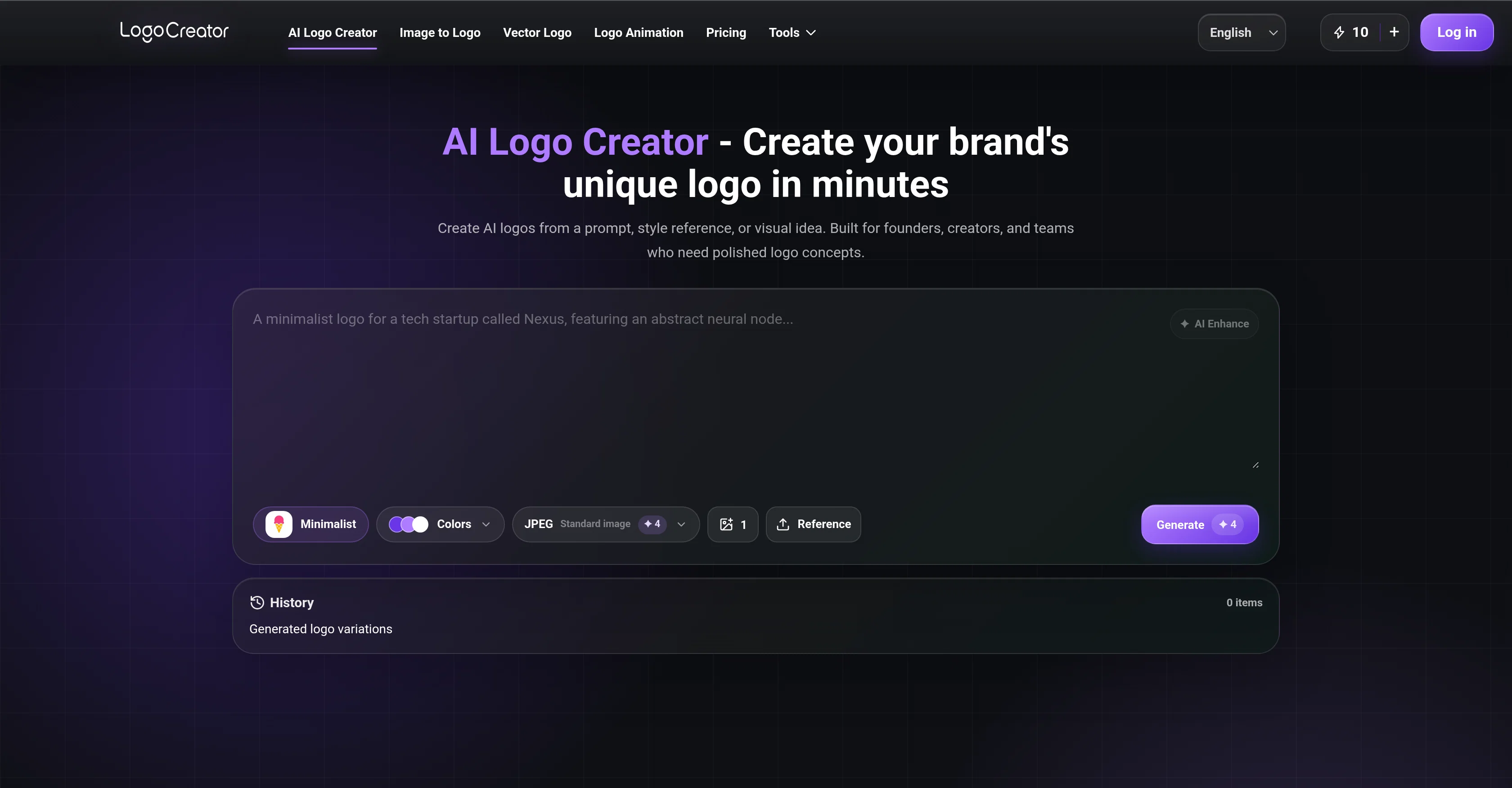
AI Logo Creator is a digital tool aimed at brand creators, small teams, and individuals seeking to create unique and polished logos quickly. The tool enables users to generate AI-designed logos from a given prompt, style reference, or visual idea.
Its functionality extends to various branding elements, including style presets and a color palette for choosing primary, secondary and background colors.
Users also have an option to upload a reference image, into which AI Logo Creator introduces its inputs to shape a more relevant logo direction.Once the user has set their design preferences, the AI generates several logo variations from which the user can choose.
Beyond creation, users can also edit their logo designs and download them in different formats such as JPEG Standard, PNG Transparent, or SVG Vector.The tool also allows for additional features like converting a raster logo into an editable SVG for scalable brand assets.
AI Logo animation turns a static logo into an MP4 animation for dynamic digital uses, such as social posts or product launches. Additionally, a separate Image to Logo feature simplifies an existing visual into a stronger brand mark.
AI Logo Creator is largely beneficial for individuals who are looking to establish quick but effective branding solutions. This tool ensures a seamless logo creation process, from the concept phase to export-ready assets.
Access & connections
Where you can use The Logo Creator AI.
Platforms
Capabilities
What this tool accepts, produces, and is strongest at.
Input
- Text
- Image
- Tabular
Output
- Image
Pros & cons
Pros
- Generates several logo variations
- Customisable design preferences
- Multiple download formats
- Rapid logo creation
- Editable SVG conversion
- Logo animation feature
- Simplifies existing visuals
- Quick branding solutions
Show 29 more
- Image upload for reference
- Style presets available
- Customizable color palette
- Brand-ready export options
- Enables style-first exploration
- Image to logo feature
- One-click generation
- Editable logo designs
- Export-ready assets creation
- Generates usable concepts quickly
- Logo concepts from text prompts
- Turns sketches into logos
- Logo concepts for various industries
- Turns raw ideas into logos
- Ensures seamless logo creation process
- 7-day saved history
- Logo conversion for scalable assets
- Allows prompt to logo fast
- User-friendly for beginners
- Ideal for small businesses and teams
- Fast concept production for agencies
- Enables faster brand identity decisions
- Supports early-stage brand exploration
- Compatible for diverse business types
- Static logo to MP4 animation
- Browse logo style presets
- Allows identity across many touchpoints
- Logo ideas for business, fashion, food, community
- Helps in visual brand shaping
Cons
- No multi-language support
- Limited export format
- No collaboration features
- No offline usage
- Lacks API integration
- No guided tutorials
- No design templates
- Requires constant internet
Show 2 more
- No mobile version
- No 3D logo design
Compare alternatives
Similar tools in the catalog — with a clear reason to open each one.
Logodiffusion ✓
PaidDesign custom logos instantly with AI.
Why look Stronger for image work
Full comparison

Looka ✓
PaidAI-powered logo and brand identity design
Why look Stronger for image work
Full comparison
Namecheap Free Logo Maker ✓
FreeCreate custom logos for free in minutes
Why look Fully free option
Full comparison
BrandCrowd | AI Logo Generator ✓
FreemiumAI generates perfect logos in seconds.
Free + from $5/mo
Full comparison
Design.com | AI Logo Generator ✓
FreemiumGenerate beautiful logos with advanced AI in seconds.
Why look Offers a public API
Full comparisonReleases 1
Imported reviews 1
Quick and beginner friendly. You set style, colors and format first, then pick from the variations
FAQ 12
How does AI Logo Creator use prompts to create logos?
In what formats can I download my logo from AI Logo Creator?
Can I upload my own reference image to AI Logo Creator?
What type of organizations would benefit from using AI Logo Creator?
What is the 'Image to Logo' feature in AI Logo Creator?
Does AI Logo Creator offer any features for animation?
Can AI Logo Creator convert a raster logo into SVG?
Can AI Logo Creator generate multiple logo variations?
How customizable are the style presets in AI Logo Creator?
How does color choice work in AI Logo Creator?
Is there a limit to how many logos AI Logo Creator can generate?
Does AI Logo Creator support logo edits?
Related tools
Recommended
Kuca AI ✓
Free TrialOne idea. One cinematic scene. One AI video maker.

AirMusic ✓
Free TrialAI music generator and music video creator in one platform.

WebsitePublisher AI ✓
FreemiumYour AI builds a full app, right from your phone
Anyvids ✓
FreemiumAny idea to video, made simple.

AdControlCenter ✓
Free TrialRun every ad network from one dashboard

Seedeo Video Generator ✓
FreemiumTurn text and images into cinematic AI videos.