

Videos 2026 Rank: #1548
Kuca AI ✓
One idea. One cinematic scene. One AI video maker.
Verdict
A quick read before you dig into the full page.
- Best if
- One idea. One cinematic scene. One AI video maker
- Skip if
- Limited model variety
- Pick this when
- Generates variety of video styles
Considering freebeat AI instead? Compare side by side
Overview

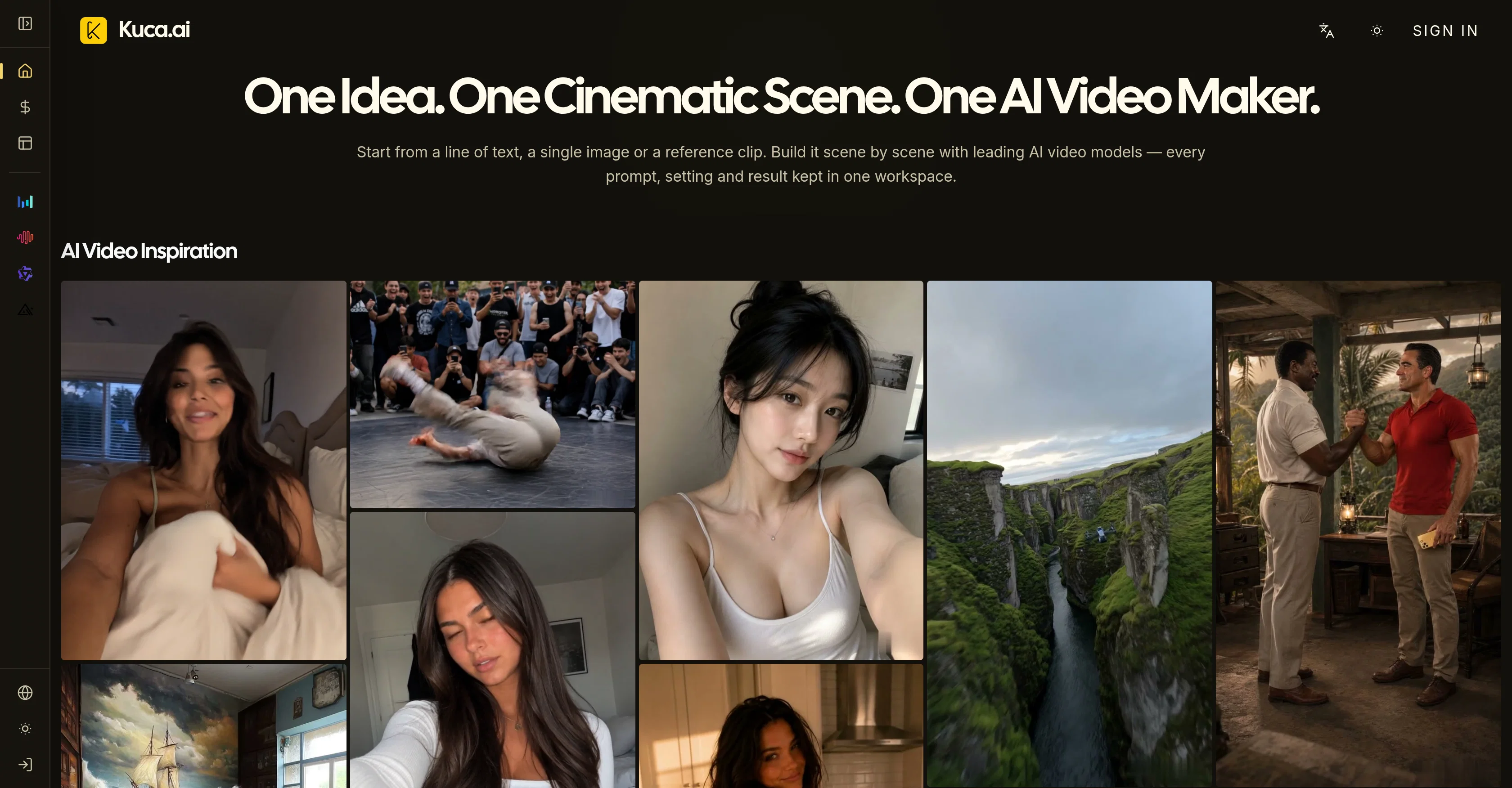
Kuca AI Video Maker is a tool designed for creating a wide range of video content, including films, short dramas, advertisements, and social media clips.
It's capable of generating high-quality AI-based videos in a variety of styles and formats, making it a versatile option for a wide range of creative or commercial applications.
Users can build their videos scene by scene using prominent AI video models, starting with a line of text, a single image, or a reference clip. The video creation process is streamlined and housed in a single workspace, facilitating an intuitive and efficient work process.
The tool's output includes a range of cinematic scenes, character portraits, futuristic settings, animations, handheld clips, and more, demonstrating its broad potential for generating diverse visual content.
It also features various models, such as Seedance 2.5, MiniMax H3, Wan 3.0, and FLUX 3, offering different capabilities to cater to various video production needs.
This tool can serve as an alternative to similar AI video creation tools, such as Veo, Kling, Seedance, and Hailuo.
- Text To Video
- Image To Video
- Compare Multiple Ai Video Models In One Workspace
- Scene-by-scene Video Building
- Reference Image And Keyframe Controls
- Ai Image Generation And Editing
- Generation History You Can Reuse
- Watermark-free Output On Paid Plans
- Private Generation On Paid Plans
- Free Plan To Try Image And Video Generation
Access & connections
Where you can use Kuca AI.
Platforms
Capabilities
What this tool accepts, produces, and is strongest at.
Input
- Image
- Text
- Video
Output
- Audio
- Video
- Image
Highlights
- SOTA
Models
Text
Image
Audio
Video
Pros & cons
Pros
- Generates variety of video styles
- High quality output
- Intuitive workspace
- Streamlined creation process
- Offers dancing, handheld clips
- Seedance 2.5 model
- MiniMax H3 model
- Wan 3.0 model
Show 38 more
- FLUX 3 model
- Generates futuristic settings
- Generates animated videos
- Generates character portraits
- Alternative to Veo
- Alternative to Kling
- Alternative to Seedance
- Alternative to Hailuo
- Output includes commercials
- Creates videos from text
- Creates videos from image
- Scene-by-scene video building
- Generates natural gaze
- Offers visual inspiration
- Generates realistic animal settings
- Generates dreamlike slow-motion shots
- Caters to various needs
- Generates cinematic character portraits
- Generates fast-paced action scenes
- Generates neon kawaii sequences
- Generates comic dialogue
- Generates in high energy
- Generates post-apocalyptic scenes
- Generates intimate unbroken takes
- Generates vivid cinematic commercials
- Generates polished animated sequence
- Generates wedding film sequences
- Generates fantasy comedies
- Generates sci-fi anime combat
- Generates FPV drone shot
- Generates colossal sandstorm
- Generates transformation scenes
- Generates scenes in diverse cultures
- Generates polished street sequences
- Generates lifestyle ad contents
- Generates comedy scenes
- Generates dance scenes
- Progress without switching tools
Cons
- No audio editing tools
- Not specified supported formats
- Single workspace limitation
- No collaboration features
- Limited model variety
- No clear pricing details
- No performance metrics
- Lacks storyboard planning tools
Show 1 more
- No VR/AR content capabilities
Compare alternatives
Similar tools in the catalog — with a clear reason to open each one.

freebeat AI ✓
FreemiumTurn Music & Ideas into Viral Videos In One Click
Why look Typically cheaper
Full comparison
MagicLight ✓
FreemiumTransform text into captivating videos instantly.
Free + from $8.4/mo
Full comparison



Seedance ✓
FreemiumMulti-shot video generation from text and image.
Why look Stronger for image work
Full comparisonReleases 1
FAQ 12
What is Kuca AI Video Maker?
How does Kuca AI create videos?
What types of videos can I make with Kuca AI?
What are some use cases for Kuca AI Video Maker?
How does Kuca AI Video Maker differ from similar tools?
What are the models offered by Kuca AI Video Maker?
What is the process of creating a video with Kuca AI?
Can I edit the videos made by Kuca AI?
What kind of content can Kuca AI generate?
How do I start a video creation with Kuca AI?
Can the videos created by Kuca AI Video Maker be used for commercial purposes?
Can the Kuca AI Video Maker create animations?
Related tools
Recommended

Seedeo Video Generator ✓
FreemiumTurn text and images into cinematic AI videos.

AI Effect | AI Video Generator ✓
FreemiumTurn text or images into videos. Pay as you go

The Logo Creator AI ✓
FreemiumCreate your brand's unique logo in minutes.

AirMusic ✓
Free TrialAI music generator and music video creator in one platform.

WebsitePublisher AI ✓
FreemiumYour AI builds a full app, right from your phone

Anyvids ✓
FreemiumAny idea to video, made simple.