

Code testing vv7.11.38 2026 Rank: #1933
TestDriver ✓
AI code reviewer that actually runs your app.
Verdict
A quick read before you dig into the full page.
- Best if
- You are software engineers and need: Automatically test sign-up and login flows on every GitHub pull request
- Skip if
- Limited customization on tests
- Pick this when
- Specifically designed for engineers
Considering Reflect.run instead? Compare side by side
Overview





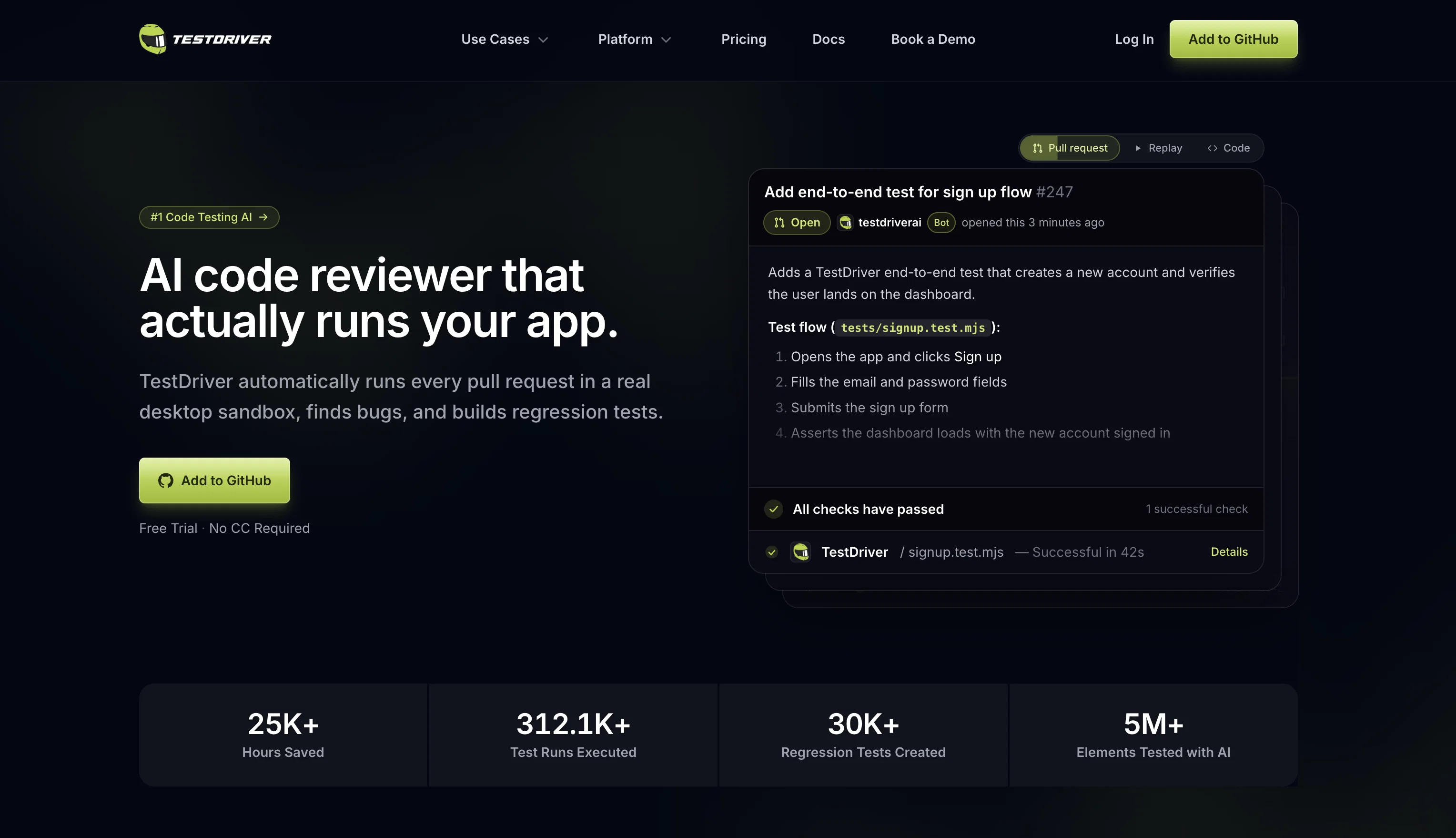
Testdriver.ai is a Quality Assurance (QA) Artificial Intelligence agent specifically designed for engineering teams. It expands the scope of standard testing methodologies by complimenting them with AI-driven capabilities.
It integrates directly with GitHub, simplifying the test processes for developers. Its main functionality is effectively running tests replacing the need for writing automated test scripts or performing time-consuming manual testing.
When TestDriver is added to a GitHub repository, developers can trigger it to create a virtual environment, clone the project code and commence testing, simply by tagging the AI with '@TESTDRIVERAI' within a pull request or utilizing the dedicated GitHub Action.
It facilitates end-to-end exploratory testing, where the AI performs detailed investigations on the application. The tool also allows developers to understand the testing process by giving them the ability to view the screen, logs, and decision-making process of the AI during the test.
The AI's functionality and decision-making process is powered by Dashcam.io. It aims to provide an efficient solution, giving developers more time to focus on coding and less on the testing process.
Best for
Short scenarios where TestDriver tends to shine.
-
Automatically test sign-up and login flows on every GitHub pull request
Best for Software engineers
-
Generate regression tests for critical user journeys
Best for QA engineers
-
Test third-party web applications without access to their source code or DOM
Best for Test automation engineers
-
Validate Chrome extensions and VS Code extensions in realistic environments
Best for DevOps engineers
-
Test desktop applications on Windows
Best for Site reliability engineers
-
Verify file uploads, PDF workflows, AI chatbots, video players, and OAuth interactions
Best for Engineering managers
-
Debug failed builds using test recordings, network logs, and action histories
Best for Product teams
-
Monitor flaky tests, pass rates, and regression trends across releases
Best for GitHub maintainers
Example outputs 1
Sample generations and before/after results for TestDriver.
Access & connections
Where you can use TestDriver, and what it plugs into.
Platforms
Capabilities
What this tool accepts, produces, and is strongest at.
Input
- API
- Code
- Image
- Text
Output
- Code
- Video
- Text
- Image
Highlights
- Agents
- API
- Local
- Open Source
- No Signup
- MCP
Supported features
- Agents
- API
- Runs Locally
- Open Source
- No Signup
- MCP
- QA Automation
Pros & cons
Pros
- Specifically designed for engineers
- Expands standard testing methodologies
- GitHub integration
- Replaces automated test scripts
- Eliminates time-consuming manual testing
- Creates virtual environments
- Clones project code
- Facilitates end-to-end testing
Show 13 more
- Performs exploratory testing
- Allows developers to view testing
- Screen logs access
- Powered by Dashcam.io
- Efficiency focused
- Increases coding focus
- Minimizes testing efforts
- Can test anything
- Set up in minutes
- Clear debugging
- Test runs visibility
- Suitable for any codebase
- Secure testing process
Cons
- Only integrates with GitHub
- Dependent on Dashcam.io
- Doesn't write automated tests
- Limited to end-to-end testing
- No multi-platform support
- Limited customization on tests
- Specific to engineering teams
- No manual testing option
Show 1 more
- No information about security
Compare alternatives
Similar tools in the catalog — with a clear reason to open each one.

Dromeas ✓
FreemiumAI-powered code quality, security and compliance platform.
Free + from $25/mo
Full comparison

BidHelm ✓
Free TrialYour Complete AI Marketing Department. Fully Autonomous.
Free + from $79/mo
Full comparison
AUDITSU ✓
Free TrialAccessibility compliance for EU mobile apps
Free + from $266/mo
Full comparison
Complete.dev ✓
FreemiumYour team and AI agents in one workspace.
Why look Typically cheaper
Full comparisonPeople also view
Tools that often show up alongside TestDriver in collections and comparisons.

Virtuoso QA ✓
PaidAI-powered QA automation for faster, smarter testing.

Momentic ✓
UnknownNo-code UI automation instantly

QA.tech ✓
PaidOur AI tests your web apps and creates bug reports loved by developers.

BugRaptors ✓
UnknownAI-powered QA for software excellence

bottest.ai ✓
FreemiumAutomated QA testing for AI chatbots, no code required.

Alumnium ✓
FreeAI-powered test automation from human instructions

Reflect.run ✓
PaidAutomate web testing with ease.
Complete.dev ✓
FreemiumYour team and AI agents in one workspace.
Releases 4
- New! Add @testdriverai to your GitHub repo to get code review and testing of every pull request!
- New MPC Server, Agents.md, and Skills
- New JS SDK and
vitestplugin - New Enterprise plans deployed to VPN
- New
captchasolving method - New
parseandextractmethods for pulling information from test - Major infrastructure updates and stability improvements.
Meet the all new TestDriver! Now in v6, test run on TestDriver's powerful Windows Test runners and have an new "headless" mode.
This means that it's easier than ever to create, edit, and deploy tests to any CI/CD system!
-
Windows VMs now run in browser
- no need to test locally (to do this - use v5)
- Easily debug what happens on the VM interactively
- No interference from local mouse/keyboard/desktop/apps
- No ‘primary display’ restrictions
- No overlay interference with computer vision during tests
- Tests run up to 50% faster 🔥 (no waiting for spin up of CI machines)
- no need to test locally (to do this - use v5)
-
No more confusing environment variables
- Get your API Key and go
- As simple as
TD_API_KEY=1234 npx testdriverai
-
Claim VMs with the CLI to have warm VMs ready to test with
-
Get logs from any app
-
Headless mode supports any CI/CD!
- GitHub Actions deployment is an option, but no longer the only option
- New headless mode allows deploying in any CI/CD environment
- simply add the cli command like
npx testdriverai /runas a step in your job to kickoff your tests
-
New
provisionandpostrunfor setup/teardown- need to mount files, update registry keys, load Docker images (Enterprise plans+) or add data for test suites? No problem with
provision.yaml - Need to remove files after a test run or remove test data? No problem with
postrun.yaml prerun.yamlstays the same for preflight test steps (launch browser/app/etc.)
- need to mount files, update registry keys, load Docker images (Enterprise plans+) or add data for test suites? No problem with
-
Test side by side in any terminal
-
use Warp, Wave, iTerm, Powershell or VSCode/Cursor/Windsurf? You can now run:
npx testdriverai@latest- in your terminal and see the output next to the VM and next to your test plans
-
-
Modifier keys improvements
winfor windows key now supportedcontrolis nowctrl
-
Electron dependency removed
- All you need is
Node.js+npm/npx- (LTS recommended) + a browser - Want to run this on a linux machine? No problem now that local testing happens on the VM
- All you need is
-
API keys are now per user instead of per team
- More secure
- More flexible
-
Self-hosting now available
-
If your use case depends on local testing
- v5 is available by running
npx [email protected]
- v5 is available by running
-
Deprecated
- Linux sandbox support removed
execnow follows newer simplified syntax
-
Coming soon
- Start with a test plan in plain language and TestDriver does the rest
- JUnit exports
- Dashboards
- Web interface improvements
-
Custom AMI
-
Custom Resources
Client
- Playwright test generation
- Website & application crawling
- If/Else statements
- Persistent sessions in test creation
- Custom terminal output UI
- UI overlays show AI element selection
- Improved text matching speed
- Detect screen redraw
- Automatically minimize current terminal
GitHub Action
- 98% reliability rate
- Obfuscate passwords and other secrets in CI
- Reduce startup time by 3 minutes
- Improve execution time by 60%
- Bugfixes for high CPU scenarios
Imported reviews 4
Does it only work with GitHub, or GitLab too?
Hooked TestDriver into a sandbox and it got end to end flow running fast with an AI "computer use" vibe instead of brittle selectors. Replays and CI hooks caught regression. Works on web and desktop. Free credits are enough to get a fell BUT long suites eat them quick.
Rn they're just collecting emails and survey answers before telling you there's no more room for new users right now.
It has some attractive features, i'm curious on how it recognizes failed tests, or how well does it do with frontend issues, compared to backend ones.
FAQ 12
What specific types of tests can Testdriver.ai run?
What is the process of integrating Testdriver.ai with GitHub?
What is end-to-end exploratory testing in Testdriver.ai?
How does tagging '@TESTDRIVERAI' in a pull request trigger Testdriver.ai?
Can Testdriver.ai be set to run tests automatically?
What are the AI-driven capabilities of Testdriver.ai?
How does Testdriver.ai replace the need for manual testing?
What is the role of Dashcam.io in powering Testdriver.ai functionality?
How can developers view the decision-making process of Testdriver.ai during a test?
How does Testdriver.ai expand the standard testing methodologies of engineering teams?
In what ways does Testdriver.ai simplify the test processes for developers?
Can Testdriver.ai generate testing reports?
Related tools
Recommended

Marblism ✓
FreemiumAI Employees who Work for Your Business

CodeRabbit ✓
Free TrialEnhanced code review for improved workflow and quality.

VenturusAI ✓
FreemiumBusiness idea analysis and reporting.

B12 AI Website Builder ✓
FreemiumAI-powered website builder

TheLibrarian.io ✓
Free TrialYour WhatsApp AI assistant for instant productivity.

Recall ✓
FreemiumSummarize Anything, Forget Nothing!