

Accounting vv2
Smart Clerk ✓
AI-powered bookkeeping from bank statements and online banking
Free + from $29/mo
Verdict
A quick read before you dig into the full page.
- Best if
- AI-powered bookkeeping from bank statements and online banking
- Skip if
- Limited free plan document processing
- Pick this when
- AI-generated financial reports
Considering Kick instead? Compare side by side
Overview



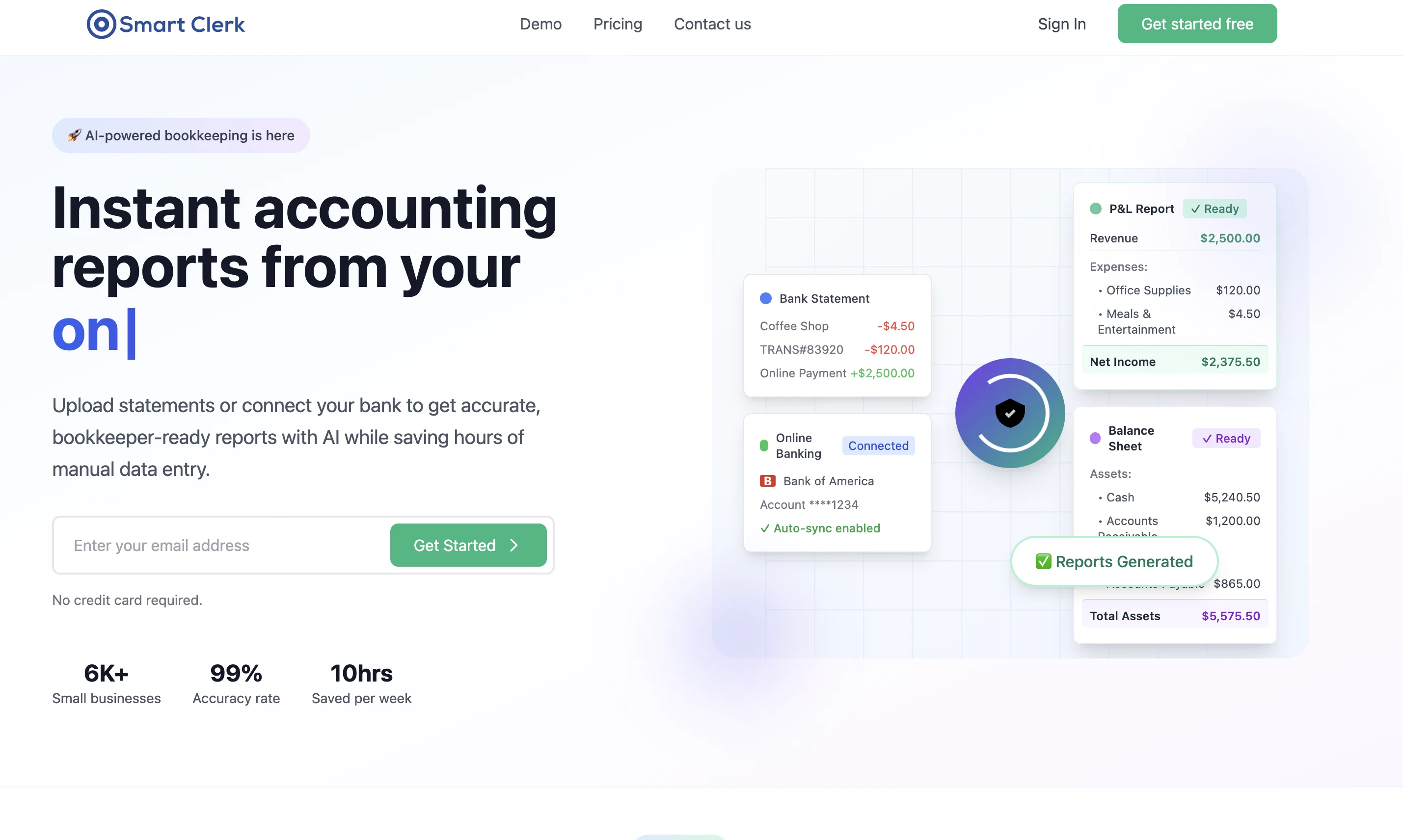
Unlike traditional extraction tools, Smart Clerk goes beyond transaction capture. It categorizes expenses, identifies vendors, and prepares structured financial reports ready for tax filing or sharing with bookkeepers.
💡 Instant Results, No Setup
Upload statements, connect your US bank, or scan checks—Smart Clerk delivers organized, categorized data in seconds.
🏢 For SMBs & Accounting Firms
We’re built for small businesses that need simplicity, and for firms that want an AI assistant to streamline client bookkeeping.
⭐ Why Smart Clerk?
• Only AI tool creating accountant-ready financial documents
• New: US bank connections & check image extraction
• High accuracy with AI categorization & vendor detection
• Fast Excel exports, ready for tax season
• User-friendly design built for busy owners and bookkeepers
With Smart Clerk, AI isn’t just extraction—it’s accounting-ready bookkeeping made simple.
- Bank Statement Processing
- Invoice Processing
- One-click P&l Report
- Online Banking Connection
Best for
Short scenarios where Smart Clerk tends to shine.
-
AI-powered bookkeeping from bank statements and online banking
Example outputs 1
Sample generations and before/after results for Smart Clerk.
Access & connections
Where you can use Smart Clerk, and what it plugs into.
Platforms
Integrations
Capabilities
What this tool accepts, produces, and is strongest at.
Input
- API
- Image
- Text
Output
- Tabular
- API
- Text
Highlights
- API
Supported features
- API
- Finance & Accounting
Pros & cons
Pros
- AI-generated financial reports
- Tailored transaction categorization
- Streamlined vendor management
- Real-time transaction extraction
- Global bank support
- User-friendly dashboard
- Customizable financial reports
- Vendor tracking
Show 15 more
- Instant bank statement processing
- Automatic expense categorization
- Export to Excel and accounting tools
- Supports multiple bank formats
- No manual data entry
- Fast and efficient onboarding
- Secure cloud-based document storage
- Bulk processing for invoices
- Free plan available
- Works with common financial institutions
- High accuracy in data extraction
- Supports receipt processing
- Handles individual and multiple attachments
- Designed for non-technical users
- Email forwarding for document uploads
Cons
- Exports mainly to Excel
- No offline functionality
- Only supports 25 languages
- Limited free plan document processing
- Simple UI may lack advanced features
Compare alternatives
Similar tools in the catalog — with a clear reason to open each one.

Jupid ✓
FreemiumAI reads your bank. Categorizes expenses. Files your taxes.
Why look Higher community rating
Full comparison
Truewind ✓
UnknownAI-powered bookkeeping for startup peace of mind
Why look Higher community rating
Full comparison
Ledger IQ ✓
FreemiumAI-Powered Bookkeeping for the Modern Business.
Why look Typically cheaper
Full comparison
Beancount.io ✓
FreemiumWrite your finances like code with AI insights.
Why look Typically cheaper
Full comparison
Booke AI ✓
PaidAI-powered bookkeeping automation in one app
Why look Typically cheaper
Full comparisonPeople also view
Tools that often show up alongside Smart Clerk in collections and comparisons.

Kick ✓
FreemiumAccounting software that does the work for you
Beancount.io ✓
FreemiumWrite your finances like code with AI insights.

SimplyBudget AI ✓
FreemiumAI-powered smart budgeting for financial freedom.

Receiptor ✓
PaidExtract receipts and invoices from emails automatically

NotebookLM ✓
FreemiumAI-powered note-taking and research assistant

MarketAlerts.ai ✓
FreemiumInvest smarter with AI on your side

Intellectia ✓
FreemiumAI-powered insights for smarter investing

Ilus AI ✓
PaidGenerate stylistically consistent AI drawings in minutes
Releases 3
We’ve introduced US online banking connections, letting you import transactions directly from your bank alongside statement uploads. Smart Clerk can now also read and extract data from check images. Plus, improved AI accuracy for complex statements, unified vendor management, and faster Excel exports make bookkeeping smoother than ever.
Introducing Smart Clerk’s latest upgrade: an end-to-end solution that automatically generates financial documents from your PDF bank and credit card statements. This streamlined process reduces manual data entry and minimizes errors, saving you time while enhancing accuracy. Experience a smarter, more efficient way to manage your bookkeeping today!
Imported reviews 7
The dashboard is clean, and I love that it gives me a quick view of profit and loss without any setup.
This tool just made my day! I'm in the middle of my tax returns and I used to spend hours manually transferring transactions from my bank statements into Excel. Just uploaded my statements to Smart Clerk and it automatically imported, categorized, and even reconciled the transactions. Super impressed.
Software is very good
Easy to use but really comprehensive. Saves a ton of time and stress, thanks 👍
Smart Clerk’s dashboards are clean, easy to use, and well-organized. I really like how it sorts data, making it simple to track expenses and income. The smooth UI makes the whole experience enjoyable and efficient.
Data extraction is accurate and incredibly efficient. Plus, it's super easy to use - no setup, no onboarding forms, perfectly simple UI. We started using it right away.
The bank statements feature quickly imports, categorizes, and matches transactions. Their automatic categorization and matching process fully automates the reconciliation flow in our team.
Dashboard is very clean and straightforward. Accuracy was impressive. Very user-friendly bank statement analyzer.
FAQ 12
What is Smart Clerk?
How does Smart Clerk convert invoices to JSON format?
How does Smart Clerk help in reducing manual data entry errors?
How do I import invoices into Smart Clerk?
What formats of invoices does Smart Clerk support?
What are the no-code integrations offered by Smart Clerk?
How does Smart Clerk handle email forwarding of invoices?
How does invoice management work on Smart Clerk's dashboard?
How can I export data to Excel from Smart Clerk?
Does Smart Clerk integrate with commonly used bookkeeping tools?
How does the bank account integration feature work in Smart Clerk?
How efficient is Smart Clerk in financial management?
Related tools
Recommended

PrometAI ✓
FreemiumTurn ideas into viable reality with AI business plan generator.

Mindsmith ✓
FreemiumPlatform for building and sharing eLearning content

Automateed ✓
Free TrialCreate eBooks effortlessly with Automateed, the AI-powered writing tool.

leania.ai ✓
Free TrialMRI scan for Businesses: Find What to Cut, Replace, Automate with AI

Macky ✓
FreemiumAI-executed, consultant-certified engagements for SMEs.

B12 AI Website Builder ✓
FreemiumAI-powered website builder