

Accounting 2026 Rank: #2638
Beancount.io ✓
Write your finances like code with AI insights.
Free + from $14.99/mo
Verdict
A quick read before you dig into the full page.
- Best if
- You are developers and need: Personal finance tracking with developer-centric tools
- Skip if
- Complex for non-developers
- Pick this when
- Modern plain-text platform
Considering Kick instead? Compare side by side
Overview
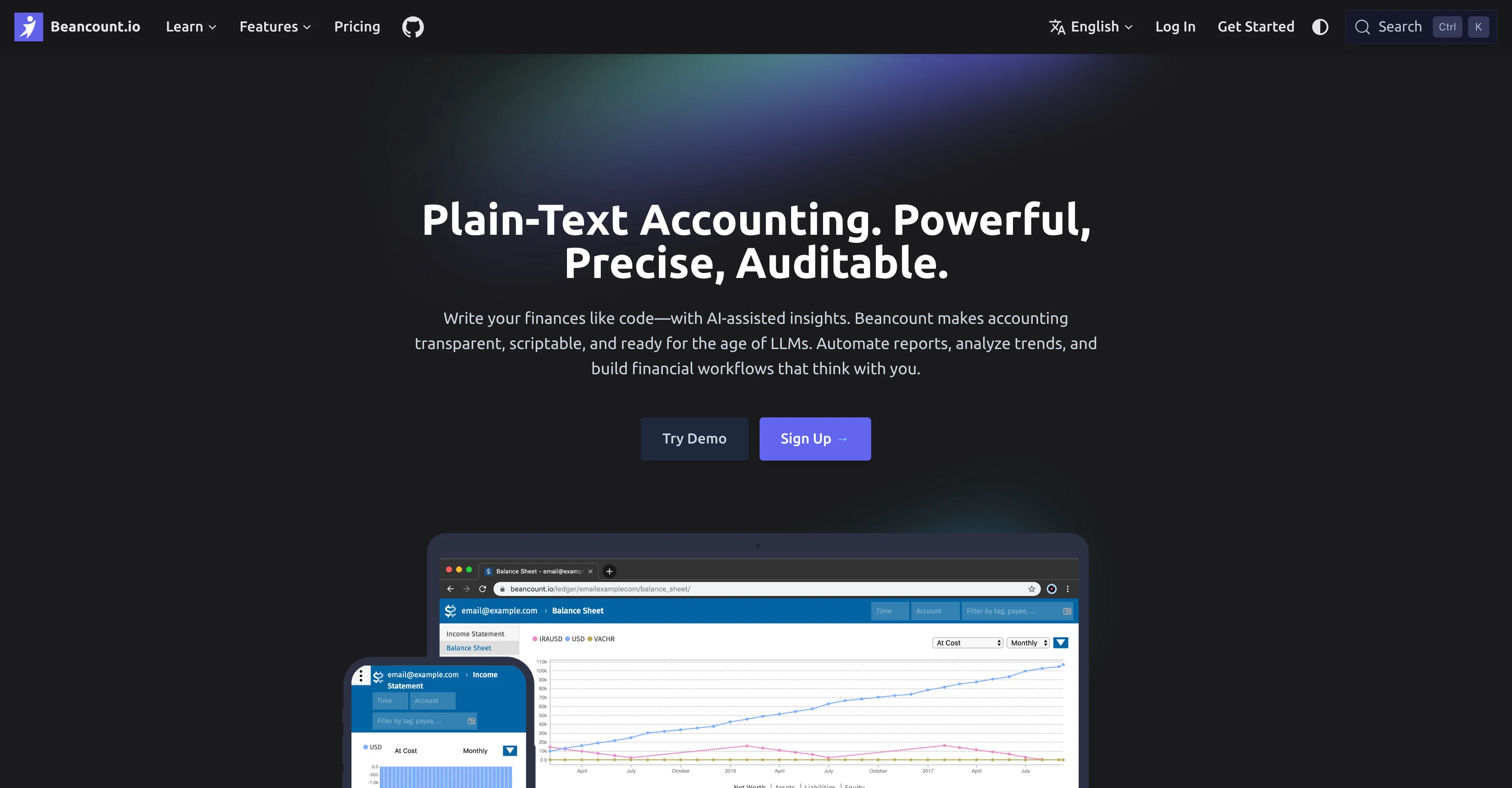
Beancount.io is a modern plain-text accounting platform designed for both developers and finance professionals. The platform uses AI to provide insights, which can help in making the accounting process more transparent, scriptable, and auditable.
Beancount.io allows financial workflows to be created that can generate reports, analyze trends, and automate manual tasks. This includes functionality for AI-assisted bookkeeping, which enables automated transaction categorization, anomaly detection, and smart suggestions, effectively reducing the need for repetitive data entry.
Users also have the option to write custom scripts to automate reconciliations or trigger alerts. In addition, Beancount.io operates with Git-native version control, meaning every financial change comes with a full history, supporting scenario testing, instant error correction, and team change integration.
Moreover, the transparent nature of its plain-text files allows transactions to be easily reviewed and audited. The platform is also equipped with real-time analytics for instant visualization of cash flow, and the ability to spot trends and build custom dashboards, all geared towards helping users make strategic decisions.
Best for
Short scenarios where Beancount.io tends to shine.
-
Personal finance tracking with developer-centric tools
Best for Developers
-
Small business bookkeeping with full audit trails
Best for Finance Professionals
-
Automating complex financial reconciliations via scripts
Best for Small Business Owners
-
Managing investment portfolios using plain-text data models
Best for Accountants
Example outputs 1
Sample generations and before/after results for Beancount.io.
Access & connections
Where you can use Beancount.io, and what it plugs into.
Integrations
Capabilities
What this tool accepts, produces, and is strongest at.
Input
- Text
Output
- Text
Supported features
- Finance & Accounting
Pros & cons
Pros
- Modern plain-text platform
- Scriptable accounting process
- Allows creating financial workflows
- Facilitates reports generation
- Trend analysis capability
- Automation of manual tasks
- Automated transaction categorization
- Anomaly detection
Show 33 more
- Smart suggestions
- Reduces repetitive data entry
- Custom scripts writing
- Automates reconciliations
- Alert triggering capability
- Git-native version control
- Full history of financial changes
- Scenario testing support
- Instant error correction
- Team change integration
- Transparent, auditable transactions
- Real-time analytics
- Instant cash flow visualization
- Custom dashboard construction
- Strategic decision support
- Mobile app compatibility
- Secure automatic backups
- OIDC single sign-on (SSO)
- Payment by invoice
- Advanced automation and integrations
- Multi-entity consolidation
- Supports multiple languages
- Free open source version available
- Transparent pricing
- Customizable workflows and reports
- 24/7 support
- Data encrypted in transit and rest
- Exportable plain-text files
- Open-sourced iOS and Android App
- Community contributions invited
- No credit card required
- Cancellation anytime
- Software transparency ensured
Cons
- Requires coding knowledge
- No direct bank connections
- Plain-text format limitations
- Strong dependency on Git
- Complex for non-developers
- Steep learning curve
- No offline access
- Not user-friendly for non-technical users
Show 2 more
- Limited third-party integration
- Potentially time-consuming setup
Compare alternatives
Similar tools in the catalog — with a clear reason to open each one.

Jupid ✓
FreemiumAI reads your bank. Categorizes expenses. Files your taxes.
Why look Higher community rating
Full comparison
Smart Clerk ✓
FreemiumAI-powered bookkeeping from bank statements and online banking
Why look Offers a public API
Full comparison
Truewind ✓
UnknownAI-powered bookkeeping for startup peace of mind
Why look Higher community rating
Full comparison
Ledger IQ ✓
FreemiumAI-Powered Bookkeeping for the Modern Business.
Why look Typically cheaper
Full comparisonPeople also view
Tools that often show up alongside Beancount.io in collections and comparisons.
Truewind ✓
UnknownAI-powered bookkeeping for startup peace of mind
Smart Clerk ✓
FreemiumAI-powered bookkeeping from bank statements and online banking
Ledger IQ ✓
FreemiumAI-Powered Bookkeeping for the Modern Business.

Kick ✓
FreemiumAccounting software that does the work for you
Jupid ✓
FreemiumAI reads your bank. Categorizes expenses. Files your taxes.

Booke AI ✓
PaidAI-powered bookkeeping automation in one app

SnapTax ✓
Free TrialReal-time tax tracking for freelancers and 1099 workers.

Sanso ✓
PaidLibrez-vous des tches financires rptitives
Releases 1
FAQ 12
What is Beancount.io?
What are the key features of Beancount.io?
How does Beancount.io's AI-assisted bookkeeping work?
What is meant by Git-native version control in Beancount.io?
How does Beancount.io ensure transaction data is easily auditable?
Can I automate workflows in Beancount.io?
How does Beancount.io support trend analysis in finance?
What are the customization options in Beancount.io?
Can I create custom scripts in Beancount.io?
How does Beancount.io help in automating manual tasks?
What role does AI play in Beancount.io?
Does Beancount.io offer real-time analytics?
Related tools
Recommended

Notis ✓
Free TrialThe first WhatsApp assistant that runs on your ChatGPT and Claude subscriptions

MarketFoundry AI Workspace ✓
Free TrialYour complete digital presence, built by AI in minutes.

Repaint ✓
FreemiumBuild a website by chatting with AI

Financial Fitness Passport ✓
FreemiumAI-powered financial guidance that turns data into actionable roadmaps.

Personal Computer by Perplexity ✓
UnknownAn AI operating system that takes objectives, not instructions.

Tented ✓
FreemiumAgentic Marketing Automation: Email, Pages, CRM & Forms