

Slidecast ✓
Create custom AI presentations in seconds.
Free + from $15/mo
Verdict
A quick read before you dig into the full page.
- Best if
- Create custom AI presentations in seconds
- Skip if
- Limited graphics library
- Pick this when
- Automated slide creation
Considering MagicSlides.app AI PPT Maker instead? Compare side by side
Overview
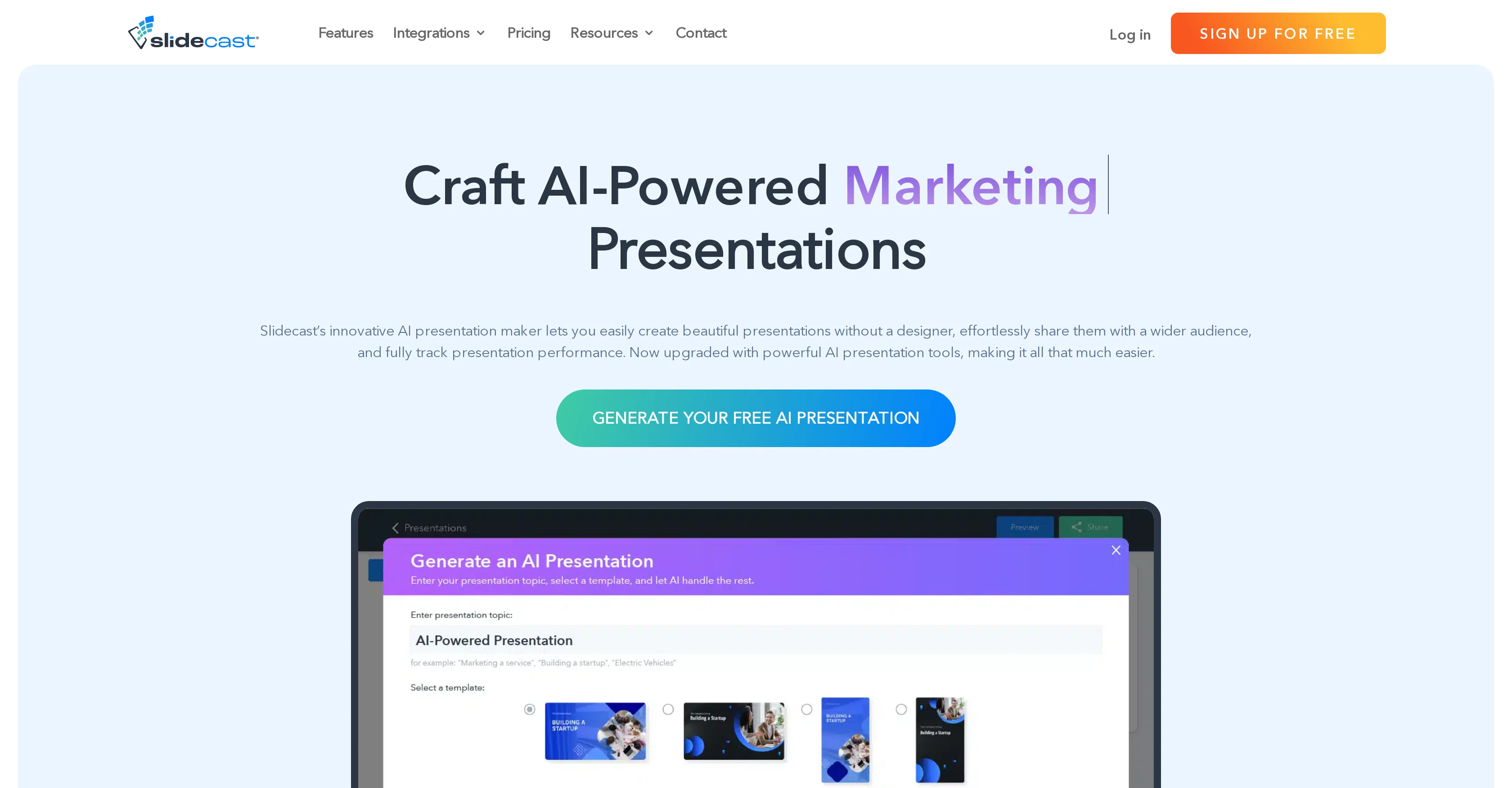
Slidecast's AI Presentation Maker is an automated solution for the creation and distribution of custom presentations. Utilizing artificial intelligence, this tool allows users to generate comprehensive presentations simply by providing a topic.
The AI system, in response, designs a 7-slide deck complete with text and design elements. Furthermore, it provides AI-generated voiceovers for enhancing the presentations.
Users are offered a vast choice of 35 unique voices to create a professional auditory overlay for their slides. This tool also features fully automated slide formatting, which makes individual slide layouts and graphic design elements easier to manage.
Users can also personalize their presentations using the tool's drag-and-drop builder and extensive graphics library. Additionally, the Maker enables integration with marketing campaigns and permits sharing of presentations via text, email, QR codes, or URLs without necessitating additional logins or downloads.
Researching and tracking the performance of presentations is another key feature offered by the platform. Users can gain insights into the viewing duration, geographic location, QR code scans, completion rates, and more through advanced analytics.
Furthermore, it provides users with standard and mobile-first sized templates and a library of over a million high-quality photos. Slidecast's AI Presentation Maker helps to save time, boost productivity, and deliver compelling presentations effortlessly.
Best for
Short scenarios where Slidecast tends to shine.
-
Create custom AI presentations in seconds.
Example outputs 1
Sample generations and before/after results for Slidecast.
Access & connections
Where you can use Slidecast.
Platforms
Capabilities
What this tool accepts, produces, and is strongest at.
Input
- Image
- Text
- Audio
Output
- Audio
- Text
- Image
Pros & cons
Pros
- Automated slide creation
- Generates 7-slide deck
- 35 unique voice options
- Automated slide formatting
- Personalization with drag-and-drop builder
- Extensive graphics library
- Integration with marketing campaigns
- Sharing via text, email, QR codes, URLs
Show 16 more
- No additional logins or downloads for sharing
- Advanced presentation analytics
- Tracks viewing duration, geographic location, QR code scans
- Standard and mobile-first templates
- Library of over a million photos
- Offers Zapier, Canva, Salesforce, Hubspot integrations
- In-depth tracking of presentation engagement
- Comprehensive customization capabilities
- Real-time analytics for presentations
- Supports QR code integration for sharing
- CRM integration for engagement tracking
- Automated workflows for productivity
- Option to import own images, videos, PowerPoints
- Automatic voiceovers from provided scripts
- Print-friendly presentations
- Collaboration on presentations
Cons
- Limited to 7-slide presentations
- Limited voiceover options
- No offline access
- No interactive slide elements
- Limited integration options
- No video support
- No file upload support
- Only standard and mobile-first templates
Show 2 more
- Limited graphics library
- Requires internet to share
Compare alternatives
Similar tools in the catalog — with a clear reason to open each one.

MagicSlides.app AI PPT Maker ✓
FreemiumCreate Stunning PPTs in Seconds with the AI PPT Maker
Why look Typically cheaper
Full comparison
NextDocs.io ✓
FreemiumThe AI-native editor for docs, slides, and more
Why look Offers a public API
Full comparison
Gamma ✓
FreemiumAI-powered content creation, minus the hassle.
Why look Typically cheaper
Full comparison
AI Slide Generator ✓
Free TrialCreate stunning presentations from any text in seconds
Why look Typically cheaper
Full comparisonPeople also view
Tools that often show up alongside Slidecast in collections and comparisons.

okkslides ✓
FreemiumTransform ideas into professional PowerPoint slides in minutes.
NextDocs.io ✓
FreemiumThe AI-native editor for docs, slides, and more
MagicSlides.app AI PPT Maker ✓
FreemiumCreate Stunning PPTs in Seconds with the AI PPT Maker
AI Slide Generator ✓
Free TrialCreate stunning presentations from any text in seconds

GenPPT ✓
PaidThe AI Presentation Tool for Deep, Research-Backed Slides
Gamma ✓
FreemiumAI-powered content creation, minus the hassle.

Skywork ✓
Free Trial10 tasks in 1 hour, not 10 hours

OpenDeck ✓
FreeSlide decks that speak for themselves.
Releases 1
FAQ 12
What is Slidecast's AI Presentation Maker?
How does Slidecast create a presentation when provided just a topic?
How many unique voices does Slidecast offer for AI-generated voiceovers?
What is the process of creating a presentation with Slidecast?
How does the automated slide formatting feature of Slidecast work?
How can I personalize my presentations using Slidecast's tool?
Does Slidecast allow integration with marketing campaigns?
In what ways can presentations be shared using Slidecast?
What kind of insights can be gained into presentation performance with Slidecast?
What kind of templates are provided by Slidecast?
What type of content can be found in Slidecast's graphics library?
How does Slidecast help boost productivity?
Related tools
Recommended

Transcript LOL ✓
FreemiumUnlimited transcripts, summaries, 99.8% accuracy, speaker recognition, superfast

FounderPal ✓
Free TrialGenerate a perfect marketing strategy in 5 minutes
SlidesPilot
UnknownAI Presentation Suite for creating, converting, and enhancing presentations.

GPTExcel ✓
FreemiumGenerate spreadsheet formulas with AI

IllumiChat ✓
FreemiumFrom Ticket Backlog to Instant Answers Powered by AI
SlidesAI ✓
FreemiumCreate presentation slides with AI in seconds.