

Graphic design 2026 Rank: #1554
Shyne ✓
Design anything, with your team and AI.
Free + from $16/mo
Verdict
A quick read before you dig into the full page.
- Best if
- Design anything, with your team and AI
- Skip if
- Complex for novice users
- Pick this when
- All-in-one platform
Considering MolyPix.AI instead? Compare side by side
Overview
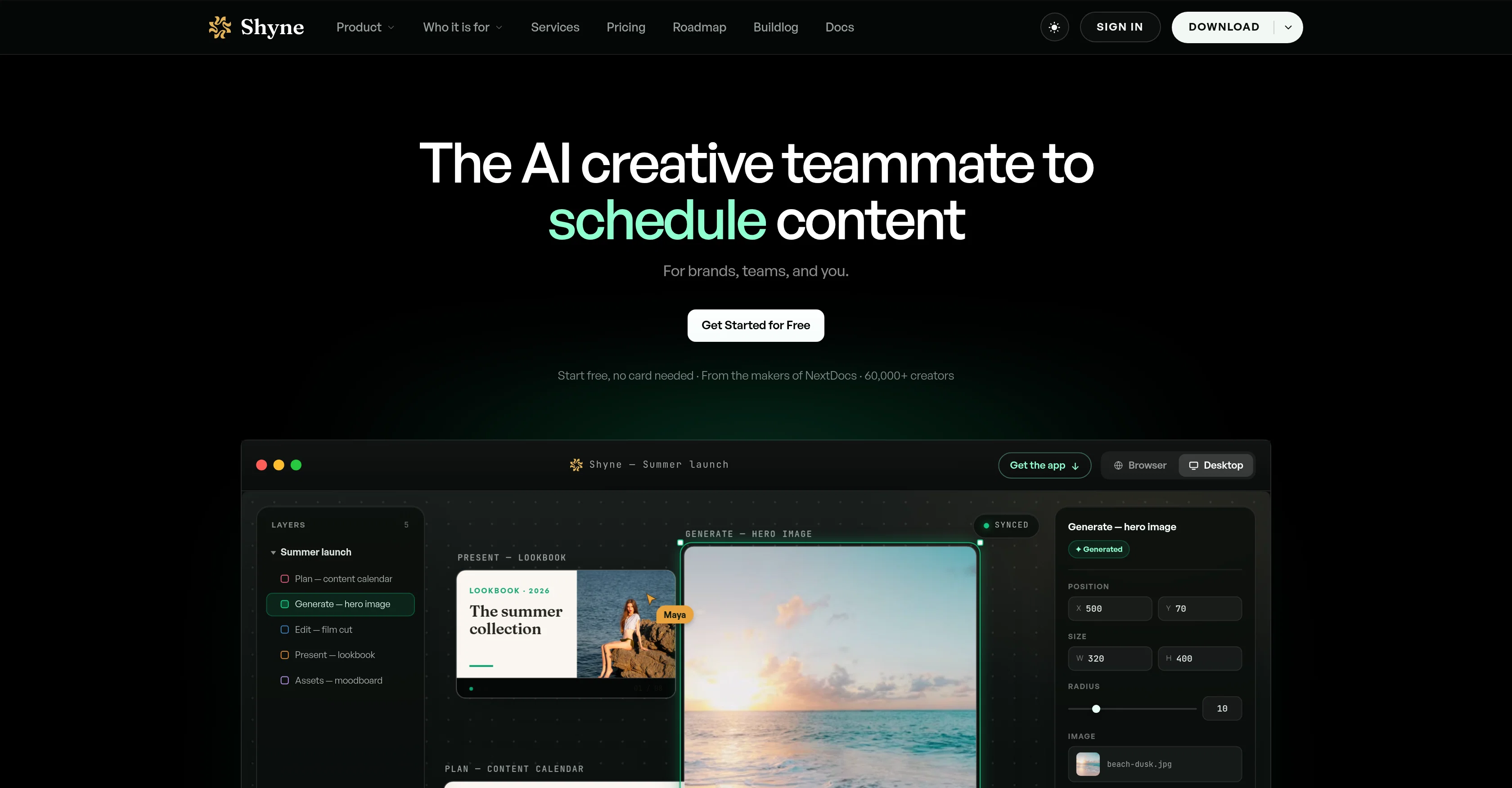
Shyne is an all-in-one artificial intelligence (AI) powered platform designed to enable teams to create diversified visual content that aligns with their brand.
It provides a shared creative workspace where teams can collaboratively design presentations, social posts, websites, videos, and more with the aid of AI.
Shyne integrates the functionalities of different design tools, allowing users to perform tasks ranging from layout creation, mockups, wireframes to motion and static designs.
The tool also supports integration of brand kits, fostering effortless consistency of brand elements like color schemes, logos and fonts across designs.
Moreover, Shyne provides collaboration features that permit multiple users to work on a single design simultaneously. It also facilitates interactive prototyping and has export capabilities in various formats including PDF, PNG, MP4, and HTML.
Users have the ability to generate and manipulate images and video clips directly on the canvas, alongside the option to import and remix files. Shyne also has provisions for automation and programmability, allowing users to drive its functions with recently opened AI platforms or custom coding.
Additionally, Shyne offers applications for both MacOS and Windows, providing users with the flexibility to open and manage projects in individual tabs.
Access & connections
Where you can use Shyne, and what it plugs into.
Platforms
Integrations
Capabilities
What this tool accepts, produces, and is strongest at.
Input
- Text
- Image
Output
- Text
- Image
- Video
- Tabular
Pros & cons
Pros
- All-in-one platform
- Shared creative workspace
- Design presentations, social posts, websites, videos
- Integrates different design tools
- Layout creation, mockups, wireframes
- Motion and static designs
- Brand kits integration
- Consistency of brand elements
Show 27 more
- Multiple users collaboration
- Interactive prototyping
- Various export formats (PDF, PNG, MP4, HTML)
- Image and video manipulation on canvas
- Import and remix files
- Automations and programmability
- Applications for MacOS and Windows
- Manage projects in individual tabs
- Design, Content Creation, Branding capabilities
- Image and Video Generation
- Design Tool Integration
- Storyboard, Moodboard, Infographics creation
- Calendar export
- Applicable to Marketers, Designers, Founders, Product managers
- Ideal for Sales teams, Creators, Schools, NGOs
- Editable media on canvas
- One live surface for all creations
- Cross-channel content publishing
- Real-time editing and collaboration
- Brand Kits management
- Direct project opening from links
- Implement designs in own tab
- Editable prototyping
- Import any media file types
- Synced Canvas and Frame
- Schedule content publishing
- Supports any kind of Visual Designs
Cons
- Doesn't support Linux
- No mobile application
- No offline mode
- Complex for novice users
- Limited integration options
- No native content scheduling
- Lack of version control
- Dependent on internet connectivity
Show 1 more
- No mention of data security
Compare alternatives
Similar tools in the catalog — with a clear reason to open each one.

MolyPix.AI ✓
FreemiumTurn ideas into designs with one AI click
Why look Typically cheaper
Full comparison
MiriCanvas ✓
FreemiumDesign smarter, not harder - with AI-assisted templates and generation.
Free
Full comparison
AIDesign ✓
FreemiumAI-powered text to image generation for everyone.
Why look Typically cheaper
Full comparison
Ridvay ✓
FreemiumDescribe any design — get an editable poster, post or slide.
Why look Typically cheaper
Full comparison
Releases 1
FAQ 12
What is Shyne?
What functionalities does Shyne provide?
How does Shyne help in creating visual content?
Can I use Shyne for website design?
Does Shyne support video creation?
What design tool features does Shyne incorporate?
How does Shyne maintain consistency of brand elements?
Does Shyne allow multiple users to work on a single design?
What export formats does Shyne support?
How does Shyne help in image and video manipulation?
Can I import and remix files using Shyne?
Does Shyne offer support for automation and programmability?
Related tools
Recommended

GetLogit ✓
FreemiumArtificial intelligence, available for everyone.

ChatGPT ✓
FreemiumAsk anything, create anything, and move from idea to action.

Notis ✓
Free TrialThe first WhatsApp assistant that runs on your ChatGPT and Claude subscriptions

freebeat AI ✓
FreemiumTurn Music & Ideas into Viral Videos In One Click

Jason AI ✓
PaidAI-powered assistant for B2B sales outreach

DeepSeek ✓
FreeUnravel the mystery of AGI with curiosity
