

Notes vv2
Qonqur ✓
AI + Hand Written Math
Free + from $9.99
Verdict
A quick read before you dig into the full page.
- Best if
- AI + Hand Written Math
- Skip if
- Limited file formats support
- Pick this when
- Gesture recognition technology
Considering Voicenotes instead? Compare side by side
Overview

Let’s get real for a sec:
Typing math on an iPad? Ugh. Switching between a gazillion symbols and keyboards is CLUNKY as heck.
Writing math on paper? Not much better.
Sure, paper feels familiar, BUT:
- You can’t easily save or edit your work.
- Lose a page? Poof. Gone.
- And good luck sharing it or getting quick help.
The struggle is real.
But what if there was a way to write math just like on paper—only way smarter?
What if your handwritten work was:
✅ Digital (no lost pages).
✅ Editable (mistakes? No big deal).
✅ Sharable (send it, save it, store it).
AND… what if you had instant help from AI baked right in?
Meet Qonqur..
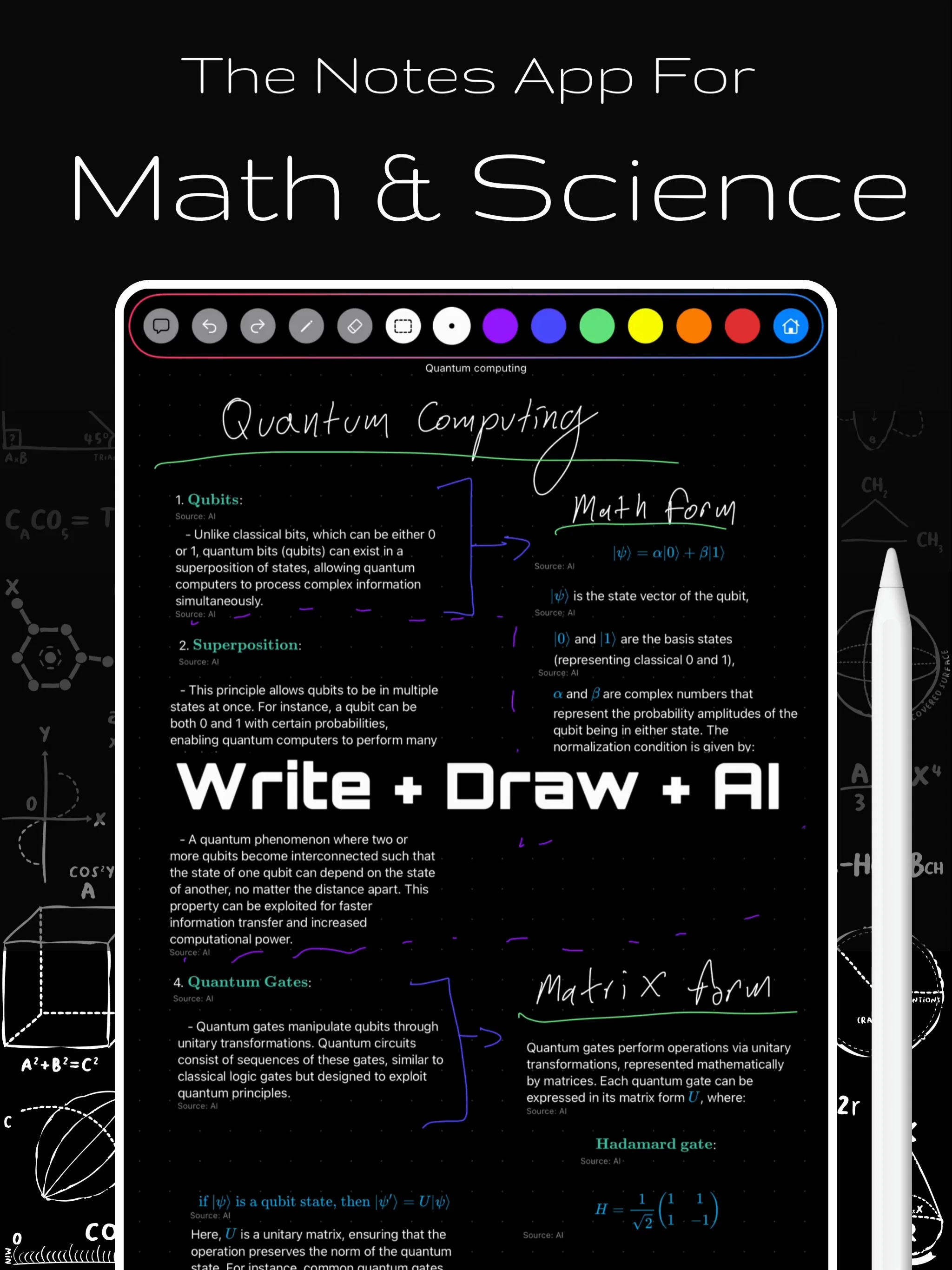
The app that lets you write math by hand with your Apple Pencil (like you already love doing)…
PLUS: Chat with AI anytime you need hints, explanations, or solutions.
Imagine this:
You're tackling a tricky calculus problem.
Instead of fighting with a clunky math keyboard (or erasing paper to the brink of death)…
You just write.
- As naturally as on paper.
- It’s saved. It’s sharable.
- Need help? AI’s right there, ready to chat.
No more bouncing between apps. No more mess. No more “Wait, where did I put that paper?”
- Theorem lookup? Done
- Automatic substitutions? Checked
- Work with AI directly on your infinite canvas? You betcha
This isn’t just for students.
For teachers: Ditch the whiteboard struggle and messy stacks of notebooks.
For lifelong learners: Carry your math brain in your iPad—anytime, anywhere.
So… wanna make math smooth, simple, and stress-free?
👉 Join the Wait List now and start writing math the way it SHOULD be.
No mess. No hassle. Just math—your way.
Best for
Short scenarios where Qonqur tends to shine.
-
AI + Hand Written Math
Example outputs 1
Sample generations and before/after results for Qonqur.
Access & connections
Where you can use Qonqur, and what it plugs into.
Integrations
Capabilities
What this tool accepts, produces, and is strongest at.
Input
- Code
- Image
- Text
Output
- Code
- Text
Pros & cons
Pros
- Gesture recognition technology
- Real-time movement mirroring
- Interacts with virtual hands
- Integrates with PDFs
- Supports 3D model files
- Built-in STEM content
- Accommodates different user roles
- Interconnects various resources
Show 21 more
- Provides immersive learning
- Facilitates efficient discovery
- Promotes active learning
- Suits lifelong learners
- Facilitates exploratory learning
- Accelerates information processing
- Supports human-machine collaboration
- Represents transformative shift
- Redefines learning journey
- Unifies different formats
- Seamless navigation of resources
- Makes exploration enjoyable
- Connects ideas intuitively
- User-friendly interface
- Facilitates idea interconnectivity
- Unravels complex topics
- Empowers understanding & innovation
- Personal atlas creation
- Coexists and interconnects resources
- VOIP commands functionality
- Promotes research efficiency
Cons
- Gesture recognition limitations
- PDF navigation could be off
- Potential STEM content bias
- Limited file formats support
- Newly founded, unproven reliability
- No information about offline accessibility
- Real-time response might lag
- Not specified security measures
Show 1 more
- No mention of multi-language support
Compare alternatives
Similar tools in the catalog — with a clear reason to open each one.

Voicenotes ✓
FreemiumA place to dump your thoughts.
Why look Higher community rating
Full comparison
HyNote AI ✓
FreemiumHyNote | All-in-One AI Note Taker for Professionals
Why look Higher community rating
Full comparison
Elasticnote ✓
FreemiumPrivacy-first unlimited note-taking webapp.
Why look More privacy-focused
Full comparison
Notedly ✓
Free TrialTransform readings into instant notes.
Why look Typically cheaper
Full comparison
Gistr ✓
FreemiumAI-native notebook for organizing online knowledge.
Why look Typically cheaper
Full comparisonPeople also view
Tools that often show up alongside Qonqur in collections and comparisons.
Gistr ✓
FreemiumAI-native notebook for organizing online knowledge.
Voicenotes ✓
FreemiumA place to dump your thoughts.

SpeedNote AI ✓
FreemiumWrite clear notes. Fast.
Notedly ✓
Free TrialTransform readings into instant notes.
Elasticnote ✓
FreemiumPrivacy-first unlimited note-taking webapp.
HyNote AI ✓
FreemiumHyNote | All-in-One AI Note Taker for Professionals

Omphalis ✓
FreemiumTurn anything you save into something you actually understand.

Linkly AI ✓
FreemiumFind Answers Across All Your Files
Releases 2
Focusing on helping people do advanced math with ease using tablets like iPad + Pencil.
Imported reviews 3
V. Good and quick find the results
It is very useful
Useful to quickly explore the content of and interconnections between research papers. Makes it a more fun process.
FAQ 12
What is Qonqur?
What does Qonqur do?
What are the key features of Qonqur?
How does Qonqur implement AI and intuitive gesture recognition?
What kind of content can be added to the personal atlas in Qonqur?
How does Qonqur interlink the files added to the personal atlas?
What types of users can benefit from using Qonqur?
How does Qonqur incorporate AI into the information loop?
What is the main goal of Qonqur?
How does Qonqur enhance the learning experience?
What makes Qonqur distinct from other digital learning tools?
How can Qonqur assist with knowledge exploration?
Related tools
Recommended

Scisummary ✓
Free TrialCutting-edge scientific articles summarization.

Hyperis ✓
FreemiumOrganized task prioritization.

LearningStudioAI ✓
Free TrialAI-powered authoring tool for effortless online course creation.

Scholarcy ✓
FreemiumConvert long articles into summary flashcards.

Mindsmith ✓
FreemiumPlatform for building and sharing eLearning content

OpenRead ✓
FreemiumAI-powered interactive papers for faster, intuitive research