

Notedly ✓
Transform readings into instant notes.
Trial; then from $4.99/mo
Verdict
A quick read before you dig into the full page.
- Best if
- Transform readings into instant notes
- Skip if
- Limited languages comprehension
- Pick this when
- Generates notes automatically
Considering Qonqur instead? Compare side by side
Overview
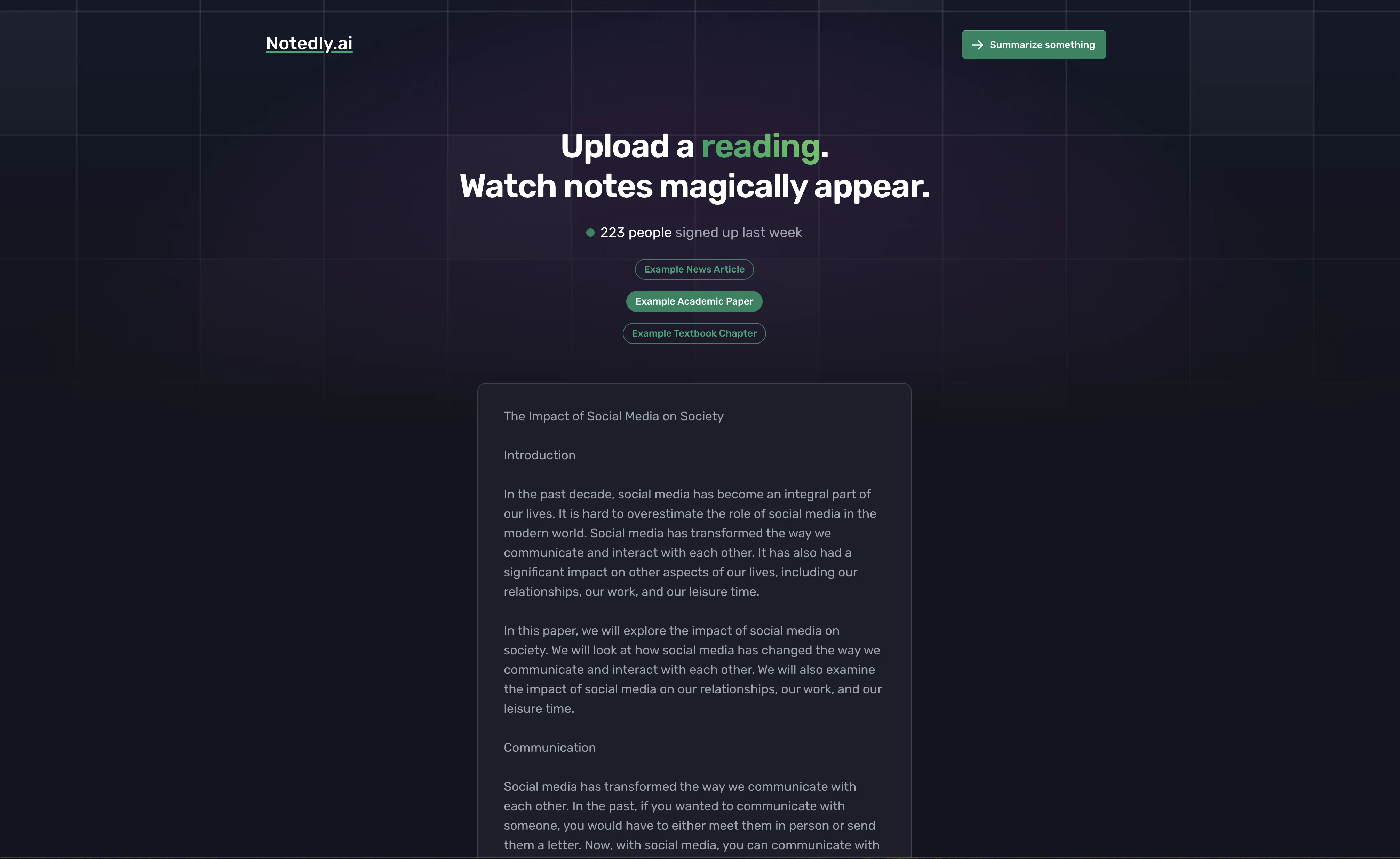
Notedly is an AI-powered tool that helps students save time by automatically generating notes from assigned readings. It is designed to help students quickly and efficiently understand complex content, allowing them to spend their nights socializing instead of note taking.
The tool works by uploading a scientific publication, such as a textbook chapter, news article, or research paper, and then allowing Notedly to scan the material and take notes on it for the user.
The notes are generated in seconds and are written in a simple-to-read language that helps students comprehend the material. Notedly also offers an example summary of a news article, academic paper, or textbook chapter, as well as the ability to paste homework to auto generate notes.
With Notedly, users can save hours per week of reading time without sacrificing their grades.
Best for
Short scenarios where Notedly tends to shine.
-
Transform readings into instant notes.
Example outputs 1
Sample generations and before/after results for Notedly.
Access & connections
Where you can use Notedly.
Platforms
Capabilities
What this tool accepts, produces, and is strongest at.
Input
- Text
Output
- Text
Pros & cons
Pros
- Generates notes automatically
- Saves hours of reading
- Simplifies complex content
- Facilitates faster studying
- Scans any reading material
- Offers example summaries
- Handles academic papers
- Summarizes news articles
Show 42 more
- Operates on textbook chapters
- Accepts pasted homework
- Lowers stress levels
- Supports extensive readings
- Delivers rapid results
- No account required for first use
- Assists in content comprehension
- Can use for research papers
- Effective for page-long assignments
- Quick reflection tool
- Facilitates socializing time
- Bridges university issues
- Reduces time on assignments
- Easy login process
- Tool for comprehensive understanding
- Conducive for news article summarization
- Ideal for quick paragraph writing
- Helps to tackle multiple assignments
- Condensed notes generation
- Substitute for manual note-taking
- User-friendly interface
- Useful for study groups
- Facilitates understanding of academic texts
- Direct scanning of textbook chapters
- Reduction in study pressure
- Useful for last-minute studying
- Offers trial without account
- Multifunctional note taking tool
- Streamlines study schedules
- Grades improvement
- Saves study time
- Useful for cramming sessions
- Suitable for any paper length
- Aids in homework completion
- Enable faster assignment submission
- Improved academic productivity
- Supports active studying
- Ideal for busy students
- Speeds up document parsing
- Useful for scholarly articles
- Boosts study efficiency
- Helps retain more information
Cons
- Lacks offline functionality
- No multi-device synchronization
- No API for developers
- No collaborative functionality
- No visual/interactive notes support
- Limited languages comprehension
- No integration with external tools
- Requires internet connection
Show 2 more
- Potential privacy concerns
- Lacks user-customizable settings
Compare alternatives
Similar tools in the catalog — with a clear reason to open each one.

Voicenotes ✓
FreemiumA place to dump your thoughts.
Why look Higher community rating
Full comparison
HyNote AI ✓
FreemiumHyNote | All-in-One AI Note Taker for Professionals
Why look Higher community rating
Full comparison
Elasticnote ✓
FreemiumPrivacy-first unlimited note-taking webapp.
Why look Offers a public API
Full comparison
Gistr ✓
FreemiumAI-native notebook for organizing online knowledge.
Why look Higher community rating
Full comparisonPeople also view
Tools that often show up alongside Notedly in collections and comparisons.
Gistr ✓
FreemiumAI-native notebook for organizing online knowledge.
Voicenotes ✓
FreemiumA place to dump your thoughts.

SpeedNote AI ✓
FreemiumWrite clear notes. Fast.

Qonqur ✓
FreemiumAI + Hand Written Math
Elasticnote ✓
FreemiumPrivacy-first unlimited note-taking webapp.
HyNote AI ✓
FreemiumHyNote | All-in-One AI Note Taker for Professionals

Omphalis ✓
FreemiumTurn anything you save into something you actually understand.

Linkly AI ✓
FreemiumFind Answers Across All Your Files
Releases 1
FAQ 12
Who target users of Notedly?
How does Notedly work?
What kind of documents can be uploaded to Notedly?
Does Notedly offer any examples of summaries?
Can I paste my homework into Notedly?
How quickly does Notedly generate notes?
What level of understanding can I expect from the notes Notedly produces?
What is the language complexity of the notes produced by Notedly?
How much time can I save using Notedly every week?
Can anyone start using Notedly without an account?
Can Notedly help me understand complex academic text?
Do I need to download or install Notedly?
Related tools
Recommended

Scholarcy ✓
FreemiumConvert long articles into summary flashcards.

LearningStudioAI ✓
Free TrialAI-powered authoring tool for effortless online course creation.

Hyperis ✓
FreemiumOrganized task prioritization.

OpenRead ✓
FreemiumAI-powered interactive papers for faster, intuitive research

Scisummary ✓
Free TrialCutting-edge scientific articles summarization.

Scispace ✓
FreemiumPlatform for exploring and publishing research papers.