

Images 2026 Rank: #2756
PromptToVisual ✓
One workspace for every AI image model.
Free + from $29/mo
Verdict
A quick read before you dig into the full page.
- Best if
- One workspace for every AI image model
- Skip if
- Unified workspace may limit customization
- Pick this when
- Seamless image generation
Considering Photo AI instead? Compare side by side
Overview
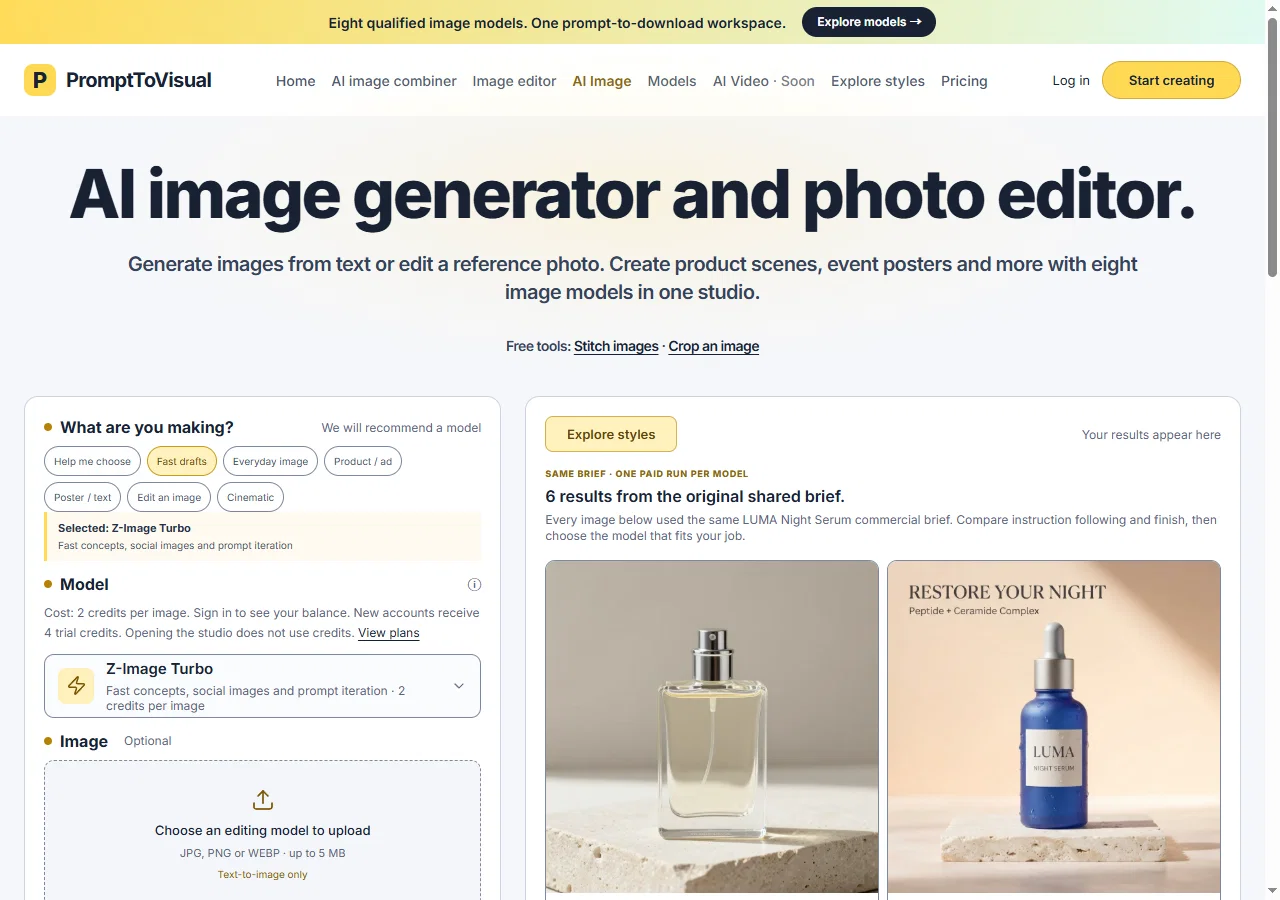
PromptToVisual is an AI tool designed to streamline the process of creating and editing images via AI models. It provides a unified workspace where users can compare different AI image models based on various parameters such as task suitability, operational speed, and support for editing.
The tool allows users to generate, edit, and download images in one seamless operation within the PromptToVisual workspace. Offering real examples of outcomes and the credit cost of using different models for comparisons equips users with the information they need to make informed decisions about which model to use for their specific tasks.
Despite its advanced feature set, PromptToVisual maintains a focus on user-friendly and intuitive workflows, aiming to reduce the complexity often associated with using AI-based tools.
It can serve a wide range of users, from artists and designers seeking innovative tools to corporations requiring efficient ways to generate and edit images.
PromptToVisual represents a harmonious blend of artificial intelligence and user experience, aiming to make the process of image creation and adjustment more efficient, accessible, and interactive.
Access & connections
Where you can use PromptToVisual, and what it plugs into.
Platforms
Integrations
Capabilities
What this tool accepts, produces, and is strongest at.
Input
- Text
Output
- Image
Pros & cons
Pros
- Seamless image generation
- Integrated image editing
- Task specific suitability
- Operational speed showcased
- Support for editing
- Cost-effective model utilization
- Real outcome examples
- Informative decision support
Show 9 more
- User-friendly workflows
- Complexity reduction focus
- Suitable for artists/designers
- Efficient corporate image management
- Download images directly
- Broad user range support
- Streamlined creative process
- Single-platform operation
- All-in-one workspace
Cons
- Unified workspace may limit customization
- Cost information might confuse users
- Workflow may not suit all
- Potentially high credit cost
- Only supports image manipulation
- Edit and download in one operation can be restrictive
- No mention of collaboration features
- No detailed analytics offered
Show 1 more
- Lack of plugin support
Compare alternatives
Similar tools in the catalog — with a clear reason to open each one.

Photo AI ✓
PaidCreate beautiful AI photos and videos of real people
Why look Typically cheaper
Full comparison
Stockimg AI ✓
PaidGenerated images and text for design ease.
Why look Typically cheaper
Full comparison
BestPhotoAI ✓
FreemiumCreate amazing AI photos instantly
Why look Typically cheaper
Full comparison
Midjourney ✓
PaidExpand human imagination through AI-powered visuals.
Why look Typically cheaper
Full comparison
CreativePixel ✓
FreemiumOut-create Your Competition in Minutes
Why look Typically cheaper
Full comparisonReleases 1
FAQ 12
What are the main features of PromptToVisual?
How does PromptToVisual streamline image creation and editing?
What does a Unified workspace in PromptToVisual mean?
Can I compare different AI models in PromptToVisual?
What parameters can I use to compare different AI models in PromptToVisual?
Can I edit and download images in PromptToVisual?
What is the role of credit cost in PromptToVisual?
Does PromptToVisual provide real examples as part of comparison?
Is PromptToVisual user-friendly?
Who are the target users of PromptToVisual?
How does PromptToVisual reduce complexity in using AI-tools?
What benefits do artists get from using PromptToVisual?
Related tools
Recommended

Image3D.io ✓
FreemiumImage to STL and 3D models from any image

MagicSlides.app AI PPT Maker ✓
FreemiumCreate Stunning PPTs in Seconds with the AI PPT Maker

GetLogit ✓
FreemiumArtificial intelligence, available for everyone.

ChatGPT ✓
FreemiumAsk anything, create anything, and move from idea to action.

Automateed ✓
Free TrialCreate eBooks effortlessly with Automateed, the AI-powered writing tool.

Kin - Personal AI Advisors ✓
FreePrivacy-first & designed your for mind, and life at work