

PicCraft ✓
Turn any words into stunning pictures in just seconds!
Verdict
A quick read before you dig into the full page.
- Best if
- Turn any words into stunning pictures in just seconds!
- Skip if
- Limited daily quota
- Pick this when
- Customized picture creation
Considering Photo AI instead? Compare side by side
Overview
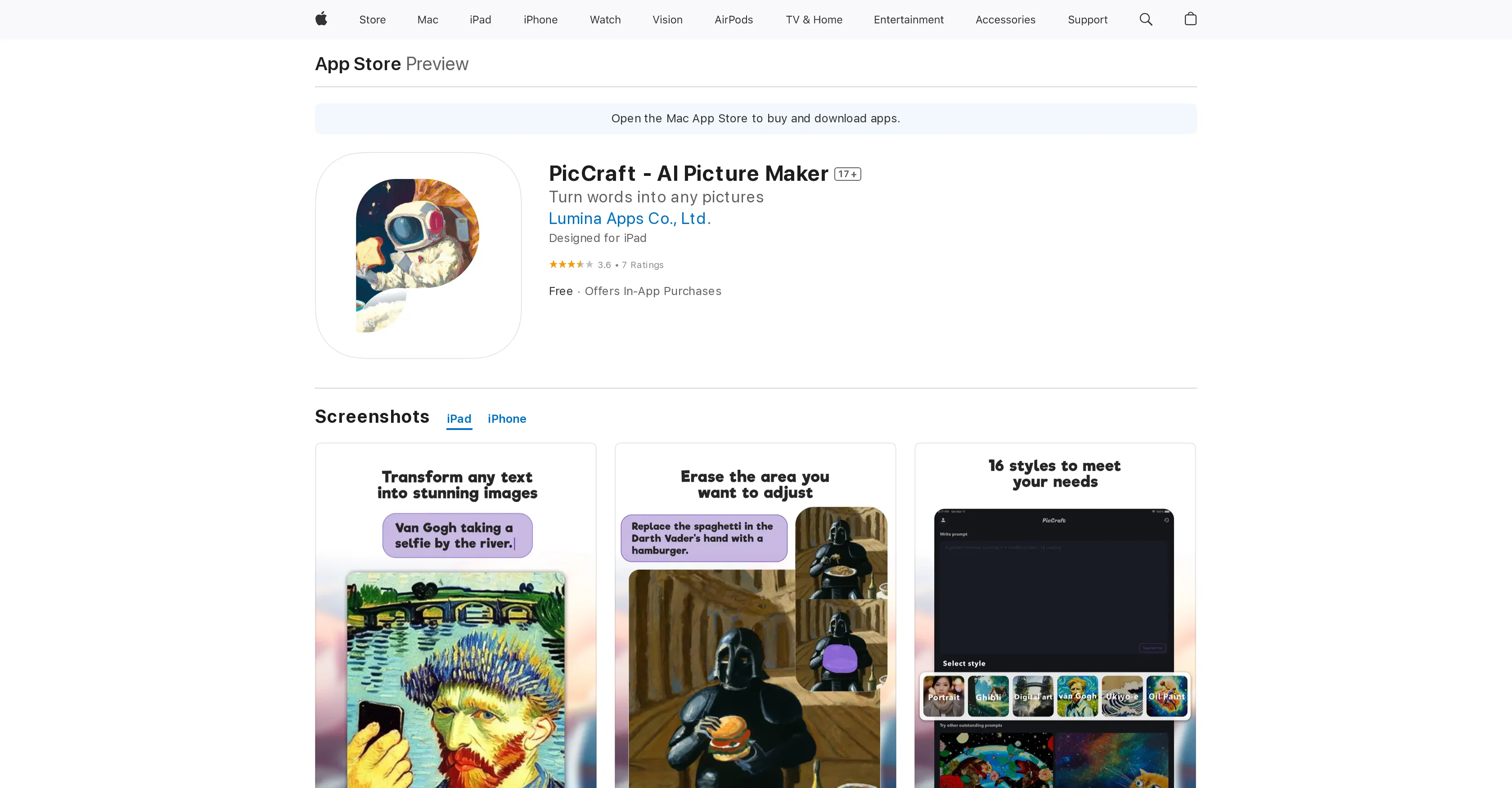
PicCraft - AI Picture Maker is an AI-driven app specifically designed to convert words into visually striking images. It is designed to be straightforward to use and does not require knowledge of complex software.
Users can create a diverse range of picture types, including artworks, memes, fantasy storybook paintings, and stock photos, among others. In addition, users can animate their pictures with a simple tap, making the image appear to move.
It also offers built-in editing features to adjust or redraw parts of the picture according to user preference. Users can further explore different style options, from vibrant paintings to dreamlike digital art.
The app allows for unlimited retries for users to iterate on their instruction until the desired result is achieved. Importantly, pictures created in PicCraft are considered the users intellectual property, and they are free to download and use the pictures as they deem fit.
The app also fosters an AI-art-based community, encouraging users to share their creations. Works can be saved in the users profile for later viewing, and a public gallery is available for users to explore other artists' AI-generated images.
Access & connections
Where you can use PicCraft.
Platforms
Capabilities
What this tool accepts, produces, and is strongest at.
Input
- Text
Output
- Image
Pros & cons
Pros
- Customized picture creation
- Extensive filters and styles
- Smart cropping tool
- Color adjustment features
- Suggests effects based on content
- Compatible with iPhone, iPad, iPod
- Direct image sharing to social media
- Saves images to camera roll
Show 29 more
- Text to image feature
- Integrated picture editing
- Easily animate images
- Flexible style options
- Unlimited retries
- Intellectual property rights respected
- Facilitates community sharing
- Provides stock photos
- Offers image animation
- Enables picture redrawing
- Abstract inputs to distinct images
- Built-in art memes feature
- Meme creation capabilities
- Live picture creation
- Artworks and scenes creation
- User-friendly interface
- Image property rights retained
- Enhanced picture customization
- Fast image generation
- Advanced UI
- Elle magazine recommendation
- High-quality image output
- Changes parts of pictures
- Explores diverse styles
- Offers In-App Purchases
- Compatible with MacOS Apple M1 chip
- Provides style suggestions
- Creates fantasy storybook paintings
- Redraw capability for pictures
Cons
- Only for iOS devices
- Requires iOS 15.0 or later
- In-app purchases necessary
- Limited daily quota
- Potential privacy concerns
- May have 17+ content
- Occasional redraw limitations
- Manual adjustments required
Show 1 more
- Complicated intellectual property ownership
Compare alternatives
Similar tools in the catalog — with a clear reason to open each one.


Stockimg AI ✓
PaidGenerated images and text for design ease.
Why look Stronger for image work
Full comparison

Midjourney ✓
PaidExpand human imagination through AI-powered visuals.
Why look Typically cheaper
Full comparison
Releases 1
FAQ 12
What is PicCraft?
How do I use PicCraft to create pictures?
Can I use PicCraft on any iOS device?
What filters and styles does PicCraft provide?
What features does PicCraft offer for adjusting image colors?
How does the PicCraft's AI suggest styles and effects?
How can PicCraft enhance my creativity?
Can I share my images made with PicCraft on social media?
Is PicCraft user friendly for beginners?
How does PicCraft use AI to generate images from text?
Can I animate my pictures using PicCraft?
What different styles does PicCraft offer?
Related tools
Recommended

Stunning ✓
PaidBuild AI-powered websites in seconds

Mindsmith ✓
FreemiumPlatform for building and sharing eLearning content

Easy-Peasy.AI ✓
FreemiumAccelerates content creation.

Gencraft ✓
FreemiumTransform words into stunning AI art photos.

Stratup.ai ✓
FreemiumInnovative idea generation for businesses.

Hyperis ✓
FreemiumOrganized task prioritization.