
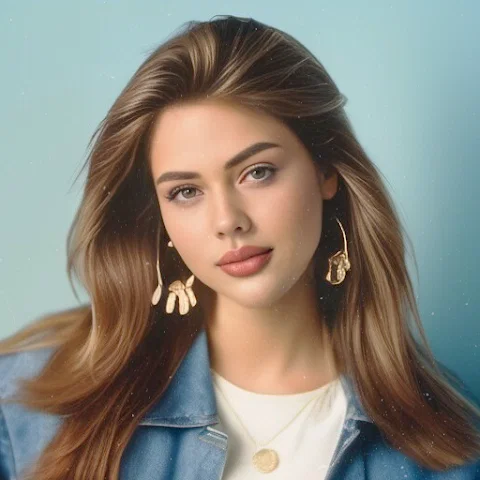
Photo Lab Picture Editor & Art ✓
Edit photos with AI-powered filters and effects
Verdict
A quick read before you dig into the full page.
- Best if
- Edit photos with AI-powered filters and effects
- Skip if
- Subscription cancellation issues
- Pick this when
- Transform photos into art
Considering Viyou AI Image Generator instead? Compare side by side
Overview
Photo Lab Picture Editor & Art is an AI-assisted photo-editing application offering a variety of features to enhance and stylize images. This tool includes a variety of face filters, photo effects, and creative art ideas.
Notable features include AI-enabled photo styles, facilitating the transformation of photos into artwork using pre-set styles. The app also provides users with a diverse collection of photo frames to add a touch of elegance to their pictures.
Realistic photo effects are available to impart depth and character, turning simple images into artistic creations. Face-photo montages are another key feature, allowing users to create unusual selfies by swapping faces or transforming them into cartoon characters.
With its advanced picture editing capabilities, users can seamlessly change backgrounds and use a variety of filters such as vintage, anime, black&white, and oil painting to create different moods in their photos.
There's also an option to seamlessly combine multiple images to form photo collages. The application is internet-based and aims to save device memory typically used to generate high-quality artworks.
However, data privacy and security practices may be subject to variations based on users' region, use, and age.

Access & connections
Where you can use Photo Lab Picture Editor & Art.
Platforms
Capabilities
What this tool accepts, produces, and is strongest at.
Input
- Image
Output
- Image
Pros & cons
Pros
- Transform photos into art
- Diverse photo frames collection
- Creates realistic photo effects
- Facilitates face-photo montages
- Allows face swapping
- Cartoonizes faces
- Advanced background changing capabilities
- Variety of filters
Show 32 more
- Enables photo collages
- Internet-based, saves device memory
- Provides personalized styles
- Can encrypt data in transit
- Allows user data deletion
- High ratings on Google Play
- 100M+ Downloads
- Supports variety of artistic ideas
- Handling complicated photo montages
- Automatic face detection
- Creative background templates
- Creates different moods in photos
- Can craft visual narratives
- You can create art ideas
- Can sign virtual postcards
- Can set image as profile
- Useful for selfie enhancement
- Easily erases photo backgrounds
- Offers in-app purchases
- Provides quick artwork transformation
- Offers teen-friendly content
- Allows sharing to any social network
- Offered by a known developer
- High number of pre-set styles
- Personal info data protected
- No data sharing with third parties
- Provides artistic transformation
- Changes images into cartoons
- Black&White and other photo effects
- Can create unusual selfies
- Add originality to photos
- Offers pro picture editing features
Cons
- Requires constant internet connection
- Privacy and security variations
- Collects personal info
- No data editing post-closure
- Subscription cancellation issues
- App frequent freezing
- Insufficient media for POC
- Lower video quality
Show 1 more
- Short video clips
Compare alternatives
Similar tools in the catalog — with a clear reason to open each one.

Viyou AI Image Generator ✓
FreemiumTransform text and images into stunning videos and visuals.
Free + from $39.99/yr
Full comparison
Img2Img AI ✓
FreemiumTransform any image with AI in seconds.
Why look Offers a public API
Full comparison


Releases 1
FAQ 12
What types of filters does Photo Lab Picture Editor & Art provide?
What is the purpose of AI-enabled photo styles in Photo Lab Picture Editor & Art?
How does the face swapping feature work in Photo Lab Picture Editor & Art?
What kind of artworks can Photo Lab Picture Editor & Art help me create?
How can I change the background of my photos using Photo Lab Picture Editor & Art?
What are the options available for photo collages in Photo Lab Picture Editor & Art?
Does using Photo Lab Picture Editor & Art require a lot of device memory?
How does Photo Lab Picture Editor & Art ensure my data privacy and security?
How does the cartoonization feature work in Photo Lab Picture Editor & Art?
What is the role of AI in Photo Lab Picture Editor & Art?
How can I use the face-photo montages feature of Photo Lab Picture Editor & Art?
Can Photo Lab Picture Editor & Art turn my photos into black and white or vintage style?
Related tools
Recommended

Deep Art Effects ✓
FreemiumEnhancing images with famous artistic styles.

Artguru ✓
FreemiumCreate unique AI avatars in trendy styles

Automateed ✓
Free TrialCreate eBooks effortlessly with Automateed, the AI-powered writing tool.

KeywordSearch ✓
FreemiumDiscover and target YouTube audiences.

Findsight ✓
FreeCompare non-fiction ideas from multiple sources.
Life Note ✓
FreemiumJournal with the greatest minds in human history