

PassportMaker
Create passport photos instantly with AI
Free + from $4.99/mo
Verdict
A quick read before you dig into the full page.
- Best if
- Create passport photos instantly with AI
- Skip if
- No paid premium options
- Pick this when
- Supports multiplatform use
Considering AI Passport Photos instead? Compare side by side
Overview
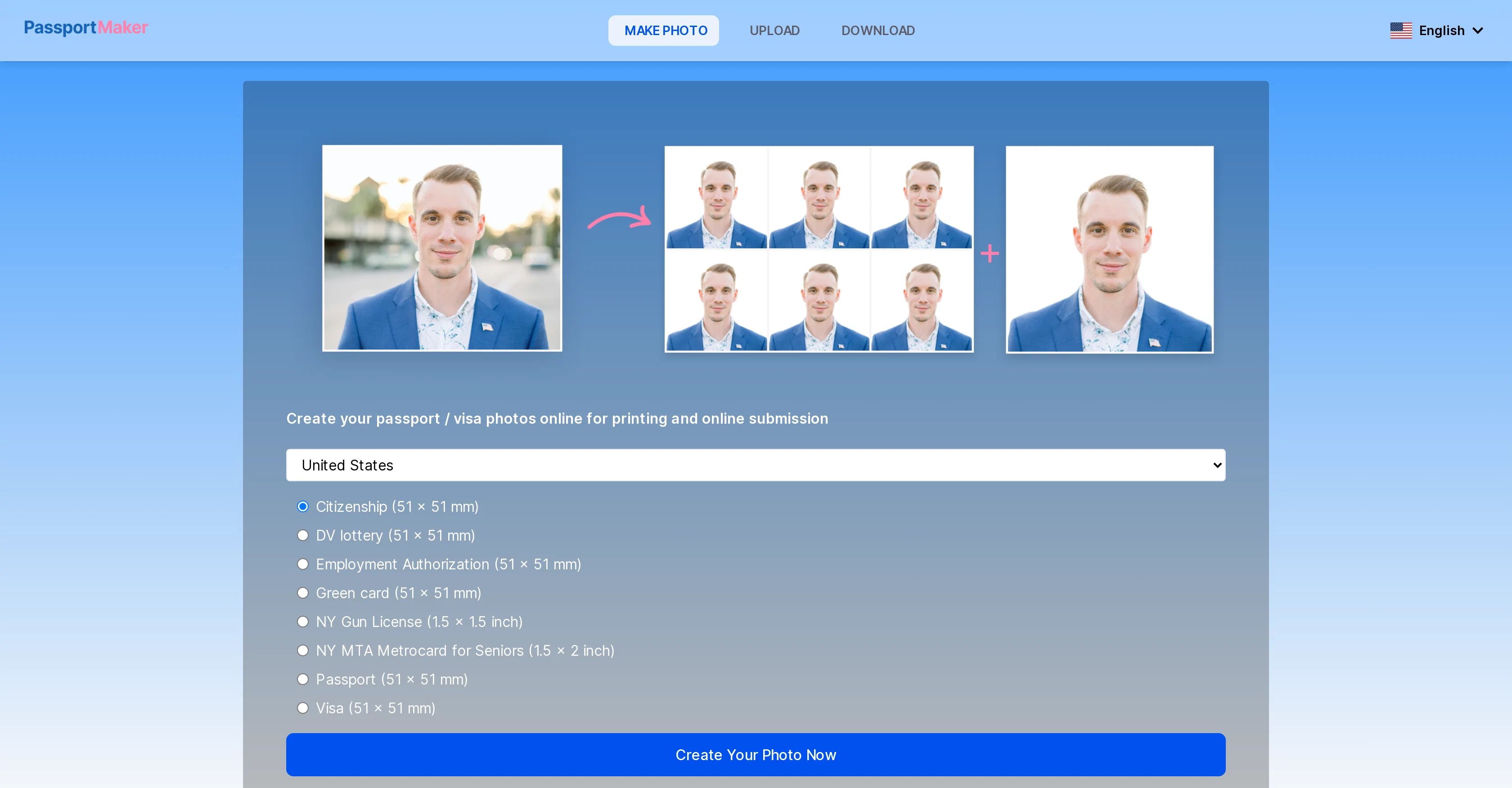
PassportMaker is an online AI-powered tool designed to automate the creation of passport, visa, and ID photos that adhere to government guidelines. It allows users to choose their country and the type of document they need a photo for, ensuring the image meets the defined requirement such as 51x51mm or 40x60mm.
In addition to passport photos, PassportMaker can standardize photos for a range of documents including visas, travel cards, driving licenses, and ID cards.
Users can upload their self-portrait, and the AI tool handles tasks such as background removal, image clarification, and size standardization in line with official guidelines.
Users can further edit the photo background as required and download the passport photo as a single printable file or sheet of multiple images. It's user-friendly on any device.
The tool also ensures data security as it does not require account sign-up and does not save users personal information or photos. PassportMaker also offers a mobile app for iOS and Android for user convenience.
Access & connections
Where you can use PassportMaker.
Capabilities
What this tool accepts, produces, and is strongest at.
Input
- Image
Output
- Image
Pros & cons
Pros
- Supports multiplatform use
- Does not require signup
- Secure data
- iOS and Android apps
- Adheres to government guidelines
- Supports multi-document standardization
- Upload self-portrait functionality
- Automatic image clarification
Show 15 more
- Automatic size standardization
- Editable photo background
- Downloadable printable files or sheets
- Available in multiple languages
- Over 130 country document standards
- Advanced algorithm photo centering
- Automatic photo cropping
- Transparent background feature
- Blue or white background option
- Downloadable HD photos
- Option for photo collage sheets
- Free use
- Quality retention and enhancement
- Complex background handling
- Allows further photo editing
Cons
- Limited image editing features
- Cannot store images
- No accounts for personalisation
- Relies on user quality uploads
- No direct print service
- No user community support
- Mobile app compatibility issues
- Overly simplified interface
Show 2 more
- Limited troubleshooting guidance
- No paid premium options
Compare alternatives
Similar tools in the catalog — with a clear reason to open each one.

AI Passport Photos
FreemiumCreate perfect passport photos instantly with AI
Free + from $5/mo
Full comparison
Leeta
FreemiumPerfectly resizing your ID and passport photos with AI.
Why look Typically cheaper
Full comparison

xPassportPhoto
FreeTransform snapshots into perfect passport photos in seconds.
Why look Fully free option
Full comparison
AID-Photo
PaidCreate compliant passport photos instantly with AI.
Why look Typically cheaper
Full comparisonReleases 1
FAQ 12
How does PassportMaker use AI to create passport photos?
How does PassportMaker handle tasks such as background removal and image clarification?
Can PassportMaker adjust the size of my photo to any specific requirements?
What additional document types besides passports can PassportMaker standardize photos for?
Can I edit my own photo background with PassportMaker?
How do I download the photos created with PassportMaker?
Is PassportMaker user-friendly on mobile devices?
What measures does PassportMaker take to ensure data security?
Does PassportMaker require any personal information or photos to be saved?
Does PassportMaker offer a mobile app for both iOS and Android?
How do I select the country and document type in PassportMaker?
Can PassportMaker handle different sizes of passport photos like 51x51mm or 40x60mm?
Related tools
Recommended

ChatGPT ✓
FreemiumAsk anything, create anything, and move from idea to action.

Photoeditor ✓
PaidEnhanced image editing with object and text removal.

Informly Idea Validator ✓
FreemiumValidate and grow your business idea with AI.

StarterPilot ✓
Free TrialValidate ideas, name your business, create logos, and build websites in minutes

VenturusAI ✓
FreemiumBusiness idea analysis and reporting.

Photo AI ✓
PaidCreate beautiful AI photos and videos of real people