

PageGPT ✓
Your context-aware AI chatbot for effortless browsing.
Free + from $49/yr
Verdict
A quick read before you dig into the full page.
- Best if
- Your context-aware AI chatbot for effortless browsing
- Skip if
- Limited contextual awareness
- Pick this when
- Chrome extension
Considering TheLibrarian.io instead? Compare side by side
Overview
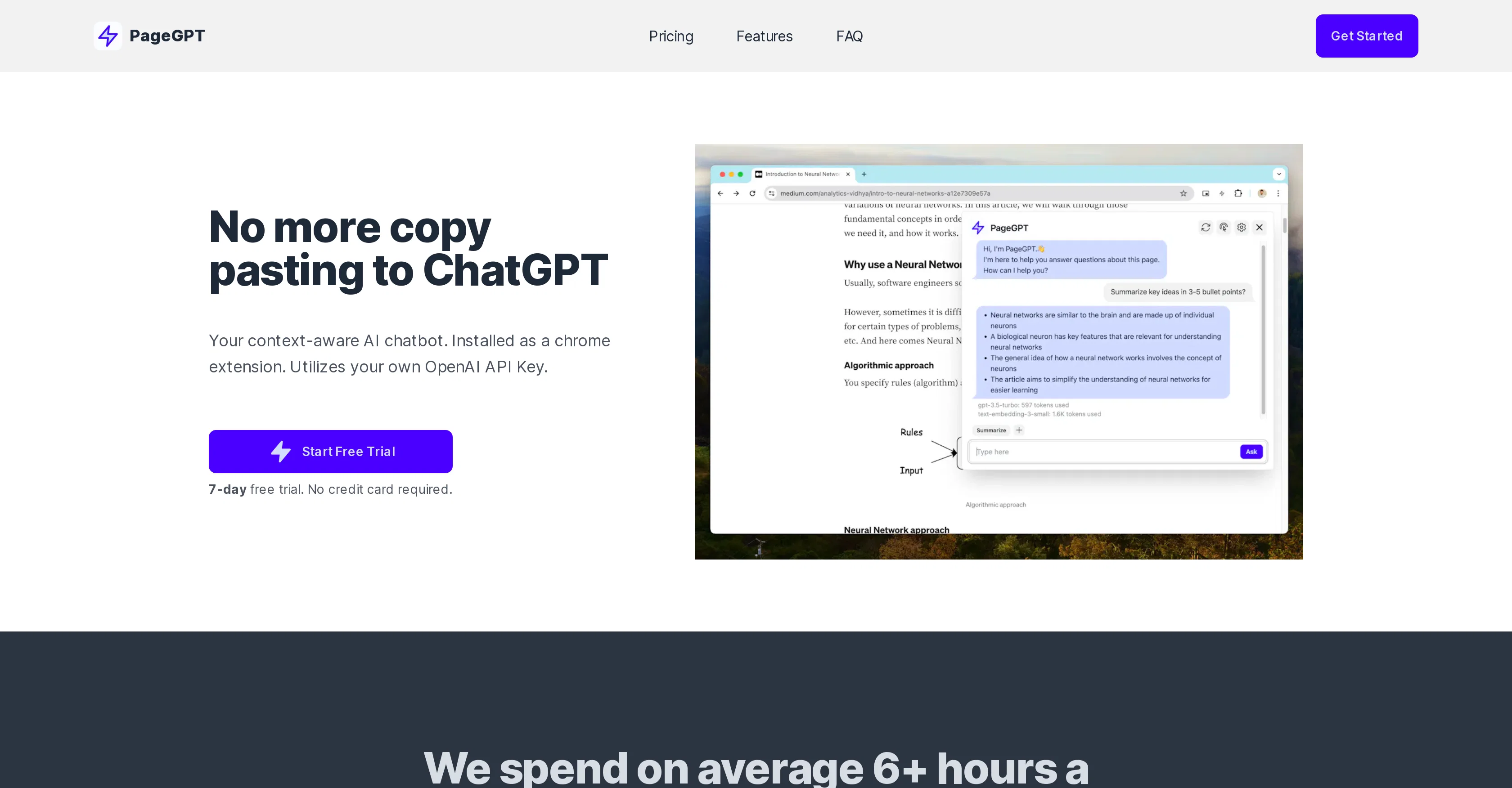
PageGPT is an AI chatbot equipped with a heightened degree of context-awareness. Installed as a Chrome extension, this bot taps into the context of the webpage you are currently viewing to enhance its usefulness and relevance.
Unlike traditional chatbots that often need users to provide extensive context, PageGPT requires less effort from the user, making browsing and information gathering more seamless.
Further, PageGPT introduces a distinctive feature of Saved Prompts, allowing users to easily save and reuse frequently used messages. As a tool with a strong emphasis on privacy, PageGPT doesn't store your conversations, instead it uses the OpenAI API directly to generate responses.
Importantly, the data passed to the OpenAI API is deleted after 30 days and not used for model training unless users opt-in. The tool is positioned for a wide range of users, including students, professionals, researchers, and those curious to leverage AI for improved productivity.
The user needs their own OpenAI API key to operate PageGPT and must sign up on the OpenAI platform to obtain this key.
Access & connections
Where you can use PageGPT, and what it plugs into.
Platforms
Integrations
Capabilities
What this tool accepts, produces, and is strongest at.
Input
- API
- Text
Output
- API
- Text
Supported features
- Crawling & Scrapping
Pros & cons
Pros
- Chrome extension
- Context aware
- Requires less user input
- Saved Prompts feature
- Doesn't store conversations
- Data deleted after 30 days
- Option to opt-in for data usage
- Wide range of user suitability
Show 18 more
- Effortless conversations
- Seamless browsing integration
- Privacy first approach
- Secure and confidential
- Ideal for students, researchers, professionals
- Unlimited chats
- One-time payment options
- 7-day free trial
- No context-switching needed
- Reduced information overload
- Contextual understanding of page
- Endless possibilities of usage
- Optimized for productivity
- Drafting email responses
- Research assistance
- Streamlined conversations
- Not subscription based
- No credit card required for trial
Cons
- Chrome extension only
- Data retained 30 days
- Limited contextual awareness
- Dependent on web page
- Potential data privacy issues
- Only allows text interaction
- Doesn't support other LLM providers
- No refund policy
Compare alternatives
Similar tools in the catalog — with a clear reason to open each one.

TheLibrarian.io ✓
Free TrialYour WhatsApp AI assistant for instant productivity.
Why look Typically cheaper
Full comparison
Supernormal App ✓
FreemiumThe AI assistant app that turns meetings into completed work
Why look Typically cheaper
Full comparison
Saidar ✓
FreemiumYour AI Secretary for Admin Tasks, now on SMS
Why look Typically cheaper
Full comparison
MiroAI ✓
FreemiumUnlock creative power with AI-driven collaboration.
Why look Typically cheaper
Full comparison
Collate ✓
FreeUnlimited free and private summaries and chat with PDF
Why look Fully free option
Full comparison
Releases 1
FAQ 12
What is PageGPT?
How does PageGPT achieve context-awareness?
How is PageGPT different from traditional chatbots?
What are Saved Prompts in PageGPT?
How does PageGPT ensure data privacy?
What is the data storage policy of PageGPT?
Who can use PageGPT?
What do I need to operate PageGPT?
Where can I get an OpenAI API key for using PageGPT?
How is PageGPT installed on a browser?
Can I use PageGPT on browsers other than Chrome?
Is the data passed to the OpenAI API used for model training?
Related tools
Recommended

AFFiNE AI ✓
FreemiumThe universal editor for work, play, and creation.

Beeyond AI ✓
Free TrialBeeyond AI: Unlock 50+ AI tools under one subscription

Automateed ✓
Free TrialCreate eBooks effortlessly with Automateed, the AI-powered writing tool.

Limecube ✓
FreemiumTransforming the way websites are created with AI.

Odyssey ✓
Free TrialRun, build, and share AI-powered workflows

GPTExcel ✓
FreemiumGenerate spreadsheet formulas with AI