

Nyckel ✓
Lightning fast machine learning for developers
Free + from $149/mo
Verdict
A quick read before you dig into the full page.
- Best if
- Lightning fast machine learning for developers
- Skip if
- Possibly costly for heavy usage
- Pick this when
- Lightning-fast machine learning
Considering Grapha AI instead? Compare side by side
Overview
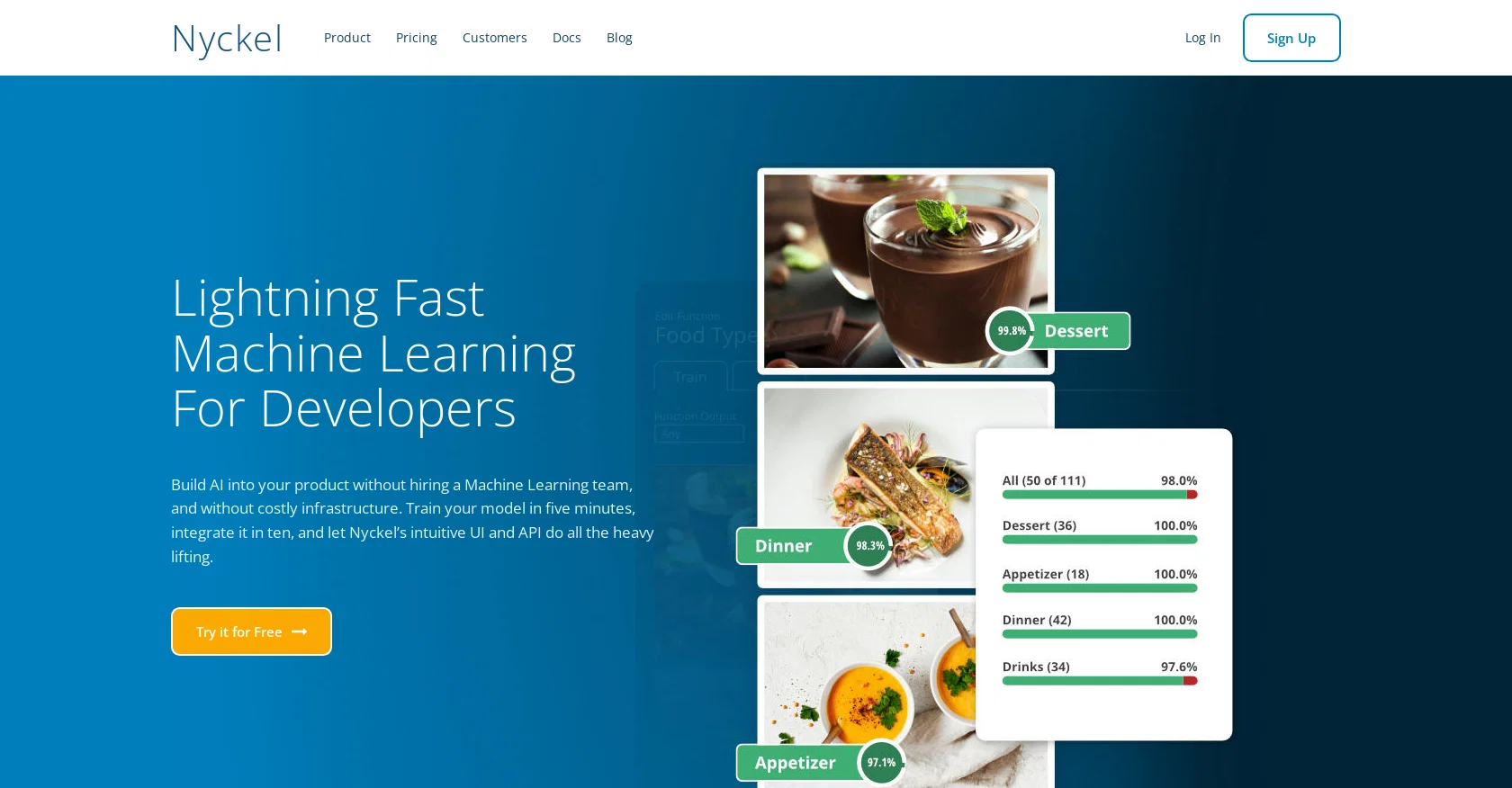
Nyckel is a Machine Learning API that provides developers with lightning-fast machine learning capabilities for computer vision, natural language processing, and tabular data.
With Nyckel, developers can easily build AI into their products without the need to hire a dedicated machine learning team or invest in costly infrastructure.The tool offers various function types for both input and output data.
For input data, developers can use image, text, or tabular data, while for output data, they can choose to classify, tag, search, detect objects, perform optical character recognition (OCR), or localize and detect objects in images.Nyckel's API-first design allows for seamless integration into applications and ensures fast and secure communication.
The tool also provides an integrated data engine that facilitates data annotation, inspection, and mining within the machine learning workflow.One of the key features of Nyckel is its deep learning capability, which automatically trains and evaluates deep learning models on user data in seconds.
The models can be deployed immediately with high uptime and low latency, allowing developers to scale to millions of invokes from day one.Nyckel offers an easy-to-use UI for model training and evaluation, and users can also access the API directly for more advanced functionality.
The tool provides free evaluation options, including open sign-ups, an always-free tier, and a one-month free trial at the enterprise level, with no data lock-in.Overall, Nyckel helps developers leverage the power of machine learning without the complexity, allowing them to focus on their data and problem-solving.
Access & connections
Where you can use Nyckel.
Platforms
Capabilities
What this tool accepts, produces, and is strongest at.
Input
- API
- Tabular
- Image
- Text
Output
- Tabular
- API
- Text
- Image
Supported features
- Data Analysis
- Fine-tuning
Pros & cons
Pros
- Lightning-fast machine learning
- Multiple input data types
- Multiple output data functions
- Object detection in images
- OCR capabilities
- API-first design
- Integrated data engine
- Deep learning capacity
Show 44 more
- Fast model training and deployment
- High uptime and low latency
- Free evaluation options
- No data lock-in
- Variety of function types
- Image, text, tabular data handling
- Classify, tag, search output options
- Data annotation, inspection, mining
- Seamless application integration
- UI for model training
- Advanced API functionality
- Model ready in seconds
- Scales to millions of invocations
- Automated and parallelized AutoML
- Data focus
- Text classification and tagging
- Image classification and tagging
- Tabular classification and tagging
- Image detection and localization
- Tabular data handling
- Model evaluative options
- Immediate model deployment
- Latency of 300ms
- Integrated annotation, inspection, mining
- Lightning Fast Machine Learning
- Model training in minutes
- Faster moderation time
- Better auto moderation coverage
- Integrated Machine Learning service
- Quicker content release
- Increase in Ad revenue
- Allows cross-modal semantic search
- Intuitive UI and API
- Free model training
- Single Sign-On for Enterprise
- Supports billions of invocations
- Can scale to Thousands of labels
- Supports millions of samples
- Functionality for Computer Vision
- Natural Language Processing function
- Tabular data processing function
- Automated model integration
- Flexibility through API
- Developer friendly
Cons
- Limited function types
- Undefined accuracy parameters
- Minimum spend for production
- Latency in specific scenarios
- Possibly costly for heavy usage
- Complex for non-technical users
- Limited model export options
- Requires hefty data for training
Show 2 more
- Potential constraints on scale
- Limited enterprise-level support
Compare alternatives
Similar tools in the catalog — with a clear reason to open each one.

Grapha AI ✓
PaidUncover hidden trends and patterns in your data effortlessly.
from $150
Full comparison
DataSquirrel ✓
FreemiumData cleaning & visualization for insights gained.
Why look Typically cheaper
Full comparison
Breadcrumb ✓
FreemiumAutomate data work and reporting with AI Agents. No data|coding skills required.
Why look Typically cheaper
Full comparison
Anomaly AI ✓
FreemiumAI data analysis workspace for business datasets and reports.
Why look Typically cheaper
Full comparison

ChartPixel ✓
FreemiumAI-assisted graphs and insights in 30 seconds!
Why look Typically cheaper
Full comparisonReleases 1
FAQ 12
What is Nyckel?
What kind of data can I use as input with Nyckel?
What types of output options do I have in Nyckel?
What types of processing can Nyckel perform on input data?
What are the primary features of Nyckel's API-first design?
What is the integrated data engine in Nyckel?
How is deep learning implemented in Nyckel?
What unique benefits does Nyckel offer for developers?
How can I integrate Nyckel into my application?
What kind of user interface does Nyckel have?
Are there any free evaluation options for Nyckel?
What kind of pricing tiers does Nyckel offer?
Related tools
Recommended

WatsonX.data by IBM ✓
Free TrialScale AI workloads for all your data, anywhere.

Quantum Boost ✓
FreemiumAI-powered formulation for faster product breakthroughs

COHEZION ✓
Free TrialUnleash community data for game development

Hal9 ✓
FreemiumBuild your AI-Powered Product in 30 Days

Research Studio ✓
Free Trial10x speed for your UX research analysis

Julius ✓
Free TrialData analysis and visualization solution.