Notion Mail ✓
Email that works for you
Free + from $10/mo
Verdict
A quick read before you dig into the full page.
- Best if
- Email that works for you
- Skip if
- Limited languages supported
- Pick this when
- Personalized user experience
Considering Ayari instead? Compare side by side
Overview
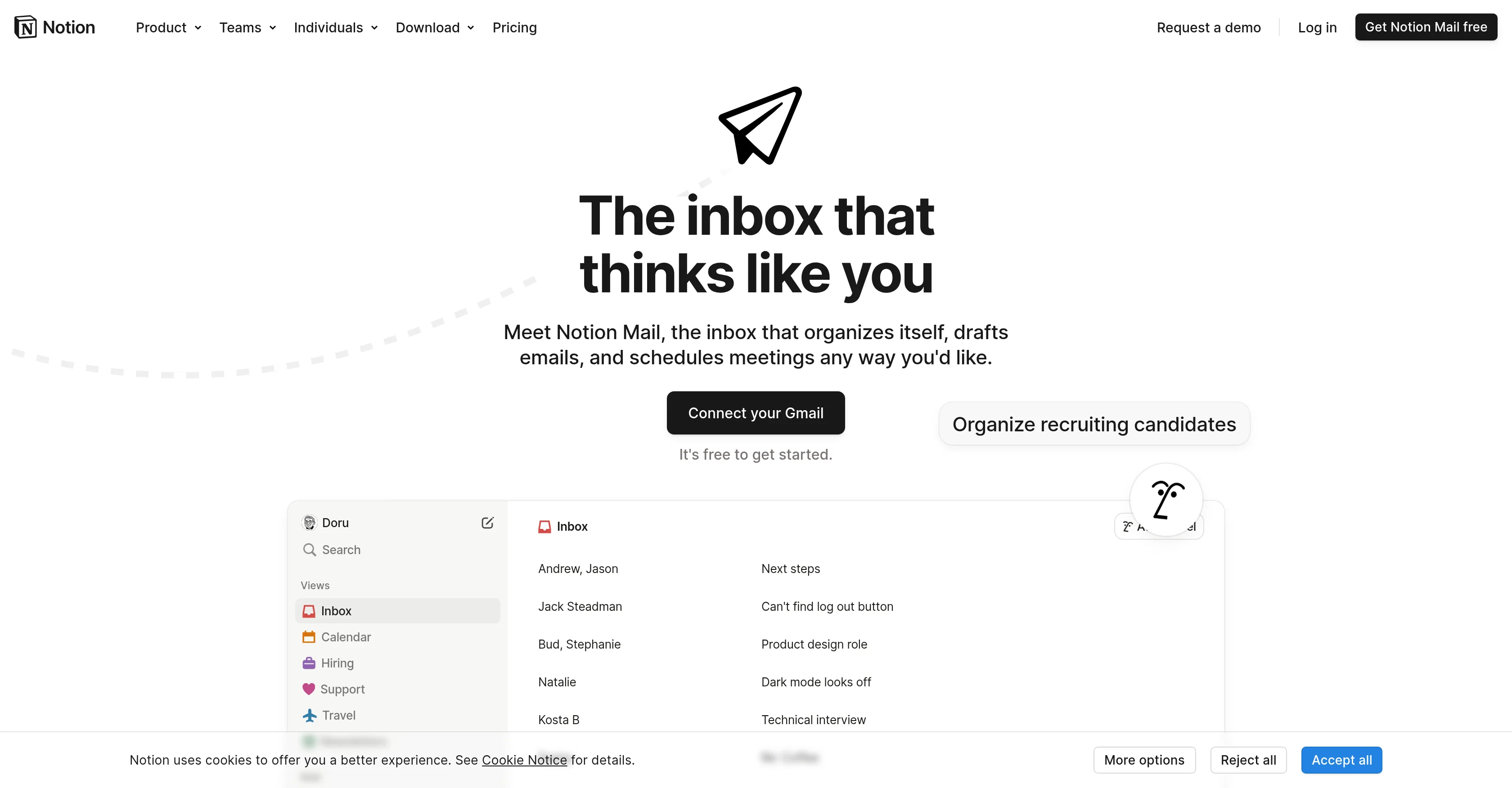
Notion Mail is an innovative email management tool designed to simplify your digital communication. Intended to provide a personalized and aesthetically pleasing user experience, the tool offers various features such as an integrated AI assistant, ability to create docs, centralized wikis, project management, and a calendar for better time management.The AI assistant aids in organizing the inbox, drafting emails, and scheduling meetings.
The tool allows for automatic labeling and sorting of emails, helping users filter out less important emails and prioritize their communications. This system can be customized to the user's work style, facilitating the organization of recruiting candidates, grouping support tickets, and filtering out cold emails.
Notion Mail can create custom views for the user's inbox based on focus areas. Emails can be grouped and filtered by topic, sender, or label, all while understanding what types of email are important to the user.
It also offers quick reply options with AI-improved writing, and built-in scheduling for effective time management. The tool integrates seamlessly with Gmail, making it a suitable choice for individuals and teams in various domains, including product management, engineering, design, marketing and more.
This tool simplifies email management, contributing to increased productivity and efficiency in handling digital correspondence.
Access & connections
Where you can use Notion Mail, and what it plugs into.
Platforms
Capabilities
What this tool accepts, produces, and is strongest at.
Input
- Tabular
- Text
Output
- Tabular
- Text
Supported features
Pros & cons
Pros
- Personalized user experience
- Creates docs
- Centralized wikis
- Project management feature
- Calendar for time management
- Automatic labeling of emails
- Customizable system
- Allows email grouping
Show 44 more
- Built-in scheduling
- Seamless Gmail integration
- Facilitates recruitment organization
- Groups support tickets
- Filters cold emails
- Custom inbox views
- Emails filterable by topic
- Emails filterable by sender
- Emails filterable by label
- Focus area specific views
- Designed for various domains
- Suitable for teamwork
- Designed to increase productivity
- Improves email efficiency
- Wikis for knowledge centralization
- Physical document creation
- Project management tools integration
- Integrates with design tools
- Integrates with marketing tools
- Integrates with engineering tools
- Integrates with product management tools
- Custom system for work style
- Can publish content fast
- Captures responses and requests
- Easily integrates with other tools
- Customizable for various teams
- Useful for startups
- Enterprise friendly
- Customizable for individuals
- Allows email drafting
- Meeting scheduling feature
- Available on browser
- Designed for personal use
- Helpful for students
- Beneficial for teachers
- Advantageous for creators
- Free to get started
- Automatically organizes emails
- Quick mail reply
- Email templates creation
- Offline availability
- iOS app coming soon
- GDPR & CCPA compliant
- HIPAA and SOC 2 certified
Cons
- Only integrates with Gmail
- Customization may be overwhelming
- No unified inbox for multiple accounts
- Limited languages supported
- Mobile application availability delayed
- Offline availability unclear
- Data security details not comprehensive
- No specific anti-spam features
Compare alternatives
Similar tools in the catalog — with a clear reason to open each one.

Ayari ✓
Free TrialConversational AI for email and calendar management.
Free + from $12.99/mo
Full comparison
HeyHelp ✓
Free TrialAI Email Assistant in Gmail that saves you 1 hour each day.
Free + from $12/mo
Full comparison
Eloquens AI ✓
Free TrialAI email assistant that never sleeps.
Why look Higher community rating
Full comparison
Pullsy ✓
Free TrialYour inbox, organized. Your replies drafted.
Why look Higher community rating
Full comparison
MailSweeper ✓
PaidReclaim your inbox with AI-powered email cleanup.
Why look Higher community rating
Full comparisonReleases 1
FAQ 12
What specific features does Notion Mail offer?
How does Notion Mail's AI assistant work in managing my emails?
Can I customize Notion Mail to fit my work style?
How does Notion Mail's automatic labeling and sorting of emails work?
In what ways can I group and filter my emails in Notion Mail?
Does Notion Mail support quick reply options and how does AI improve the writing?
Can Notion Mail integrate with Gmail?
Can Notion Mail help increase my productivity and efficiency in handling digital correspondence?
How does Notion Mail support document creation?
Can I manage multiple projects with Notion Mail?
Does Notion Mail have a built-in calendar for better time management?
Can Notion Mail be used for different teams in varied domains?
Related tools
Recommended

Kin - Personal AI Advisors ✓
FreePrivacy-first & designed your for mind, and life at work

remio: Your Personal ChatGPT ✓
FreemiumGet Tailored Answer with Your Personal ChatGPT

GPTExcel ✓
FreemiumGenerate spreadsheet formulas with AI

Aiter.io | Paste a URL. Ship a Campaign That Sounds L... ✓
FreemiumAI marketing that sounds like you, not everyone else.

Notis ✓
Free TrialThe first WhatsApp assistant that runs on your ChatGPT and Claude subscriptions

APOB ✓
FreemiumEarn money by creating your own personalized AI influencer.