

MyPicNow ✓
Best AI Headshot Generator
from $16/mo
Verdict
A quick read before you dig into the full page.
- Best if
- Best AI Headshot Generator
- Skip if
- Expensive plans
- Pick this when
- Generates realistic photos
Considering PhotoGuruAI instead? Compare side by side
Overview
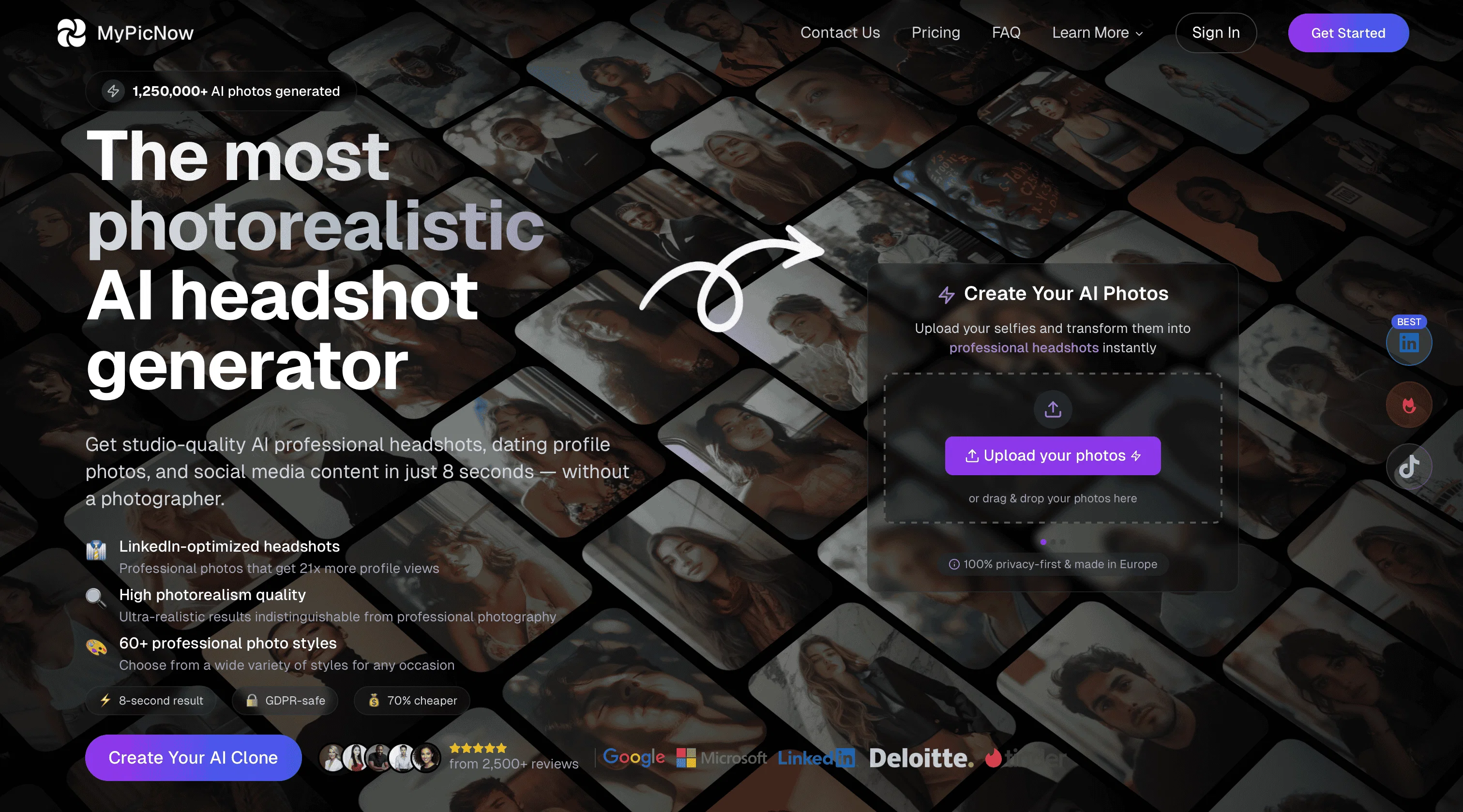
All you need to get started is to upload 10-15 photos of yourself and our AI learns your features and style, which can then allow you to create photos in any scenario, outfit, or expression. At your option, photo templates will appear, along with custom prompts to inspire you what to create next.
Best for
Short scenarios where MyPicNow tends to shine.
-
Best AI Headshot Generator
Example outputs 1
Sample generations and before/after results for MyPicNow.
Access & connections
Where you can use MyPicNow.
Platforms
Capabilities
What this tool accepts, produces, and is strongest at.
Input
- Image
- Text
- Video
Output
- Video
- Text
- Image
Pros & cons
Pros
- Generates realistic photos
- Suitable for professional platforms
- Photo adaptations for diverse scenes
- Delivers high accuracy
- Produces high-quality images
- Consistent results
- Practical applications benefit
- Aids job application success
Show 24 more
- Improve LinkedIn Profile
- For dating Profile improvement
- Photorealistic images
- High accuracy portraits
- Transform blurry into sharp photos
- Turns photos into videos
- Preserves facial features
- Select styles and backgrounds
- High quality outcome guarantee
- Personalized user experience
- Photo quality checking
- Supports different angles
- Studio-quality portfolio
- Diverse photo styles
- Consistent authentic looks
- Qualifies images
- Multiple plans offered
- Secure SSL protected
- Photo pack compatibility
- Photo upscaling
- Quality enhancements
- Option for parallel photos
- Magic photo editor
- Prompt writing
Cons
- Limited scene options
- Quality varies
- Waiting time for results
- Expensive plans
- Limited photo uploads
- Cannot edit previous models
- No simultaneous photo processing
- Advanced features are paid
Show 2 more
- Limited free service
- Can't handle large datasets
Compare alternatives
Similar tools in the catalog — with a clear reason to open each one.

PhotoGuruAI ✓
PaidCreate professional AI headshots in seconds
Why look Typically cheaper
Full comparison
BetterPic | AI Headshots ✓
PaidStudio-quality (4K) portfolio, from $35 in under 60 minutes
Why look Higher community rating
Full comparison
AI Headshots ✓
PaidTransform selfies into professional headshots instantly.
from $19.99
Full comparison
Eltima AI Headshot Generator ✓
Free TrialGenerate professional headshots with AI templates.
Why look Typically cheaper
Full comparisonPeople also view
Tools that often show up alongside MyPicNow in collections and comparisons.
AI Headshots ✓
PaidTransform selfies into professional headshots instantly.
PhotoGuruAI ✓
PaidCreate professional AI headshots in seconds

PhotoFuse ✓
PaidAI photographer in your pocket

Headshotpro ✓
PaidAI-generated professional headshots in minutes.
Eltima AI Headshot Generator ✓
Free TrialGenerate professional headshots with AI templates.
BetterPic | AI Headshots ✓
PaidStudio-quality (4K) portfolio, from $35 in under 60 minutes

Multiverse AI ✓
PaidTransform selfies into professional AI headshots

Anyvids ✓
FreemiumAny idea to video, made simple.
Releases 1
Imported reviews 12
Very easy to use AI generated hopefully it will develop rapidly and be successful
Website looks really good and I liked the results that the AI generated
Tool looks fantastic! The onboarding process was intuitive and I liked the results.
Received some nice AI headshots for my website and social media
Better than a lot of AI headshot tools out there. I received some realistic images for my LinkedIn page and the generation process was fun to play around with.
Used their service and photos came out super realistic. Totally happy with the results!
The Ideas section is now available in MyPicNow Studio 📸 Pick a look, tap “Use This Prompt,” and our AI places you right into the scene - zero typing, instant wow. Try the Paris street shot, a cosy villa lounge, or anything else that grabs you. Watch our quick demo video where we present it and dive in 🚀
Great AI tool to use and easy
Photos turned out super realistic. Really liked the new ideas section in the Studio if you need inspiration what to create
Very useful, going to use the tool for some of my clients
Easy process. Photos turned out super realistic - only thing I would improve is to provide more prompt ideas and styles to choose from
Good quality photos and easy to use
FAQ 12
What is MyPicNow?
How does MyPicNow create realistic images?
Can MyPicNow create pictures in different settings?
How accurate are the portraits created by MyPicNow?
Why is image quality significant in MyPicNow’s functionality?
Does MyPicNow assist in job applications?
Can I improve my LinkedIn profile using MyPicNow?
What kind of images can MyPicNow generate for dating profiles?
How does MyPicNow assure user experience quality?
Is MyPicNow used for professional photography?
Can MyPicNow edit my existing photographs?
What is the role of AI in MyPicNow?
Related tools
Recommended

freebeat AI ✓
FreemiumTurn Music & Ideas into Viral Videos In One Click

Midjourney ✓
PaidExpand human imagination through AI-powered visuals.

Suno ✓
FreemiumMake music at the speed of your ideas.

Headshot Photo ✓
PaidGet Realistic, Natural-Looking AI-Generated Professional Headshots in 2 Hours.

ChatGPT ✓
FreemiumAsk anything, create anything, and move from idea to action.

TheLibrarian.io ✓
Free TrialYour WhatsApp AI assistant for instant productivity.