

Professional avatars v2.0
PhotoFuse ✓
AI photographer in your pocket
from $9
Verdict
A quick read before you dig into the full page.
- Best if
- AI photographer in your pocket
- Skip if
- Expensive pay-as-you-go option
- Pick this when
- Transforms images into characters
Considering MyPicNow instead? Compare side by side
Overview

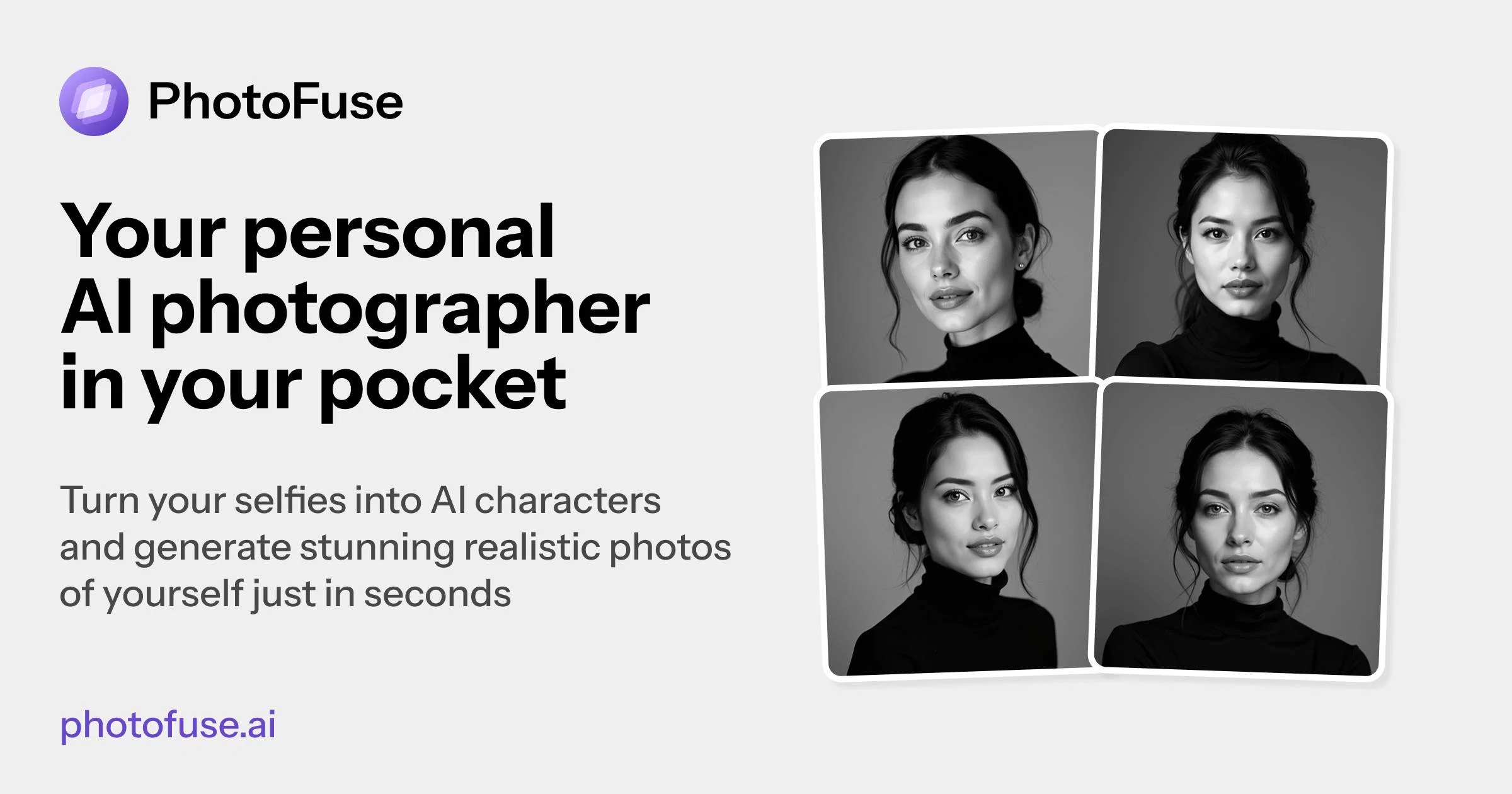
PhotoFuse AI is an artificial intelligence-based tool designed to transform personal images into realistic AI-interactive characters. This product focuses on providing a simple yet sophisticated way of creating professional headshots and character-based scenes without the need for advanced photography skills.
Users start by uploading a series of photos, which the tool then transforms into an AI character. Following this, the user can customize their AI character using a variety of templates and manually designed scenes within the intuitive user interface.
The platform supports easy generation and sharing of finalised images. PhotoFuse also offers a unique feature to enable users to craft headshots that reflect their personalities.
Here, they can select from various backgrounds, expressions, outfits, and accessories that best suit their style and professional needs. The generated headshots can be readily used across professional platforms such as LinkedIn or CVs.
Furthermore, PhotoFuse provides options for clothing and accessories, as well as customizing facial expressions, all through AI. It caters to the needs of a range of users with flexible pricing plans, providing users with various subscription and pay as you go options.
- Ai Headshots
- Ai Photoshoots
- Ai Image Generator
- Text To Image Generation
- Train Model
- Ai Avatar Generator
Best for
Short scenarios where PhotoFuse tends to shine.
-
AI photographer in your pocket
Example outputs 1
Sample generations and before/after results for PhotoFuse.
Access & connections
Where you can use PhotoFuse, and what it plugs into.
Platforms
Integrations
Capabilities
What this tool accepts, produces, and is strongest at.
Input
- Image
- Text
Output
- Image
Highlights
- Use code TAAFT
- 10% OFF
Pros & cons
Pros
- Transforms images into characters
- Creates professional headshots
- Variety of templates provided
- Offers scene manual design
- Intuitive user interface
- Easy generation of images
- Effortless image sharing
- Personalizes headshots
Show 33 more
- Multiple background options
- Expression customization
- Outfit and accessories selection
- Ideal for LinkedIn/CVs
- Various pricing plans
- Subscription and pay-as-you-go options
- No advanced photography skills required
- Variety of expression presets
- Interactive characters for professional use
- Personal branding features
- Easy instructions for best results
- 1-4 image variations
- Adjustable selections pre-finalizing
- Choice of professional backgrounds
- Clothing choices for different occasions
- Accessory customization
- Pre-made templates for easy selection
- Unlimited parallel generations (specific plans)
- Top-up credits on demand
- Commercial rights provided
- Perfect for portfolios
- Capable of emotion matching
- No wardrobe changes needed
- Can replicate gallery photos
- Ease of use
- Generates stunning realistic photos
- Curated gallery of photos
- Testimonials available for credibility
- Multiple subscription plans
- Pay-as-you-go pricing
- Option for monthly/yearly subscription
- Recurring billing system
- Unlimited photo storage history (specific plans)
Cons
- Requires multiple photo uploads
- Lacks mobile application
- Limited template choices
- Limited wardrobe options
- Requires recurring subscriptions
- Expensive pay-as-you-go option
- Charges for image generation
- No option for single photo upload
Show 2 more
- Limited range of accessories
- Dependent on photo quality
Compare alternatives
Similar tools in the catalog — with a clear reason to open each one.

BetterPic | AI Headshots ✓
PaidStudio-quality (4K) portfolio, from $35 in under 60 minutes
Why look Higher community rating
Full comparison
AI Headshots ✓
PaidTransform selfies into professional headshots instantly.
from $19.99
Full comparison
Eltima AI Headshot Generator ✓
Free TrialGenerate professional headshots with AI templates.
Why look Typically cheaper
Full comparisonPeople also view
Tools that often show up alongside PhotoFuse in collections and comparisons.
AI Headshots ✓
PaidTransform selfies into professional headshots instantly.
V30 ✓
FreemiumAI-powered content strategy to convert followers into revenue.

Lyter ✓
Free TrialAutomate LinkedIn posts with personalized AI content.

LinkedIn Carousel Generator by 2PR ✓
FreeTurn tweets into LinkedIn carousels instantly.

LigoSocial ✓
Free TrialGet authentic LinkedIn posts, comments and advanced analytics.
Cclarity ✓
Free TrialYour authentic LinkedIn voice meets intelligent lead generation

PhotoGuruAI ✓
PaidCreate professional AI headshots in seconds

MyPicNow ✓
PaidBest AI Headshot Generator
Releases 2
- Additional clothing options
- Additional accessories options
- Additional templates
- Faster image generations
Imported reviews 2
I have used for a while and I had a blast creating myself in all kinds of different places, shapes and weird situations. Yes you can use it to create professional pictures for your CV and political career but where's the fun in that?
I have just generated a few photos for my LinkedIn profile and all I have to say is that I loved the whole process and the user interface. I also installed it on my mobile and I am just playing around by generating some more photos for fun. Great tool, I am a fan!
FAQ 12
What is PhotoFuse AI?
How does PhotoFuse AI transform personal images into AI characters?
What kind of photos can I upload to PhotoFuse AI?
Can I customize my AI character on PhotoFuse AI?
What templates and scenes does PhotoFuse AI offer for character customization?
How does sharing of images work on PhotoFuse?
What features does PhotoFuse AI offer for creating professional headshots?
Can I select backgrounds, expressions, outfits, and accessories on PhotoFuse AI?
How can I use the headshots generated by PhotoFuse AI?
What options does PhotoFuse AI provide for customizing facial expressions?
What kind of subscription and pay as you go options does PhotoFuse AI have?
How does the AI photographer in PhotoFuse AI work?
Related tools
Recommended

remio: Your Personal ChatGPT ✓
FreemiumGet Tailored Answer with Your Personal ChatGPT

Automateed ✓
Free TrialCreate eBooks effortlessly with Automateed, the AI-powered writing tool.

Notis ✓
Free TrialThe first WhatsApp assistant that runs on your ChatGPT and Claude subscriptions

freebeat AI ✓
FreemiumTurn Music & Ideas into Viral Videos In One Click

DeepSeek ✓
FreeUnravel the mystery of AGI with curiosity

ChatGPT ✓
FreemiumAsk anything, create anything, and move from idea to action.