

Task automation 2026 Rank: #461
My Computer by Manus ✓
AI that manages your computer and automates workflows.
Verdict
A quick read before you dig into the full page.
- Best if
- You are professionals and need: Assisting with various tasks in work and life
- Skip if
- Limited platform integration
- Pick this when
- Streamlines workflows
Considering SureThing.io - "OpenClaw" for Beginners instead? Compare side by side
Overview
Manus is an AI-assisted desktop tool designed to streamline workflows and optimize computer resource usage. It does this through various local and cross-device functionalities.
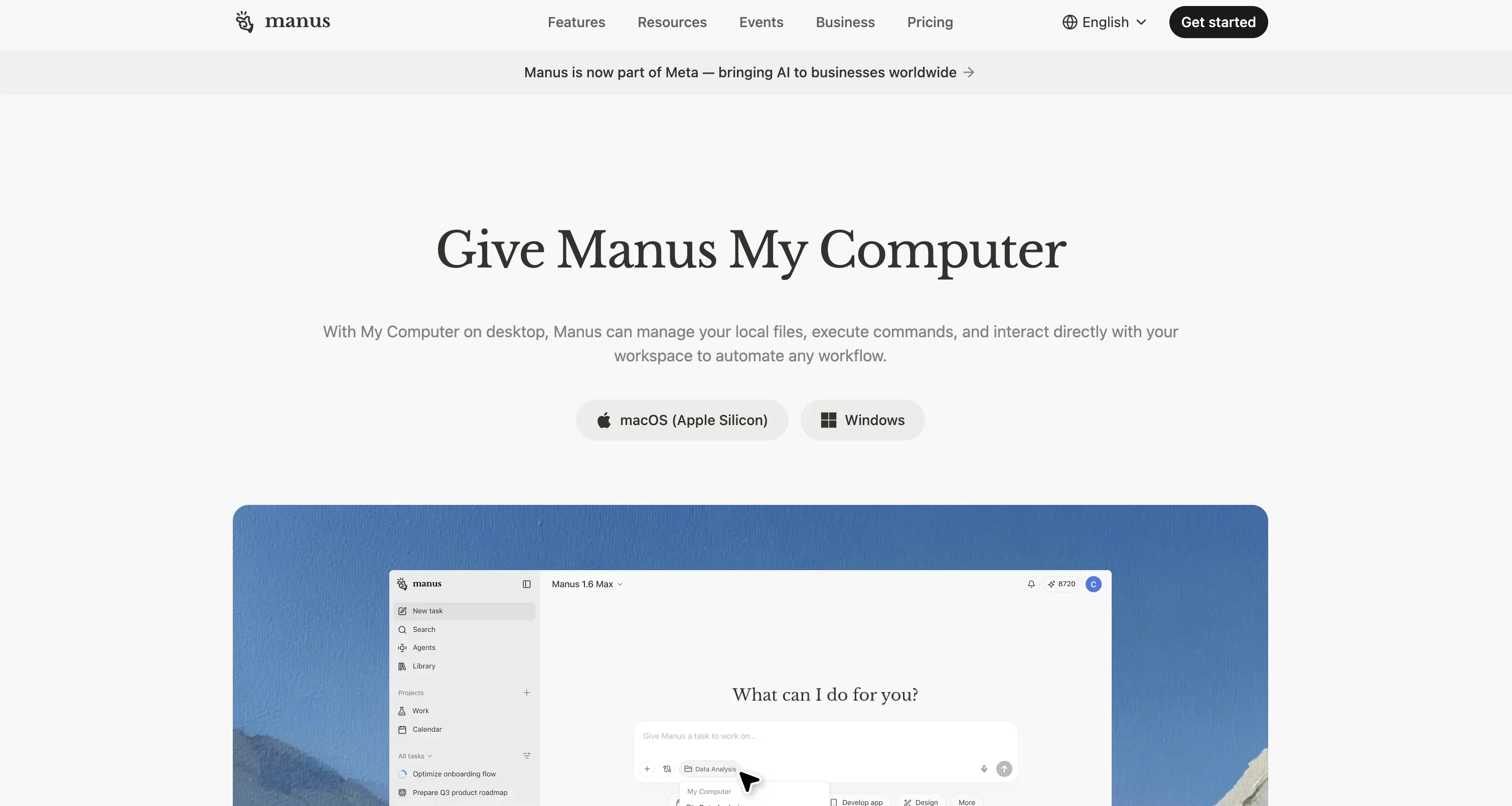
Utilizing the 'My Computer' feature on the desktop, Manus can manage your local files, implement commands, and engage directly with your workspace. This provides the ability to automate an assortment of workflows, contributing to increased productivity.
One of its key features is its intelligence to systematically organize, rename, and tag your files. By doing this, it promotes a structured and user-friendly file system, making files straightforward to locate.
In addition, Manus is designed to operate seamlessly across multiple devices, understanding your progress and continuing tasks wherever you are. This provides continuity and flexibility for task execution across different platforms.
Another significant aspect of Manus is its capability to run tasks in the background. This means it makes full use of available compute power, ensuring your computer resources are effectively used.
Manus is not just bound to desktop but also integrates with other platforms such as Slack, enhancing its functionality and interoperability. As part of Meta, Manus aims at bringing the benefits of AI to businesses worldwide.
Best for
Short scenarios where My Computer by Manus tends to shine.
-
Assisting with various tasks in work and life.
Best for Professionals
Example outputs 1
Sample generations and before/after results for My Computer by Manus.
Access & connections
Where you can use My Computer by Manus, and what it plugs into.
Platforms
Integrations
Capabilities
What this tool accepts, produces, and is strongest at.
Input
- API
- Text
Output
- API
- Text
Supported features
- Automation
Pros & cons
Pros
- Streamlines workflows
- Optimizes computer resources
- Local and cross-device functionalities
- Automates various workflows
- Systematic file organization
- File renaming and tagging
- Seamless multi-device operation
- Task continuity across platforms
Show 21 more
- Runs tasks in background
- Effective use of resources
- Integrates with Slack
- Promotes business efficiency
- Interactive desktop tool
- User-friendly file system
- Structured workspace management
- Productivity enhancement
- Resource optimization
- Background processing functionality
- Increased task flexibility
- Improved file accessibility
- Automated command implementation
- Managed local files
- Progress understanding
- Unlock idle resources
- Cross-platform interoperability
- Part of Meta
- Direct workspace engagement
- Promotes structured file system
- Global accessibility
Cons
- No Android support
- Limited platform integration
- Could overuse resources
- Potential for workflow disruption
- No specified data security
- Lack of customization options
- No clear offline functionality
- Not open-source
Show 2 more
- Might automatically alter files
- No multi-language support
Compare alternatives
Similar tools in the catalog — with a clear reason to open each one.

SureThing.io - "OpenClaw" for Beginners ✓
FreemiumFirst General AI Agency. Designed for long-horizon tasks.
Why look Offers a public API
Full comparison
Raccoon AI ✓
FreemiumThe AI Coworker for Apps, Research, Docs & Everything Else
Why look Offers a public API
Full comparison
Autopilots by Athena AI ✓
Free TrialAutonomous AI agents that execute tasks for you.
Why look Typically cheaper
Full comparisonPeople also view
Tools that often show up alongside My Computer by Manus in collections and comparisons.

Tendem ✓
PaidAI + Human Agent to get tasks done
SureThing.io - "OpenClaw" for Beginners ✓
FreemiumFirst General AI Agency. Designed for long-horizon tasks.
Raccoon AI ✓
FreemiumThe AI Coworker for Apps, Research, Docs & Everything Else

Manus ✓
FreemiumTurn your thoughts into actions with AI
Autopilots by Athena AI ✓
Free TrialAutonomous AI agents that execute tasks for you.

Adapt ✓
PaidThe AI-native Way to Work | Company Brain | Universal AI agent

1-Click OpenClaw | Hostinger ✓
PaidYour 24/7 AI assistant with 1-click setup.

Filently ✓
Free TrialAI filing layer for your existing Google Drive
Releases 1
FAQ 12
What is Manus?
How does Manus streamline workflows?
What tasks can Manus automate?
Does Manus work across multiple devices?
What is the 'My Computer' feature of Manus?
How does Manus assist in file management?
What functions does Manus perform in the background?
How does Manus effect resource optimization?
Can Manus rename and tag files on my computer?
How does Manus enhance productivity?
What platforms does Manus integrate with beyond desktop?
Can Manus continue tasks wherever I am?
Related tools
Recommended

Recall ✓
FreemiumSummarize Anything, Forget Nothing!

remio: Your Personal ChatGPT ✓
FreemiumGet Tailored Answer with Your Personal ChatGPT

Fabric ✓
FreemiumYour self-organizing digital workspace.

ChatGPT ✓
FreemiumAsk anything, create anything, and move from idea to action.

DeepSeek ✓
FreeUnravel the mystery of AGI with curiosity

BotDojo ✓
UnknownThe Fastest Way to Build AI Agents
More from this creator

AnimatedDrawings by Meta ✓
FreeBring children's drawings to life through animation.

AI Sandbox ✓
UnknownHarness AI to supercharge your ad performance

Voicebox by Meta ✓
FreeGenerate versatile speech with state-of-the-art AI

GenAI by Meta ✓
FreeAI-powered tools to connect, create, and explore

LLaMA ✓
UnknownOpen-source AI models for customization and deployment.

Meta AI Studio ✓
UnknownCreate and chat with AI characters and extensions