

Task automation vv1.1 2026 Rank: #90
Raccoon AI ✓
The AI Coworker for Apps, Research, Docs & Everything Else
Verdict
A quick read before you dig into the full page.
- Best if
- You are software developers and need: Building and launching a full-stack web app with an AI-powered backend and frontend
- Skip if
- No dedicated desktop app
- Pick this when
- Builds and deploys full stack web apps with backend and AI
Considering SureThing.io - "OpenClaw" for Beginners instead? Compare side by side
Overview





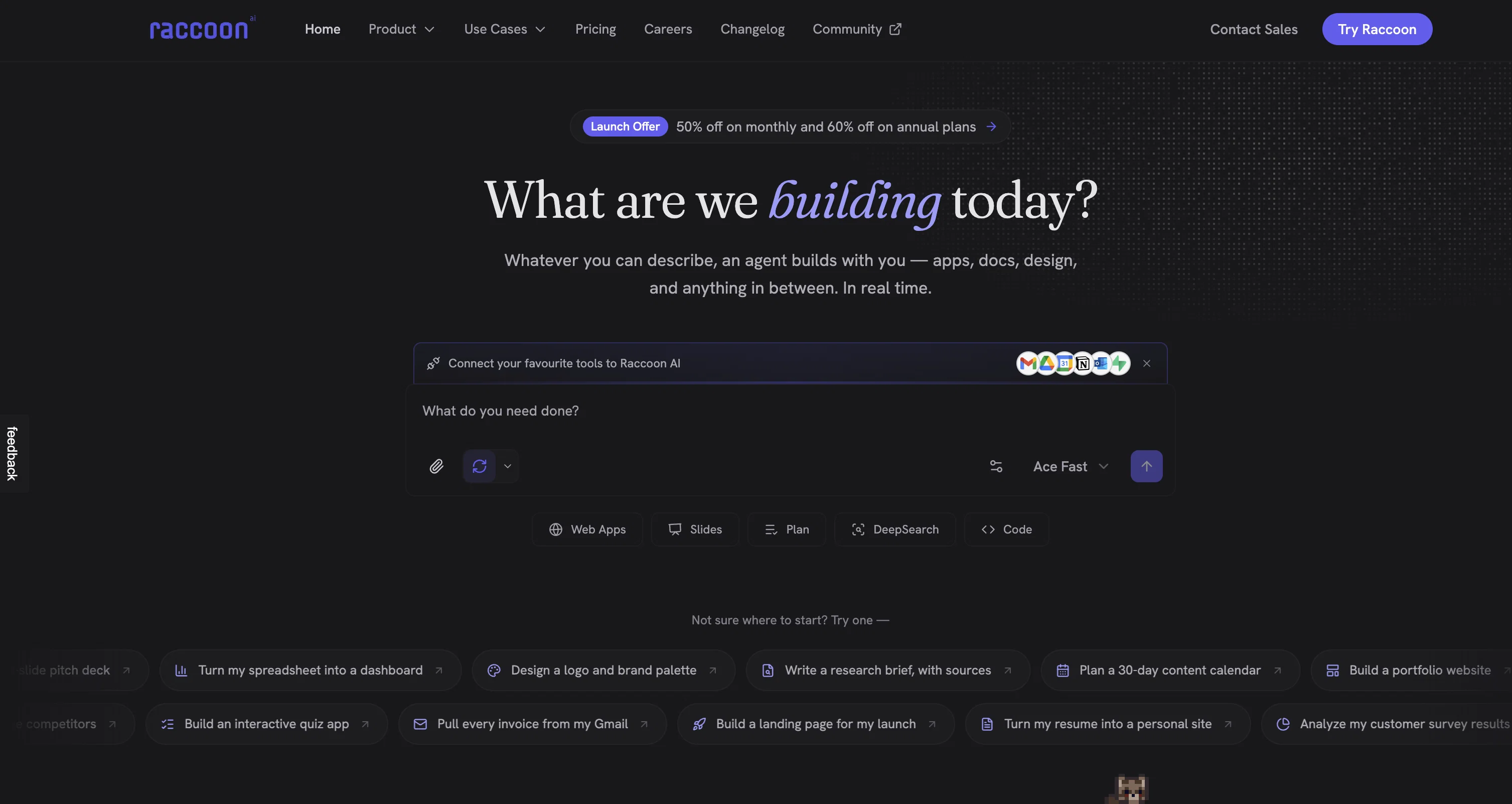
Build full-stack AI native web apps from a prompt. Watch code being written in real time, click through a live preview, inspect and modify elements visually, and deploy to production. The code is yours to keep. Integrate backend: authentication, storage and database pre-packaged. Go from idea to production in minutes for free.
Generate and edit images and videos from a prompt. Product mockups, social media content, promo videos — created and refined inside the same conversation as everything else. Edit these images inline in a visual canvas, remove background, change dimensions, edit text in images or reimagine.
Design marketing assets and visual content without opening a design tool. Draft contracts, write documents, generate PDFs.
Analyze messy spreadsheets and get back formatted reports with charts and recommendations.
Run deep research across the web with sources and citations.
Create pitch decks with real research, not templates.
Build dashboards from raw data. Every output is a finished deliverable, not a draft you have to redo.
Connect 40+ tools — Gmail, Google Drive, Notion, Calendar, GitHub, Supabase, and more — or plug in your own via custom MCP servers. Run multi-step workflows that actually cross tool boundaries in a single conversation.
Every task runs in a dedicated workspace with a full agent-controlled computer. You see every file as it's created. Edit inline, rewind to any previous state, publish files to public URLs, or export straight to your connected tools.
Speak or type in any of 7 supported languages. Use Ace Max for complex multi-step reasoning, or switch to Fast and Think agents for lighter tasks.
Free to start. No credit card required.
Key Features:
1. Web Apps — build, connect cloud and ai, preview, inspect, and deploy to production
2. Presentations — pitch decks, reports, training materials with real research
3. Data Analysis — charts, dashboards, insights, and recommendations
4. Deep Research — web research with sources, citations, and structured output
5. Documents — Word docs, PDFs, contracts, formatted reports
6. Design — graphics, one-pagers, marketing assets, image and video generation
7. Spreadsheets — formulas, dashboards, data cleanup, Excel and Sheets export
8. Code — write, debug, refactor, with live preview
9. 40+ Connectors — Gmail, Drive, Notion, Calendar, GitHub, Supabase, Outlook, Notion, custom MCPs
10. Rewind — go back to any point in a session, files and state fully restored
11. File Publishing — publish anything to a public URL, share with anyone
12. Audio Input — dictate prompts, work hands-free
- Ai Web App Builder
- All-in-one Ai Video Generator: Turn Text, Images, Audio, Slides, And More Into Polished, Professional Videos In Minutes.
- Ai Image Generation
- Apps & Connectors: Connect To Popular Apps, Services, And Tools To Extend Zerotwo's Capabilities
- Ai Data Analysis
- Ai-powered Document Creation
- Works With Web Pages, Pdfs, Spreadsheets, Youtube Videos, Google Docs, Google Slides, And Local Files
- Deep Research
- Vibe Coding
- Ai Slides Creation
- Design Tool
Best for
Short scenarios where Raccoon AI tends to shine.
-
Building and launching a full-stack web app with an AI-powered backend and frontend
Best for Software developers
-
Running deep research across the web and delivering reports with sources and citations
Best for Startup founders
-
Generating marketing banners, product images, logos, and social media content
Best for Data analysts
-
Creating promotional videos, product demos, and visual content from text prompts
Best for Marketing professionals
-
Analyzing spreadsheets and generating formatted Excel reports with charts and insights
Best for Product managers
-
Drafting, polishing, and translating professional emails and business documents
Best for Content creators
-
Writing, editing, and formatting long-form manuscripts, contracts, and PDFs
Best for Research analysts
-
Connecting Gmail, Drive, GitHub, Calendar, Notion or any of your favourite tool with one agent for multi-step workflows
Best for Software developers
Example outputs 1
Sample generations and before/after results for Raccoon AI.
Access & connections
Where you can use Raccoon AI, and what it plugs into.
Platforms
Capabilities
What this tool accepts, produces, and is strongest at.
Input
- API
- 3D
- Code
- Tabular
- Image
- Text
- Video
- AR/VR
- Geo
- Game
- Audio
- Sensor data
Output
- Sensor data
- Geo
- Code
- Audio
- Game
- Video
- 3D
- Tabular
- API
- Text
- Image
- AR/VR
Highlights
- API
- MCP
- Agents
- Use code TAAFT
- 50% OFF
Supported features
- API
- MCP
- Automation
- App Builder
- Code Assistant
- Agents
- Image Generation
- Image Edit
- Video Generation
- Slides
Show 9 more
- Spreadsheets
- Docs
- Deep Research
- Citations
- Integrations
- Translation
- STT
- IDE
Pros & cons
Pros
- Builds and deploys full stack web apps with backend and AI
- Generates and edits images and videos
- Generates presentations and pitch decks
- Connects 40+ tools — Gmail, Drive, GitHub, Calendar, Notion and more
- Dedicated workspace per task with full file access
- Free to start, no credit card required
- Analyzes databases and spreadsheets and generates formatted reports
- Designs marketing assets and visual content
Show 41 more
- Interacts with Google Drive
- Interacts with Gmail
- Interacts with Calendar
- Interacts with GitHub
- Executes multi-step end to end workflows
- Access to all files
- Custom download option
- No credit card required
- One-shot deliverables
- Embeds presentations in docs
- Analyzes complex data sets
- Writes, debugs, refactors code
- Creates formatted Word docs
- Writes PDFs
- Cleans up data
- Deep research capabilities
- Creates channel analysis workbooks
- Board meeting presentation builder
- Fashion outfit concept generator
- Integration with various platforms
- Report generation abilities
- Visual design conceptualization
- Real-time file browsing
- Workspace for each task
- Agent modes for tasks
- Unified interface design
- Pricing suits variety of users
- Easily downloadable outputs
- Simplifies complex data
- Generates interactive dashboards
- Natural language prompt operation
- Functions across multiple contexts
- Priority processing for power users
- Early access to new features
- Email and Slack support
- Creates SEO enriched content
- Generates business intelligence data
- Workspace unification and intelligence
- Generates, converts, deploys many formats
- 10x higher usage in Plus
- Research Use Case
Cons
- No dedicated desktop app
- No dedicated mobile app
- No multi-user collaborative features
- Requires constant internet connectivity
- Doesn't work offline
Compare alternatives
Similar tools in the catalog — with a clear reason to open each one.

SureThing.io - "OpenClaw" for Beginners ✓
FreemiumFirst General AI Agency. Designed for long-horizon tasks.
Free + from $30/mo
Full comparison


Autopilots by Athena AI ✓
Free TrialAutonomous AI agents that execute tasks for you.
Why look Typically cheaper
Full comparison
People also view
Tools that often show up alongside Raccoon AI in collections and comparisons.
Generor ✓
FreemiumGenerate and manage all your AI creations in one place

Barie AI ✓
FreemiumYour trusted Agentic AI Assistant

Younet ✓
Free TrialAI Agent Orchestration and Automation. Build your agentic business.

Typeface ✓
Free TrialPersonalized AI storytelling for enterprise content creation

Publer AI ✓
FreemiumAI-powered social media content creation and management

PostPerfect ✓
FreemiumAutomated social media posts.

Ocoya ✓
Free TrialYour AI-powered hub for seamless social media scheduling and content creation.

Flamel ✓
FreemiumTurn each franchise into a local marketing engine.
Releases 2
New Features
🚀 Ace Max Agent
Introducing Ace Max alongside our existing agent versions (Fast and Think) — built for complex reasoning across multi-dimensional tasks. Ace Max handles multi-step workflows that require planning, research, creation, and delivery in a single conversation.
🔌 Connectors
Connectors library with 40+ pre-built connectors including:
- Gmail
- Google Drive
- Notion
- Supabase
- Calendar
- Outlook
- And more...
Key Features:
- Add custom MCP servers as connectors to plug in any tool or API
- Filter tools to limit access to specific actions per session
- Context-efficient design — add as many as you need without worrying about context bloat
🛝 Presenter View for Slides
Professional presentation mode with advanced controls:
- Multi-window setup — presenter view in one window, slide view in another with real-time synchronization
- Interactive cursor tools — laser pointer, arrow, and other cursor types that broadcast across windows
- Presenter notes — AI-generated speaker notes with inline editing, resizable panels, and auto-sync
- Timer controls — built-in timer with pause/reset functionality
- Autoplay mode — configurable auto-advance with adjustable duration
- Slide navigation — thumbnail preview, keyboard shortcuts, and progress tracking
- Publishing — share slides via public URL for remote viewing
📄 File Publishing and Editing
- Publish any file to a public URL — share with anyone, access from anywhere
- Edit files inline in the smart editor with changes synced to the agent in real-time
- Redesigned workspace sidebar with improved file navigation and management
⏮️ Rewind
Rewind any session to any previous message:
- All files, context, and agent state are fully restored to the rewind point
- Branch your session in a new direction from any point in the conversation history
🎤 Audio and Input Experience
- Audio input support — dictate prompts using the microphone
- Prompt enhancement with
Cmd/Ctrl + Shift + Eto refine your prompts before sending - Quick file picker (
Cmd/Ctrl + U) - Drive import (
Cmd/Ctrl + Shift + U) - Command palette (
Cmd/Ctrl + K) for power users
🌐 Web App Previews
- Significantly stabler previews with fixed race conditions, stale content, and server restoration issues
- In-preview navbar to quickly navigate between pages of your app
- Inspect mode — select any element directly on screen and ask the agent to modify it visually
- Cloud integration — connect your Supabase account in a few clicks and build full stack web apps with authentication, database and cloud storage, all managed by the agent.
🧭 Explore and Navigation
- Recent sessions sidebar with quick actions to switch between sessions or start new ones instantly
- Explore section with detailed capability guides to discover everything Raccoon AI can do
- Focused in-session experience with updated tool output UI and performance improvements
- Connect your web app to cloud hosting anytime during a session
🌍 Localization
Raccoon AI now supports 7 languages natively across the entire platform.
And you can work with the agent in any language including these 7.
Bug Fixes and Stability
- Fixed session listing delays
- Fixed stale file previews
- Fixed missing files
- Fixed delayed UI updates
- Autoloading knowledge bases when tags are present in queries
- Unified and optimized image handling across the agent
- Improved media generation tools and media knowledge bases
- Fixed system prompt propagation for API users
Imported reviews 8
Been using this for a bit, the UX is super smooth and it’s insanely useful for all the random tasks I do as an engineering grad.
Insane quality of work done with fast execution!
Loved the product, already using it from last couple of weeks. It offers a powerful AI-agent that handles complex tasks like data analysis, code execution, document creation, and even presentations.
Would 10/10 recommend this if you want your life get easier.
Works fast and smart. You can get upto an year of plus plan just by referrals.
I really like how flexible the platform is, you have sensible modes, dynamic knowledge bases but you can steer the AI to build a lot of things!
We're live folks! Do check us out and drop your feedback or requests.
Best AI Agent out there!!
FAQ 12
What is Raccoon AI exactly?
How does Raccoon AI simplify creating presentations and analyzing data?
Can Raccoon AI actually script code and manage workflows?
What are the full-stack web applications that Raccoon AI can develop and deploy?
🛠️ 1
tool
🙏 19
karma
wrote:
Raccoon AI can develop and deploy, given its proficiency in coding and managing workflows, it can develop a wide range of full-stack web applications. It may range from small business websites and dashboards to complex applications.
What does 'specialized agent modes' mean in Raccoon AI?
How does integration work between Raccoon AI and Gmail, Calendar, Drive, Sheets, GitHub, and MCPs?
What comprehensive workflows can Raccoon AI accomplish?
What are the research capabilities of Raccoon AI?
How can Raccoon AI help in constructing reports & documents?
How does Raccoon AI design images and visuals?
What is the process of Raccoon AI generating assets?
What are the 'one-shot deliverables' that Raccoon AI creates?
Related tools
Recommended

Notis ✓
Free TrialThe first WhatsApp assistant that runs on your ChatGPT and Claude subscriptions

remio: Your Personal ChatGPT ✓
FreemiumGet Tailored Answer with Your Personal ChatGPT

TheLibrarian.io ✓
Free TrialYour WhatsApp AI assistant for instant productivity.

Claude ✓
FreemiumBuilding reliable, interpretable AI systems

Rocket ✓
FreemiumThink It. Type It. Launch It.

Whacka ✓
Free TrialTurn ideas into real apps from your phone.